1. Prodott Aktarview
The BOYA BOYALINK 3 is a versatile wireless lavalier microphone system designed for high-quality audio capture across multiple devices. It features advanced AI noise cancellation, studio-grade 48kHz/24-bit sound resolution, and multi-device compatibility, making it ideal for vlogging, interviews, live streaming, and more. Its compact design and extended battery life ensure reliable performance in various recording environments.
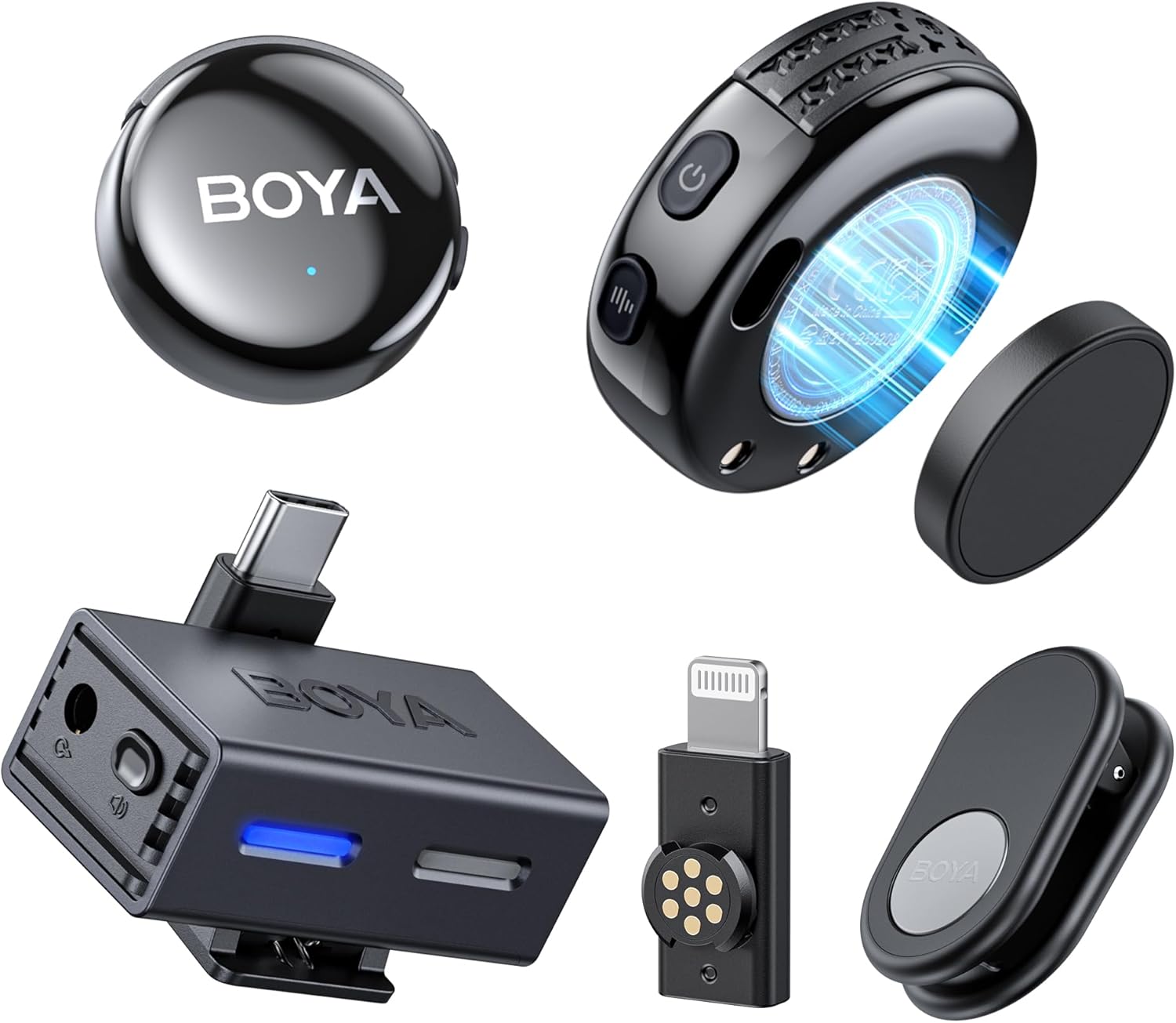
Image: The complete BOYA BOYALINK 3 wireless microphone system, showcasing the compact transmitters, receiver, and various connectivity options.
2. X'hemm fil-Kaxxa
- Transmitters × 2
- Riċevitur × 1
- Type-C Connector × 1
- Lightning Connector × 1
- TRS to TRS Audio Cable × 1
- Magnetic Plates × 2
- Magnetic Clips × 2
- Wind Muffs × 2
- Cable USB-C għal USB-A × 1
- Borża tal-ħażna × 1
- Contact Charging Cables × 2

Immaġni: Dettaljata view of all accessories and components included with the BOYALINK 3 system, such as cables, adapters, and wind muffs.
3. Setup
The BOYALINK 3 system is designed for quick and easy setup. The transmitters and receiver automatically pair upon power-on. Simply connect the appropriate adapter (USB-C, Lightning, or 3.5mm TRS) to the receiver and then to your recording device.
3.1 Konnessjoni mat-Tagħmir Tiegħek
- Identify the correct connector for your device (USB Type-C for Android/PC, Lightning for iPhone, 3.5mm TRS for cameras/laptops).
- Attach the chosen connector to the receiver unit.
- Plug the receiver with the attached connector into your smartphone, tablet, camera, or PC.
- Power on the transmitters. They will automatically connect to the receiver.

Image: The receiver unit with various adapters, illustrating its wide compatibility with different devices like smartphones, cameras, and laptops.
4. Istruzzjonijiet Operattivi
4.1 Tixgħel/Jitfi
- To power on the transmitters, press and hold the power button until the indicator light illuminates.
- Biex titfi, agħfas u żomm il-buttuna tal-qawwa mill-ġdid sakemm id-dawl indikatur jintefa.
- The receiver powers on automatically when connected to a device.
4.2 Reġistrar Awdjo
Once connected and powered on, the microphone system is ready to record. Ensure your recording application on your device is set to use the external microphone. The system provides clear, studio-grade audio for your recordings.
5. Kanċellazzjoni tal-Istorbju bl-AI
The BOYALINK 3 features AI-powered noise reduction technology capable of silencing over 700,000 noise types, including traffic, wind, and sudden disruptions. You can easily switch between Low, Medium, and High noise reduction modes by double-pressing the RX button on the receiver or through the BOYA Central app. This smart algorithm prevents distortion, ensuring clear vocals even in noisy environments.

Image: A visual representation of the AI noise cancellation technology, highlighting its effectiveness in reducing various types of environmental noise.
6. Studio-Grade Hi-Fi Sound
Experience crystal-clear audio with the BOYALINK 3, delivering a frequency response from 20Hz to 20kHz. Powered by professional-grade 48kHz/24-bit resolution, the system ensures high-fidelity sound capture. Smart Automatic Gain Control (AGC) and distortion-limiting features maintain studio-quality recordings for music, podcasts, and live streams, minimizing the need for post-editing.
Immaġni: Sploda view of the microphone's internal structure, emphasizing its 6mm Hi-Fi mic and components responsible for delivering high-quality audio.
7. Multi-Device Support
The BOYALINK 3 system supports multi-device connectivity, allowing one transmitter to pair with up to four receivers simultaneously. This feature enables real-time audio synchronization across multiple smartphones, cameras, and PCs, making it perfect for multi-angle filming, live broadcasts, or collaborative projects without lag.

Image: A setup demonstrating the multi-source sync recording system, where one transmitter connects to multiple receivers for simultaneous audio capture.
8. BOYA Central App Control
Unlock precise audio control with the BOYA Central app. This application allows you to instantly adjust 4-level AI noise reduction, customize EQ modes (Podcast/Music/Live), and sync multiple BOYALINK 3 devices. The app also facilitates seamless firmware updates and offers zero-latency monitoring, providing comprehensive control over your sound.

Image: The BOYA Central app interface on a smartphone, illustrating the various settings and controls available for fine-tuning your audio.
9. Monitoraġġ f'Ħin Reali
The BOYALINK 3 features direct headphone monitoring, allowing you to hear crystal-clear, uncompressed audio (48kHz/24-bit) with less than 10ms delay. You can adjust volume and EQ settings via the BOYA Central app while recording, ensuring you never miss a beat and can make on-the-fly adjustments for optimal sound.
10. Battery Life & Extended Range
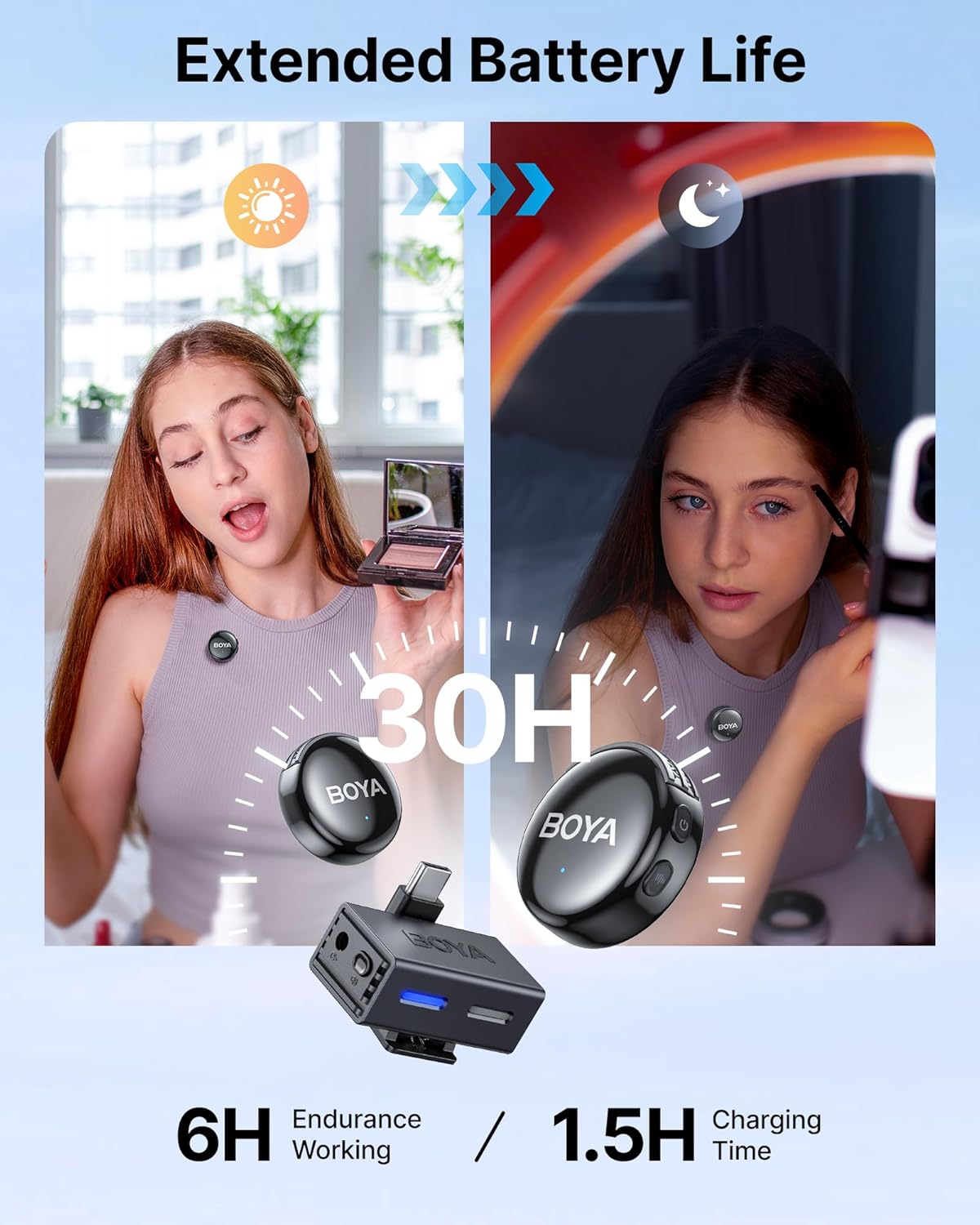
The BOYALINK 3 offers a 6-hour microphone runtime, with two clip-on wireless microphones alternating seamlessly for up to 12 hours of total runtime. It provides stable 2.4GHz transmission, reaching up to 984 feet (300m) in open spaces. This extended range and battery life ensure reliable audio capture for mobile journalism, vlogging, and other demanding scenarios.

Image: A visual representation of the microphone's impressive battery life and long-range transmission capabilities.
11. Kompatibilità Universali
The BOYALINK 3 microphone offers universal compatibility, working instantly with Lightning, USB-C, and 3.5mm connections. No additional drivers or adapters are needed, ensuring seamless integration with iPhones, Android smartphones, tablets, cameras, and live-stream setups. This plug-and-play functionality simplifies your workflow.
12. Manutenzjoni
To ensure the longevity and optimal performance of your BOYA BOYALINK 3 Wireless Lavalier Microphone, follow these maintenance guidelines:
- Tindif: Use a soft, dry cloth to wipe down the transmitters and receiver. Avoid using harsh chemicals, solvents, or abrasive cleaners.
- Ħażna: Store the microphone system in its original storage pouch or a protective case when not in use to prevent dust accumulation and physical damage.
- Kura tal-batterija: For models with a charging case, ensure the case is regularly charged. For individual units, avoid fully discharging the batteries for extended periods. Charge them periodically if not used for a long time.
- Portijiet tal-Konnettività: Keep the USB-C, Lightning, and 3.5mm ports free from dust and debris. Use a soft brush or compressed air if necessary.
- Muffs tar-Riħ: Clean the wind muffs gently. If they become matted, carefully fluff them to restore their effectiveness.
13 Issolvi l-problemi
If you encounter issues with your BOYA BOYALINK 3, refer to the following common troubleshooting steps:
| Problema | Kawża Possibbli | Soluzzjoni |
|---|---|---|
| Ebda Output tal-Ħoss | Microphone not powered on; Incorrect connection; Device not recognizing external mic; Low battery. | Ensure transmitters are powered on. Verify receiver is securely connected to the device. Check device audio input settings. Charge all units. |
| Kwalità tal-Awdjo Fqira / Statika | Interference; Obstructions; Distance too far; Wind noise. | Reduce distance between transmitter and receiver. Avoid physical obstructions. Enable AI noise cancellation. Use wind muffs outdoors. |
| Transmitter Not Pairing | Out of range; Interference; Pairing issue. | Bring units closer. Restart both transmitter and receiver. Refer to the manual for manual pairing instructions if auto-pairing fails. |
| Kwistjonijiet ta' Konnettività tal-App | Bluetooth not enabled; App not updated; Device compatibility. | Ensure Bluetooth is on. Update BOYA Central app to the latest version. Check device's compatibility with the app. |
14. Speċifikazzjonijiet
| Karatteristika | Dettall |
|---|---|
| Brand | BOYA |
| Isem tal-Mudell | BOYALINK 3-03 |
| Fattur tal-Forma tal-Mikrofonu | Lavalier |
| Mudell Polari | Omnidirezzjonali |
| Teknoloġija tal-Konnettività | Wireless (2.4GHz) |
| Tip ta' Konnettur | 3.5 mm Jack, USB Type-C, Lightning |
| Medda ta' Frekwenzi | 20 Hz - 20 kHz |
| Sinjal-mal-ħoss Ratio | 85 dB |
| Piż tal-oġġett | 100 Gram (3.53 uqija) |
| Sors tal-Enerġija | Li jaħdem bil-batterija (jone tal-litju) |
| Ħajja tal-Batterija (Trasmettitur) | 6 hours (up to 12 hours total with alternating use) |
| Medda Operattiva | Up to 984 ft (300m) in open spaces |
| Apparati Kompatibbli | Kamera, Smartphone, Tablet, Laptop, PC |
| Materjal | Acrylonitrile Butadiene Styrene |
15. Garanzija u Appoġġ
BOYA products are manufactured to high-quality standards. For information regarding warranty coverage, technical support, or service, please refer to the official BOYA webis-sit jew ikkuntattja l-appoġġ għall-klijenti tagħhom direttament. Żomm l-irċevuta tax-xiri tiegħek bħala prova tax-xiri għal talbiet ta' garanzija.
Għal aktar assistenza, żur il-websajt uffiċjali ta' BOYA. websit: www.boya-mic.com


