Introduzzjoni
This manual provides detailed instructions for the safe and effective use of your KiCA Jet Fan Ultra and Jetfan 1.0 Electric Air Dusters. Please read this manual thoroughly before operating the devices and retain it for future reference.

Image: The KiCA Jet Fan Ultra (left) and Jetfan 1.0 (right) electric air duster units. The Jet Fan Ultra is a rectangular, gun-shaped device with a nozzle, while the Jetfan 1.0 is a smaller, T-shaped device.
Informazzjoni dwar is-Sigurtà
- Do not point the air duster at eyes, face, or body.
- Żomm fejn ma jintlaħaqx mit-tfal.
- Tħaddimx f'kundizzjonijiet imxarrbin jew ħdejn likwidi jew gassijiet fjammabbli.
- Kun żgur li l-port tal-iċċarġjar ikun niexef qabel ma tqabbad il-ċarġer.
- Żarmax jew timmodifikax l-apparat.
- Uża biss il-kejbil u l-adapter tal-iċċarġjar provduti.
Kontenut tal-Pakkett
Ivverifika li l-oġġetti kollha huma preżenti fil-pakkett tiegħek:
- KiCA Jet Fan Ultra
- KiCA Jetfan 1.0
- Kejbil tal-Iċċarġjar (USB-C)
- Nozzle Attachments (if applicable)
- Manwal għall-Utent (dan id-dokument)
Setup
Iċċarġjar Inizjali
Before first use, fully charge both devices. Connect the provided USB-C charging cable to the charging port on each device and to a suitable USB power adapter. The indicator lights will show charging status.
Attaching Nozzles (Jet Fan Ultra)
Align the desired nozzle attachment with the air outlet of the Jet Fan Ultra and push firmly until it clicks into place. Ensure it is securely attached before operation.
Istruzzjonijiet Operattivi
KiCA Jet Fan Ultra
- Power On/Off: Agħfas u żomm il-buttuna ta 'l-enerġija biex tixgħel jew tintefa' l-apparat.
- Aġġustament tal-Veloċità tal-Arja: Use the speed adjustment buttons (often marked '+' and '-') to cycle through different air speed levels. The indicator lights will show the current speed setting.
- Dawl LED: The Jet Fan Ultra features double-sided LEDs. Press the light button to activate or deactivate the integrated LED lights for improved visibility in dark areas.

Image: The KiCA Jet Fan Ultra demonstrating its double-sided LED lights, illuminating a dark area within a car engine bay for precise cleaning.
KiCA Jetfan 1.0
- Power On/Off: Agħfas u żomm il-buttuna ta 'l-enerġija biex tixgħel jew tintefa' l-apparat.
- Modalità Manwali: Press the trigger button to activate the airflow. Release the button to stop.
- Modalità Awtomatika: After powering on, press the trigger button and then single-tap the power button to switch between manual and auto mode. In auto mode, the fan will run continuously until switched off or back to manual mode.
- Adjusting Air Speed (Jetfan 1.0): The Jetfan 1.0 typically has multiple gears. Single-tap the power button (after initial power-on) to cycle through the gears (speed settings). Blue indicator lights will show the current gear.
- L-Ewwel Gear: 1 blue indicator, approx. 18,000rpm, 2.5m/s
- It-Tieni Gear: 2 blue indicators, approx. 36,000rpm, 6.5m/s
- It-Tielet Ger: 3 blue indicators, approx. 60,000rpm, 9.0m/s
- Ir-Raba' Ger: 4 blue indicators, approx. 86,000rpm, 11.5m/s

Image: The KiCA Jetfan 1.0 illustrating its four gear settings, with corresponding RPM and wind speed values indicated by blue lights.

Image: The KiCA Jetfan 1.0 demonstrating its manual mode (trigger press for airflow) and auto mode (continuous airflow after a specific button sequence).
Manutenzjoni
- Tindif: Use a soft, dry cloth to wipe the exterior of the devices. Do not use harsh chemicals or abrasive materials.
- Filtru tad-Dħul tal-Arja: Periodically check the air inlet for dust or debris accumulation. Gently clean the filter area with a soft brush or another air duster to ensure optimal performance.
- Ħażna: Aħżen l-apparati f'post frisk u niexef 'il bogħod mix-xemx diretta u minn temperaturi estremi.
- Kura tal-batterija: For prolonged storage, charge the devices to approximately 50% every three months to maintain battery health.
Issolvi l-problemi
| Problema | Kawża Possibbli | Soluzzjoni |
|---|---|---|
| L-apparat ma jixgħelx. | Batterija baxxa. | Iċċarġja l-apparat għal kollox. |
| Fluss ta 'arja dgħajjef. | Low battery; obstructed air inlet. | Charge the device; clean the air inlet filter. |
| L-apparat jieqaf ħesrem. | Tisħin żejjed; batterija baxxa. | Allow the device to cool down; charge the device. |
| LED lights not working (Jet Fan Ultra). | Light function not activated. | Press the dedicated light button to activate. |
Speċifikazzjonijiet
KiCA Jet Fan Ultra
- Veloċità tar-riħ: Up to 109 MPH (approx. 48.7 m/s)
- Qawwa: 171W Industrial Power
- Max Thrust: 185g
- Karatteristiċi: Double-sided LEDs

Image: The KiCA Jet Fan Ultra showcasing its high-performance motor with specifications including 171W industrial power, 109mph hurricane speed, and 185g max thrust.
KiCA Jetfan 1.0
- Piż: 220g
- Veloċità Massima tar-Riħ: 11.5 m/s (Fourth Gear)
- Mutur: 9.99Wh Motor
- Modi: Manwal, Auto
- Dimensjonijiet: Approximately 124mm (length) x 73mm (width) x 35mm (height of nozzle section)
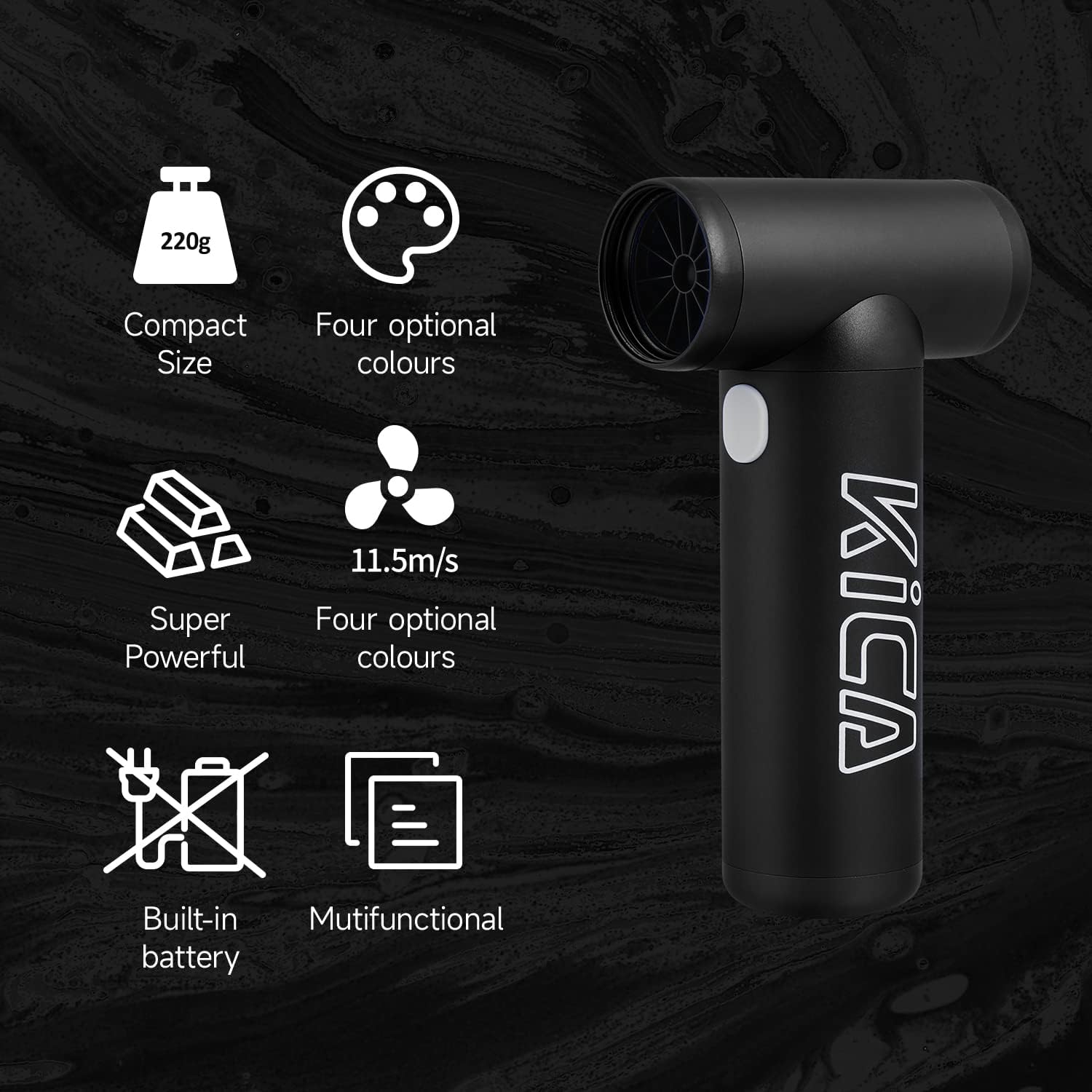
Image: The KiCA Jetfan 1.0 illustrating its compact size (220g), super powerful airflow (11.5m/s), built-in battery, and multifunctional capabilities.
Image: The KiCA Jetfan 1.0 with dimensions indicated: 124mm length, 73mm width, and 35mm height of the nozzle section.
Garanzija u Appoġġ
For warranty information and technical support, please refer to the official KiCA webis-sit jew ikkuntattja lis-servizz tal-konsumatur tagħhom direttament. Id-dettalji ta' kuntatt tipikament jinstabu fuq l-imballaġġ tal-prodott jew fuq il-paġna tal-manifattur websit.
Manifattur: Kica
Data L-Ewwel Disponibbli: 24 ta’ April, 2025


