1. Introduzzjoni
Welcome to the user manual for your AZDOME PG17 Max Mirror Dash Cam. This manual provides detailed instructions on the installation, operation, and maintenance of your device. Please read this manual thoroughly before using the product to ensure proper functionality and safety.

Figura 1.1: AZDOME PG17 Max Mirror Dash Cam and its components, including the main mirror unit, rear camera, GPS module, and memory card.
2. Kontenut tal-Pakkett
Jekk jogħġbok ivverifika li l-oġġetti kollha elenkati hawn taħt huma preżenti fil-pakkett tiegħek:
- AZDOME PG17 Max Mirror Dash Cam Unit
- Kamera ta' wara
- Modulu GPS
- Kejbil tal-Enerġija
- 20ft 4 Pin Extension Cable for Rear Camera
- Manwal għall-Utent (dan id-dokument)
- Mounting Straps/Accessories
- WiFi Module (integrated or separate, as per specifications)

Figura 2.1: The included 20ft 4 Pin Extension Cable, essential for connecting the rear camera to the main mirror unit.
3. Prodott Aktarview
The AZDOME PG17 Max is a high-performance mirror dash cam designed to enhance driving safety and record road events. It features dual cameras for front and rear recording, advanced driver assistance systems, and smart connectivity options.
Karatteristiċi ewlenin:
- Front 4K (3840x2160) and Rear 2.5K (2560x1440) Recording: Captures high-resolution video from both front and rear perspectives at 30fps.
- Advanced ADAS Technology: Provides alerts for forward collision, pedestrian collision, lane departure, front vehicle start, and distance monitoring.
- Enhanced BSD & LCA: Blind Spot Detection and Lane Change Assist monitor blind spots and alert for potential rear-end collision risks during lane changes.
- Konnettività WiFi ta' 5.8GHz: Enables seamless connection to the AZDOME app for video downloads and sharing.
- Kontroll tal-Vuċi Intelliġenti: Supports 10 convenient voice commands for hands-free operation.
- Built-in GPS & Route Tracking: Accurately records driving routes, locations, and speed data.
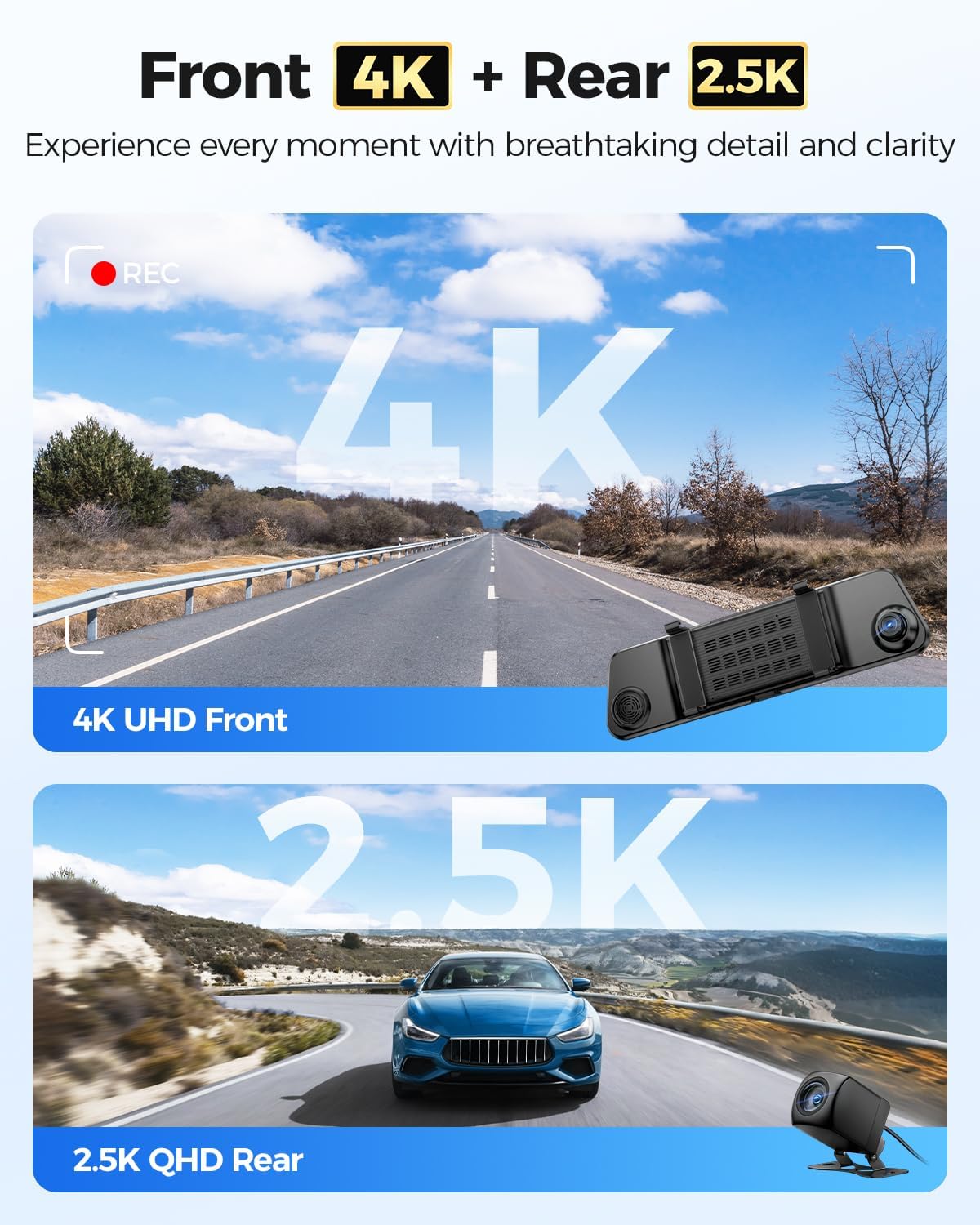
Figura 3.1: Visual representation of the dash cam's dual recording capabilities, highlighting 4K resolution for the front camera and 2.5K for the rear camera.
4. Installazzjoni
Installazzjoni xierqa hija kruċjali għall-aħjar prestazzjoni tad-dash cam tiegħek. Segwi dawn il-passi bir-reqqa:
4.1 Immuntar tal-Mera Dash Cam
- Secure the AZDOME PG17 Max unit over your existing rearview mera billi tuża ċ-ċineg tal-gomma pprovduti. Kun żgur li hija mwaħħla sew u ma tostakolax il-vista tiegħek view.
- Aġġusta l-angolu tal-lenti tal-kamera ta' quddiem biex taqbad it-triq 'il quddiem b'mod ċar.
4.2 Installazzjoni tal-Kamera ta 'wara
- Choose a suitable location for the rear camera, typically above the license plate or inside the rear window. Ensure it has a clear view tat-triq ta’ wara.
- Clean the mounting surface thoroughly before attaching the camera.
- Route the 20ft 4 Pin extension cable from the rear camera to the main mirror unit. Conceal the cable along the vehicle's trim for a neat installation.
- Connect the 4 Pin connector of the extension cable to the corresponding port on the main mirror unit.
4.3 Konnessjoni tal-Enerġija
- Connect the power cable to the main mirror unit.
- Plug the other end of the power cable into your vehicle's 12V power outlet (cigarette lighter socket).
- For continuous parking monitoring, consider hardwiring the dash cam (professional installation recommended).
4.4 Installazzjoni tal-Modulu tal-GPS
- Connect the GPS module to the designated port on the main mirror unit.
- Mount the GPS module on your dashboard or windshield in a location with a clear view of the sky to ensure optimal satellite reception.
5. Operazzjoni
5.1 Funzjonijiet Bażiċi
- Power On/Off: The dash cam will automatically power on and begin recording when the vehicle's ignition is turned on. It will power off automatically when the ignition is turned off. You can also manually power it on/off using the power button.
- Reġistrazzjoni: Loop recording is enabled by default. Videos are saved in segments (e.g., 1, 3, or 5 minutes) and older files are overwritten when the memory card is full, unless they are locked.
- Reġistrazzjoni ta' Emerġenza: The G-sensor detects sudden impacts or collisions and automatically locks the current video file to prevent it from being overwritten. You can also manually lock a video by pressing the designated button.
- Modi tal-Wiri: Ibdel bejn il-kamera ta' quddiem view, kamera ta 'wara view, jew split-screen view (front and rear) by swiping on the screen or using the display mode button.
5.2 Sistema Avvanzata ta' Assistenza lis-Sewwieq (ADAS)
The ADAS feature provides real-time alerts to enhance driving safety. These include:
- Twissija ta' Ħabta 'l Quddiem (FCW): Javżak jekk tkun qed toqrob lejn vettura malajr wisq.
- Pedestrian Collision Warning (PCW): Warns of potential collisions with pedestrians.
- Twissija ta' Ħruġ mill-Karreġġjata (LDW): Alerts if your vehicle drifts out of its lane without signaling.
- Front Vehicle Start Warning (FVSW): Notifies you when the vehicle in front starts moving from a stop.
- Monitoraġġ tad-Distanza: Helps maintain a safe following distance.

Figura 5.1: Visual explanation of the Advanced Driver Assistance System (ADAS) features, showing how the dash cam detects and alerts for potential road hazards.
5.3 Blind Spot Detection (BSD) & Lane Change Assist (LCA)
These features actively monitor your vehicle's blind spots to prevent accidents during lane changes or when vehicles are in your blind zone.
- Twissija ta' Ħabta minn Wara: Alerts if a vehicle is rapidly approaching from behind in your blind spot.
- Assistenza fil-Bidla tal-Karreġġjata: Provides warnings when changing lanes if a vehicle is detected in the blind spot.

Figura 5.2: Depiction of the Blind Spot Detection (BSD) and Lane Change Assist (LCA) functionalities, showing how the system identifies and warns of vehicles in blind spots.
5.4 5.8GHz WiFi Connectivity & App Control
Connect your dash cam to the AZDOME app on your smartphone for easy access to recordings and settings.
- Download the AZDOME app from the Google Play Store or Apple App Store.
- Enable WiFi on your dash cam (if not already active).
- On your smartphone, connect to the dash cam's WiFi network (SSID and password usually displayed on the dash cam screen or in settings).
- Open the AZDOME app to view foo ħajtage, download recorded videos, change settings, and share content. The 5.8GHz WiFi offers faster transfer speeds compared to 2.4GHz.

Figura 5.3: The AZDOME mobile application interface, demonstrating how users can connect via 5.8GHz WiFi to manage dash cam settings and review footage.
5.5 Kontroll tal-Vuċi Intelliġenti
Operate your dash cam hands-free using voice commands. The device supports 10 specific commands for common actions.
- "Turn off recording"
- "Itfi l-wiri"
- "Illokkja l-vidjo"
- "Ħu ritratt"
- "Uri l-kamera ta' quddiem"
- "Open recording"
- "Ixgħel il-WiFi"
- "Uri l-kamera ta' wara"
- "Open screen"
- (Additional command, refer to on-screen prompts or specific product documentation if available)

Figura 5.4: A visual guide to the smart voice control feature, showing various commands that can be used to operate the dash cam hands-free.
5.6 Built-in GPS & Route Tracking
The integrated GPS module records your driving data, which can be reviewed aktar tard.
- Traċċar tar-Rotta: Records your vehicle's path on a map.
- Dejta tal-Lokazzjoni: Stores precise coordinates.
- Speed Data: Records vehicle speed.
- This data is embedded directly into the video filei u jista jkun viewed using the dedicated AZDOME GPS Player software on a computer or via the mobile app.

Figura 5.5: Eżample of the built-in GPS and route tracking functionality, displaying altitude, speed, and a map of the recorded driving route.
6. Menu tal-issettjar
Access the settings menu on the dash cam screen to customize various parameters. Use the touch screen or physical buttons (if available) to navigate.
Settings Komuni:
- Riżoluzzjoni tal-vidjo: Adjust front and rear camera resolutions (e.g., 4K/2.5K, 1080P).
- Reġistrazzjoni Loop: Issettja t-tul tas-segment tal-vidjow (eż., 1, 3, 5 minuti).
- Sensittività tas-Sensor G: Adjust sensitivity for emergency recording trigger.
- Monitoraġġ tal-Parkeġġ: Enable/disable and configure parking surveillance modes (requires hardwire kit).
- ADAS/BSD/LCA: Turn these safety features on or off.
- Espożizzjoni: Aġġusta l-livelli tal-luminożità.
- Żona tal-Ħin: Issettja ż-żona tal-ħin korretta għal ħin preċiżamps.
- Lingwa: Agħżel il-lingwa preferuta tiegħek.
- Format SD Card: Format the memory card to ensure optimal performance and clear old data.
7. Manutenzjoni
Regular maintenance ensures the longevity and optimal performance of your AZDOME PG17 Max dash cam.
7.1 Tindif tal-Apparat
- Use a soft, dry cloth to clean the dash cam unit and lenses.
- Do not use abrasive cleaners or solvents, as they may damage the surface or lens coatings.
- Ensure lenses are free of dust and smudges for clear recordings.
7.2 Ġestjoni tal-Kard tal-Memorja
- Regularly format the memory card (e.g., once a month) to prevent data corruption and ensure smooth recording.
- Use a high-quality, high-speed (Class 10 or U3 recommended) microSD card.
- Replace the memory card if you experience frequent errors or recording issues.
7.3 Aġġornamenti tal-Firmware
- Check the official AZDOME website for available firmware updates.
- Firmware updates can improve performance, add new features, or fix bugs. Follow the instructions provided with the firmware update carefully.
8 Issolvi l-problemi
Jekk tiltaqa' ma' problemi bid-dash cam tiegħek, irreferi għall-problemi u s-soluzzjonijiet komuni li ġejjin:
| Problema | Kawża / Soluzzjoni Possibbli |
|---|---|
| Id-dash cam ma tixgħelx. |
|
| Ir-reġistrazzjoni tieqaf ħesrem. |
|
| Video footage hija mċajpra jew mhux ċara. |
|
| Is-sinjal tal-GPS huwa dgħajjef jew ma jinstabx. |
|
| Problemi bil-konnessjoni tal-WiFi. |
|
9. Speċifikazzjonijiet
| Karatteristika | Dettall |
|---|---|
| Isem tal-Mudell | PG17 Max |
| Brand | AZDOME |
| Riżoluzzjoni tal-Vidjo ta' Quddiem | 4K (3840 x 2160) @ 30fps |
| Riżoluzzjoni tal-Vidjo ta' wara | 2.5K (2560 x 1440) @ 30fps |
| Teknoloġija tal-Konnettività | 5.8GHz Wi-Fi |
| Komponenti Inklużi | Mirror Dash Cam Unit, Rear Camera, GPS Module, Power Cable, 20ft 4 Pin Extension Cable |
| Tip ta 'Immuntar | Waraview Mirror Mount |
| Karatteristiċi Speċjali | ADAS (Forward Collision, Pedestrian Collision, Lane Departure, Front Vehicle Start, Distance Monitoring), BSD (Blind Spot Detection), LCA (Lane Change Assist), Smart Voice Control, Built-in GPS, Loop Recording, G-Sensor, Parking Monitor (with optional hardwire kit) |
| Kulur | Iswed |
| Tip ta 'Servizz tal-Vettura | Karozza |
10. Garanzija u Appoġġ
AZDOME products are designed and manufactured to the highest quality standards. For warranty information, technical support, or customer service inquiries, please visit the official AZDOME webis-sit jew ikkuntattja lit-tim tal-appoġġ għall-klijenti tagħhom direttament.
Official AZDOME Websit: www.azdome.com
Please have your product model (PG17 Max) and purchase details ready when contacting support.


