1. Introduzzjoni
This manual provides detailed instructions for the installation, operation, and maintenance of your Eseesmart Smart Key Lock Box (Model YL-B5BF). This device offers multiple secure access methods, including fingerprint recognition, custom passcodes, and smartphone app control, making it suitable for various applications such as home use, short-term rentals, and commercial properties.
2. Kontenut tal-Pakkett
Jekk jogħġbok ivverifika li l-oġġetti kollha elenkati hawn taħt huma inklużi fil-pakkett tiegħek:
- 1 x Eseesmart Smart Key Lock Box
- 1 x Adjustable Shackle
- 1 x Manwal għall-Utent
- 1 x tornavit
- 1 x Type-C Cable (for emergency power)
- 4 x Wall Mounted Screws
- 4 x Ankri tal-Invita
- 2 x Silicone Plugs

Figura 2.1: Kontenut tal-Pakkett
3. Karatteristiċi tal-prodott
The Eseesmart Smart Key Lock Box is designed with advanced features for security and convenience:
- Multi-Way Unlocking: Access via the eSmartLock app, 0.2-second fingerprint recognition, customizable passcodes (permanent, user-defined, or one-time), or Apple Watch integration. Supports up to 100 fingerprints.
- Kostruzzjoni Durabbli: Made from premium zinc alloy with an IP65 waterproof rating, capable of operating in temperatures from -13°F to 149°F.
- Installazzjoni flessibbli: Features a detachable and adjustable stainless steel shackle (1.6"–2.0") with a scratch-proof rubber sleeve for mounting on walls, door handles, or fixtures.
- Intern Spazjuż: Designed to securely hold keys, wallets, passports, jewelry, and other small valuables.
- Qawwa Affidabbli: Operates on 3x AAA batteries (not included) with app and indicator battery alerts. Includes a USB-C port for emergency charging.
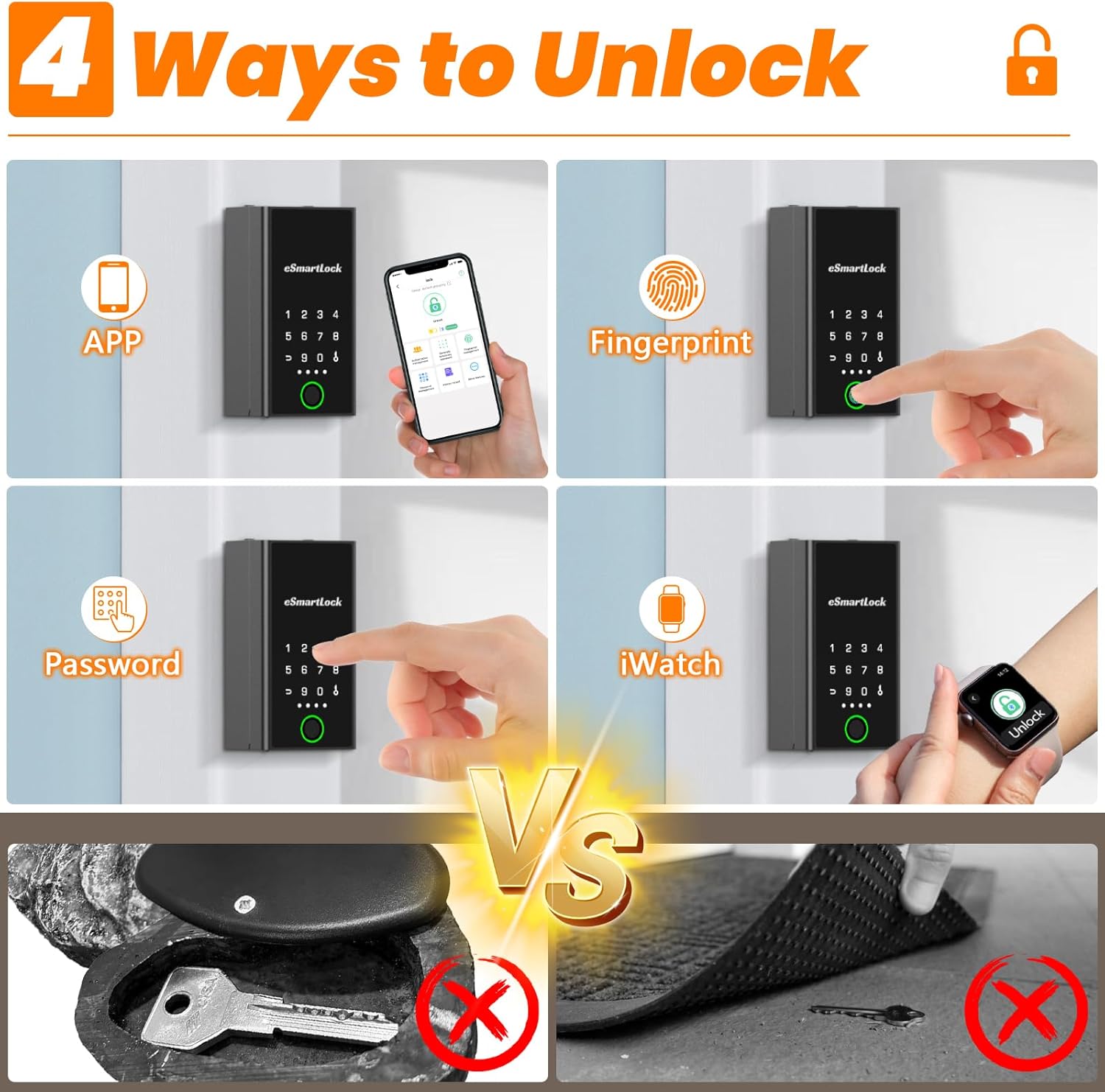
Figure 3.1: Four Unlocking Methods

Figure 3.2: Large Storage Capacity
4. Setup
4.1 Installazzjoni tal-batterija
- Unscrew the two screws on the back panel of the lock box to open the battery compartment.
- Insert 3x AAA batteries (not included), ensuring correct polarity. Rechargeable batteries are recommended.
- Close the battery compartment and secure it with the screws.
4.2 Tniżżil u Tqabbil tal-App
- Download the "eSmartLock" app from your device's app store (available for Android and iOS).
- Ippermetti Bluetooth fuq l-ismartphone tiegħek.
- Open the eSmartLock app and follow the on-screen instructions to add your Smart Key Lock Box. The lock box will typically blink blue when ready for pairing.
- Allow location permissions if prompted by the app.
4.3 Setting Unlock Methods
Once paired with the app, you can configure various unlock methods:
- Marka tas-swaba ': In the app, navigate to Fingerprint Management to add and register up to 100 unique fingerprints.
- Passcode: Set permanent, time-limited guest, or one-time passcodes through the app's Passcode Management section.
- Apple Watch: Integrate with your Apple Watch for convenient unlocking.
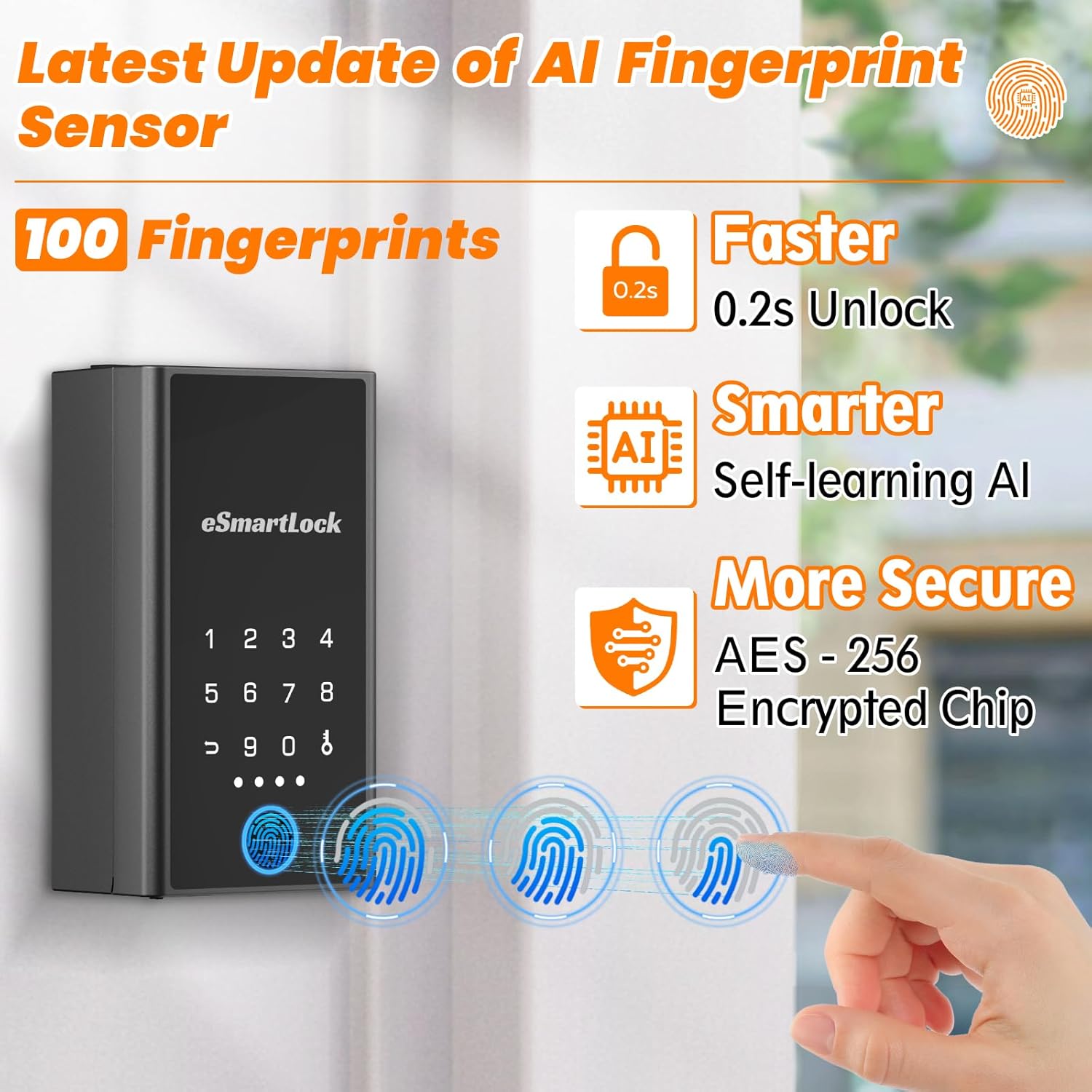
Figure 4.1: Fingerprint Sensor Technology
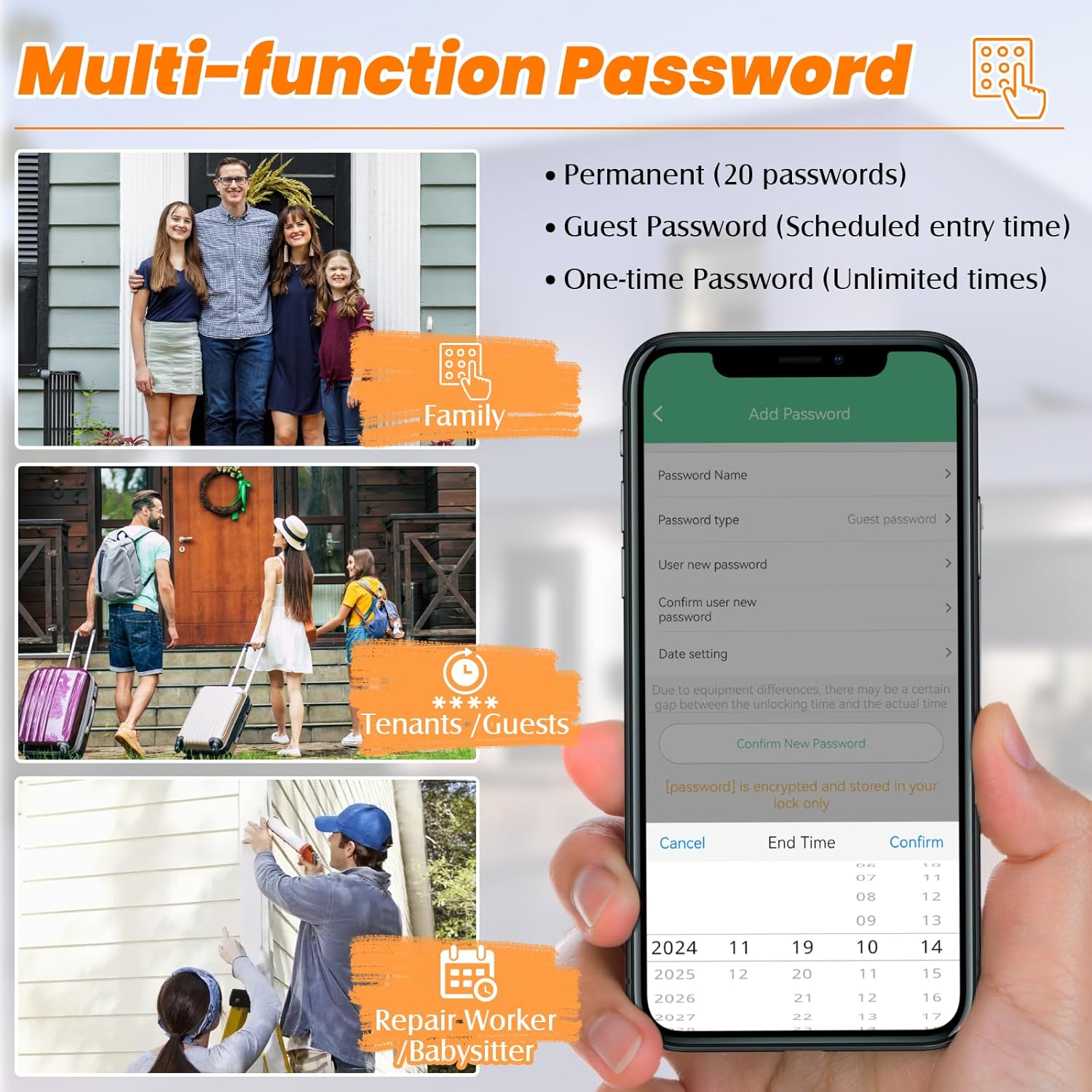
Figure 4.2: Multi-function Passcode Setup
5. Istruzzjonijiet Operattivi
5.1 Kif tiftaħ l-Apparat
- Marka tas-swaba ': Poġġi s-saba' rreġistrat tiegħek fuq is-senser tal-marka tas-swaba'. Is-serratura tinfetaħ jekk il-marka tas-swaba' tiġi rikonoxxuta.
- Passcode: Enter your programmed passcode on the touchscreen keypad.
- Kontroll tal-App: Open the eSmartLock app on your smartphone, ensure Bluetooth is connected, and tap the unlock icon.
5.2 Access Management via App
The eSmartLock app allows for comprehensive access management:
- Ġestjoni tal-Utenti: Add or remove authorized users who can access the lock box.
- Passwords Temporanji: Generate and share temporary or one-time passcodes for guests or service providers.
- Nisfruttaw ir-Rekords: View a history of all unlock events, including method and time.


Figure 5.1: App Interface for User and Temporary Password Management


Figure 5.2: App Interface for Sharing Permissions and Viewing Records
5.3 Għażliet ta 'Immuntar
The lock box offers two primary mounting methods:
- Door Hanging: Use the adjustable shackle to hang the lock box on a door handle or similar fixture.
- Muntaġġ tal-ħajt: Utilize the provided screws and anchors to securely mount the lock box to a wall.

Figure 5.3: Versatile Mounting Options
6. Manutenzjoni
6.1 Ġestjoni tal-batterija
The lock box is powered by 3x AAA batteries. To ensure continuous operation:
- Monitor battery levels via the eSmartLock app or the indicator lights on the device.
- When batteries are low, use the provided USB-C cable for emergency charging to avoid lockouts.
- Replace batteries promptly when alerts indicate low power.

Figure 6.1: Battery Features and Management
6.2 Kura Ġenerali
To maintain the longevity and functionality of your lock box:
- Regularly clean the touchscreen keypad and fingerprint sensor with a soft, dry cloth.
- Avoid exposing the device to extreme physical impact or corrosive substances.
- Ensure the waterproof rubber plug for the USB-C port is properly sealed when not in use.
7 Issolvi l-problemi
| Ħruġ | Kawża Possibbli | Soluzzjoni |
|---|---|---|
| Cannot unlock with fingerprint. | Fingerprint not registered or sensor is dirty. | Ensure your fingerprint is properly registered in the app. Clean the fingerprint sensor. Try re-registering your fingerprint. |
| Cannot unlock with passcode. | Incorrect passcode entered or keypad unresponsive. | Verify the passcode in the app. Ensure the keypad is active (touch to wake). Check battery level. |
| App cannot connect to the lock box. | Bluetooth is off, lock box is out of range, or low battery. | Ensure Bluetooth is enabled on your phone. Move closer to the lock box. Check battery level and charge if necessary. Restart the app. |
| Remote code change not working. | The device uses Bluetooth, not Wi-Fi, for app control. | Remote code changes require your phone to be within Bluetooth range of the lock box. You must be physically near the unit to update codes via the app. |
| Lock box is unresponsive. | Batteriji mejta. | Use the USB-C cable for emergency power to temporarily activate the lock and replace the batteries. |
8. Speċifikazzjonijiet
| Karatteristika | Dettall |
|---|---|
| Isem tal-Mudell | YL-B5BF |
| Brand | Eseesmart |
| Tip Lock | Biometric, Digital keypad, Smart lock box |
| Metodi tal-ftuħ | Fingerprint, Passcode, App, Apple Watch |
| Kapaċità tal-marki tas-swaba' | Sa 100 marki tas-swaba |
| Konnettività | Bluetooth |
| Tip ta' Kontrollur | Android, iOS |
| Materjal | Premium Zinc Alloy Body, Stainless Steel Shackle with Rubber Protection |
| Dimensjonijiet (L x W x H) | 3 x 2 x 5.5 pulzieri |
| Piż tal-oġġett | 1.7 Liri |
| Klassifikazzjoni li ma jgħaddix ilma minnha | IP65 |
| Temperatura operattiva | -13°F sa 149°F (-25°C sa 65°C) |
| Sors tal-Enerġija | 3x batteriji AAA (mhux inklużi) |
| Qawwa ta' Emerġenza | Port USB-C |
9. Garanzija u Appoġġ
Eseesmart is committed to providing quality products and customer satisfaction. Your Smart Key Lock Box comes with the following:
- Sostituzzjoni bla ħlas għal 12-il xahar: For any manufacturing defects or malfunctions within 12 months of purchase.
- Servizz tul il-ħajja: Ongoing support for the lifespan of your product.
- 24-Hour Response Guarantee: It-tim tal-appoġġ għall-klijenti tagħna huwa disponibbli biex jgħinek fil-pront bi kwalunkwe mistoqsija jew kwistjoni.

Figura 9.1: Informazzjoni dwar l-Appoġġ għall-Klijent
10. Prodott Aktarview Video
Video 10.1: Eseesmart Newly Upgraded Smart Key Lock Box. This video provides a brief overview of the key features and functionality of the Eseesmart Smart Key Lock Box.


