Introduzzjoni
This manual provides essential information for the safe and efficient operation of your VENTION Powerhive Portable Charger. Please read this manual thoroughly before using the product and retain it for future reference.
The VENTION Powerhive Portable Charger is a compact and portable power bank designed for fast charging of various electronic devices. It features a 5000 mAh capacity, built-in USB-C and Lightning cables, and bi-directional fast charging capabilities.
Informazzjoni dwar is-Sigurtà
Your VENTION Powerhive Portable Charger is equipped with multiple safety mechanisms to ensure reliable operation and protect your devices. These include:
- Protezzjoni Short Circuit: Jipprevjeni ħsara minn xorts elettriċi.
- Vol-żejjedtage Protezzjoni: Salvagwardji kontra volum eċċessivtaginput/output elettroniku.
- Protezzjoni ta' kurrent żejjed: Jipproteġi kontra fluss eċċessiv ta' kurrent.
- Protezzjoni ta 'skarika żejda: Prevents battery damage from deep discharge.
- Protezzjoni tal-Polarità Reverse: Ensures correct connection of terminals.
- Protezzjoni ta' tagħbija żejda: Jipproteġi kontra konsum eċċessiv ta' enerġija.
 Image: This diagram illustrates the multiple safeguards integrated into the Lithium Polymer Battery for enhanced charging safety, including protections against short circuits, overvoltage, overcharge, over-discharge, reverse polarity, and overpower.
Always use the product in a dry environment. Avoid exposure to water, high temperatures, or direct sunlight. Do not disassemble, modify, or attempt to repair the device yourself. Keep out of reach of children.
Prodott Overview
The VENTION Powerhive Portable Charger is designed for convenience and portability. Its compact size, similar to a lipstick, makes it easy to carry. It features integrated charging cables for both USB-C and Lightning devices.
 Immaġni: Close-up view of the VENTION Powerhive Portable Charger, highlighting its compact design and the integrated USB-C and Lightning cables that also serve as a lanyard.
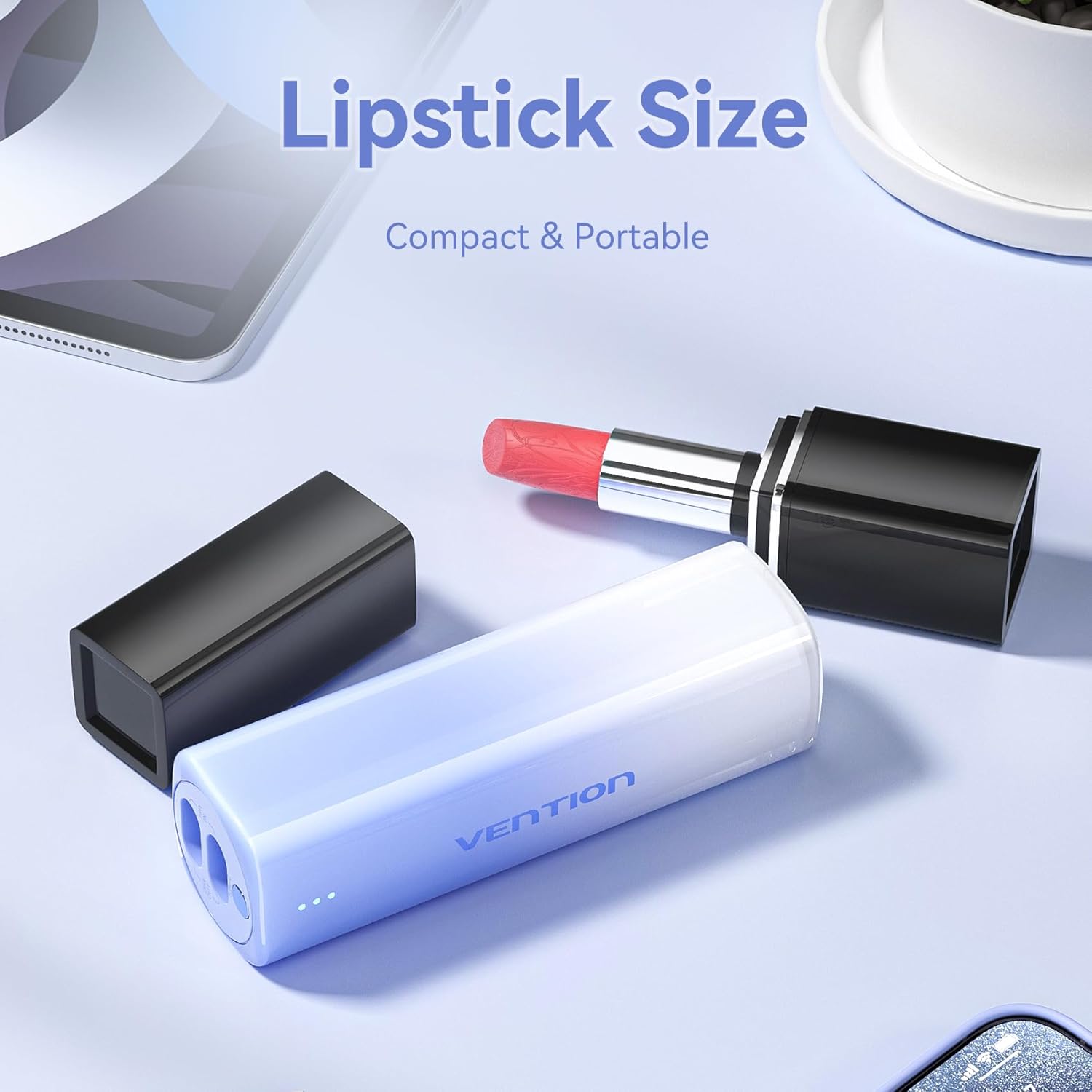 Image: This image demonstrates the compact "lipstick size" of the VENTION Powerhive Portable Charger, emphasizing its portability and ease of carrying.
 Image: A person holding the power bank by its integrated lanyard, illustrating the convenient "Lanyard Design" which allows for easy carrying or attachment to a bag.
Karatteristiċi ewlenin:
- Kapaċità ta '5000 mAh: Sufficient power for at least one full smartphone charge.
- Kejbils inkorporati: Integrated Lightning and USB-C cables for convenience.
- Bi-directional Fast Charging: Supports up to 20W output and 18W input.
- Indikatur LED: Juri l-istatus tal-batterija.
- Kompatt u portabbli: Small form factor (30mm width, 145g weight).
- Disinn tal-lanyard: Integrated cable doubles as a carrying strap.
Setup
Iċċarġjar Inizjali tal-Power Bank:
- Before first use, fully charge your VENTION Powerhive Portable Charger.
- Connect the integrated USB-C cable to a compatible power adapter (18W recommended for fast charging) and plug the adapter into a wall outlet.
- The LED indicators on the power bank will illuminate to show the charging progress. Once all LEDs are solid, the power bank is fully charged.
Istruzzjonijiet Operattivi
Iċċarġja l-Apparat Mobbli Tiegħek:
The VENTION Powerhive Portable Charger features built-in Lightning and USB-C cables for direct connection to your devices.
 Image: This image details the built-in fast charging cables, showing the Lightning output (20W Max, compatible with iPhone 8-14 Series) and USB-C output (20W Max, compatible with iPhone 15/16 Series/Android Phones). It also indicates the 18W Max USB-C input for self-charging.
- Identify the correct cable for your device:
- Uża l- Kejbil tas-sajjetti for Apple devices (e.g., iPhone 8-14 series, older iPads).
- Uża l- Kejbil USB-C for newer Apple devices (e.g., iPhone 15/16 series, iPad Air/Pro with USB-C) and Android devices (e.g., Samsung, Huawei, Xiaomi).
- Pull out the appropriate integrated cable from its slot.
- Connect the cable to your mobile device's charging port.
- Il-power bank jibda jiċċarġja t-tagħmir tiegħek awtomatikament. L-indikaturi LED juru l-livell tal-batterija li jkun fadal fil-power bank.
- Once charging is complete, disconnect the cable and return it to its slot on the power bank.
Iċċarġjar mill-ġdid tal-Bank tal-Enerġija:
The power bank can be recharged using its integrated USB-C cable.
- Pull out the integrated USB-C cable.
- Connect the USB-C end to a power adapter (e.g., wall charger, computer USB port). For optimal charging speed, use an 18W or higher power adapter.
- The LED indicators will flash to show the charging status. When all LEDs are solid, the power bank is fully charged.
- Disconnect the cable and store it back in its slot.
Status tal-Indikatur LED:
The power bank features an LED display to indicate its battery level and charging status.
 Image: A close-up shot highlighting the LED display on the VENTION Powerhive Portable Charger, which makes power management visible by indicating the battery level.
- LEDs solidi: Indicate remaining battery capacity. More solid LEDs mean more charge.
- LEDs li jteptep: Indicate that the power bank is currently being charged.
- Refer to the product's packaging or specific model details for precise LED indicator meanings (e.g., number of LEDs corresponding to percentagu).
Manutenzjoni
- Tindif: Uża drapp artab u niexef biex tnaddaf il-wiċċ tal-power bank. Tużax prodotti tat-tindif likwidi jew materjali li joborxu.
- Ħażna: Aħżen il-power bank f'post frisk u niexef 'il bogħod mix-xemx diretta u minn temperaturi estremi. Jekk se taħżnu għal perjodi twal, iċċarġja l-power bank sa madwar 50% kull 3-6 xhur biex iżżomm il-batterija f'saħħitha.
- Immaniġġjar: Evita li twaqqa’ jew tissuġġetta l-bank tal-enerġija għal impatti qawwija.
Issolvi l-problemi
| Problema | Kawża Possibbli | Soluzzjoni |
|---|---|---|
| Il-power bank mhux qed jiċċarġja l-apparat. | Low battery on power bank; incorrect cable connection; device not compatible. | Recharge power bank; ensure cable is fully inserted; verify device compatibility. |
| Il-power bank mhux qed jiċċarġja mill-ġdid. | Faulty charging adapter/cable; power outlet issue. | Try a different power adapter and outlet; ensure USB-C cable is fully inserted. |
| Iċċarġjar bil-mod. | Device not supporting fast charging; using a low-power adapter for recharging. | Ensure your device supports fast charging; use an 18W or higher adapter for power bank recharge. |
| L-indikaturi LED mhux qed jaħdmu. | Il-power bank niżel għalkollox; ħsara interna. | Attempt to recharge the power bank for an extended period. If still unresponsive, contact support. |
Speċifikazzjonijiet
| Karatteristika | Dettall |
|---|---|
| Numru tal-Mudell | FHW |
| Kapaċità tal-batterija | 5000 mAh |
| Output tas-Sajjetti | 20W Max (Compatible with iPhone 8-14 Series) |
| Output USB-C | 20W Max (Compatible with iPhone 15/16 Series, Android Phones) |
| USB-C Input (for self-charging) | 18W Max |
| Dimensjonijiet tal-Prodott | 5.3 x 3.9 x 1.3 pulzieri |
| Piż tal-oġġett | 6 uqija |
| Kulur | Red (as per product data, though images show pink/blue/white) |
| Karatteristiċi Speċjali | Fast Charging, Over Charging Protection, Pocket Size, Scratch Resistant |
Garanzija u Appoġġ
For warranty information and customer support, please refer to the documentation included with your purchase or contact the seller directly. The seller for this product is Vention Official Store.
For further assistance, you may visit the official VENTION store on Amazon: VENTION Store


