Introduzzjoni
Thank you for choosing the VENTION Powerhive Laptop Power Bank. This manual provides essential information for the safe and efficient operation, maintenance, and troubleshooting of your device. Please read this manual thoroughly before use and retain it for future reference.
Informazzjoni dwar is-Sigurtà
Biex tiżgura tħaddim sikur u tevita ħsara, jekk jogħġbok osserva l-prekawzjonijiet li ġejjin:
- Tesponix il-power bank għal temperaturi estremi (aktar minn 60°C/140°F) jew dawl tax-xemx dirett.
- Evita li twaqqa', tħalli impatt fuq, jew tiżżarma l-apparat.
- Żomm 'il bogħod mill-ilma, l-umdità, u materjali fjammabbli.
- Do not use if the device is damaged, swollen, or leaking.
- Use only certified cables and adapters for charging the power bank and your devices.
- Żomm fejn ma jintlaħaqx mit-tfal.
- Dispose of the power bank according to local regulations; do not dispose of it with household waste.

This image displays the various safety protections integrated into the VENTION Powerhive power bank, including Over-Discharge, Overtemperature, Overcurrent, Short-Circuit, Overcharge, Flame-Retardant, Overvoltage, Recovery, and Overpower Protection.
Kontenut tal-Pakkett
Jekk jogħġbok iċċekkja l-pakkett għall-oġġetti li ġejjin:
- 1 x VENTION Powerhive Laptop Power Bank (Model FKEH0)
- 2 x USB-C to USB-C Charging Cables
- 1 x Manwal tal-Utent (dan id-dokument)
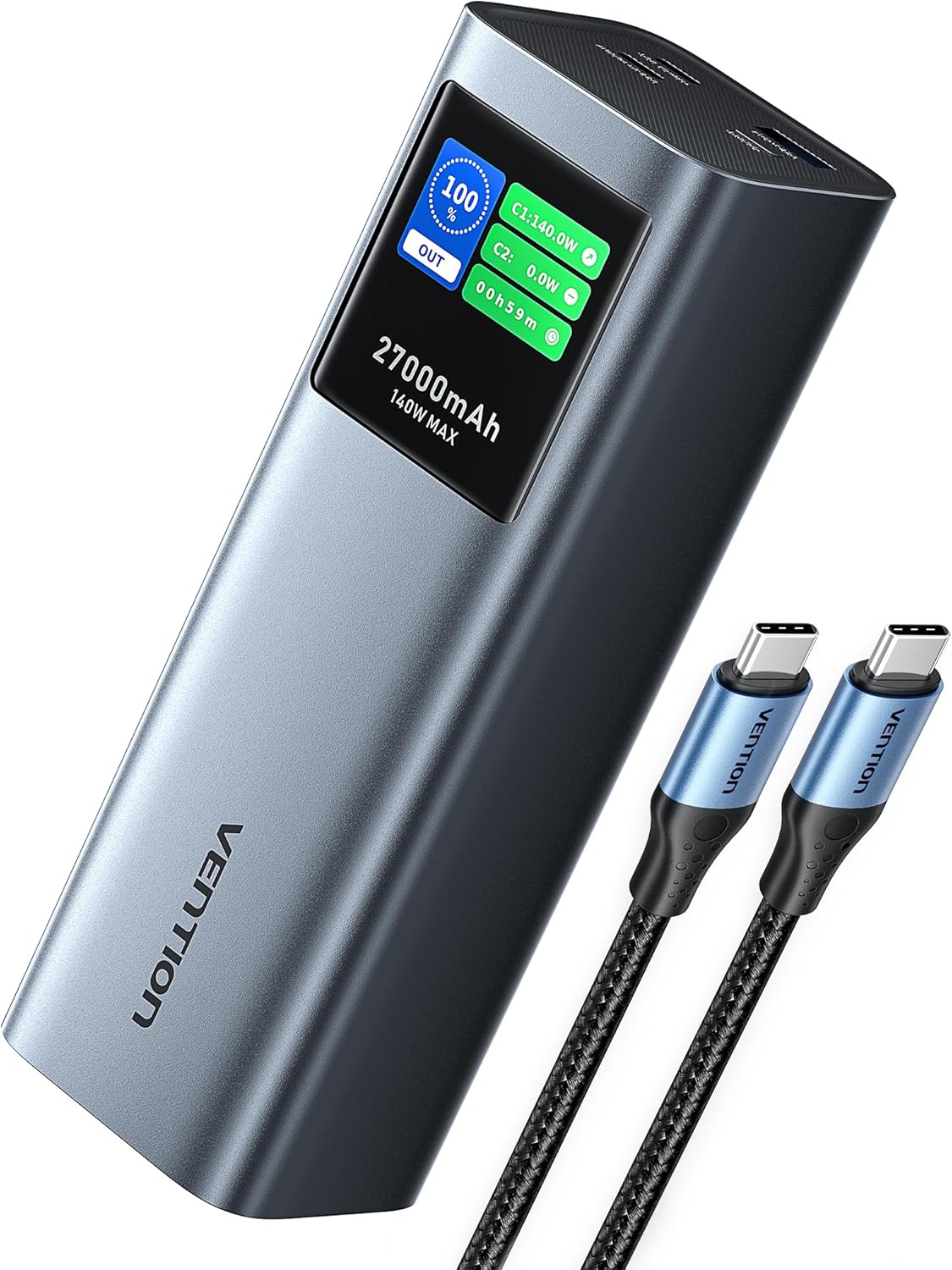
The VENTION Powerhive Laptop Power Bank shown with its included USB-C charging cables.
Prodott Overview
The VENTION Powerhive is a high-capacity portable power bank designed for multi-device charging, featuring PD 3.1 technology and a smart digital display.
Karatteristiċi ewlenin:
- 140W Iċċarġjar Mgħaġġel: Utilizes PD 3.1 technology for rapid charging of compatible devices.
- 27,000mAh Kapaċità: Provides multiple charges for smartphones, tablets, and laptops.
- Wiri Diġitali Intelliġenti: Shows real-time charging status, power output, temperature, and more.
- Aluminum Alloy Design: Durable and efficient heat dissipation.
- Output Multi-Port: Equipped with three charging ports (140W USB-C, 20W USB-C, 18W USB-A) for simultaneous charging.
- Linja tal-Ajru Approvata: Meets airline regulations for portable power banks.

The power bank demonstrating its 140W PD 3.1 fast charging capability while connected to a laptop.

This graphic illustrates the 27,000mAh capacity, indicating approximately 0.8 charges for a MacBook Pro 16", 5.4 charges for an iPhone 15 Pro, 3.9 charges for a Nintendo Switch, and 3.8 charges for a Galaxy S23 Ultra.
Setup
Before first use, it is recommended to fully charge your VENTION Powerhive Laptop Power Bank.
- Qabbad tarf wieħed tal-kejbil USB-C ipprovdut mal- USB-C1 (DAĦLA/ĦRUĠ) port on the power bank.
- Connect the other end of the USB-C cable to a compatible USB-C wall charger (not included) with a power output of 100W or higher for optimal charging speed.
- The digital display will show the charging status and estimated time to full charge.
- Once fully charged, the display will indicate 100%. Disconnect the power bank from the charger.
Istruzzjonijiet Operattivi
Iċċarġja tat-Tagħmir Tiegħek:
The VENTION Powerhive features three output ports: USB-C1 (140W max), USB-C2 (20W max), and USB-A (18W max).
- Qabbad il-kejbil tal-iċċarġjar tat-tagħmir tiegħek mal-port xieraq fuq il-power bank.
- Qabbad it-tarf l-ieħor tal-kejbil mat-tagħmir tiegħek.
- The power bank will automatically begin charging your device. The digital display will show the output power for each connected port.
- To charge multiple devices simultaneously, connect each device to an available port. The power bank will intelligently distribute power.

The power bank connected to a laptop, smartphone, and wireless earbuds, demonstrating its 3-in-1 simultaneous charging capability.

This image illustrates the bidirectional fast charging feature, showing the power bank charging a MacBook Pro 16-inch to 55% in 30 minutes, and fully charging it in 90 minutes.
Nifhmu l-Wiri Diġitali:
The intuitive TFT digital display provides comprehensive real-time information:
- Batterija Percentage: Shows the remaining power.
- Input/Output Power (W): Displays the current power being drawn or delivered by each port (C1, C2, A1).
- Estimated Charging Time: Indicates how long until the power bank is fully charged (when charging the power bank).
- Run Time: Shows how long the power bank has been actively charging devices.
- Last Charged To: Il-perċentwalitage the power bank was charged to in its last full cycle.
- Total Input/Output (Wh): Cumulative energy transferred.
- Ċikli tal-batterija: Number of charge/discharge cycles.
- Temperatura: Internal battery temperature.
To switch the screen display time (30 seconds or Always On), long-press the button located on the power bank.
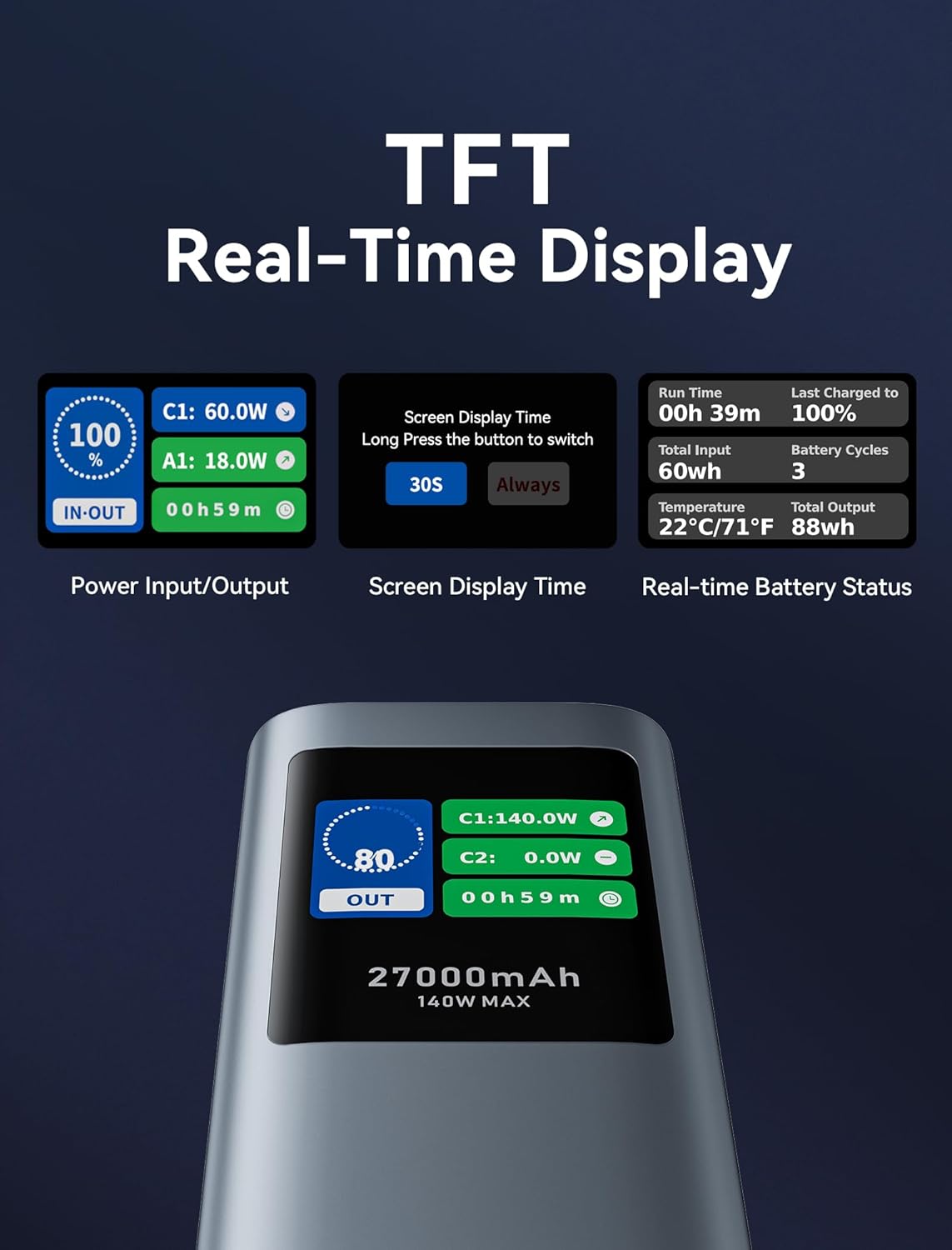
A dettaljata view of the TFT real-time display, showing power input/output, screen display time settings, and real-time battery status including run time, total input, temperature, last charged to, battery cycles, and total output.
Manutenzjoni
- Tindif: Uża drapp artab u niexef biex tnaddaf il-power bank. Tużax prodotti tat-tindif likwidi jew aerosols.
- Ħażna: Store the power bank in a cool, dry place away from direct sunlight and extreme temperatures. For long-term storage, charge the power bank to about 50-70% every 3-6 months to preserve battery health.
- Kura tal-batterija: Avoid fully discharging the power bank frequently, as this can reduce its lifespan.
Issolvi l-problemi
| Problema | Kawża Possibbli | Soluzzjoni |
|---|---|---|
| Il-power bank mhux qed jiċċarġja l-apparati. | Low battery; incorrect cable; device incompatibility; power bank in protection mode. | Recharge the power bank. Ensure cable is securely connected and compatible. Check device's charging requirements. Disconnect and reconnect to reset. |
| Il-power bank mhux qed jiċċarġja mill-ġdid. | Faulty charging cable/adapter; power bank port damage. | Try a different USB-C cable and wall adapter. Ensure the adapter meets power bank input requirements (e.g., 100W for fast charging). |
| Digital display is dim or unreadable outdoors. | Environmental lighting conditions. | This is a known characteristic under bright outdoor conditions. Try to view the display in shaded areas or adjust your viewangolu tal-ing. |
| Power bank gets warm during charging/discharging. | Normal operation, especially during high-power transfer. | This is normal. If it becomes excessively hot or emits smoke/odor, discontinue use immediately and contact support. |
Speċifikazzjonijiet
| Karatteristika | Dettall |
|---|---|
| Numru tal-Mudell | FKEH0 |
| Kapaċità tal-batterija | 27,000 mAh (99.9 Wh) |
| Dimensjonijiet tal-Prodott | 6.5 x 2.2 x 2 pulzieri |
| Piż tal-oġġett | 1.92 liri |
| Input (USB-C1) | Sa 140W (PD 3.1) |
| Output (USB-C1) | Sa 140W (PD 3.1) |
| Output (USB-C2) | Sa 20W (PD) |
| Output (USB-A) | Sa 18W |
| Output Totali | 140W Max |
| Karatteristiċi Speċjali | Digital Display, Fast Charging, Over Charging Protection, Pocket Size, Scratch Resistant |
| Manifattur | VENZZJONI |
Note: Specifications are subject to change without notice. For the most up-to-date information, please refer to the product packaging or VENTION's official websit.
Garanzija u Appoġġ
The VENTION Powerhive Laptop Power Bank is manufactured by VENTION. For warranty information, technical support, or customer service inquiries, please contact VENTION directly through their official webis-sit jew l-informazzjoni ta' kuntatt ipprovduta max-xiri tiegħek. Jekk jogħġbok żomm il-prova tax-xiri tiegħek għal talbiet ta' garanzija.
You can visit the VENTION Store on Amazon for more information: Ħanut Uffiċjali VENTION


