Introduzzjoni
This manual provides detailed instructions for the setup, operation, maintenance, and troubleshooting of your WeCool Fairwhale Sports Analog Digital Watch, model FW-5100-R1. Please read this manual thoroughly to ensure proper use and to maximize the lifespan of your watch.
Prekawzjonijiet tas-Sigurtà
- Evita li tesponi l-arloġġ għal temperaturi estremi (sħan jew kiesaħ) għal perjodi twal.
- Do not operate buttons underwater to maintain water resistance.
- Żomm l-arloġġ 'il bogħod minn kampi manjetiċi qawwija, li jistgħu jaffettwaw il-preċiżjoni tal-ħin.
- Clean the watch regularly with a soft, dry cloth. Avoid chemical cleaners.
- Battery replacement should be performed by a qualified technician to ensure proper sealing and water resistance.
Prodott Overview
Your WeCool Fairwhale Sports Watch features a robust design with both analog and digital displays, offering multiple functions for daily use and outdoor activities.
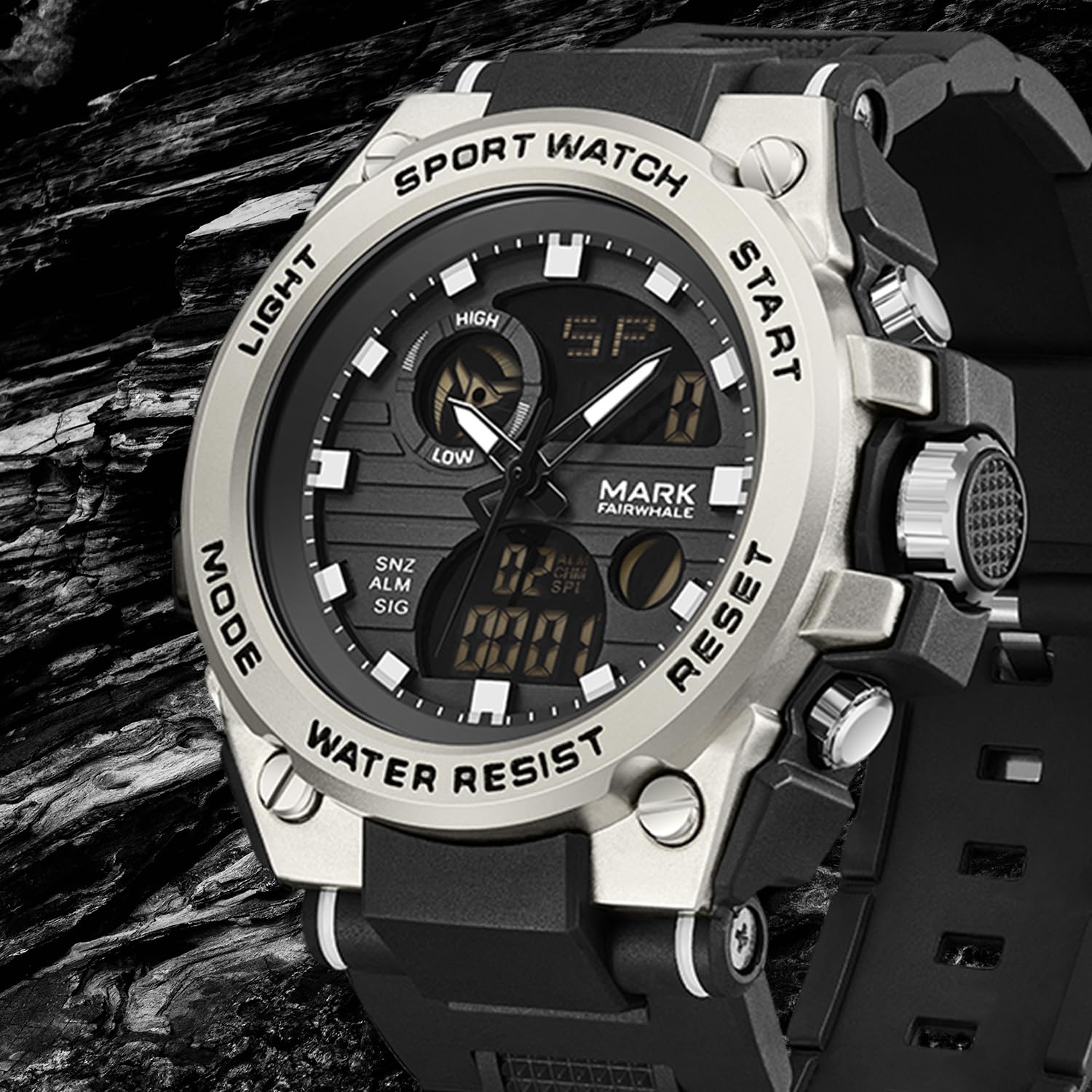
Figura 1: Quddiem view of the WeCool Fairwhale Sports Analog Digital Watch FW-5100-R1.
Komponenti u Buttuni tal-Arloġġ

Figure 2: Watch button functions.
- Buttuna tad-Dawl: Jattiva d-dawl ta' wara LED għall-viżibilità f'kundizzjonijiet ta' dawl baxx.
- Buttuna tal-Modalità: Iċċikla bejn modi differenti (Ħin, Allarm, Stopwatch, Ħin Doppju).
- Buttuna tal-Ibda: Used to start/pause functions (e.g., stopwatch) and adjust settings.
- Buttuna Irrisettja: Used to reset functions (e.g., stopwatch) and switch between hour, minute, week modes during setting.
Setup u Konfigurazzjoni Inizjali
1. Issettjar tal-Ħin Analogu
- Iġbed il-kuruna 'l barra (il-pum fuq in-naħa tal-lemin tal-kaxxa tal-arloġġ) sal-ewwel pożizzjoni ta' klikk.
- Dawwar il-kuruna biex taġġusta l-idejn tas-siegħa u tal-minuti għall-ħin mixtieq.
- Imbotta l-kuruna lura ġewwa biex tiżgura l-issettjar tal-ħin.
2. Issettjar tal-Ħin u d-Data Diġitali
- Agħfas il- Modalità Agħfas il-buttuna ripetutament sakemm il-wiri diġitali tal-ħin jibda jteptep, u dan jindika li qiegħed fil-modalità tas-settings.
- Agħfas il- Irrisettja buttuna biex tiċċaqlaq bejn is-settings: sekondi, siegħa, minuta, xahar, data, jum tal-ġimgħa.
- Uża l- Ibda buttuna biex taġġusta l-valur li jteptep.
- Ladarba s-settings kollha jkunu korretti, agħfas il-buttuna Modalità buttuna biex toħroġ mill-modalità ta' l-issettjar.
3. Għażla tal-Format ta' 12/24 Siegħa
In the digital time setting mode (when the hour is flashing), press the Ibda buttuna biex taqleb bejn il-formati ta' 12-il siegħa (bl-indikatur AM/PM) u 24 siegħa.
Istruzzjonijiet Operattivi
1. LED Backlight

Figure 3: Watch display with LED backlight.
Agħfas il- Dawl button (top-left) to illuminate the digital display. The backlight will remain active for a few seconds.
2. Funzjoni tal-Istopwatch
- Agħfas il- Modalità button until "ST" or "STOP" appears on the digital display.
- Agħfas il- Ibda buttuna biex tibda l-ħin.
- Agħfas il- Ibda Agħfas il-buttuna mill-ġdid biex twaqqaf il-ħin.
- Biex tkompli, agħfas il-buttuna Ibda buttuna.
- Biex tirrisettja l-istopwatch għal żero, agħfas il-buttuna Irrisettja buttuna waqt li l-istopwatch ikun pawżat.
3. Funzjoni ta 'allarm
- Agħfas il- Modalità Agħfas il-buttuna sakemm tidher "AL" jew "ALARM" fuq id-displej diġitali.
- Agħfas il- Irrisettja button to select the hour or minute setting. The selected value will flash.
- Uża l- Ibda buttuna biex taġġusta s-siegħa jew il-minuta li jteptep.
- Agħfas il- Modalità buttuna biex tikkonferma u toħroġ mill-issettjar tal-allarm.
- Biex tixgħel/titfi l-allarm, agħfas il-buttuna Ibda button while in alarm mode (not in setting mode). An alarm icon will appear/disappear.
- Biex tattiva l-hourly chime, agħfas il-buttuna Irrisettja button while in alarm mode (not in setting mode). A chime icon will appear/disappear.
4. Wiri tal-Ħin Doppju
This watch supports displaying two different time zones. To set the second time zone:
- Agħfas il- Modalità sakemm jidher "DT" jew "DUAL TIME" fuq id-displej diġitali.
- Agħfas il- Irrisettja button to select the hour or minute setting. The selected value will flash.
- Uża l- Ibda buttuna biex taġġusta s-siegħa jew il-minuta li jteptep għat-tieni żona tal-ħin.
- Agħfas il- Modalità button to confirm and exit the dual time setting.
Manutenzjoni
1. Water Resistance (50M)
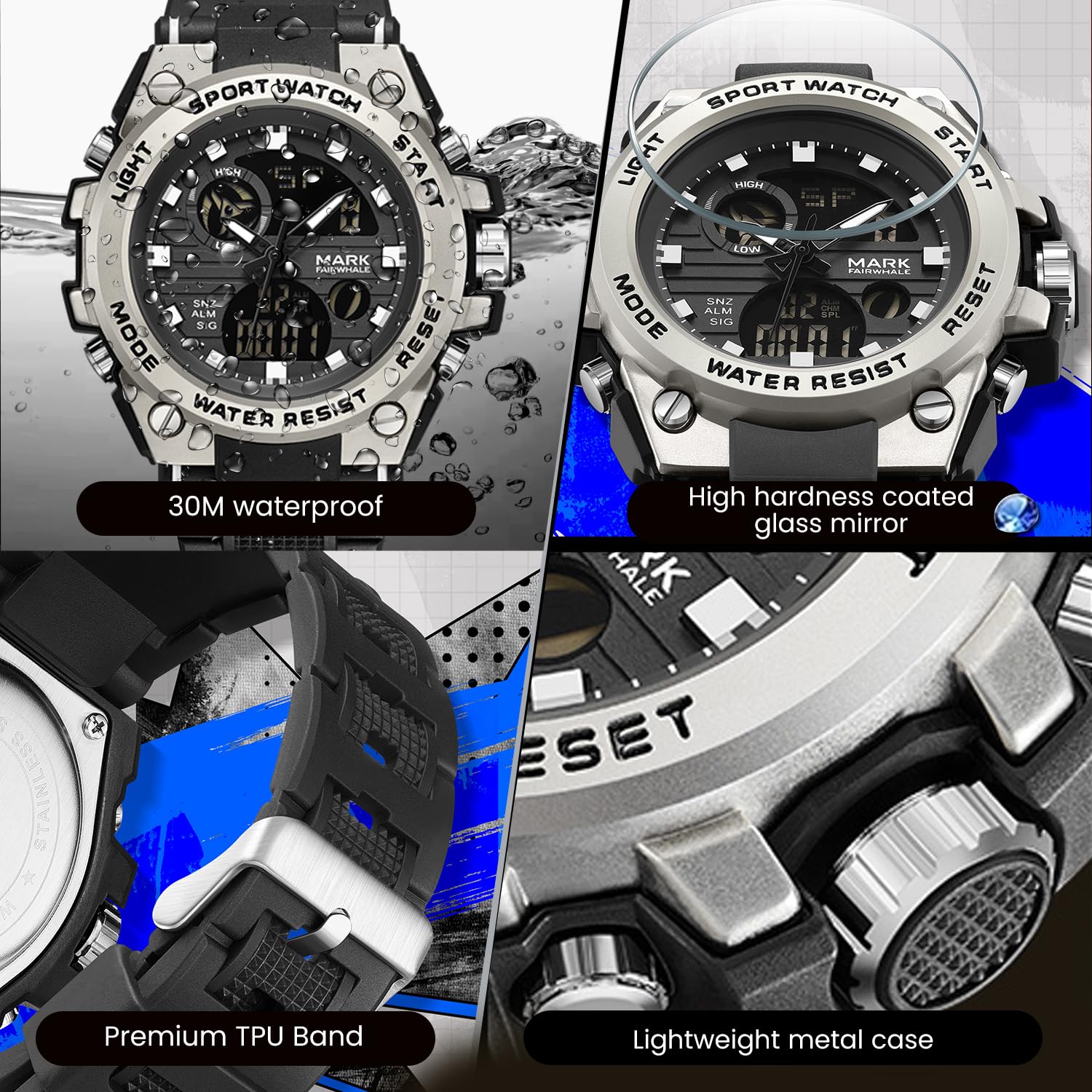
Figure 4: Key features including water resistance.
Your watch is water-resistant up to 50 meters (5 ATM). This means it is suitable for cold water, rain, and swimming. However, it is le suitable for diving, snorkeling, or hot water activities (e.g., hot showers, saunas) as steam can damage the waterproof seals. Do not operate buttons while the watch is wet or submerged.
2. Tindif
Wipe the watch case and band regularly with a soft, slightly damp cloth. For stubborn dirt, a mild soap solution can be used, followed by rinsing with clean water and thorough drying. Avoid harsh chemicals, solvents, or abrasive cleaners.
3. Sostituzzjoni tal-batterija
The watch uses 1 AAA battery (included). When the display dims or functions become erratic, the battery may need replacement. It is recommended to have the battery replaced by a professional watch technician to ensure the watch's water resistance is maintained after opening the case back.
4. Ħażna
Meta ma tkunx qed tużah għal perjodi twal, aħżen l-arloġġ f'post frisk u niexef 'il bogħod mix-xemx diretta u minn temperaturi estremi.
Issolvi l-problemi
| Problema | Kawża Possibbli | Soluzzjoni |
|---|---|---|
| L-idejn analogi ma jiċċaqalqux jew il-ħin mhux korrett. | Il-kuruna tinġibed 'il barra; batterija baxxa. | Imbotta l-kuruna lura 'l ġewwa. Jekk il-problema tippersisti, il-batterija tista' teħtieġ li tinbidel. |
| Id-displej diġitali huwa vojt jew mudlam. | Batterija baxxa. | Ibdel il-batterija. |
| Il-buttuni ma jirrispondux. | L-arloġġ imxarrab; ħsara interna. | Ensure watch is dry before operating buttons. If issue persists, contact support. |
| Kondensazzjoni tal-ilma ġewwa l-arloġġ. | Exposure to extreme temperature changes; damaged seal. | Avoid hot water/steam. Seek professional inspection immediately to prevent damage. |
Speċifikazzjonijiet

Figure 5: Detailed watch parameters.
| Karatteristika | Dettall |
|---|---|
| Numru tal-Mudell | FW-5100-R1 |
| Tip ta' Moviment | Quartz (Analog) / Electronic (Digital) |
| Materjal tal-Mera | Mineral Reinforced Coated Glass |
| Materjal tal-Każ | Metall |
| Materjal taċ-ċinga | Polyurethane (TPU) |
| Dijametru Dial | 50 mm |
| Ħxuna tal-arloġġ | 18 mm |
| Reżistenza għall-Ilma | 50 Metru (5 ATM) |
| Tip ta 'batterija | 1 batterija AAA (inkluża) |
| Piż tal-oġġett | 50 g |
| Pajjiż ta' Oriġini | Iċ-Ċina |
Informazzjoni dwar Garanzija
This WeCool Fairwhale Sports Analog Digital Watch comes with a Garanzija Limitata. Please refer to the warranty card included with your purchase for specific terms, conditions, and duration of coverage. The warranty typically covers manufacturing defects but may not cover damage resulting from improper use, accidents, or unauthorized repairs.
Appoġġ għall-Klijent
For any questions, technical assistance, or warranty claims regarding your WeCool Fairwhale Sports Analog Digital Watch, please contact WeCool customer support. You can reach us through the Amazon platform where you made your purchase. Our professional after-sales team is available to assist you.
Appoġġ onlajn: Visit the WeCool Store on Amazon


