Introduzzjoni
Thank you for choosing the WeCool Fairwhale Sports Analog Digital Watch. This watch combines classic analog timekeeping with modern digital functionalities, designed for durability and versatility. It features a robust build, water resistance, and multiple functions including alarm, stopwatch, and LED backlight, making it suitable for various activities and daily wear.

Figure 1: WeCool Fairwhale Sports Analog Digital Watch on Wrist
This manual provides detailed instructions on how to set up, operate, and maintain your watch to ensure optimal performance and longevity. Please read it carefully before using your watch.
Prodott Overview
Familiarize yourself with the main components and buttons of your WeCool Fairwhale watch:

Figura 2: Komponenti tal-Arloġġ u Funzjonijiet tal-Buttuni
- Buttuna DAWL: Jattiva d-dawl ta' wara tal-LED.
- Buttuna MODE: Iċċikla minn ġo modi differenti (Ħin, Allarm, Stopwatch).
- Buttuna RESET: Used for resetting stopwatch or adjusting settings.
- Buttuna START: Used for starting stopwatch or adjusting settings.
- Buttuna AġġUSTA: Used for entering setting mode and confirming selections.
Setup u Konfigurazzjoni Inizjali
L-issettjar tal-Ħin u d-Data Diġitali
- Fil-modalità tal-wiri tal-ħin normali, agħfas il- MODALITÀ button three times to enter the time setting mode. The seconds will flash.
- Agħfas il- RESET buttuna biex tiċċaqlaq bejn is-settings: Sekondi → Siegħa → Minuta → Xahar → Data → Jum tal-Ġimgħa.
- Uża l- BIDU buttuna biex taġġusta l-valur li jteptep. Żomm biex iżżid malajr.
- Ladarba s-settings kollha jkunu korretti, agħfas il-buttuna MODALITÀ buttuna biex toħroġ mill-modalità ta' l-issettjar.
L-issettjar tal-Ħin Analoġiku
The analog hands are set independently. Pull out the crown (small knob on the right side of the watch) and rotate it to adjust the analog time. Push the crown back in when finished.

Figure 3: WeCool Fairwhale Sports Analog Digital Watch
Istruzzjonijiet Operattivi
Bl-użu tal-LED Backlight
Agħfas il- DAWL button (top left) to illuminate the digital display. The backlight will stay on for a few seconds, allowing you to read the time in low-light conditions.

Figure 4: Super-Luminous Display in the Dark
Uża l-Istopwatch
- Mill-wiri normali tal-ħin, agħfas il-buttuna MODALITÀ Agħfas il-buttuna darba biex tidħol fil-modalità Stopwatch. Id-displej se juri "00:00:00".
- Agħfas il- BIDU buttuna biex tibda l-ħin.
- Agħfas il- BIDU Agħfas il-buttuna mill-ġdid biex twaqqaf il-ħin.
- Agħfas il- RESET buttuna biex tirrisettja l-istopwatch għal "00:00:00".
- Agħfas il- MODALITÀ buttuna biex terġa' lura għall-wiri normali tal-ħin.
Issettjar u Użu tal-Allarm
- Mill-wiri normali tal-ħin, agħfas il-buttuna MODALITÀ Agħfas il-buttuna darbtejn biex tidħol fil-modalità tas-settings tal-Allarm. Iċ-ċifri tas-sigħat se jteptpu.
- Agħfas il- RESET buttuna biex tagħżel bejn is-settings tas-siegħa u l-minuti.
- Uża l- BIDU buttuna biex taġġusta l-valur li jteptep.
- Ladarba l-ħin tal-allarm mixtieq ikun issettjat, agħfas il-buttuna MODALITÀ buttuna biex toħroġ.
- Biex tixgħel/titfi l-allarm, fil-modalità tal-Allarm, agħfas il-buttuna BIDU buttuna. Ikona ta' allarm tidher/tisparixxi fuq id-displej.
Kura u Manutenzjoni
- Tindif: Wipe the watch regularly with a soft, dry cloth to remove dirt and sweat. For stubborn dirt, use a slightly damp drapp u mbagħad nixxef sewwa.
- Reżistenza għall-Ilma: This watch is water-resistant up to 50 meters (5 ATM). It is suitable for cold water, rain, and swimming. MA press any buttons underwater. Avoid exposure to steam and hot water, as this can damage the waterproof seal.
- Temperatura: Evita li tesponi l-arloġġ għal temperaturi estremi (sħan jew kiesaħ) għal perjodi twal.
- Kimiċi: Keep the watch away from solvents, detergents, perfumes, and other chemicals that may damage the band or case.
- Sostituzzjoni tal-batterija: When the display becomes dim or functions become erratic, it may be time to replace the battery. It is recommended to have the battery replaced by a qualified watch technician to ensure the water resistance is maintained.
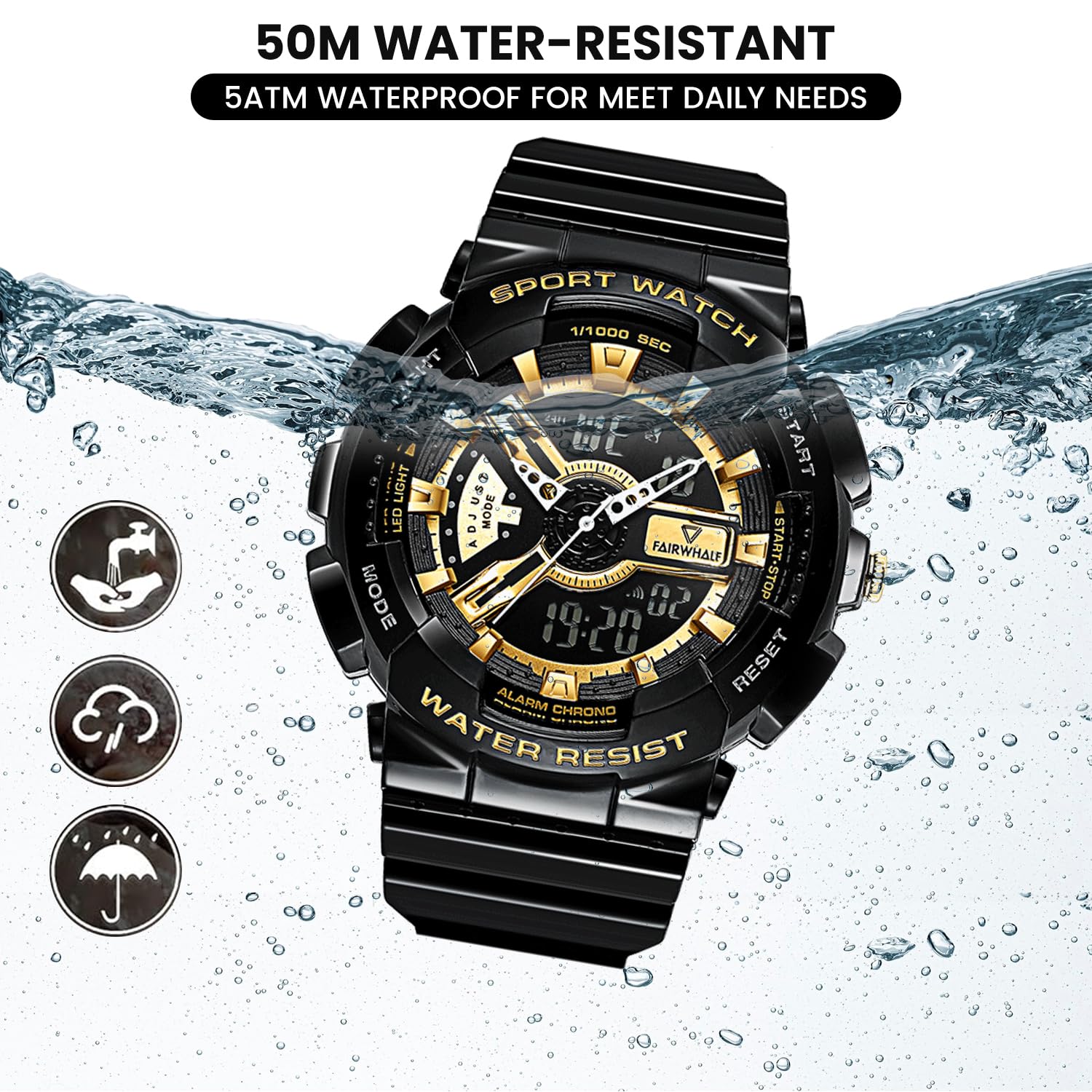
Figure 5: 50M Water-Resistant Feature
Issolvi l-problemi
| Problema | Kawża Possibbli | Soluzzjoni |
|---|---|---|
| Id-displej diġitali huwa vojt jew mudlam. | Batterija baxxa. | Ibdel il-batterija. |
| L-idejn analoġiċi mhumiex jiċċaqalqu jew huma żbaljati. | Il-kuruna tinġibed 'il barra; problema bil-batterija. | Push the crown back in. If still not working, replace battery. |
| Il-buttuni ma jirrispondux. | Watch may be in a locked mode or battery is low. | Ipprova agħfas il-buttuni kollha sew. Jekk il-problema tippersisti, ibdel il-batterija. |
| Ilma ġewwa l-arloġġ. | Buttons pressed underwater; exposure to hot water/steam; damaged seal. | Immediately take to a professional watch repair service. Avoid further water exposure. |
Speċifikazzjonijiet
| Karatteristika | Dettall |
|---|---|
| Numru tal-Mudell | FW-4300-1 |
| Tip ta' Moviment | Imported Japanese Quartz Movement |
| Tip ta 'Wiri | Analogu u Diġitali |
| Dijametru tal-Każ | 52mm (2 pulzieri) |
| Materjal tal-Banda | Eco-friendly Resin / Polyurethane |
| Reżistenza għall-Ilma | 5 ATM (50 metru) |
| Karatteristiċi Speċjali | LED Backlight, Dual Time Display, Stopwatch, Alarm, Shock-Resistant, 12/24H Format |
| Batterija | 1 batterija AAA (inkluża) |
| Piż tal-oġġett | 50 g |
| Dimensjonijiet tal-Prodott | 20 x 5 x 2 ċm |

Figure 6: Watch Parameters and Key Features
Garanzija u Appoġġ
Your WeCool Fairwhale Sports Analog Digital Watch comes with a limited warranty. For specific warranty terms and conditions, please refer to the warranty card included with your purchase or visit the official WeCool websit.
If you encounter any issues or have questions regarding your watch, please do not hesitate to contact our professional after-sales team through Amazon. We are committed to providing satisfactory answers and support.
You can reach us via the Amazon messaging system by visiting the product page and clicking on the seller's name, "WeCool Technology", then selecting "Ask a question".


