1. Introduzzjoni
Grazzi tax-xiriasing the MONODEAL T23 3-Speed Turntable. This manual provides essential information for the safe and correct operation of your device. Please read it thoroughly before use and retain it for future reference.
2. Informazzjoni dwar is-Sigurtà
- Tesponix l-unità għax-xita jew għall-umdità biex tevita nar jew xokk elettriku.
- Tiftaħx il-kabinett. Irreferi s-servizz lil persunal kwalifikat biss.
- Ensure the power adapter matches your local power supply.
- Place the unit on a stable, level surface away from direct sunlight, heat sources, and excessive dust or vibration.
- Żomm fejn ma jintlaħaqx mit-tfal.
3. Kontenut tal-Pakkett
Ivverifika li l-oġġetti kollha huma preżenti fil-pakkett:
- 1 x MONODEAL T23 Record Player
- 1 x 5V 1.5A Power Cord
- 1 x Manwal tal-Utent (dan id-dokument)
4. Prodott Aktarview
Familiarize yourself with the various parts and controls of your MONODEAL T23 Turntable.

Figura 4.1: Fuq u wara View of the MONODEAL T23 Turntable with labeled components including Power Switch, Headphone Jack, Mode button, LED Light, USB Port, Power Adapter Input, RCA Output Jacks, 45 RPM Fixator, Tone Arm Raise Lever, Auto Stop Switch, LP Speed Switch, and Stylus.
- Power Switch/Volume Knob: Jixgħel/jitfi l-unità u jaġġusta l-volum.
- Jack tal-headphone: Għal smigħ privat bil-headphones.
- Buttuna tal-Modalità: Switches between different input modes (e.g., Phono, Bluetooth, USB).
- Dawl LED: Indicates power and mode status.
- Port USB: Għall-plejbek tal-USB.
- Input tal-Adapter tal-Enerġija: Connects to the provided 5V 1.5A power cord.
- RCA Output Jacks (L/R): Jikkonnettja ma' estern amplifier jew kelliema powered.
- 45 RPM Fixator: Adapter for 7-inch records with large center holes.
- Tone Arm Raise Lever: Lifts and lowers the tone arm gently.
- Swiċċ tal-Waqfien Awtomatiku: Enables or disables the auto-stop function.
- LP Speed Switch: Selects playback speed (33, 45, or 78 RPM).
- Stilus: Il-labra li taqra l-iskanalaturi tad-diska.
5. Setup
- Spakkjar: Neħħi t-turntable mill-imballaġġ tiegħu bir-reqqa. Żomm l-imballaġġ għal trasport jew ħażna fil-futur.
- Pjazzament: Place the turntable on a stable, level surface. Ensure there is adequate ventilation around the unit.
- Konnessjoni tal-Enerġija: Connect the provided 5V 1.5A power cord to the DC IN port on the back of the turntable and then plug it into a wall outlet.
- Qoxra tat-Trab: The transparent dust cover can be opened or closed to protect the platter and stylus when not in use.
6. Istruzzjonijiet Operattivi
6.1 Daqq ta' Rekords tal-Vinil
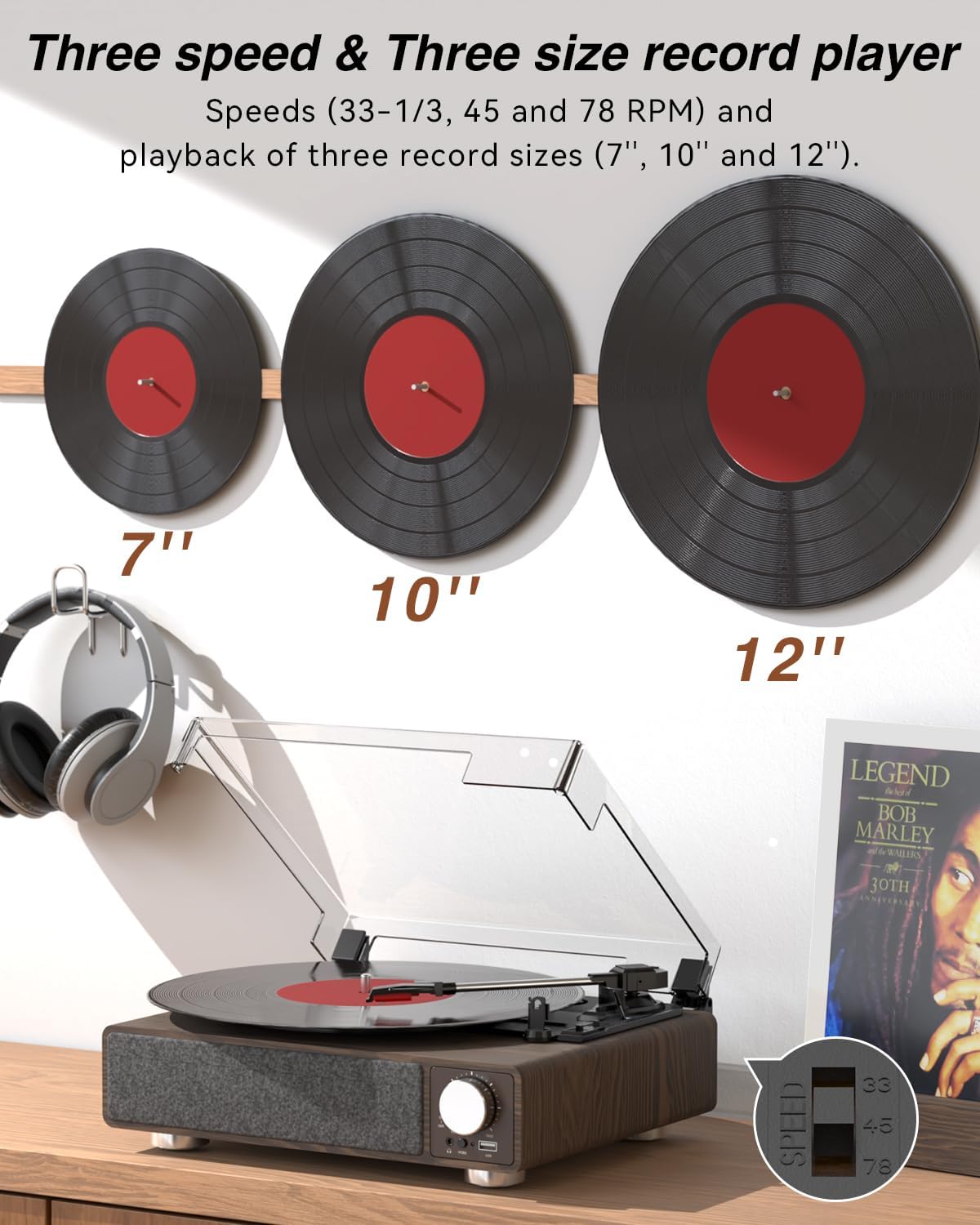
Figura 6.1: The MONODEAL T23 Turntable supports 3 speeds and 3 record sizes.
- Turn the Power Switch/Volume Knob clockwise to turn on the unit.
- Neħħi l-għatu tat-trab.
- Place a vinyl record on the turntable platter. If playing a 7-inch record with a large center hole, place the 45 RPM fixator on the spindle first.
- Select the appropriate speed (33, 45, or 78 RPM) using the LP Speed Switch, matching the record you are playing.
- Push the Tone Arm Raise Lever up to lift the tone arm.
- Manually move the tone arm over the desired starting track of the record.
- Push the Tone Arm Raise Lever down to gently lower the tone arm onto the record. Playback will begin.
- Adjust the volume using the Power Switch/Volume Knob.
- Funzjoni ta' Waqfien Awtomatiku: If the Auto Stop Switch is set to ON, the turntable will automatically stop rotating when the record finishes playing. If set to OFF, it will continue to rotate.
- To stop playback, lift the tone arm using the lever and return it to the tone arm rest. Turn the Power Switch/Volume Knob counter-clockwise to turn off the unit.
6.2 Bluetooth Transmission (BT OUT)
This feature allows you to stream audio from the turntable to external Bluetooth speakers or headphones.

Figura 6.2: Bluetooth transmission from the turntable to external devices.
- Ensure the turntable is powered on and in Phono mode (playing a record).
- Press and hold the Mode button until the LED indicator flashes blue, indicating Bluetooth transmission pairing mode.
- Place your Bluetooth speaker or headphones in pairing mode.
- The turntable will automatically search for and connect to the nearest Bluetooth device. Once connected, the LED indicator will turn solid blue.
- Audio from the record will now play through your connected Bluetooth device.
6.3 Bluetooth Reception (BT IN)
This feature allows you to stream audio from your mobile device (phone, tablet) to the turntable's built-in speakers.
Figura 6.3: Bluetooth reception by the turntable from a smartphone.
- Ixgħel it-turntable.
- Press the Mode button repeatedly until the LED indicator flashes blue, indicating Bluetooth reception pairing mode.
- On your mobile device, enable Bluetooth and search for available devices. Select "MONODEAL T23" from the list.
- Ladarba konness, l-indikatur LED se jdur blu solidu.
- Play audio on your mobile device, and it will sound through the turntable's speakers. Adjust volume using the turntable's volume knob or your mobile device.
6.4 Daqq tal-USB
The turntable supports playing audio files minn USB flash drive.
- Insert a USB flash drive into the USB port on the front of the turntable.
- Press the Mode button to switch to USB mode. The LED indicator will change to reflect USB mode.
- The turntable will automatically begin playing audio files from the USB drive. Use the control buttons (if available, or refer to the specific model's USB control instructions) to navigate tracks.
6.5 Output RCA
Qabbad it-turntable ma' kejbil estern amplifier or powered speakers for enhanced sound.

Figura 6.4: RCA output for external speakers and headphone jack for private listening.
- Ensure the turntable and your external audio system are turned off.
- Connect an RCA cable (not included) to the RCA Output Jacks (L/R) on the back of the turntable.
- Qabbad it-tarf l-ieħor tal-kejbil RCA mal-input awdjo korrispondenti fuq tiegħek amplifier jew kelliema powered.
- Turn on both the turntable and your external audio system.
- Play a record as described in Section 6.1. Audio will be routed through your external system. Adjust volume on both devices as needed.
6.6 Jack tal-headphones
For private listening, connect headphones to the 3.5mm headphone jack on the front of the unit.
- Plug your 3.5mm headphones into the Headphone Jack.
- Adjust the volume using the Power Switch/Volume Knob.
7. Manutenzjoni
7.1 Tindif tat-Turntable
- Imsaħ il-barra tal-unità b'ċarruta ratba u niexfa. Tużax prodotti tat-tindif jew solventi li joborxu.
- Żomm l-għatu tat-trab magħluq meta ma tkunx qed tużah biex tevita li jakkumula t-trab.
7.2 Kura tal-Istilus
- Immaniġġja l-istilus b'attenzjoni kbira. Evita li tmiss il-ponta tal-istilus b'subgħajk.
- Naddaf l-istilus perjodikament billi tuża pinzell artab, billi tfarfar bil-mod minn wara għal quddiem.
- A worn stylus can damage records and degrade sound quality. Replace the stylus when signs of wear appear (e.g., distorted sound, skipping).
7.3 Kura tar-Rekords
- Always hold records by their edges or center label.
- Aħżen ir-rekords vertikalment fil-kmiem tagħhom f'post frisk u niexef.
- Naddaf ir-rekords regolarment b'pinzell jew soluzzjoni apposta għat-tindif tar-rekords biex tneħħi t-trab u l-istatika.
8 Issolvi l-problemi
| Problema | Kawża Possibbli | Soluzzjoni |
|---|---|---|
| Ebda qawwa | Power cord not connected; Power outlet not working; Unit not turned on. | Ensure power cord is securely connected; Try a different outlet; Turn the Power Switch/Volume Knob clockwise. |
| L-ebda ħoss minn kelliema integrati | Volume too low; RCA output connected; Bluetooth transmission active. | Increase volume; Disconnect RCA cables if not using external speakers; Ensure Bluetooth transmission is off if you want sound from built-in speakers. |
| Ħoss distort jew jaqbeż | Record dirty or damaged; Stylus dirty or worn; Turntable not level; Excessive vibration. | Clean record; Clean or replace stylus; Place turntable on a stable, level surface; Ensure turntable is away from sources of vibration. |
| Tqabbil Bluetooth ifalli | Device too far; Device not in pairing mode; Interference. | Move devices closer; Ensure both devices are in pairing mode; Turn off other Bluetooth devices nearby. |
| Auto stop not working | Auto Stop Switch is OFF. | Set the Auto Stop Switch to ON. Note: Some records may stop prematurely or not at all due to variations in groove patterns. |
9. Speċifikazzjonijiet
| Karatteristika | Speċifikazzjoni |
|---|---|
| Isem tal-Mudell | T23 |
| Brand | MONODEAL |
| Dimensjonijiet tal-Prodott | 11.81 x 9.84 x 4.31 pulzieri (30 x 25 x 11 ċm) |
| Piż tal-oġġett | 5.77 liri (2.62 kg) |
| Materjal | Injam |
| Veloċitajiet tal-daqq | 33-1/3, 45, 78 RPM |
| Daqsijiet ta' Rekords Appoġġjati | 7", 10", 12" |
| Konnettività | Bluetooth (Reception & Transmission), USB, RCA Output, Headphone Jack |
| Sors tal-Enerġija | Corded Electric (5V 1.5A) |
| Karatteristiċi Speċjali | Built-in Stereo Speakers, Auto Stop, Belt-Drive System |
10. Garanzija u Appoġġ
MONODEAL products are designed and manufactured to the highest quality standards. For warranty information and technical support, please refer to the warranty card included with your purchase or visit the official MONODEAL website. Please have your model number (T23) and purchase date available when contacting support.


