Introduzzjoni
Thank you for choosing the MIKIBY Nano 68 Rapid Trigger Custom Mechanical Keyboard. This manual provides detailed instructions for setting up, operating, maintaining, and troubleshooting your new keyboard. The Nano 68 is designed for high-performance gaming and efficient typing, featuring Hall Effect magnetic switches, rapid trigger technology, and customizable RGB lighting.
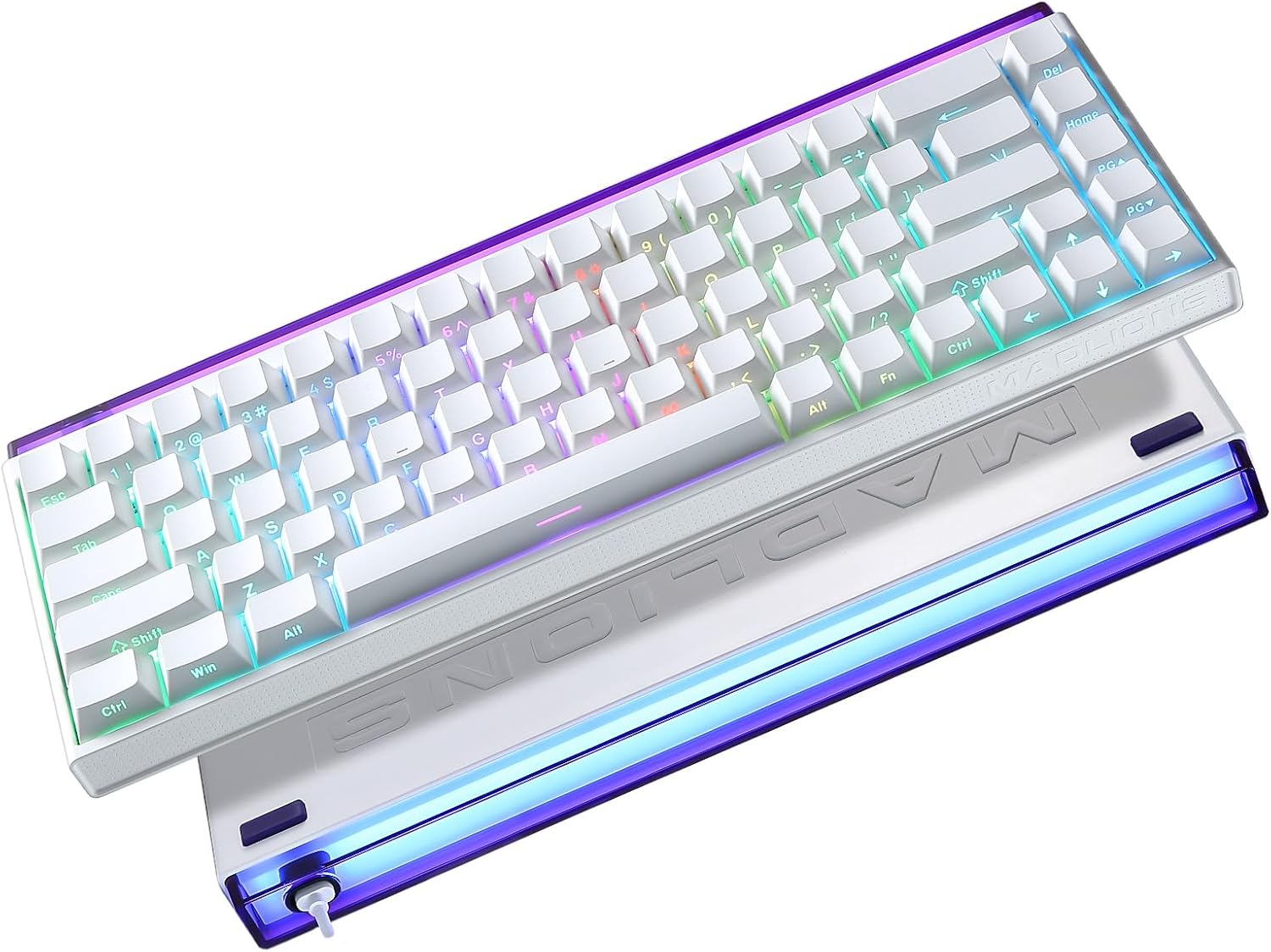
Image: The MIKIBY Nano 68 keyboard showcasinbid-disinn kompatt ta' 60% tiegħu u d-dawl ta' wara RGB vibranti.
1. Setup
1.1 Kontenut tal-Pakkett
Qabel ma tibda, jekk jogħġbok kun żgur li l-oġġetti kollha huma preżenti fil-pakkett:
- MIKIBY Nano 68 Keyboard x1
- USB Type-C Cable x1
- Keycap Puller x1
- Manwal għall-Utent x1

Image: A visual representation of the MIKIBY Nano 68 keyboard and its included accessories: USB-C cable, keycap puller, and user manual.
1.2 Konnessjoni tat-Tastiera
- Locate the USB Type-C port on the back of the Nano 68 keyboard.
- Qabbad tarf wieħed tal-kejbil USB Type-C ipprovdut mat-tastiera.
- Connect the other end of the USB cable to an available USB-A port on your computer (PC, Laptop, Mac) or compatible gaming console/tablet.
- It-tastiera tiġi rikonoxxuta awtomatikament mis-sistema operattiva tiegħek. Normalment ma jkun hemm bżonn ta' l-ebda sewwieq addizzjonali għall-funzjonalità bażika.

Image: The MIKIBY Nano 68 keyboard connected via its USB-C cable to a computer, illustrating its wired connectivity for various devices.
2. Istruzzjonijiet Operattivi
2.1 Swiċċijiet Manjetiċi tal-Effett Hall u Trigger Rapidu
The Nano 68 features Hall Effect magnetic switches with Rapid Trigger technology, offering precise and customizable actuation.
- Adjustable Actuation Point: The actuation point can be adjusted from 0.02mm to 3.3mm to suit your typing or gaming style.
- Trigger Rapidu: This feature eliminates reset delays, allowing for extremely fast, repeated keystrokes. Keys react instantly upon release, providing a competitive edge in fast-paced applications.
- 8K Hz Polling Rate: Ensures every keystroke is registered with minimal delay, providing high responsiveness.

Image: A detailed diagram explaining the Hall Effect Magnetic Switch specifications and a comparison between traditional switch actuation and Rapid Trigger functionality.
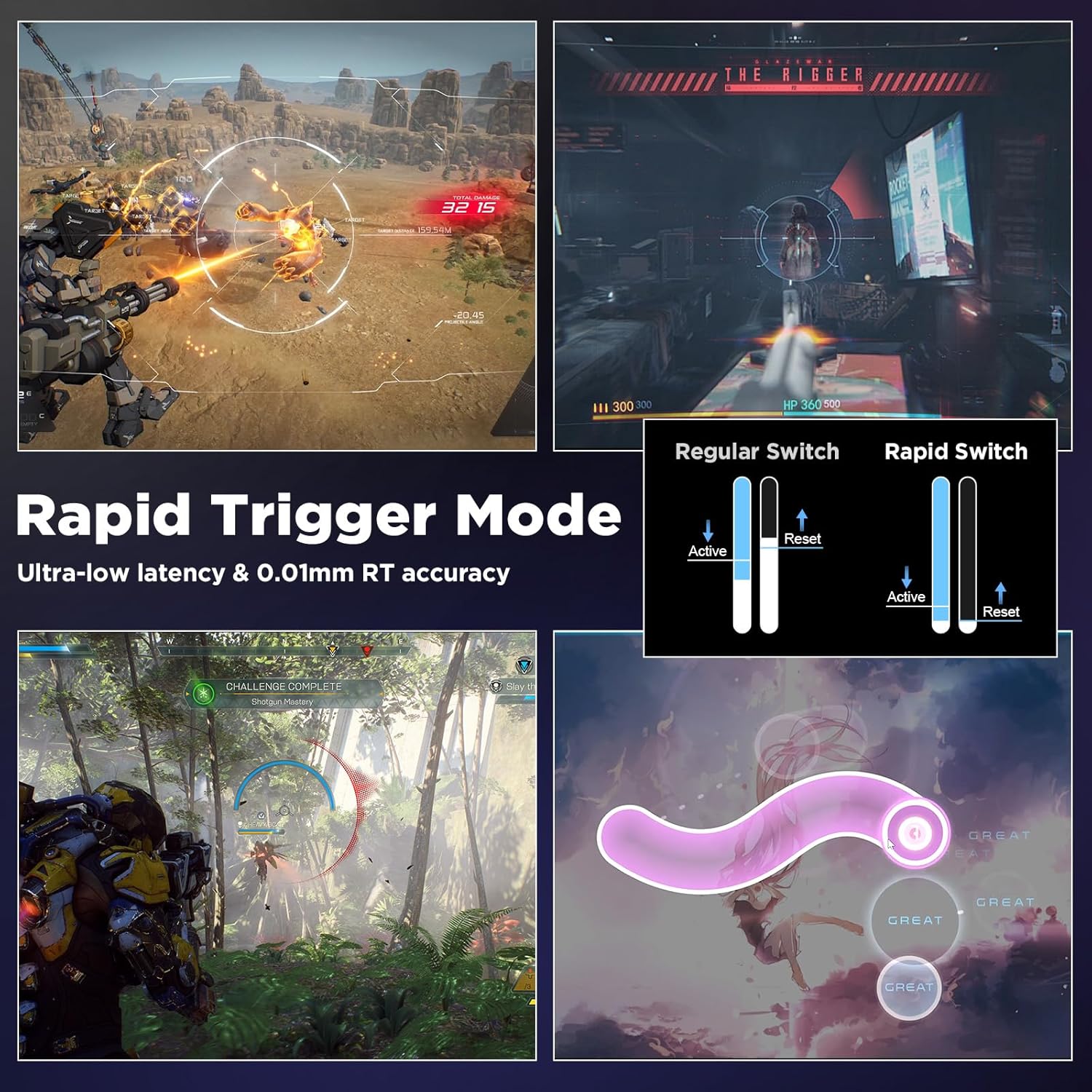
Image: Visual explanation of Rapid Trigger Mode, highlighting ultra-low latency and 0.01mm accuracy, with examples from gaming scenarios.
2.2 RGB Lighting System
The keyboard features a 16.8 million color RGB lighting system with south-facing LEDs and a high-transparency light box. You can customize lighting effects using FN key combinations:
| Function Key Combination | Deskrizzjoni |
|---|---|
| FN + Tab | RGB Lighting On/Off |
| FN + Q / A | RGB Brightness +/- |
| FN + W / S | RGB Effect +/- |
| FN + E / D | RGB Color +/- |
| FN + R / F | RGB Speed +/- |
| FN + T / G | Light Box Effect +/- |
| FN + Y / H | Light Box Brightness +/- |
| FN + U / J | Light Box Speed +/- |
| FN + I / K | Light Box Color +/- |

Image: A visual guide to the FN key combinations for controlling the 16.8 million RGB lighting effects and the removable side bar light box.
2.3 Customizable Web Software tas-sewwieq
The Nano 68 keyboard supports a professional web-based driver for advanced customization. This software allows you to:
- Customize DKS/MT/TGL functions.
- Perform key mapping.
- Edit macros.
- Adjust RGB lighting settings.
- Set actuation points and rapid trigger sensitivity.
Dan web driver is compatible with Windows and Mac systems and does not require any downloads.

Image: Screenshot of the web-based customization software interface, showing options for basic settings, RGB effects, key redefinition, and macro definition.
2.4 Qlib tal-Key N
The Nano 68 supports N-Key Rollover (NKRO), which means all keys pressed simultaneously will be registered accurately without conflict or ghosting. This is crucial for complex key combinations in gaming and fast typing.

Image: An illustration demonstrating N-Key Rollover, showing multiple keys being pressed simultaneously and accurately recognized by the keyboard.
2.5 Swiċċijiet li jistgħu jinbidlu bis-sħana
The keyboard is designed with hot-swappable sockets, allowing you to easily change the magnetic switches without soldering. This provides flexibility for customization and maintenance.
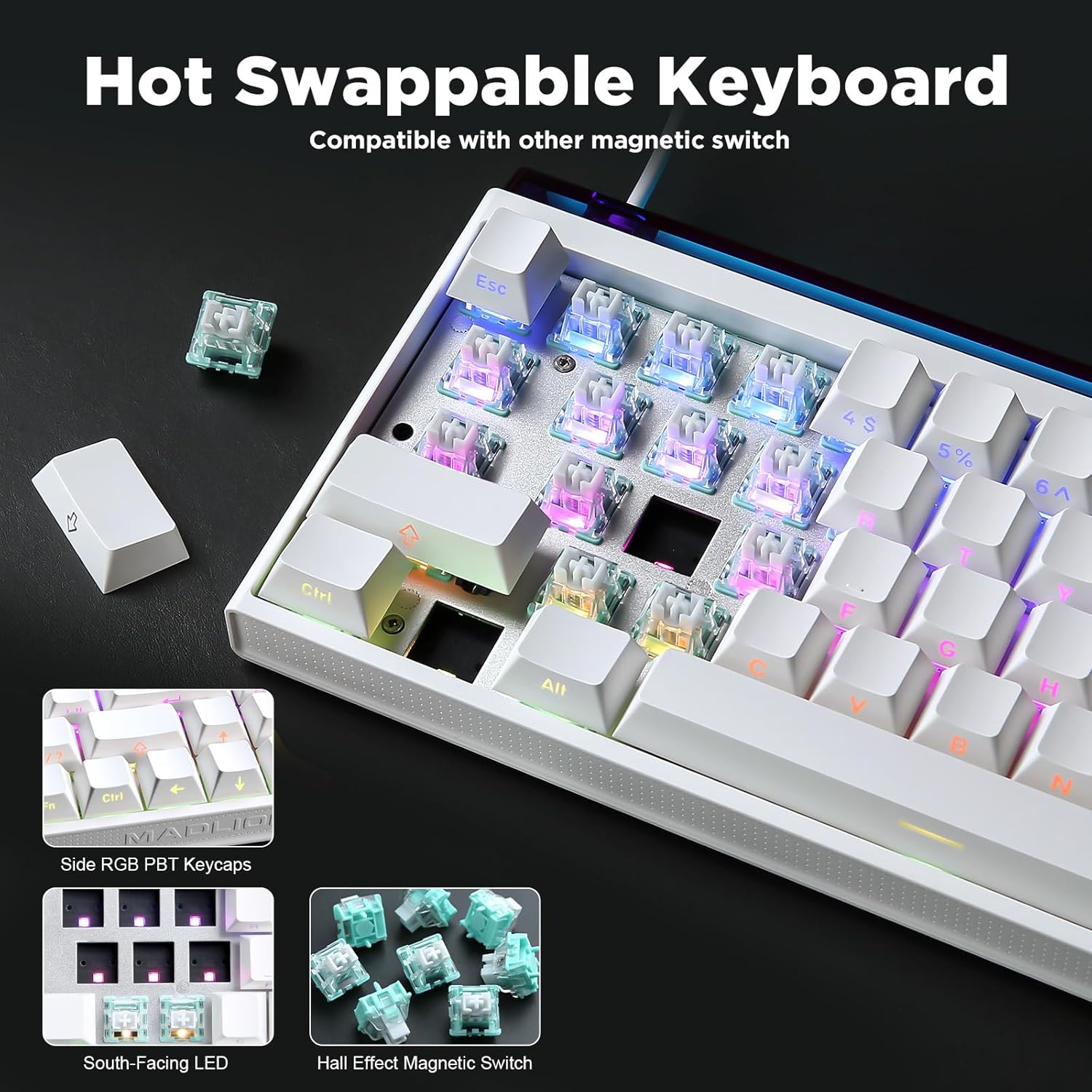
Immaġni: Close-up view of the MIKIBY Nano 68 keyboard demonstrating its hot-swappable feature, with magnetic switches being removed and inserted.
3. Manutenzjoni
3.1 Tindif tat-Tastiera
Tindif regolari jgħin biex tinżamm il-prestazzjoni u d-dehra tat-tastiera.
- Keycaps: Use the provided keycap puller to carefully remove keycaps. Clean them with a soft cloth dampened with mild soap and water, then dry thoroughly before reattaching.
- Korp tat-Tastiera: Wipe the keyboard surface with a soft, lint-free cloth. For stubborn dirt, a slightly damp jista' jintuża drapp. Evita umdità eċċessiva.
- Bejn iċ-Ċwievet: Uża arja kkompressata biex tneħħi t-trab u l-fdalijiet minn bejn is-swiċċijiet.
3.2 Kura Ġenerali
- Evita li tesponi t-tastiera għal temperaturi estremi, umdità, jew dawl tax-xemx dirett.
- Txerridx likwidi fuq it-tastiera. F'każ ta' tixrid, skonnettja t-tastiera immedjatament u ħalliha tinxef kompletament qabel ma terġa' tqabbadha.
- Handle the USB cable carefully to prevent damage to the connector or cable.
4 Issolvi l-problemi
4.1 It-Tastiera Ma Tirrispondix
- Kun żgur li l-kejbil USB tat-Tip C huwa konness sew kemm mat-tastiera kif ukoll mal-kompjuter tiegħek.
- Ipprova qabbad it-tastiera ma' port USB differenti fuq il-kompjuter tiegħek.
- Ittestja t-tastiera fuq kompjuter ieħor biex tiddetermina jekk il-problema hijiex fit-tastiera jew fis-setup tal-kompjuter oriġinali.
- Ibda mill-ġdid il-kompjuter tiegħek.
4.2 RGB Lighting Not Working or Incorrect
- Ensure RGB lighting is turned on using the FN + Tab key combination.
- Adjust brightness using FN + Q / A.
- Jekk tuża l- web driver, check your lighting settings there.
- Skonnettja u erġa' qabbad it-tastiera.
4.3 Ċwievet Mhux qed Jirreġistraw jew Jittajpjaw Darbtejn
- Check for any debris under the affected keycap. Use compressed air to clear it.
- If the issue persists, consider hot-swapping the problematic switch with a known working one (if you have spare switches).
- Verify actuation settings in the web driver software; ensure they are not set too low or too high for your preference.
5. Speċifikazzjonijiet
| Karatteristika | Dettall |
|---|---|
| Mudell | NANO68 |
| Tip ta' Swiċċ | Hall Effect Magnetic Switches (Magnetic Amber Pro) |
| Punt ta 'Attwazzjoni | Aġġustabbli 0.02-3.3mm |
| Ir-Rata tal-Votazzjoni | 8K Hz |
| Qlib taċ-ċavetta | Qlib N-Key (NKRO) |
| Tappijiet ewlenin | Side-Printed PBT Keycaps |
| Backlighting | 16.8 Million Color RGB, South-facing LED |
| Konnettività | USB bil-fili tat-Tip Ċ |
| Apparati Kompatibbli | PC, Laptop, Mac, Gaming Console, Tablet, Smartphone |
| Dimensjonijiet | 12.28 x 4.72 x 1.06 pulzieri (approssimattiv) |
| Piż | 2.2 liri |
| Komponenti Inklużi | Keyboard, USB Cable, Keycap Puller |
6. Informazzjoni dwar Garanzija
MIKIBY products are covered by a limited warranty against manufacturing defects. Please refer to the warranty card included in your package or visit the official MIKIBY websit għal termini u kundizzjonijiet dettaljati tal-garanzija. Żomm il-prova tax-xiri tiegħek għal talbiet ta' garanzija.
7. Appoġġ għall-Klijent
For technical assistance, troubleshooting, or any questions regarding your MIKIBY Nano 68 keyboard, please contact MIKIBY customer support through the official website or the contact information provided in your product packaging. Our support team is available to help you.


