Introduzzjoni
Thank you for choosing the ADESSO Xtream T2 Bluetooth Wireless Earbuds. These earbuds are designed to provide a high-quality audio experience with features such as Active Noise Cancelling (ANC), a built-in microphone for calls, and convenient touch controls. This manual will guide you through the setup, operation, and maintenance of your new earbuds.
X'hemm fil-Kaxxa
- ADESSO Xtream T2 Wireless Earbuds (Left and Right)
- Kawża tal-Iċċarġjar bla Fili
- Cable tal-Iċċarġjar tal-USB
- Daqsijiet Multipli ta' Ear Tips (S, M, L)
- Manwal għall-Utent
Prodott Overview
The ADESSO Xtream T2 earbuds feature an ergonomic in-ear design for a secure and comfortable fit. The compact charging case not only protects your earbuds but also provides additional battery life and supports wireless charging.

Image: The ADESSO Xtream T2 wireless earbuds are shown resting inside their open white charging case. The case has the 'adesso' logo on the front and four small LED indicator lights below it. The earbuds are white with a sleek, minimalist design.

Immaġni: Close-up view of the two white ADESSO Xtream T2 earbuds, showing their in-ear design and the small microphone openings. The left and right indicators are visible on the stems.
Setup
1. Iċċarġjar tal-Earbuds u l-Kaxxa
Before first use, fully charge the earbuds and the charging case. Place the earbuds into the charging case. Connect the USB charging cable to the charging port on the case and to a power source. The LED indicators on the case will show the charging status. Alternatively, place the charging case on a compatible wireless charging pad.
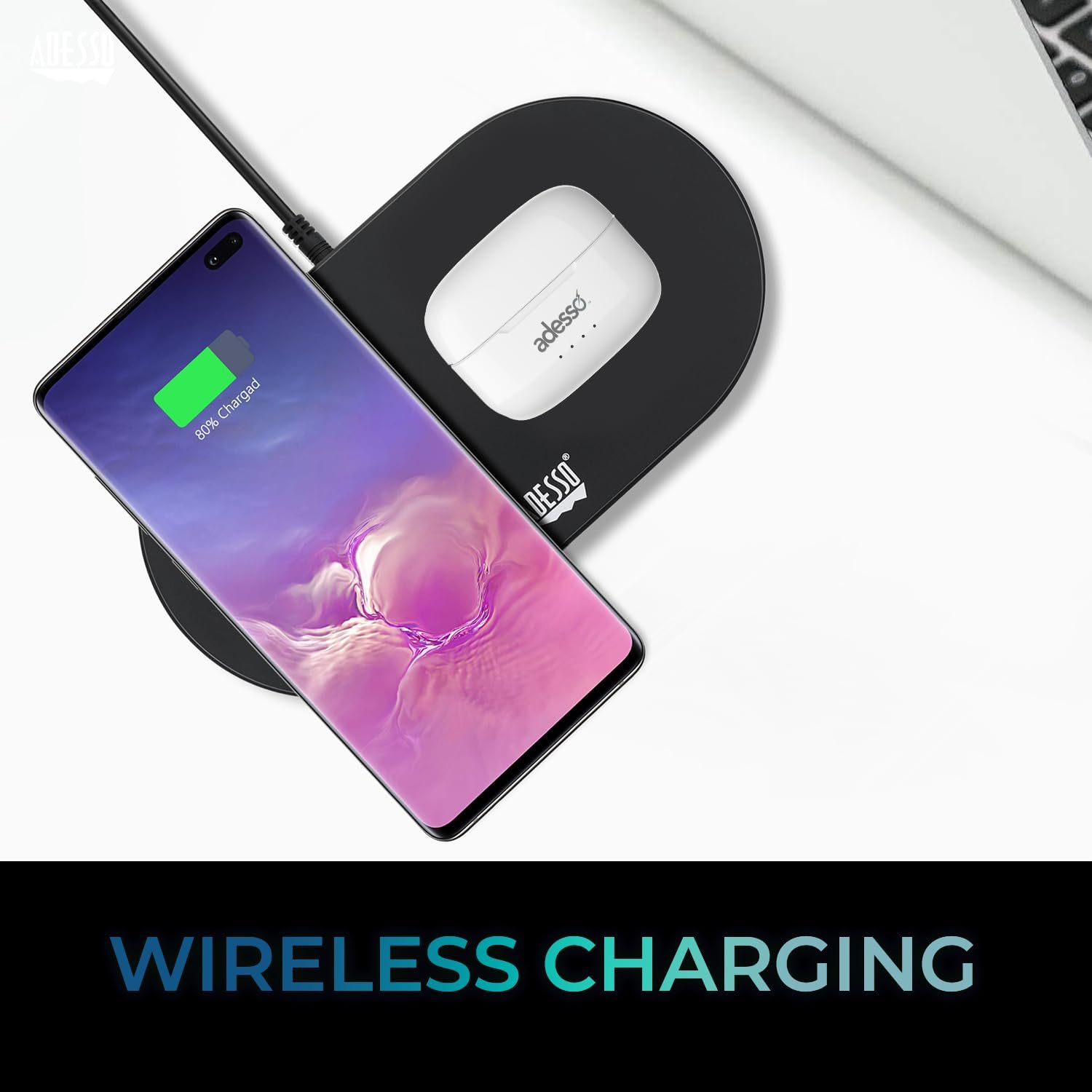
Image: The white ADESSO Xtream T2 charging case is placed on a black wireless charging pad next to a smartphone that is also wirelessly charging. This illustrates the wireless charging capability of the earbud case.
2. Tqabbil tal-Bluetooth
- Kun żgur li l-earbuds huma ċċarġjati.
- Iftaħ il-kaxxa tal-iċċarġjar. Il-earbuds jidħlu awtomatikament fil-modalità ta' tqabbil, indikat minn dawl LED li jteptep fuq il-earbuds.
- Fuq l-apparat tiegħek (smartphone, tablet, eċċ.), mur fis-settings tal-Bluetooth.
- Fittex għal available devices and select "ADESSO Xtream T2" mil-lista.
- Once connected, the LED indicator on the earbuds will stop flashing, and your device will confirm the connection.
Il-earbuds jerġgħu jikkonnettjaw awtomatikament mal-aħħar apparat imqabbad meta joħorġu mill-kaxxa, jekk il-Bluetooth ikun attivat fuq l-apparat.

Image: A stylized image depicting a Bluetooth chip on a circuit board, with the ADESSO Xtream T2 earbuds in their charging case in the foreground. This visually represents the Bluetooth wireless connectivity feature.
Istruzzjonijiet Operattivi
Touch Kontrolli
The Xtream T2 earbuds feature intuitive touch controls on each earbud. The specific functions may vary slightly depending on the operating system of your connected device.

Image: A woman is shown gently touching the side of her white ADESSO Xtream T2 earbud, demonstrating the touch control feature. She is smiling and looking at her smartphone.
| Azzjoni | Funzjoni |
|---|---|
| Tektek Waħda (Earbud tax-Xellug/Lemin) | Daqq/Pawża l-Mużika, Tweġiba/Tmiem is-Sejħa |
| Tektek doppju (Earbud tal-lemin) | Track li jmiss |
| Tektek doppju (Earbud tax-Xellug) | Track Preċedenti |
| Tektek triplu (Earbud tal-lemin) | Volum Up |
| Tektek triplu (Earbud tax-Xellug) | Volum 'l isfel |
| Istampa Twila (2 sekondi) | Attiva Voice Assistant (Siri, Google Assistant) |
| Istampa Twila (3 sekondi) | Aqleb il-Modalità ANC/Trasparenza |
| Incoming Call Long Press (2 seconds) | Irrifjuta Sejħa |
Kanċellazzjoni Attiva tal-Ħoss (ANC)
The Xtream T2 earbuds feature Active Noise Cancelling technology to reduce ambient noise, allowing for a more immersive listening experience. To activate or deactivate ANC, long-press the touch sensor on either earbud for approximately 3 seconds until you hear an audible prompt.

Image: A graphic illustrating sound waves being blocked around the ADESSO Xtream T2 earbuds, with text indicating "30dB" and "Active Noise Cancelling." This highlights the noise reduction capability.
Ħajja tal-batterija u Iċċarġjar
The earbuds provide approximately 6-7 hours of talk and listen time on a single charge. The charging case extends this duration by providing multiple recharges. For optimal performance, ensure both earbuds and case are regularly charged.

Image: A woman is using the ADESSO Xtream T2 earbuds while looking at her phone. A battery icon with a full charge is displayed, indicating "6-7 Hour Talk & Listen Time."
Manutenzjoni
Tindif
Tindif regolari jgħin biex tinżamm il-kwalità tal-ħoss u l-iġjene:
- Uża drapp artab, niexef u mingħajr suf biex timsaħ il-earbuds u l-kaxxa tal-iċċarġjar.
- Neħħi bil-mod kwalunkwe xemgħa tal-widnejn jew debris mill-ponot tal-widnejn u mill-malja tal-ispiker billi tuża pinzell żgħir u artab jew swab tal-qoton.
- Tużax prodotti tat-tindif li joborxu, alkoħol, jew solventi kimiċi.
Ħażna
Meta ma tkunx qed tużahom, aħżen il-earbuds fil-kaxxa tal-iċċarġjar tagħhom biex tipproteġihom mit-trab, ħsara, u biex iżżommhom iċċarġjati.
Issolvi l-problemi
| Problema | Soluzzjoni Possibbli |
|---|---|
| Earbuds ma jingħaqdux | Kun żgur li l-earbuds huma ċċarġjati. Itfi u ixgħel il-Bluetooth fuq l-apparat tiegħek. Insieh l-apparat fis-settings tal-Bluetooth u erġa' qabbadhom. |
| Earbud wieħed biss jaħdem | Poġġi ż-żewġ earbuds lura fil-kaxxa, agħlaqha, imbagħad iftaħha mill-ġdid. Kun żgur li ż-żewġ earbuds huma ċċarġjati. |
| L-ebda ħoss | Check device volume. Ensure earbuds are connected. Try playing audio from a different application or device. |
| ANC mhux qed jaħdem | Ensure ANC is activated via touch control (long press). Check for proper earbud fit. |
| Kwistjonijiet ta' ċċarġjar | Ensure charging cable is securely connected. For wireless charging, ensure the case is correctly placed on a compatible pad. Clean charging contacts on earbuds and case. |
Speċifikazzjonijiet

Image: The ADESSO Xtream T2 earbuds and charging case are shown in front of various electronic devices including a smartphone, tablet, laptop, and desktop computer, illustrating their multi-platform compatibility.
| Karatteristika | Dettall |
|---|---|
| Isem tal-Mudell | Xtream T2 |
| Teknoloġija tal-Konnettività | Wireless (Bluetooth) |
| Verżjoni Bluetooth | 5.3 |
| Kontroll tal-Ħoss | Kanċellazzjoni Attiva tal-Istorbju (ANC) |
| Mikrofonu | Mibnija fil- |
| Tip ta' Kontroll | Touch Control |
| Forma tal-widna | Fil-widnejn |
| Materjal | Plastik, silikonju |
| Piż tal-oġġett | 37 Grams (earbuds and case) |
| Iċċarġjar bla fili | Appoġġjati |
| Apparati Kompatibbli | Smartphones, Tablets, Laptops, Desktops, Smart Speakers, Televisions, Cars, Motorcycles |
| UPC | 783750011013 |
Garanzija u Appoġġ
For warranty information and technical support, please refer to the warranty card included with your product or visit the official ADESSO website. You can also contact ADESSO customer service for assistance with any product-related inquiries.
Websit: www.adesso.com (Eżample link, please verify actual support URL)


