JLab SBPOPBLK50WEB

JLab Pop Party Portable Bluetooth Speaker User Manual

Model: SBPOPBLK50WEB

JLab Pop Party Portable Bluetooth Speaker

Image: JLab Pop Party Portable Bluetooth Speaker in Midnight Black.

Introduzzjoni

The JLab Pop Party Portable Bluetooth Speaker is designed for portability and vibrant audio experiences. This manual provides essential information for setting up, operating, and maintaining your speaker, ensuring you get the most out of its features, including customizable RGB lighting, IP55 waterproofing, and LabSync multi-speaker connectivity.

Vidjo: Agħfas fuqview of the JLab Pop Party Speaker's features, including sound, strap, waterproofing, and battery life.

X'hemm fil-Kaxxa

Upon unboxing your JLab Pop Party Speaker, you should find the following items:

  • JLab Pop Party Bluetooth Speaker
  • Cable tal-Iċċarġjar tal-USB-C
  • Gwida għall-Utent (dan id-dokument)
Diagram of JLab Pop Party Speaker components including loop handle, full-range driver, USB-C port, and passive radiator.

Image: Diagram illustrating the speaker's components: loop handle, 2" full-range driver, USB-C charging port, and 2" passive radiator.

Setup

Iċċarġjar lill-Ispeaker

Before first use, fully charge your JLab Pop Party Speaker. Connect the provided USB-C charging cable to the speaker's charging port and a compatible USB power source. The LED indicator will show charging status.

Tqabbil tal-Bluetooth

  1. Kun żgur li l-ispiker huwa ċċarġjat u mitfi.
  2. Agħfas u żomm il-buttuna tal-Power sakemm l-indikatur LED jteptep, u dan jindika l-modalità ta' tqabbil.
  3. On your device (smartphone, tablet, etc.), enable Bluetooth and search for "JLab Pop Party".
  4. Select the speaker from the list to connect. A confirmation tone will sound upon successful pairing.

Istruzzjonijiet Operattivi

Video: A comprehensive demonstration of the JLab Pop Party Speaker's features and usage.

Kontrolli Bażiċi

  • Power On/Off: Agħfas u żomm il-buttuna Power.
  • Volum 'il fuq/Niżżel: Uża l-buttuni tal-volum fuq l-ispiker jew fuq l-apparat konness tiegħek.
  • Play/Pawsa: Agħfas il-buttuna Play/Pause.
  • Aqbeż Track: Double-press the Play/Pause button for next track, triple-press for previous track.

Esperjenza tal-Ħoss Immersiva

The Pop Party Speaker features a 2-inch full-range driver and a 2-inch passive woofer, delivering clear audio with enhanced bass. Enjoy up to 8 hours of playtime, or 5+ hours with RGB lighting activated.

JLab Pop Party Speaker on a beach towel with two people in the background, illustrating its immersive sound quality.

Image: The JLab Pop Party Speaker providing immersive sound in an outdoor setting.

Video: Demonstrating the JLab Pop Party Speaker's sound quality and compact design.

Dawl RGB customizable

Personalize your listening experience with dynamic RGB lighting. The JLab App allows you to adjust colors, patterns, and frequency to match your mood or environment.
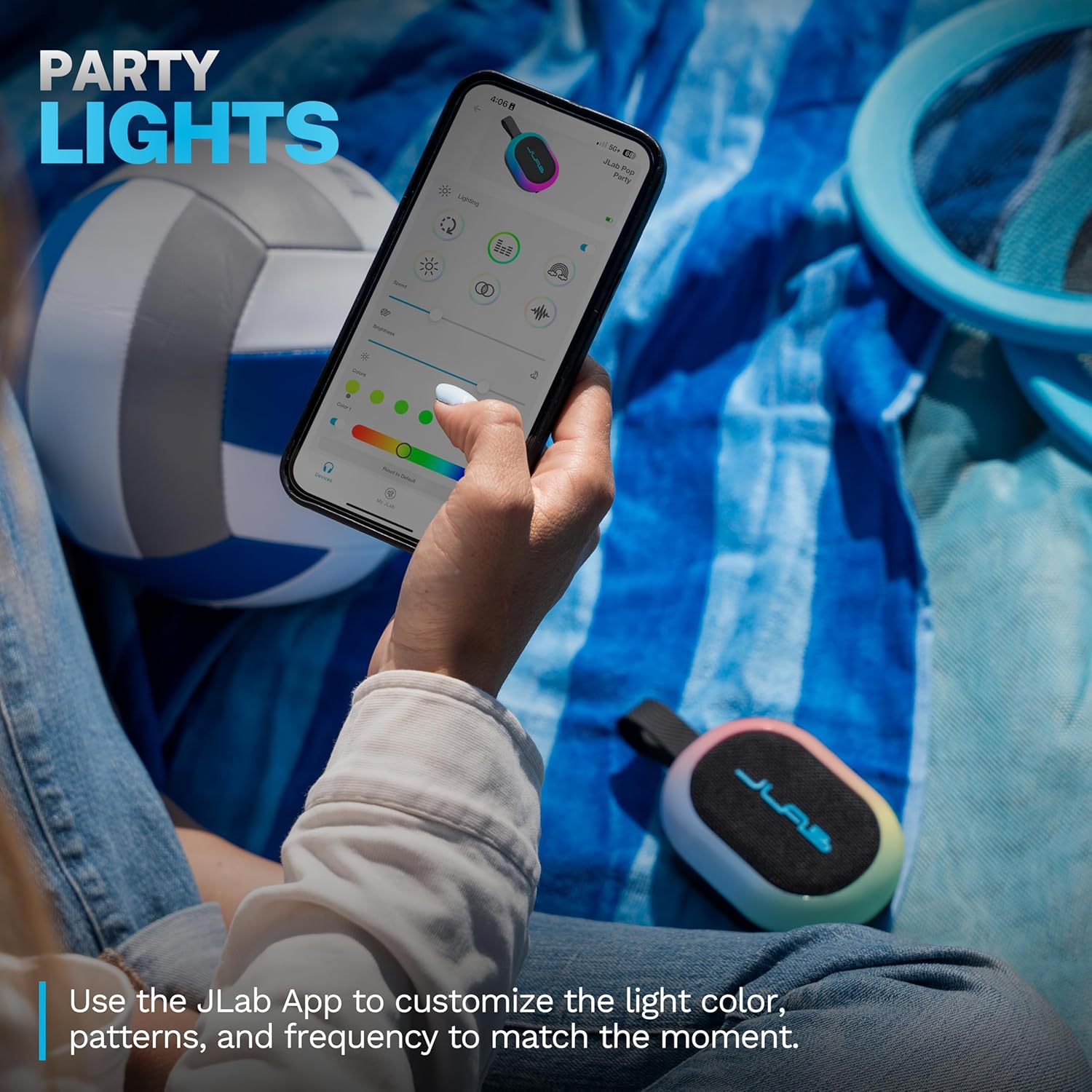
A hand holding a smartphone displaying the JLab App interface for customizing RGB lighting on the Pop Party Speaker.

Image: The JLab App showing options for customizing the speaker's RGB lighting.

LabSync Multi-Speaker Connectivity

Amplify your audio by connecting up to 100 JLab Party speakers using LabSync. This feature synchronizes sound and lights across multiple speakers, creating a unified audio experience.

Two JLab Pop Party Speakers connected via LabSync, with people dancing in the background, illustrating multi-speaker synchronization.

Image: Multiple JLab Pop Party Speakers synchronized for an enhanced audio experience.

LabSync Stereo Pairing

For a more immersive soundstage, use the JLab App to designate two JLab Party speakers as left and right channels. This creates a powerful 2-channel stereo system, optimizing audio for a richer listening experience.
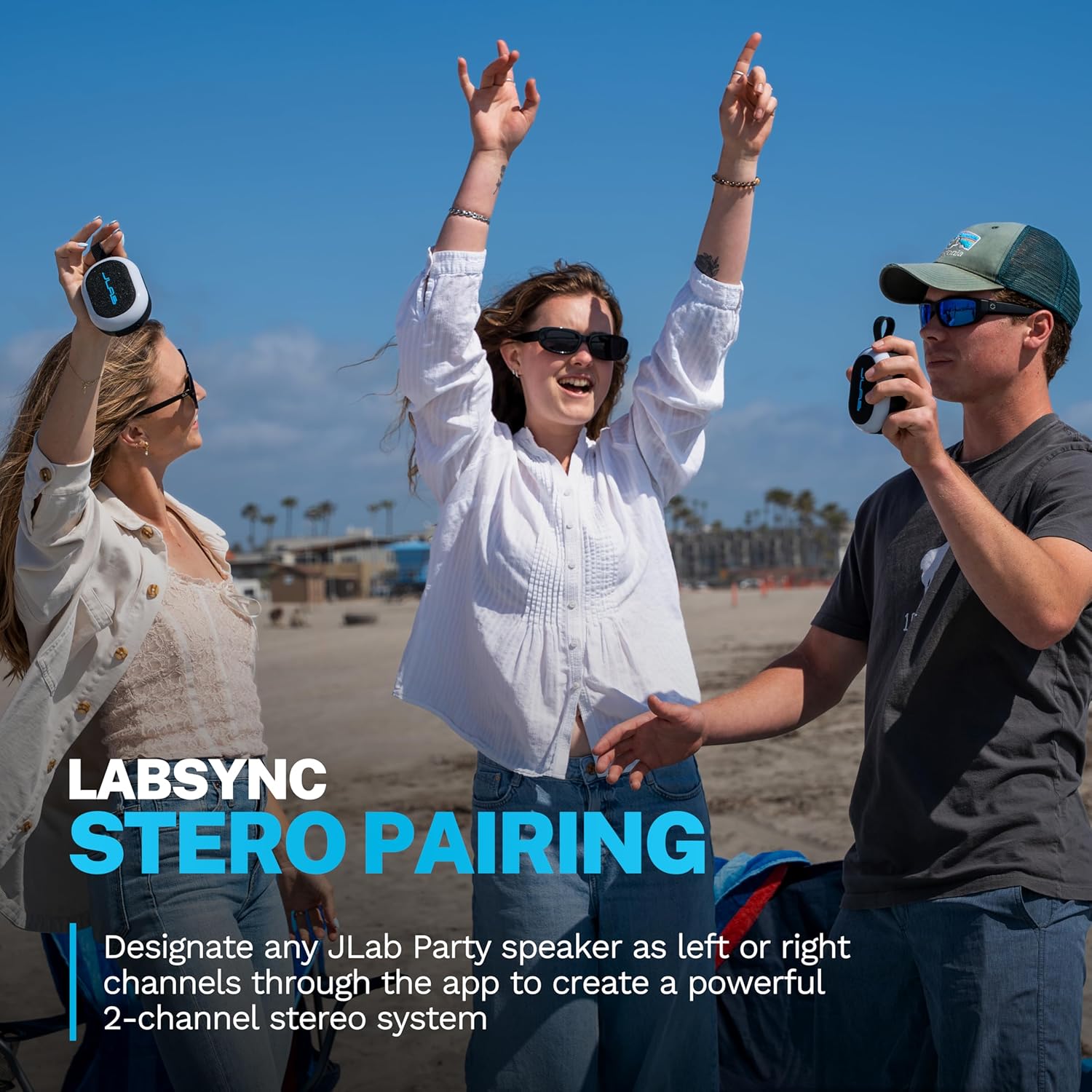
Three people on a beach, two holding JLab Pop Party Speakers, demonstrating the stereo pairing feature.

Image: JLab Pop Party Speakers set up for stereo pairing.

JLab App Customization

The JLab App provides comprehensive control over your speaker. Customize RGB lighting, manage controls, and fine-tune sound preferences using EQ4 presets (JLab Signature, Balance, Bass Boost) or a custom equalizer. The app also facilitates software updates.
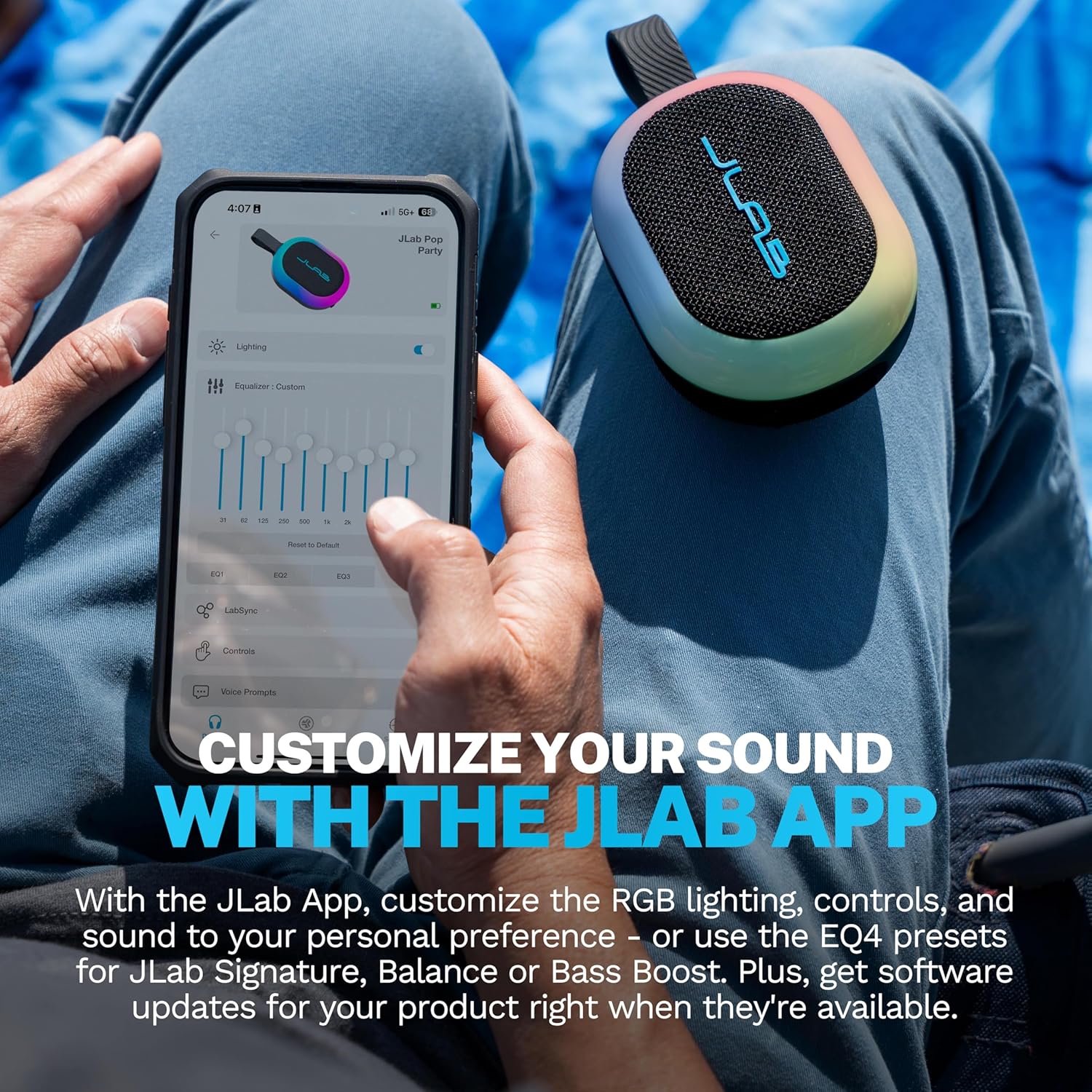
A person using the JLab App on a smartphone to customize equalizer settings for the Pop Party Speaker.

Image: The JLab App interface for sound and lighting customization.

Manutenzjoni

Waterproofing (IP55 Rating)

The JLab Pop Party Speaker features an IP55 waterproof rating, making it resistant to dust and water splashes. It is suitable for use in environments like poolside, beaches, or during light rain. Tgħaddasx il-kelliem fl-ilma.

A hand holding the JLab Pop Party Speaker with its detachable loop handle, against a beach background, highlighting its portability and waterproof design.

Image: The JLab Pop Party Speaker's portable design and IP55 waterproof rating for outdoor use.

Video: Demonstrating the JLab Pop Party Speaker's waterproof capabilities and various features.

Kura Ġenerali

Issolvi l-problemi

Speċifikazzjonijiet

KaratteristikaDettall
Isem tal-MudellPop Party
Numru tal-MudellSBPOPBLK50WEB
Tip ta' KelliemSpeaker Bluetooth portabbli
Teknoloġija tal-KonnettivitàBluetooth
Livell ta 'Reżistenza għall-IlmaIP55 (Reżistenti għall-Ilma)
Daqs tal-Kelliem2 Inches (Full-range driver and passive woofer)
Qawwa tal-Ħruġ Massimu tal-Ispeaker10 Watts
Rispons ta' Frekwenza100 KHz
Ħin tal-logħob8+ Hours (5+ Hours with RGB lighting)
Karatteristiċi SpeċjaliLED Light, Multi Room Audio (LabSync), Portable, Stereo Pairing, Detachable Loop Handle
MaterjalPlastik
Dimensjonijiet tal-Prodott4.2"D x 3.11"W x 1.89"H
Piż tal-oġġett10.8 uqija
Batteriji1 Batterija Mhux Standard (inkluża)

Garanzija u Appoġġ

For warranty information and customer support, please visit the official JLab webis-sit jew ikkuntattja lis-servizz tal-konsumatur tagħhom direttament. Żomm l-irċevuta tax-xiri tiegħek għal talbiet ta' garanzija.

JLab Official Websit: www.jlab.com

Dokumenti Relatati - SBPOPBLK50WEB

Preview JLab GO Party Bluetooth Speaker - Instrukcja Obsługi i Parowania
Kompletna instrukcja obsługi głośnika Bluetooth JLab GO Party. Dowiedz się, jak sparować urządzenie, ładować baterię, korzystać z przycisków, aplikacji JLab oraz funkcji LabSync do połączenia wielu głośników.
Preview JLab JBuds Party - Instrukcja Obsługi Głośnika Bluetooth
Przewodnik użytkownika dla głośnika Bluetooth JLab JBuds Party, zawierający instrukcje parowania, ładowania, obsługi przycisków, funkcji LabSync oraz pobierania aplikacji.
Preview Manwal u Gwida għall-Utent tal-Ispeaker Bluetooth JLab Pop Party
Manwal komprensiv għall-utent għall-JLab Pop Party Bluetooth Speaker, li jiddeskrivi s-setup, it-tqabbil, l-iċċarġjar, il-funzjonijiet tal-buttuni, il-konnessjoni LabSync b'ħafna speakers, u l-integrazzjoni tal-app għall-adattament.
Preview Manwal tal-Utent u Gwida għall-Earbuds True Wireless JLab GO Air Pop
Gwida komprensiva għall-earbuds true wireless JLab GO Air Pop, li tkopri t-tqabbil tal-Bluetooth, il-funzjonijiet tal-buttuni, il-modi EQ, l-iċċarġjar, it-twaħħil, is-soluzzjoni tal-problemi, u l-kura.
Preview JLab GO Air Pop True Wireless Earbuds - User Manual and Setup Guide
Comprehensive guide to setting up, pairing, and using your JLab GO Air Pop true wireless earbuds. Covers button functions, EQ modes, charging, troubleshooting, and care instructions.
Preview Manwal tal-Utent u Gwida għall-Earbuds True Wireless JLab GO Air POP
Get the most out of your JLab GO Air POP true wireless earbuds with this comprehensive user manual. Learn about Bluetooth pairing, button controls, EQ modes, charging, fit, troubleshooting, and important precautions.