Introduzzjoni
The Logitech MK250 Bluetooth mouse and keyboard combo offers effortless wireless connectivity, designed for a clutter-free workspace. This durable combo provides a comfortable typing and navigation experience across Windows and macOS platforms. Its compact design includes a full numpad and essential function keys, making it suitable for various environments.
X'hemm fil-Kaxxa
- Tastiera MK250
- MK250 Mouse
- Dokumentazzjoni tal-Utent
- Quick Start Guide (Printed on Packaging)
- 2 batteriji AAA (għat-tastiera)
- Batterija AA waħda (għall-maws)
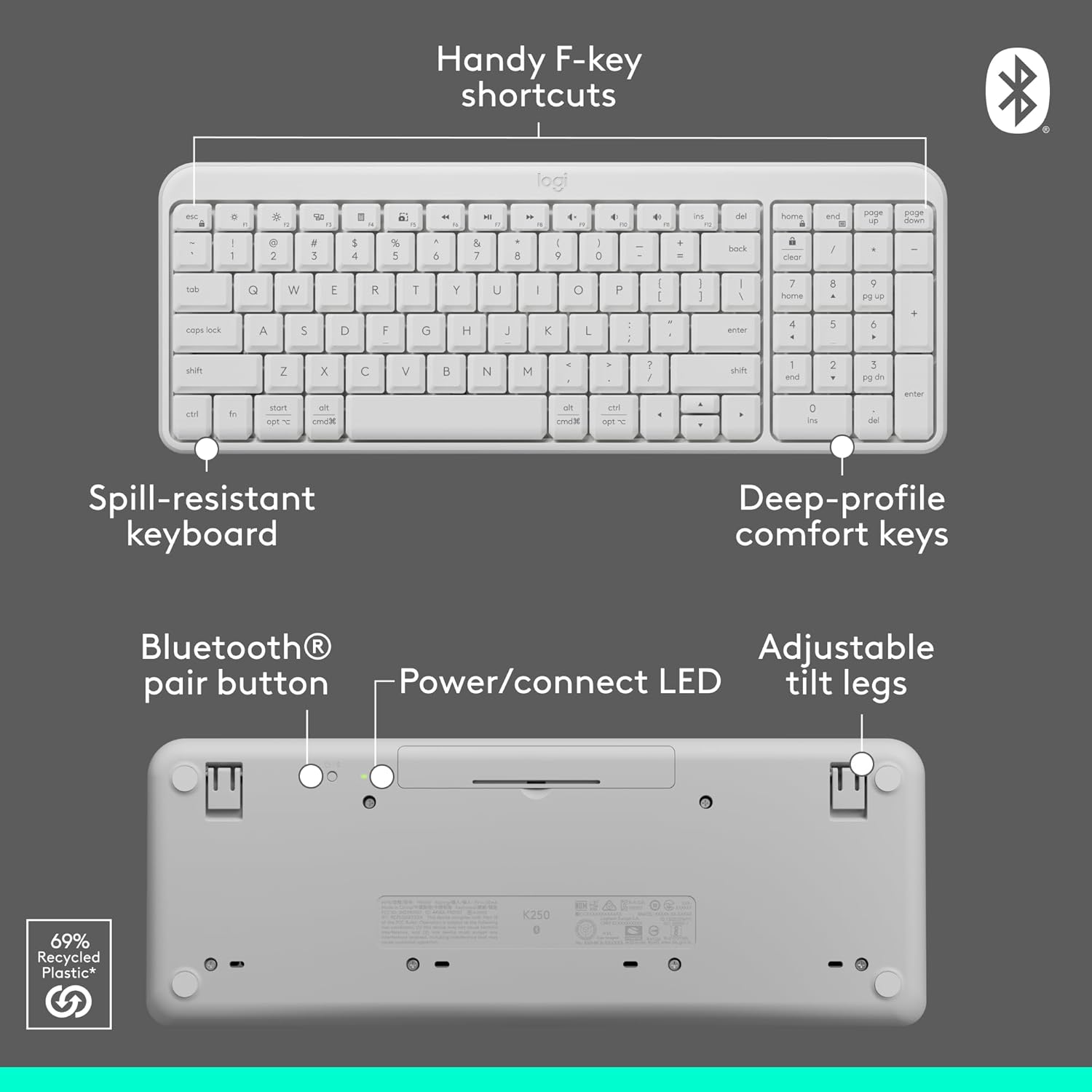
Image: Contents of the Logitech MK250 combo box, showing the white keyboard, white mouse, and two AAA batteries.
Setup u Tqabbil Bluetooth
The Logitech MK250 combo connects quickly and easily via Bluetooth, eliminating the need for a USB dongle.
Passi ta' Setup Inizjali:
- Daħħal Batteriji: Ensure the included batteries are correctly inserted into both the keyboard and the mouse. For the keyboard, remove the battery guard if present.
- Qawwa Mixgħul: Locate the ON/OFF switch on the back of the keyboard and the mouse, and slide them to the 'ON' position.
- Activate Bluetooth Pairing:
- Tastiera: Press and hold the Bluetooth pair button on the underside of the keyboard until the LED indicator starts blinking.
- Ġurdien: Press and hold the long-press pairing mode button on the underside of the mouse until its LED indicator starts blinking.
- Connect via Device: On your computer (Windows or macOS) or tablet, navigate to your Bluetooth settings. Select "Logitech MK250 Keyboard" and "Logitech MK250 Mouse" from the list of available devices to pair. Follow any on-screen prompts to complete the connection.

Image: A white Logitech MK250 keyboard and mouse on a desk next to a monitor displaying Bluetooth connection prompts, illustrating easy pairing.
Video: Official Logitech MK250 product video demonstrating features and connectivity.
Istruzzjonijiet Operattivi
Karatteristiċi tat-Tastiera:
- Deep-Profile Ċwievet: Designed for comfortable and responsive typing.
- Disinn Kompatt bin-Numpad: Offers full functionality in a space-saving design.
- Handy F-Key Shortcuts: Provides quick access to media controls and other functions.
- Disinn reżistenti għat-tixrid: Built to withstand minor spills for enhanced durability.
- Saqajn Aġġustabbli għall-Inklinazzjoni: Customize the keyboard angle for ergonomic comfort.
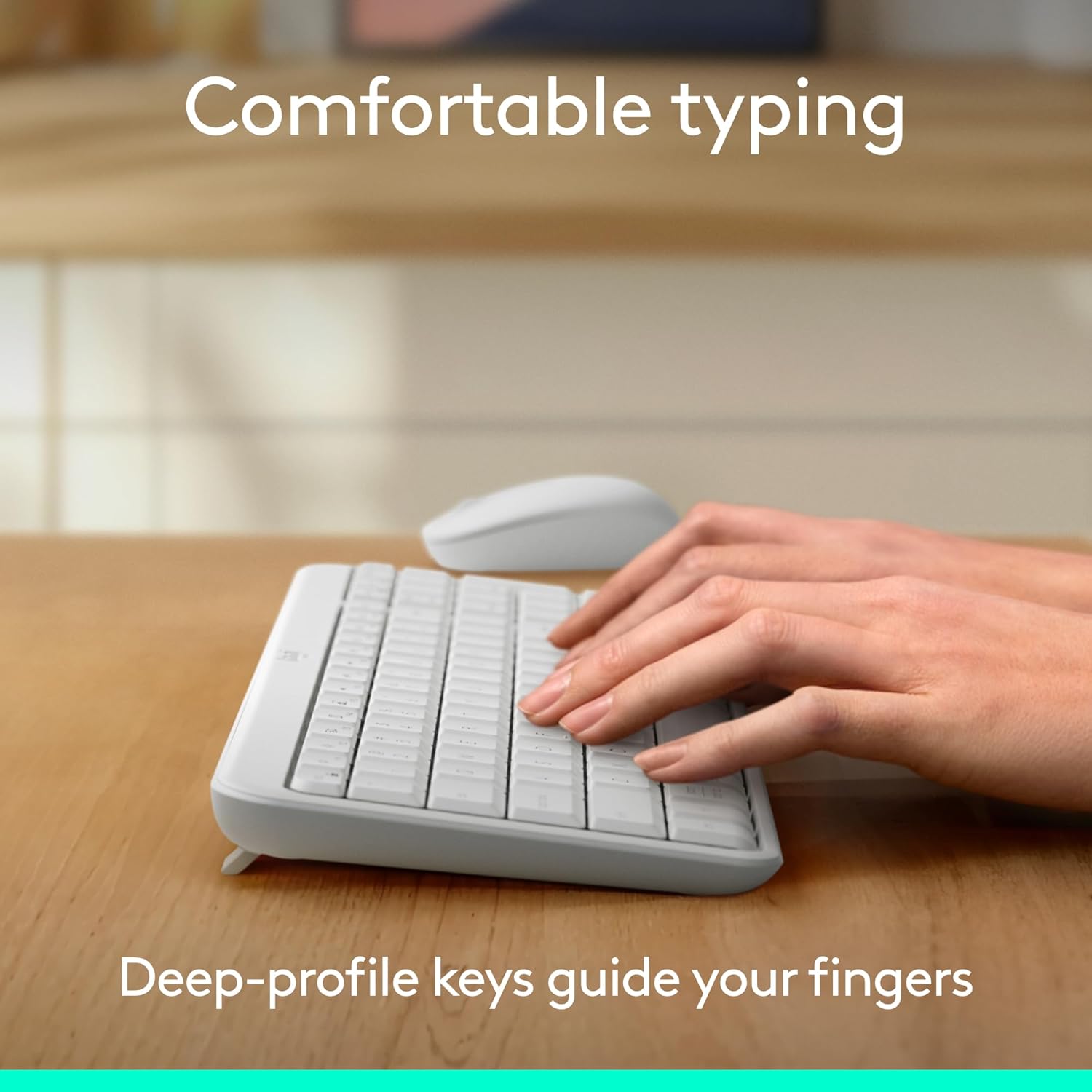
Image: Hands typing on the Logitech MK250 keyboard, demonstrating comfortable deep-profile ċwievet.

Image: Underside of the Logitech MK250 keyboard, detailing the Bluetooth pair button, power/connect LED, and adjustable tilt legs.
Karatteristiċi tal-Ġurdien:
- Ambidextrous Shape: Comfortable design for both left and right-handed users.
- Traċċar bla xkiel: Jipprovdi kontroll preċiż tal-cursor.
- Long-Press Pairing Mode: Dedicated button for easy Bluetooth connection.
- Swiċċ mixgħul / mitfi: Iffranka l-ħajja tal-batterija meta ma tkunx qed tintuża.

Image: Underside of the Logitech MK250 mouse, highlighting the battery compartment, long-press pairing mode button, and ON/OFF switch.
Manutenzjoni
- Ħajja tal-batterija: The keyboard and mouse are designed for extended battery life, with up to 12 months of use before needing battery replacement.
- Sostituzzjoni tal-batterija: Replace batteries when performance degrades. The keyboard uses 2 AAA batteries, and the mouse uses 1 AA battery.
- Tindif: Imsaħ l-uċuħ b'artab, damp cloth. Avoid harsh chemicals. The keyboard features a spill-resistant design, but it is not waterproof.

Image: Logitech MK250 mouse, emphasizing its 12-month battery life.
Issolvi l-problemi
- Kwistjonijiet ta' Konnettività: If the keyboard or mouse loses connection, ensure they are powered on and within range of your device. Try re-pairing them through your device's Bluetooth settings.
- Unresponsive Keys/Clicks: Check battery levels and replace if necessary. Ensure no debris is obstructing the keys or mouse buttons.
- Lag or Delay: Ensure your device's Bluetooth is not overloaded with too many connections. Move closer to your device to minimize interference.
Speċifikazzjonijiet
| Brand | Logitech |
| Serje tal-Mudell | Tastiera u Maws MK250 |
| Numru tal-Mudell tal-Oġġett | 920-013511 |
| Teknoloġija tal-Konnettività | Bluetooth |
| Apparati Kompatibbli | Laptop, Kompjuter Personali, Pillola |
| Pjattaforma tal-Ħardwer | Mac, PC |
| Sistema Operattiva | Chrome OS, Windows 10.11 or later, macOS 12 or later |
| Kulur | Abjad |
| Piż tal-oġġett | 13.4 uqija |
| Dimensjonijiet tal-Prodott (LxWxH) | 18.03 x 5.98 x 1.73 pulzieri |
| Sors tal-Enerġija | Mħaddma bil-batterija |
| Batteriji | 2 AAA batteries (keyboard), 1 AA battery (mouse) - included |
Garanzija u Appoġġ
The Logitech MK250 combo is built for durability, featuring a spill-resistant keyboard and components made with recycled materials. For specific warranty details and technical support, please refer to the official Logitech webis-sit jew id-dokumentazzjoni inkluża mal-prodott tiegħek.
The product is designed for a long lifespan, with the keyboard offering a 12-month battery life and the mouse also providing extended usage on a single battery.


