1. Introduzzjoni
The WORX Nitro 40V Brushless Cordless Earth Auger WG865 is designed for efficient and powerful post hole digging and tree planting. This tool offers performance equivalent to a 45 cc gas auger, powered by two 20V PowerShare Pro batteries. Its brushless motor ensures extended runtime and efficiency, delivering up to 59 ft/lbs of engine torque and 220 RPM. Key features include a lightweight design, non-slip ergonomic handles, an anti-kickback system for safety, two-speed settings, and a quick-connect system for easy bit changes.

Figure 1: WORX Nitro 40V Brushless Cordless Earth Auger (Model WG865) with included accessories.
2. Informazzjoni dwar is-Sigurtà
Dejjem aqra u ifhem it-twissijiet u l-istruzzjonijiet kollha tas-sigurtà qabel ma tħaddem dan il-prodott. Jekk ma ssegwix it-twissijiet u l-istruzzjonijiet, dan jista' jirriżulta f'xokk elettriku, nar, u/jew korriment serju.
- Tagħmir Protettiv Personali: Always wear appropriate safety glasses, hearing protection, and sturdy footwear when operating the auger.
- Qabda Sikura: Maintain a firm, two-handed grip on the handles during operation. The non-slip ergonomic handles are designed for enhanced control.
- Anti-Kickback System: The auger is equipped with an anti-kickback system that automatically cuts motor power during unexpected jams. This feature is crucial for user safety.
- Żona tax-Xogħol Ċara: Ensure the work area is clear of bystanders, pets, and any hidden obstacles (rocks, roots, utility lines) that could cause the auger to bind or kick back.
- Sigurtà tal-batterija: Use only specified WORX PowerShare batteries and chargers. Do not expose batteries to water or extreme temperatures.
- Lbies xieraq: Avoid loose clothing or jewelry that could get caught in moving parts.

Figure 2: The anti-kickback system automatically stops the motor during unexpected jams, enhancing user safety.
3. Kontenut tal-Pakkett
Ivverifika li l-oġġetti kollha huma preżenti u f'kundizzjoni tajba:
- WORX Nitro 40V Brushless Cordless Earth Auger Unit
- 8-inch Auger Drill Bit
- Two 20V 4.0 Ah PowerShare Pro Batteries
- Ċarġer tal-batterija
- Manwal ta' Istruzzjoni
4. Setup
4.1 It-twaħħil tal-Auger Bit
- Align the shaft of the 8-inch auger drill bit with the drive shaft on the main auger unit.
- Push the bit onto the drive shaft until it clicks into place.
- Secure the bit using the quick-connect pin. Ensure the pin is fully inserted and locked to prevent the bit from detaching during operation.
4.2 Installazzjoni tal-Batteriji
- Ensure both 20V 4.0 Ah PowerShare Pro batteries are fully charged.
- Slide each battery into its designated slot on the auger unit until it locks securely.
- Verify that both batteries are firmly seated before operation.
Video 1: Demonstration of easy assembly and battery installation for the WORX Nitro Earth Auger.
5. Istruzzjonijiet Operattivi
5.1 Starting the Auger
- With batteries installed and the auger bit securely attached, hold the unit firmly with both hands using the ergonomic handles.
- Locate the power switch and set it to the "ON" position.
- Press the trigger to start the auger.
5.2 Speed Settings and Reverse Function
The auger features two-speed settings and a reverse function:
- Veloċità Baxxa: Ideal for general soil digging, providing controlled power.
- Veloċità Għolja: Suitable for more demanding tasks such as ice drilling (with an appropriate ice auger bit, sold separately).
- Funzjoni Reverse: Use the reverse function to easily extract the auger bit from the ground if it gets stuck or to clear debris.
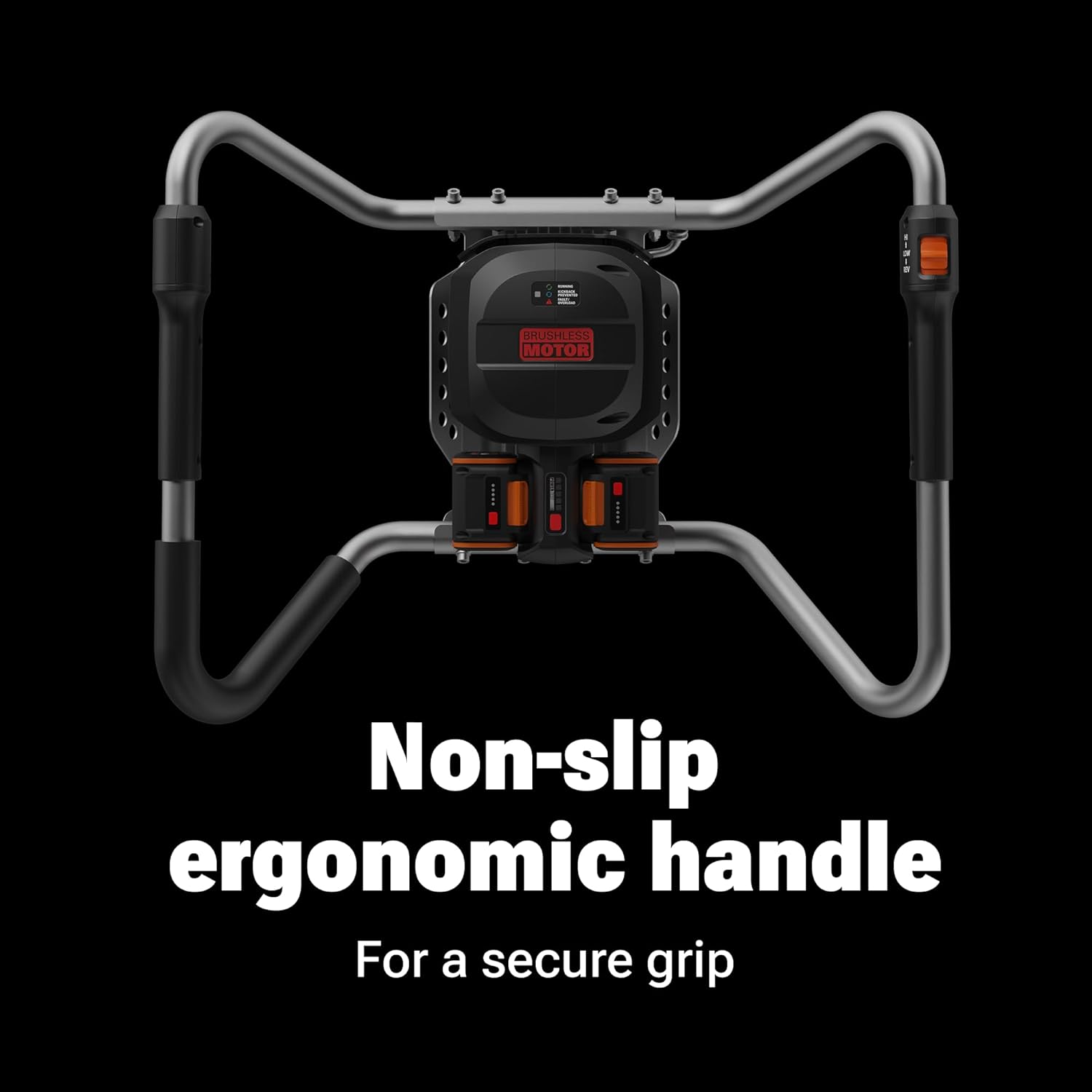
Figure 3: Non-slip ergonomic handles provide a secure grip and easy access to controls, including speed settings and reverse function.
5.3 Digging a Hole
- Position the auger bit vertically at the desired digging location.
- Hold the handles firmly and press the trigger to start the rotation.
- Apply steady, downward pressure as the auger drills into the soil. Allow the auger to do the work; excessive force is not necessary.
- If the auger encounters resistance or jams, release the trigger immediately. Use the reverse function to free the bit if necessary.
- Periodically lift the auger slightly to clear loose soil from the hole, then continue drilling.
- Continue until the desired depth is reached. The auger can bore up to 38 holes on a single charge (using two 4.0 Ah PowerShare Pro batteries).

Figure 4: The WORX Nitro Earth Auger in action, demonstrating its capability to dig holes for various outdoor projects.
6. Manutenzjoni
Regular maintenance ensures optimal performance and longevity of your auger.
- Tindif: After each use, clean the auger bit and the main unit to remove soil, debris, and moisture. Use a damp drapp u deterġent ħafif jekk meħtieġ.
- Spezzjoni: Regularly inspect the auger bit for wear, damage, or dullness. Replace worn or damaged bits to maintain digging efficiency.
- Ħażna: Store the auger in a dry, secure location away from direct sunlight and extreme temperatures. Remove batteries before long-term storage.
- Kura tal-batterija: Store batteries in a cool, dry place. Do not store batteries in a discharged state for extended periods.
7 Issolvi l-problemi
- Auger Not Starting:
- Kun żgur li l-batteriji huma ċċarġjati kompletament u installati kif suppost.
- Check that the power switch is in the "ON" position.
- Auger Jams During Operation:
- Itlaq il-grillu immedjatament.
- Use the reverse function to extract the bit.
- Clear any obstacles (rocks, roots) from the hole before resuming.
- Reduced Digging Performance:
- Check the auger bit for wear or damage; replace if necessary.
- Kun żgur li l-batteriji huma kompletament iċċarġjati.
8. Speċifikazzjonijiet
| Speċifikazzjoni | Valur |
|---|---|
| Numru tal-Mudell | WG865 |
| Sors tal-Enerġija | 40V (2 x 20V Lithium Ion Batteries) |
| Tip ta' Mutur | Brushless |
| Torque tal-Magna | Up to 59 ft/lbs |
| Veloċità Bla Tagħbija | 220 RPM |
| Auger Bit Diameter | 8 inches (included) |
| Piż (bil-batteriji) | 30 liri |
| Dimensjonijiet tal-Prodott | 43.7 x 24.4 x 18.3 pulzieri |
| Kapaċità tal-batterija | 2 x 20V 4.0 Ah PowerShare Pro |

Figure 5: The high-efficiency brushless motor provides extended runtime and power.
9. Garanzija u Appoġġ
For warranty information, technical support, or to purchase replacement parts, please refer to the official WORX website or contact customer service. Keep your purchase receipt as proof of purchase.


