1. Introduzzjoni
Thank you for choosing the UPERFECT 18.4-Inch 4K UHD Portable Monitor. This manual provides essential information for setting up, operating, and maintaining your new monitor. Please read this manual thoroughly before use to ensure proper functionality and to maximize your viewing esperjenza.
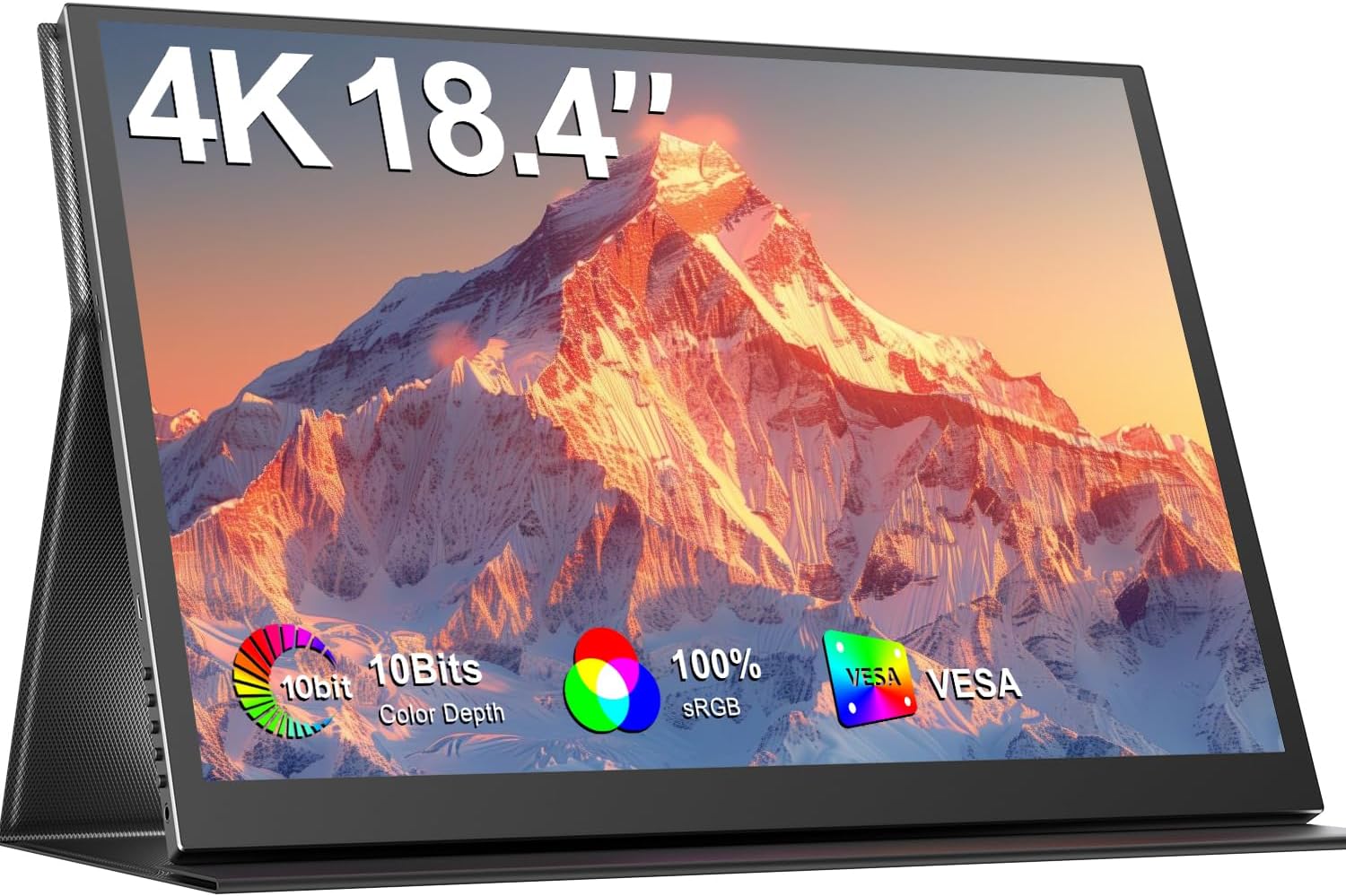
Image 1.1: The UPERFECT 18.4-Inch 4K UHD Portable Monitor, showcasing its display and slim design.
2. Prodott Aktarview
2.1 Karatteristiċi ewlenin
- Large 18.4-Inch 4K UHD Display: Features a 3840x2160 resolution IPS panel for detailed visuals.
- Vivid 10-Bit Color & HDR: Offers 10-bit color depth, 100% sRGB coverage, and HDR support for accurate and vibrant images.
- Immontabbli VESA: Equipped with 75mm VESA holes for flexible mounting options.
- Kompatibilità Wiesgħa tal-Apparat: Connects via USB-C and Mini HDMI ports to various devices including laptops, smartphones, and gaming consoles.
- Disinn portabbli: Slim, lightweight, and includes a protective leather cover for travel and use as a stand.
- Awdjo Integrat: Features built-in speakers and a headphone jack.
- Karatteristiċi tal-Kura tal-Għajnejn: Includes Blue Light Filter and Flicker-Free technology.

Image 2.1: Visual comparison illustrating the larger display area of the 18.4-inch monitor compared to a 15.6-inch model, enhancing productivity.
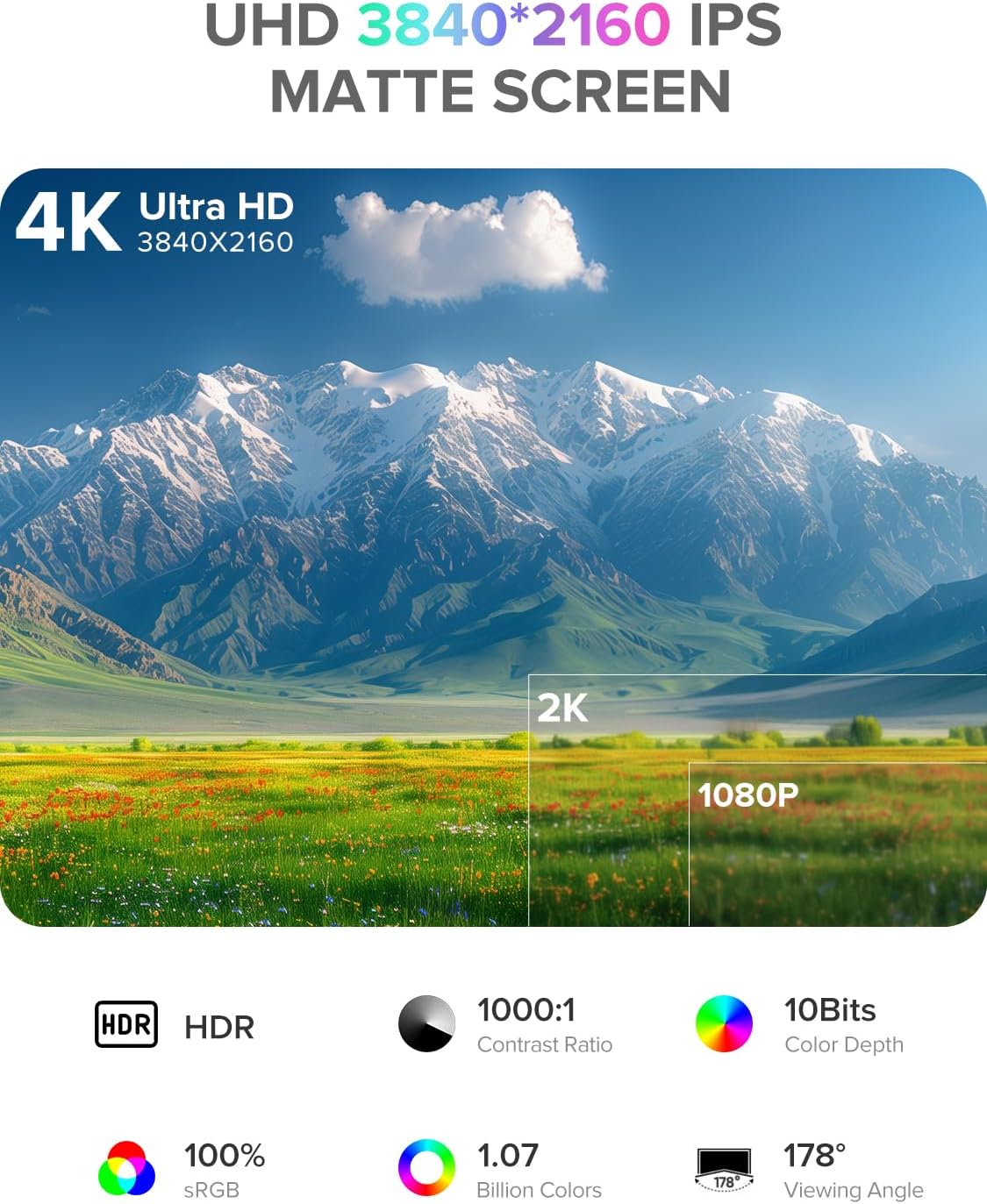
Image 2.2: Details of the monitor's 4K UHD (3840x2160) IPS matte screen, highlighting HDR, 1000:1 contrast ratio, 10-bit color depth, 100% sRGB, 1.07 billion colors, and 178° viewangolu tal-ing.

Image 2.3: Illustration of 10-bit color depth, demonstrating smoother color transitions compared to 8-bit, resulting in 1.07 billion colors.
2.2 Kontenut tal-Pakkett
Jekk jogħġbok iċċekkja l-pakkett għall-oġġetti li ġejjin:
- UPERFECT 18.4-Inch 4K UHD Portable Monitor
- Protective Leather Cover (doubles as a stand)
- USB-C to USB-C Cable (for power and video)
- Mini HDMI to HDMI Cable (for video)
- Power Adapter (USB-C)
- Manwal għall-Utent
3. Istruzzjonijiet ta' Setup
Follow these steps to set up your portable monitor:
- Ippakkja: Oħroġ il-monitor u l-aċċessorji kollha mill-imballaġġ bir-reqqa.
- Pożizzjoni: Place the monitor on a stable, flat surface. You can use the included leather cover as a stand by folding it appropriately.
- Qabbad l-Enerġija: Connect the provided power adapter to a power outlet and then to one of the USB-C ports on the monitor. An external power source is recommended for optimal performance, especially when connecting to devices that do not provide sufficient power or when using the monitor at high brightness.
- Qabbad mal-Apparat:
- Konnessjoni USB-C: If your device (laptop, smartphone, tablet) has a full-featured USB-C port that supports DisplayPort Alternate Mode and power delivery, connect it to the monitor using the provided USB-C to USB-C cable. This single cable can transmit video, audio, and power.
- Konnessjoni Mini HDMI: If your device uses HDMI, connect it to the monitor's Mini HDMI port using the provided Mini HDMI to HDMI cable. In this setup, you will also need to connect the monitor to an external power source via USB-C.
- Qawwa Mixgħul: Agħfas il-buttuna tal-qawwa fuq il-monitor biex tixgħel.
4. Istruzzjonijiet Operattivi
Il-monitor għandu menu On-Screen Display (OSD) għall-aġġustament ta' diversi settings.
4.1 Kontrolli
The control buttons are typically located on the side of the monitor.
- Buttuna ON/OFF: Press to power the monitor on or off.
- Buttuna tal-menu: Agħfas biex taċċessa l-menù tal-OSD.
- Navigation Buttons ("-" / "+"): Use these buttons to navigate through the OSD menu options and adjust values.
- Buttuna tar-ritorn: Used to go back to the previous menu level or exit the OSD.
4.2 Navigazzjoni tal-Menù tal-OSD
- Agħfas il- Menu buttuna biex tiftaħ il-menù tal-OSD.
- Uża l- "-" or "+" buttons to navigate between menu categories (e.g., Picture, Color, OSD Settings).
- Agħfas il- Menu button again to enter a selected category.
- Uża l- "-" or "+" buttons to select an option within the category and adjust its value.
- Agħfas il- Ritorn button to exit the current menu or the OSD entirely.
4.3 Settings Komuni
- Luminożità/Kuntrast: Aġġusta l-luminanza ġenerali u d-differenza bejn iż-żoni mdawla u dawk mudlama.
- Temperatura tal-Kulur: Select predefined color temperature settings or customize RGB values.
- Modalità HDR: Ippermetti jew iddiżattiva l-High Dynamic Range għal kontenut kompatibbli.
- Proporzjon tal-aspett: Choose between 16:9, 4:3, or other available aspect ratios.
- Volum: Adjust the output volume for the built-in speakers or connected headphones.
- Sors tad-dħul: Manually select between USB-C and Mini HDMI inputs if auto-detection fails.
5. Konnettività
The UPERFECT portable monitor offers versatile connectivity options to suit various devices.

Immaġni 5.1: Mill-qrib view of the monitor's ports, including Mini HDMI, Type-C 3.1, Micro-USB OTG, and audio jack, along with icons illustrating compatibility with phones, pads, laptops, MacBooks, Switch, PS4, PS5, and PCs.
- USB-C (Full-featured): Two USB-C ports are available. These ports support video, audio, and power delivery. Connect to compatible laptops, smartphones, and tablets with a single USB-C cable.
- Mini HDMI: For devices with an HDMI output, use the Mini HDMI port for video and audio transmission. An additional USB-C connection for power is required when using Mini HDMI.
- Micro-USB OTG: This port allows you to connect peripherals such as a keyboard or mouse directly to the monitor, expanding its functionality.
- Jack Awdjo 3.5mm: Connect headphones or external speakers for private listening or enhanced audio.
Important Note on Power: For optimal brightness and stable operation, especially when using Mini HDMI or connecting to devices with limited power output, always connect the monitor to an external power source using the provided USB-C power adapter.
6. Immuntar VESA
The monitor is VESA compatible, allowing for flexible mounting on monitor arms or wall mounts.

Image 6.1: The portable monitor mounted on a VESA arm, demonstrating its ability to transition between landscape and portrait modes. The VESA size is 75x75 mm, and the recommended screw size is M4x4 mm.
- Standard VESA: The monitor supports the 75mm x 75mm VESA mounting standard.
- Daqs tal-kamin: Use M4x4 mm screws for mounting. Ensure screws are not too long to avoid damaging internal components.
- Installazzjoni: Attach the VESA mount adapter (if included or purchased separately) to the monitor, then secure it to your desired VESA-compatible arm or stand.
7. Manutenzjoni
Proper care will extend the life and performance of your monitor.
- Tindif tal-Iskrin:
- Turn off the monitor and unplug all cables.
- Gently wipe the screen with a soft, lint-free cloth (e.g., microfiber cloth).
- Għal marki iebsa, ħassar bil-modampLaħlaħ id-drapp bl-ilma jew b'soluzzjoni għat-tindif tal-iskrin iddisinjata speċifikament għall-elettronika. Tisprejjax likwidu direttament fuq l-iskrin.
- Evita li tuża kimiċi ħarxa, alkoħol, jew cleaners li joborxu.
- Tindif tas-Casing: Imsaħ il-monitor casinNaddaf b'ċarruta ratba u niexfa.
- Ħażna: When not in use, store the monitor in its protective leather cover to prevent scratches and dust accumulation.
- Immaniġġjar: Avoid applying excessive pressure to the screen or dropping the monitor.
8 Issolvi l-problemi
Jekk tiltaqa' ma' problemi bil-monitor tiegħek, irreferi għall-problemi u s-soluzzjonijiet komuni li ġejjin.
| Problema | Soluzzjoni Possibbli |
|---|---|
| No signal / Black screen |
|
| Il-monitor ma jixgħelx |
|
| Flickering or unstable display |
|
| L-ebda awdjo |
|
9. Speċifikazzjonijiet
| Karatteristika | Dettall |
|---|---|
| Brand | UPERFETT |
| Numru tal-Mudell | 184T02 |
| Daqs tal-Iskrin | 18.4 Pulzier |
| Riżoluzzjoni tal-Wiri | 3840 x 2160 Pixel (4K UHD) |
| Tip ta' Panel | IPS |
| Profond tal-Kulur | 10-Bit |
| Gamut tal-Kulur | 100% sRGB |
| Appoġġ HDR | Iva |
| Proporzjon ta' Kuntrast | 1000:1 |
| Ħin ta' Rispons | 1 millisekonda |
| Riffriskar Rata | 60 Hz |
| Proporzjon ta' l-aspett | 16:9 |
| Wiċċ tal-Iskrin | Matte |
| Konnettività | 2x USB-C (Full-featured), 1x Mini HDMI, 1x Micro-USB OTG, 1x 3.5mm Audio Jack |
| Kompatibilità VESA | 75mm x 75mm (M4x4 mm screws) |
| Karatteristiċi Speċjali | Blue Light Filter, Built-In Speakers, Eye Care, Flicker-Free, Frameless |
| Kulur | Iswed |
10. Garanzija u Appoġġ
UPERFECT products are designed for reliability and performance. This monitor comes with a standard manufacturer's warranty. Please refer to the warranty card included in your package or visit the official UPERFECT websit għal termini u kundizzjonijiet dettaljati tal-garanzija.
For technical assistance, troubleshooting, or any product-related inquiries, please contact UPERFECT customer support. Our support team is available to provide prompt and knowledgeable assistance.
You can typically find contact information on the UPERFECT official webis-sit jew permezz tal-bejjiegħ bl-imnut minn fejn xtrajt il-prodott.


