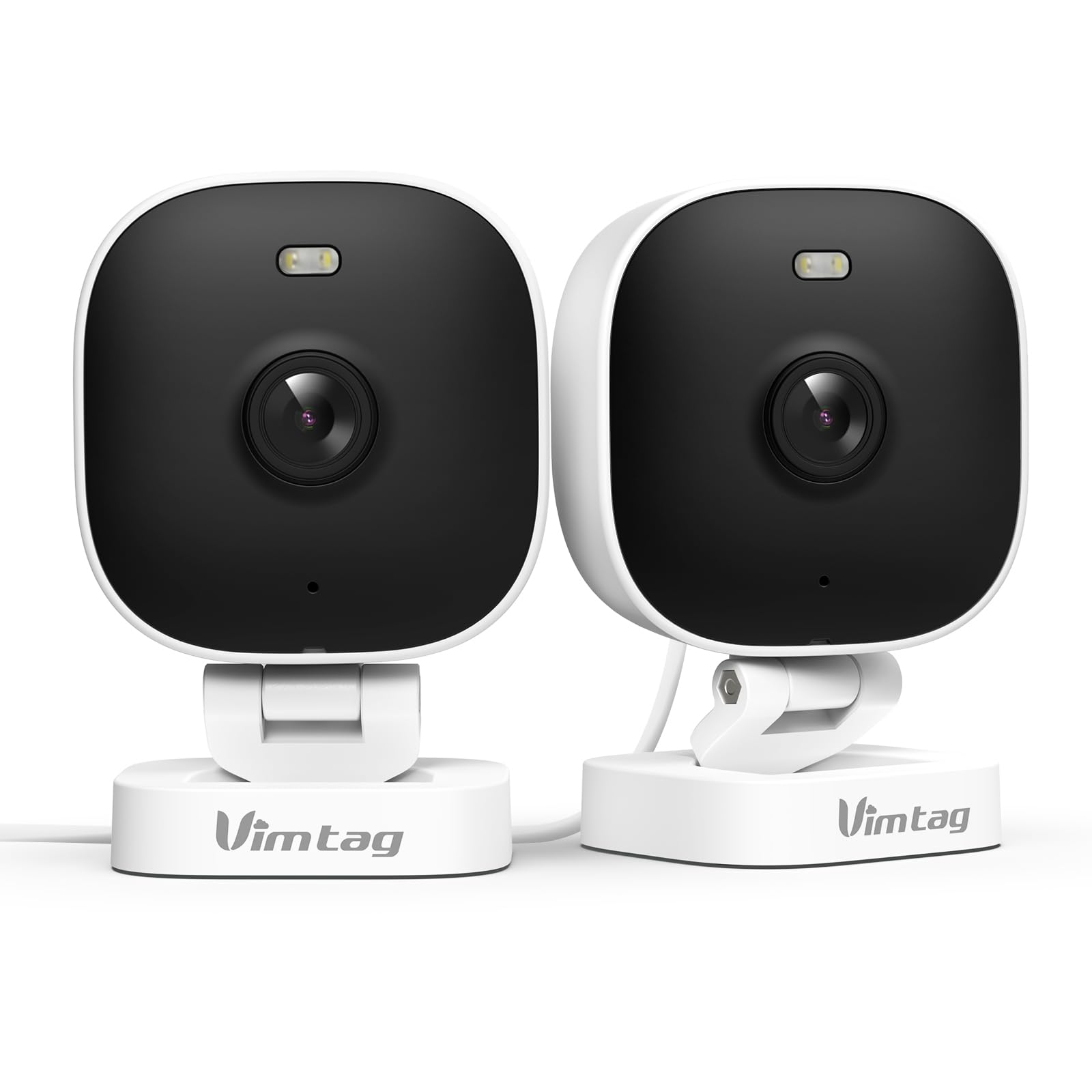
1. Introduzzjoni
The VIMTAG 8310 2.5K Security Camera is designed to provide comprehensive surveillance for your home, pets, and loved ones. This manual provides detailed instructions for setting up, operating, and maintaining your camera to ensure optimal performance and security.
Karatteristiċi ewlenin:
- Operazzjoni Kontinwa: The camera operates 24/7 via a plug-in power cable, eliminating the need for battery charging. It supports 2.4GHz and 5GHz dual-band WiFi, including WiFi 6 technology, for stable connections.
- Vidjow b'Riżoluzzjoni Għolja: Provides 2.5K resolution for clear day and night visibility. Features full-color night vision, enhanced by a built-in LED light, for detailed monitoring in various indoor and outdoor environments.
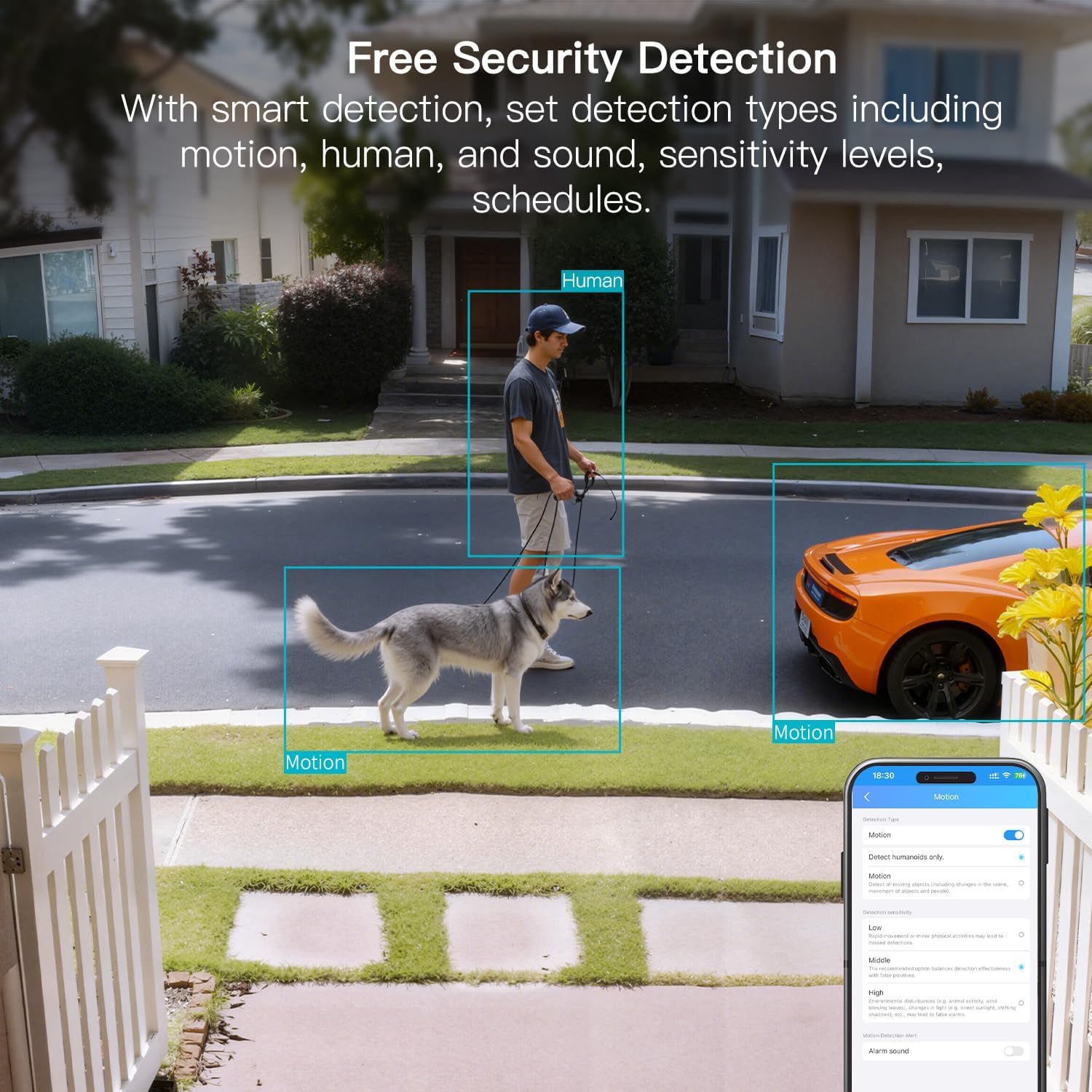
- Sejbien intelliġenti: Offers advanced detection capabilities for motion, people, and sound up to 33 feet. Users receive instant alerts for detected activity.
- Reżistenza għat-temp: Rated IP65, the camera is designed for outdoor use and can withstand rain, snow, heat, and cold, ensuring continuous operation in various weather conditions.
- Remote Access and Two-Way Audio: The mobile app allows remote access to live video footage and recorded content. Built-in two-way audio enables real-time communication through the camera.
- Ġestjoni Ċentralizzata: Up to 32 Vimtag WiFi cameras can be managed within a single application. Features include smart cloud storage (subscription required), motion detection, and event filtering.
2. X'hemm fil-Kaxxa
Jekk jogħġbok iċċekkja l-kontenut tal-pakkett biex tiżgura li l-oġġetti kollha huma preżenti:
- Kamera bil-kejbil
- Invita tal-Immuntar
- Adapter tal-Enerġija
- Manwal ta 'Istruzzjoni (dan id-dokument)
3. Setup
3.1 Is-Setup Inizjali u l-Konnessjoni tal-App
- Niżżel l-App: Fittex għal "Canny Cam" in your smartphone's app store (iOS or Android) and download the application.
- Irreġistra Kont: Open the Canny Cam app and follow the on-screen instructions to register a new user account.
- Qawwa Mixgħul: Connect the camera to the power adapter using the provided cable and plug it into an electrical outlet. The camera will power on automatically.
- Żid Apparat: In the Canny Cam app, select the option to add a new device. Enable Bluetooth and Wi-Fi on your smartphone as prompted by the app.
- Segwi l-Istruzzjonijiet fl-App: The app will guide you through the process of connecting the camera to your home Wi-Fi network. Ensure your Wi-Fi network is 2.4GHz or 5GHz compatible.
- Konferma tal-Konnessjoni: Once successfully connected, the app will confirm the device has been added.

Image: Visual guide showing the steps to download the Canny Cam app, enable Bluetooth and Wi-Fi, and connect the camera.
3.2 Għażliet ta 'Immuntar
The VIMTAG 8310 camera offers flexible mounting options to suit various indoor and outdoor locations. Use the provided mounting screws for secure installation.
- Muntaġġ tal-ħajt: Securely attach the camera to a wall using the mounting bracket and screws.
- Muntaġġ tas-saqaf: Install the camera on a ceiling for an overhead view.
- Tabletop Mount/Freestanding: Place the camera on a flat surface such as a table, shelf, or desk.
- Door Mount/Window Mount: Position the camera near doors or windows for specific entry point monitoring.

Image: A hand using a screwdriver to mount the VIMTAG camera to a surface.
Immaġni: Eżamples of various mounting positions for the camera, including freestanding, wall-mounted, and ceiling-mounted.
4. It-tħaddim tal-Kamera
4.1 Ħaj View u Reġistrazzjoni
Access the live video feed and recorded footage through the Canny Cam app on your smartphone or tablet.

Image: A comparison demonstrating the enhanced detail of 2.5K QHD resolution compared to 1080p.
4.2 Viżjoni bil-Lejl bil-Kulur
The camera features full-color night vision, providing clear and detailed images even in low-light conditions, unlike traditional black-and-white night vision.
Image: A visual comparison illustrating the difference between color night vision and traditional night vision.
Konnettività Wi-Fi b'Doppju Banda 4.3
The camera supports both 2.4GHz and 5GHz Wi-Fi bands, offering flexibility for network connection. 2.4GHz provides a stable connection over longer distances, while 5GHz offers faster speeds for shorter ranges.

Image: Explanation of 2.4GHz and 5GHz Wi-Fi benefits for the camera's connectivity.
4.4 Sejbien u Twissijiet Intelliġenti
Configure motion, human, and sound detection settings within the Canny Cam app. The camera can trigger a smart sound and light alarm and send instant notifications to your smartphone upon detecting activity.

Image: Depiction of the smart sound and light alarm feature in action.

Image: App interface showing options for setting detection types and sensitivity levels.
4.5 Awdjo b'żewġ direzzjonijiet
Utilize the built-in microphone and speaker for two-way communication. This allows you to speak to visitors, deter intruders, or comfort pets remotely.
Immaġni: Eżample of using two-way audio to communicate through the camera.
4.6 Għażliet ta' Ħażna
The camera supports local storage via a MicroSD card (up to 512GB, sold separately) for continuous or event-triggered recording. Cloud storage is also available through a subscription service, offering event recording and multi-device playback.

Image: The camera's recording capabilities to a TF card or cloud storage.

Immaġni: Fuqview of Canny Cam app features, including those available with and without a cloud subscription.
4.7 Integrazzjoni ta' Alexa
The VIMTAG 8310 camera is compatible with Alexa, allowing for hands-free control and live streaming to compatible Alexa-enabled devices.

Immaġni: Eżample of using Alexa to view l-għalf tal-kamera.
5. Manutenzjoni
To ensure the longevity and optimal performance of your VIMTAG 8310 camera, follow these maintenance guidelines:
- Tindif: Imsaħ il-lenti u l-qafas tal-kamera regolarment b'ċarruta ratba u niexfa biex tneħħi t-trab u t-tbajja'. Evita li tuża kimiċi ħarxa jew materjali li joborxu.
- Aġġornamenti tal-Firmware: Check the Canny Cam app periodically for available firmware updates. Keeping your camera's firmware up-to-date ensures you have the latest features and security enhancements.
- Provvista tal-Enerġija: Ensure the camera is connected to a stable power source. Avoid using damaged cables or adapters.
- Protezzjoni Ambjentali: While the camera is IP65-rated for weather resistance, avoid direct exposure to extreme conditions or prolonged submersion in water.
6 Issolvi l-problemi
If you encounter any issues with your VIMTAG 8310 camera, please refer to the following common troubleshooting tips or contact support:
- Ebda Qawwa: Kun żgur li l-adapter tal-enerġija huwa konness sew kemm mal-kamera kif ukoll ma' sokit elettriku li jaħdem.
- Kwistjonijiet ta' Konnessjoni Wi-Fi: Verify your Wi-Fi network is active and the camera is within range. Try restarting your router and the camera. Ensure you are connecting to the correct 2.4GHz or 5GHz network as supported by your router and camera settings.
- Problemi ta' Konnettività tal-App: Check if your smartphone has a stable internet connection. Ensure the Canny Cam app is updated to the latest version. Try restarting the app or your phone.
- Kwalità Fqira tal-Vidjo: Check your internet speed. A slow connection can affect streaming quality. Ensure the camera lens is clean.
- Is-Sejbien tal-Moviment Mhux Taħdim: Review the motion detection settings in the Canny Cam app to ensure they are configured correctly and sensitivity levels are appropriate.
Note: No relevant product videos with 'creator_type: Seller' were found in the provided data to include in this section.
7. Speċifikazzjonijiet
| Karatteristika | Dettall |
|---|---|
| Użu fuq ġewwa/barra | Ġewwa, Barra |
| Apparati Kompatibbli | Smartphone, iPhone, iPad, Android Phone, Android Pad |
| Sors tal-Enerġija | Corded Elettriku |
| Protokoll tal-Konnettività | Wi-Fi |
| Tip ta' Kontrollur | APP |
| Tip ta 'Immuntar | Wall mount, Ceiling mount, Tabletop Mount, Freestanding, Door mount, Window mount |
| Riżoluzzjoni tal-Qbid tal-Vidjo | 1440p (2.5K) |
| Kulur | Abjad |
| Numru ta' Oġġetti | 2 |
| Numru ta 'Kanali | 2 |
| Teknoloġija tal-Komunikazzjoni mingħajr Fili | Wi-Fi |
| Fattur tal-Formola | Kubu |
| Riżoluzzjoni tal-Vidjo Effettiva | 4 MP |
| ViewIng Angolu | 130 Grad |
| Medda tal-Viżjoni Lejl | 33 Saqajn |
| Frame Rata | 25 frejm kull sekonda |
| Materjal | Plastik |
| Voltage | 5 Volts |
| Wattage | 5 watt |
| Id-dimensjonijiet tal-oġġett L x W x H | 2.28 x 1.85 x 2.8 pulzieri |
| Livell ta 'Reżistenza għall-Ilma | Li ma jgħaddix ilma minnu (IP65) |
| Batteriji Meħtieġa? | Nru |
| Tip ta' Memorja Flash | Mikro SD |
| Piż tal-oġġett | 0.19 Kilogrammi (6.7 uqija) |
| Kodifikazzjoni tal-vidjo | H.264 u H.265 |
| Forma | Rettangolari |
| Tip ta 'Focus | Auto Focus |
| Teknoloġija ta 'dawl baxx | Kulur bil-lejl |
| Zoom Tip | Zoom Diġitali |
| Proporzjon taż-Żum | 8 |
| Tip ta 'Twissija | Awdjo u Mozzjoni |
| Tip ta' Sors tad-Dawl | LED, IR |
| Format tal-Qbid tal-Vidjo | MPEG-4 |
| Teknoloġija tas-Sensor tar-Ritratti | CMOS |
| Riżoluzzjoni Għadha Effettiva | 4 MP |
| Klassifikazzjoni tal-Protezzjoni Internazzjonali | IP66 |
| Massimu WebCam Image Riżoluzzjoni | 4 MP |
| Metodu ta' Kontroll | App, Remote |
| Numru ta 'LEDs IR | 2 |
| Memorja Flash Daqs Sostnut Massimu | 512 GB |
| Grad tal-Prodott | Żona Residenzjali |
| Kompatibilità tad-Dar Intelliġenti | Smart Home Compatible |
| Teknoloġija Ċellulari | 2.4G 5G |
| Kapaċitajiet ta' Reġistrazzjoni Awdjoviżiva | Audio, Still Image, Video |
| Klassi ta' Banda ta' Frekwenza | Doppju-Band |

Image: Product dimensions of the VIMTAG 8310 camera.
8. Garanzija u Appoġġ
For expert support with setting up and optimizing your VIMTAG cameras, please contact our support team:
- Appoġġ tat-Telefon: +1 (978) 437-5767
- Disponibbiltà: Monday to Friday, 9:00 AM - 6:00 PM (ET)
VIMTAG is committed to providing lifetime technical support for its products. For any inquiries or assistance, please reach out to our dedicated support channels.

Image: VIMTAG Free Expert Support contact information.


