1. Prodott Aktarview
The WVX Gaming Laptop R9-6900HX (Model A02) is a high-performance portable computer designed for demanding tasks such as gaming, content creation, and multitasking. It features an AMD Ryzen 9 6900HX processor, AMD Radeon 680M integrated graphics, and fast DDR5 memory.
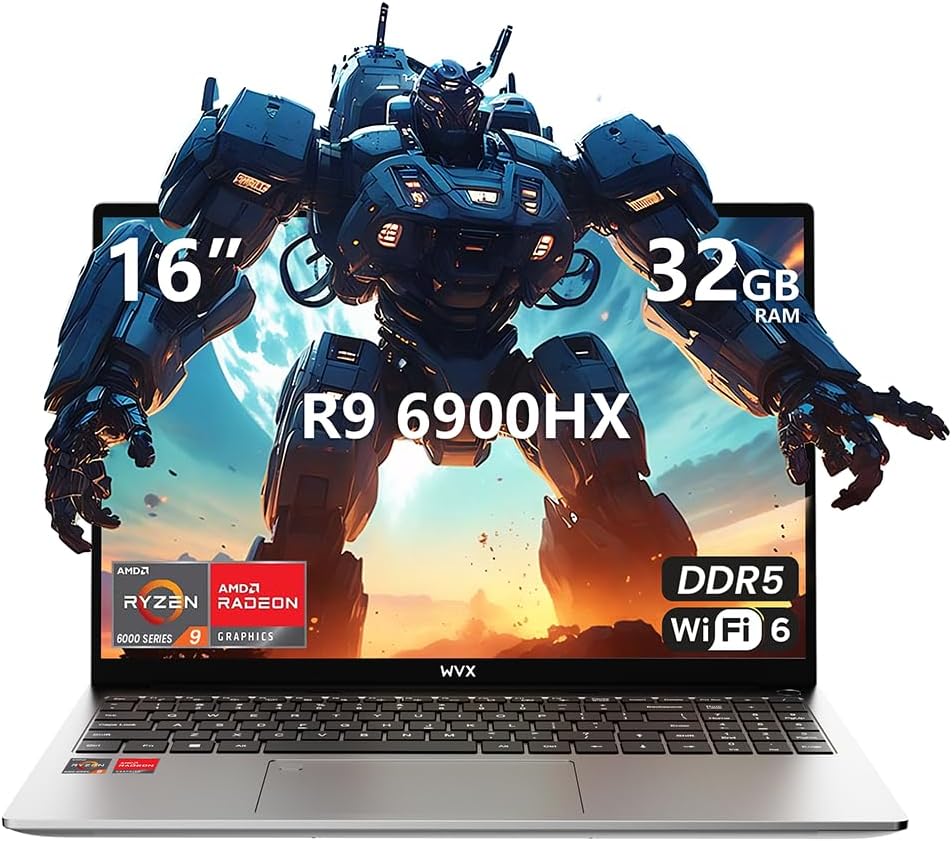
Image 1.1: WVX Gaming Laptop R9-6900HX
Karatteristiċi ewlenin:
- High-Performance CPU: AMD Ryzen 9 6900HX with 8 cores and 16 threads, up to 4.9 GHz.
- Grafika Integrata: AMD Radeon 680M, delivering strong visual performance.
- Memorja Mgħaġġla: 32GB DDR5 RAM, expandable up to 64GB.
- Ample Ħażna: SSD ta' 512GB, espansibbli sa 2TB.
- Wirja vibranti: 16-inch Full HD (1920x1200) screen.
- Konnettività Avvanzata: Wi-Fi 6 and Bluetooth 5.2.
- Sistema Operattiva: Installat minn qabel bil-Windows 11 Pro.
2. Setup
2.1 Tneħħija tal-kaxxa u Spezzjoni Inizjali
Carefully remove the laptop and its accessories from the packaging. Ensure all components listed in the 'What's in the Box' section are present and undamaged.
- R9-6900HX laptop
- PD100W adapter (charger)
2.2 Konnessjoni tal-Adapter tal-Enerġija
Connect the PD100W adapter to the laptop's power input port and then plug it into a power outlet. It is recommended to fully charge the laptop before its first use.
2.3 L-Ibbutjar Inizjali u s-Setup tal-Windows
Press the power button located on the laptop. The system will guide you through the initial Windows 11 Pro setup process. Follow the on-screen instructions to configure your language, region, network, and user account.
3. Istruzzjonijiet Operattivi
3.1 Tastiera u Touchpad
The laptop features a full-size keyboard with a numeric keypad and a responsive touchpad. The keyboard is backlit for comfortable use in low-light conditions. The touchpad supports multi-touch gestures for enhanced navigation.

Image 3.1: Laptop keyboard and touchpad layout.
3.2 Wiri u Grafika
The 16-inch FHD display offers a resolution of 1920x1200 pixels, providing clear and vibrant visuals. The AMD Radeon 680M graphics processor handles demanding visual tasks efficiently.

Image 3.2: Display features including 300 nits brightness, IPS, and low blue light.
3.3 Portijiet u Konnettività
The laptop is equipped with various ports for external devices and connectivity:
- 4x USB 3.0 Portijiet
- Port HDMI
- Full-function Type-C Port (supports charging, data transfer, external 4K monitor)
- Jack tal-Earphone 3.5mm
- SD Card Reader
For wireless connectivity, the laptop supports Wi-Fi 6 for high-speed internet and Bluetooth 5.2 for connecting peripherals.
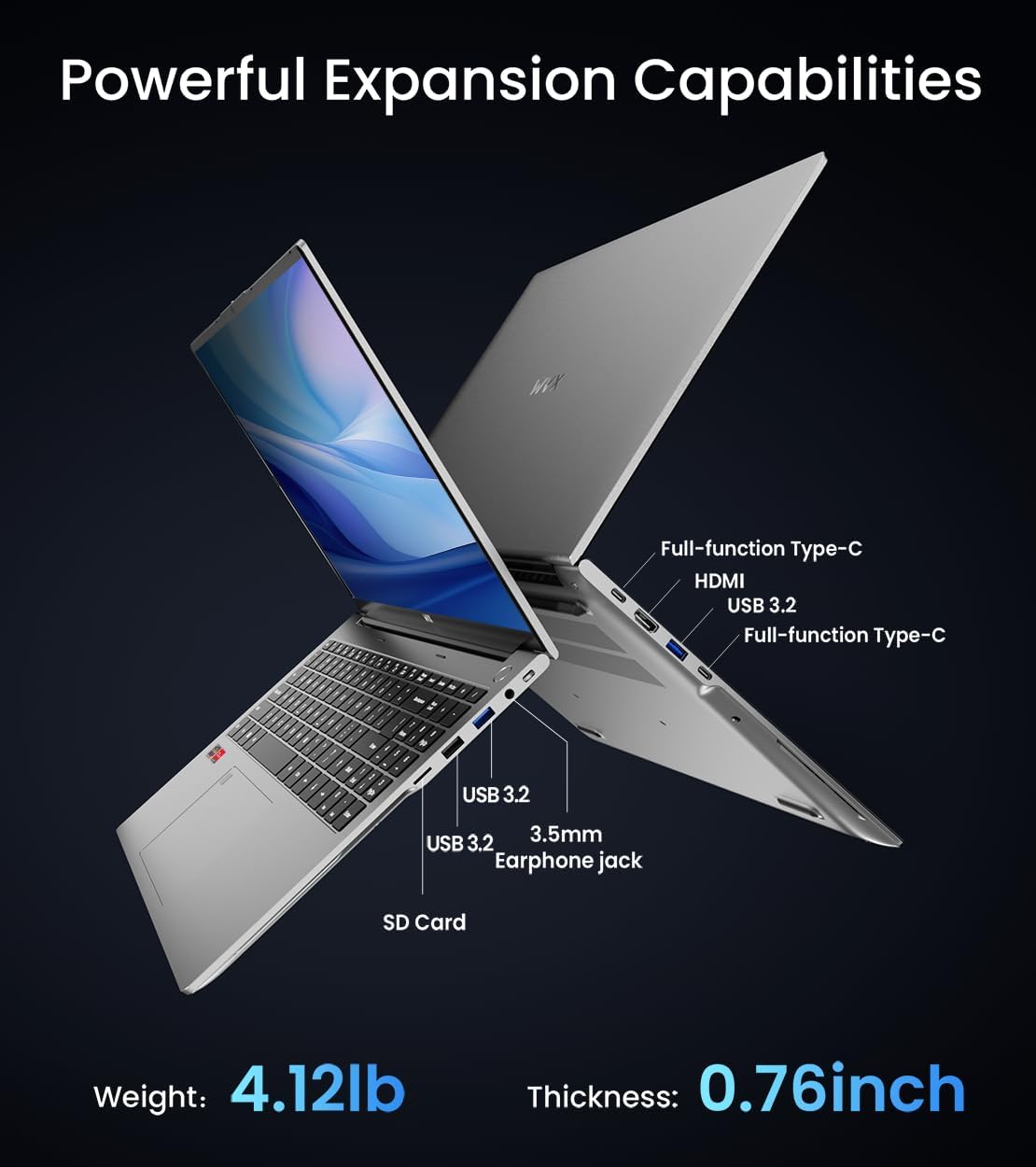
Immaġni 3.3: Fuqview of available ports and physical dimensions.
4. Manutenzjoni
4.1 Tindif
To maintain optimal performance and appearance, regularly clean your laptop. Use a soft, lint-free cloth for the screen and exterior. For stubborn smudges, a slightly dampened cloth with water or a specialized screen cleaner can be used. Avoid harsh chemicals.
4.2 Aġġornamenti tas-Software
Regularly update your Windows operating system and drivers to ensure system stability, security, and optimal performance. Windows Update can be accessed through the Settings menu.
4.3 Aġġornamenti tal-Ħażna u l-Memorja
The laptop's RAM can be upgraded to a maximum of 64GB, and the SSD storage can be expanded up to 2TB. Consult a qualified technician for hardware upgrades to avoid voiding your warranty.

Image 4.1: Illustration of memory and storage upgrade capabilities.
5 Issolvi l-problemi
5.1 Kwistjonijiet tal-Enerġija
- Il-laptop mhux qed jixgħel: Kun żgur li l-adapter tal-enerġija huwa konness sew u li l-batterija għandha biżżejjed ċarġ. Ipprova sokit tal-enerġija differenti.
- Il-batterija mhix qed tiċċarġja: Verify the power adapter is functioning correctly. Check the charging port for any obstructions.
5.2 Problemi tal-Wiri
- Skrin vojt: Connect an external monitor to check if the issue is with the laptop's display. Restart the laptop.
- Skrin li jteptep: Aġġorna s-sewwieqa tal-grafika. Aġġusta r-rata ta' aġġornament tal-wiri fis-settings tal-Windows.
5.3 Kwistjonijiet ta' Prestazzjoni
- Prestazzjoni bil-mod: Agħlaq l-applikazzjonijiet mhux meħtieġa. Iċċekkja għal malware. Kun żgur li hemm biżżejjed spazju għall-ħażna ħieles.
- Is-sħana żejda: Ensure ventilation vents are clear. Consider using a cooling pad.

Image 5.1: Illustration of the laptop's cooling system with pure copper heat pipes and fan speed.
6. Speċifikazzjonijiet
| Karatteristika | Speċifikazzjoni |
|---|---|
| Brand | WVX |
| Isem tal-Mudell | R9-6900HX (A02) |
| Proċessur | AMD Ryzen 9 6900HX (4.9 GHz, 8 Cores, 16 Threads) |
| Koproċessur tal-Grafika | AMD Radeon 680M |
| RAM | 32 GB DDR5 (Mas 64GB) |
| Hard Drive | 512 GB SSD (Max 2TB) |
| Daqs tal-Iskrin | 16 Pulzier |
| Riżoluzzjoni Massima tal-Iskrin | 1920x1200 Pixel |
| Sistema Operattiva | Windows 11 Pro |
| Tip bla fili | 802.11ax (Wi-Fi 6) |
| Bluetooth | 5.2 |
| Numru ta 'USB 3.0 Ports | 4 |
| Dimensjonijiet tal-Prodott | 14 x 9.7 x 0.78 pulzieri |
| Piż tal-oġġett | 5.89 liri |
| Batterija | 58Wh |
| Karatteristiċi Speċjali | Backlit Keyboard, Fingerprint Reader, HD Audio |
7. Garanzija u Appoġġ
WVX offers comprehensive support for your laptop:
- Appoġġ Tekniku: Enjoy unlimited technical support.
- Servizz ta' Tiswija: 12 months of repair service for all customers.
- Ħin ta' Rispons: Online connection within 24 hours for inquiries.
For any questions or concerns, please reach out to the WVX support team.

Immaġni 7.1: Fuqview of WVX customer support services.
8. Vidjo Uffiċjali tal-Prodott
Vidjo 8.1: Wirja uffiċjali tal-vidjoasing the WVX R9 6900HX Laptop, highlighting its features and design.


