Introduzzjoni
Thank you for choosing the Soundcore P41i Adaptive Noise Cancelling Earbuds. This manual provides essential information for setting up, operating, and maintaining your earbuds to ensure optimal performance and longevity. Please read this manual thoroughly before use.
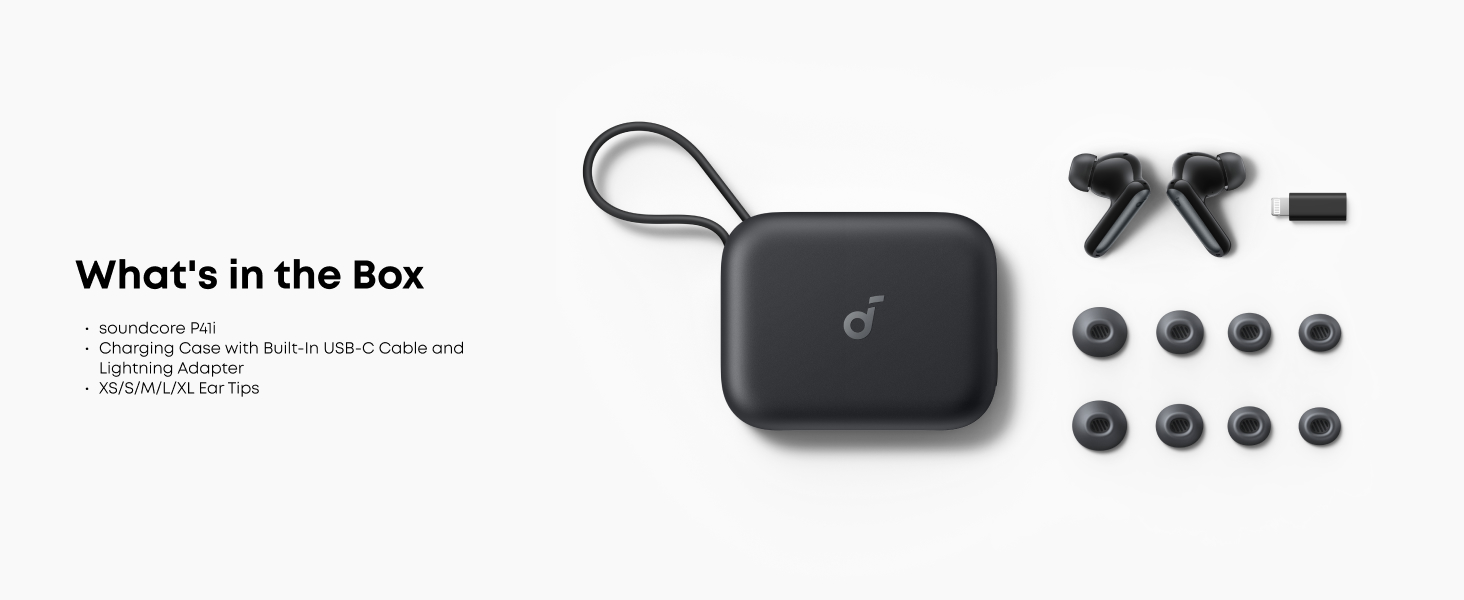
X'hemm fil-Kaxxa
- Earbuds Soundcore P41i
- Charging Case with Built-In USB-C Cable
- Eartips (XS/S/M/L/XL)

Image: The Soundcore P41i package contents, showing the earbuds, charging case with integrated USB-C cable, and multiple sizes of eartips.
Prodott Overview
The Soundcore P41i earbuds feature an ergonomic design for comfortable wear and are housed in a versatile charging case that also functions as a portable phone charger and phone stand. The case includes a digital display for battery status.

Image: The Soundcore P41i earbuds and their charging case, presented in black.

Image: The Soundcore P41i earbuds placed within their open charging case.
Setup
1. Iċċarġjar tal-Earbuds u l-Kaxxa
Before first use, fully charge the earbuds and the charging case. Connect the charging case to a power source using the built-in USB-C cable. The digital display on the case will show the charging status.
- Iċċarġjar tal-Earbud: Place the earbuds into the charging case. The case will automatically charge the earbuds.
- Iċċarġjar tal-Każ: Connect the built-in USB-C cable to a power adapter (not included).
- Ħajja tal-batterija: Earbuds provide up to 12 hours of playtime on a single charge (ANC off), and the case extends total playtime to 192 hours. A 10-minute charge provides 5 hours of listening.
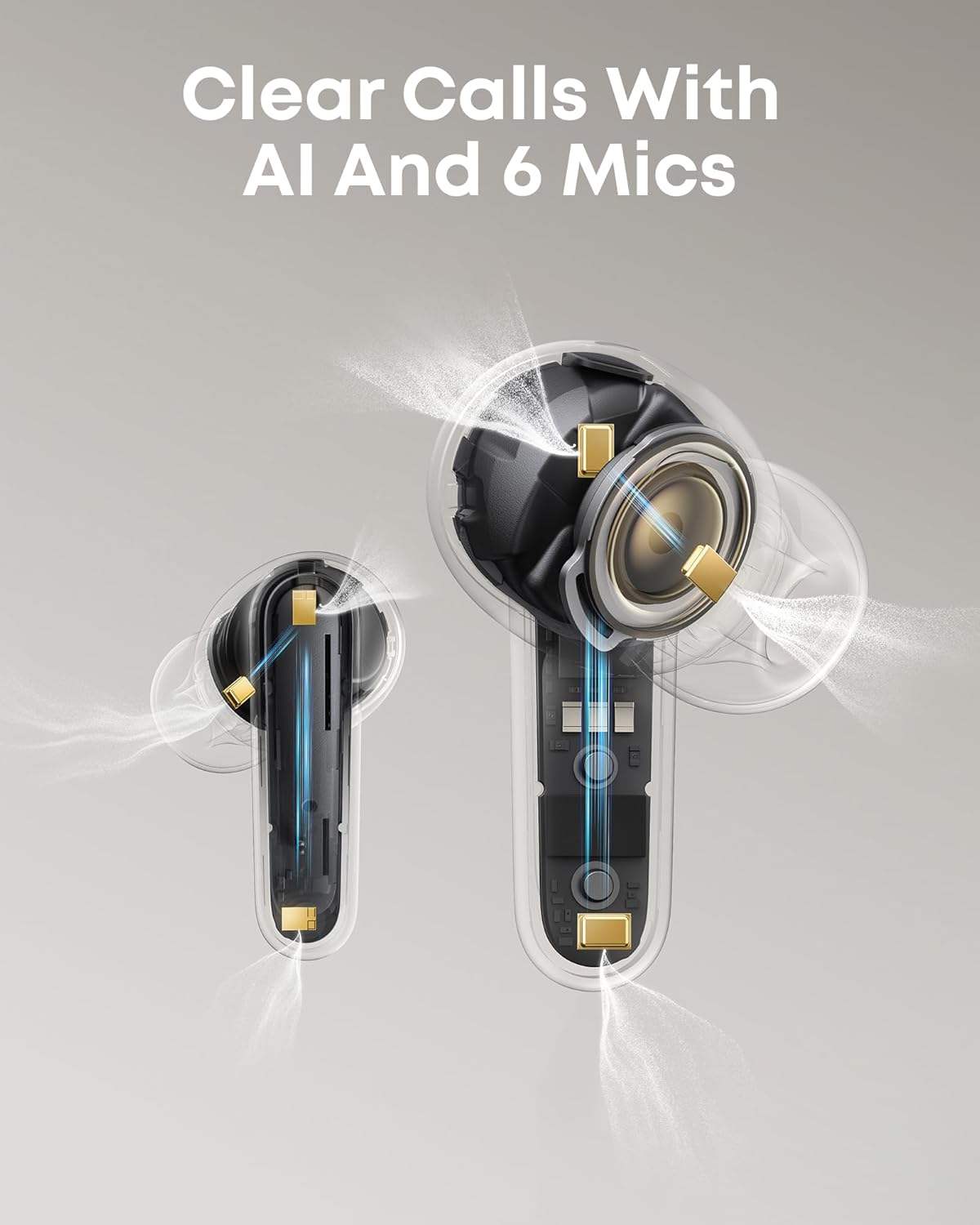
Image: The charging case display indicating battery levels and charging status for both earbuds and the case itself.
2. Tixgħil / Mitfi
- Qawwa Mixgħul: Iftaħ il-każ tal-iċċarġjar, u l-earbuds jinxtegħlu awtomatikament.
- Itfi: Poġġi l-earbuds lura fil-kaxxa tal-iċċarġjar u agħlaq l-għatu. Dawn jintfew awtomatikament.
3. Tqabbil tal-Bluetooth
- Open the charging case. The earbuds will enter Bluetooth pairing mode automatically (indicated by flashing lights).
- On your device, enable Bluetooth and search for "Soundcore P41i".
- Select "Soundcore P41i" to connect. Once connected, the indicator lights on the earbuds will turn off.
Par veloċi: For Android devices, Soundcore P41i supports Fast Pair for quick, effortless connection.
Konnessjoni b'ħafna punti: The earbuds support connecting to two devices simultaneously. After connecting to the first device, put the earbuds back in the case, close and reopen the lid to re-enter pairing mode. Connect to the second device. To switch between devices, pause audio on one and play on the other.
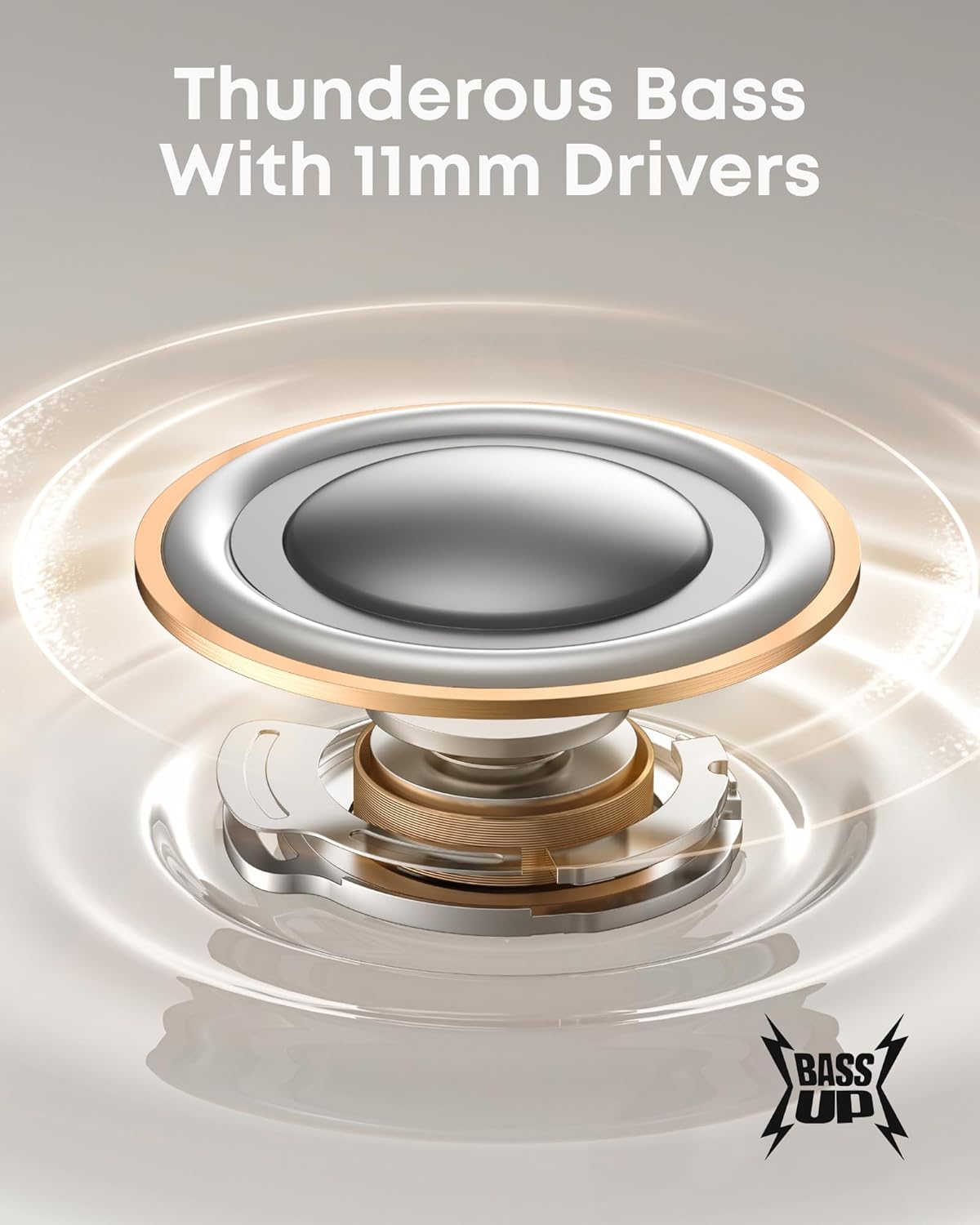
Image: A user wearing the Soundcore P41i earbuds.
Istruzzjonijiet Operattivi
1. L-ilbies tal-Earbuds
Choose the eartips that provide the best seal and comfort for your ears. Insert the earbuds into your ear canals and gently twist to secure them.
2. Touch Kontrolli
The Soundcore P41i earbuds feature touch-sensitive controls. You can customize these controls via the Soundcore app.
| Azzjoni | Earbud tax-Xellug | Earbud tal-lemin |
|---|---|---|
| Play/Pawsa | Tektek darbtejn | Tektek darbtejn |
| Track li jmiss | Tektek triplu | Tektek triplu |
| Tweġiba/Tmiem Sejħa | Tektek darbtejn | Tektek darbtejn |
| Irrifjuta Sejħa | Agħfas u żomm 2s | Agħfas u żomm 2s |
| Aqleb il-Modalità ANC | Agħfas u żomm 2s | Agħfas u żomm 2s |
3. Kanċellazzjoni Adattiva tal-Istorbju (ANC)
The Soundcore P41i features Adaptive Noise Cancelling technology, which monitors your surroundings and adjusts noise cancellation levels automatically. You can switch between ANC, Normal, and Transparency modes by pressing and holding the touch control area on either earbud for 2 seconds. Further customization is available through the Soundcore app.

Image: A user utilizing the Adaptive Noise Cancelling feature of the Soundcore P41i earbuds in a busy environment.
4. Portable Phone Charging Function
The charging case can be used as a portable power bank to charge your smartphone. Connect your phone to the USB-C port on the charging case using the built-in cable or your own compatible cable. The case has a 3,000mAh capacity and provides up to 10W output.
- Charges iPhone 16 Pro to 50% or Samsung S24 to 45%.
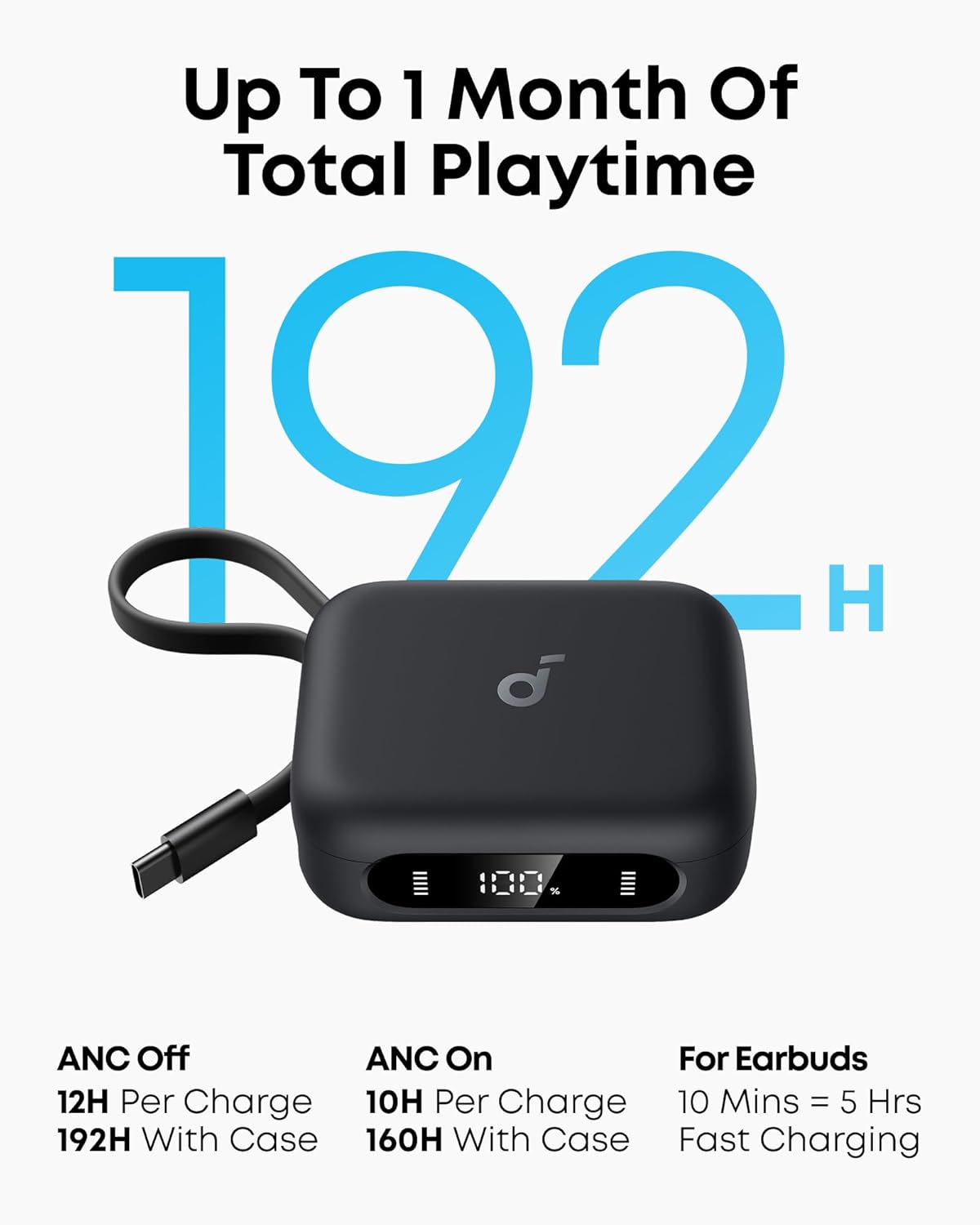
Image: The Soundcore P41i charging case actively charging a smartphone.
5. Phone Stand Function
The charging case features a built-in phone stand for hands-free viewing. Simply pull out the integrated stand from the case and place your phone horizontally. This feature is ideal for watching videos or making video calls.
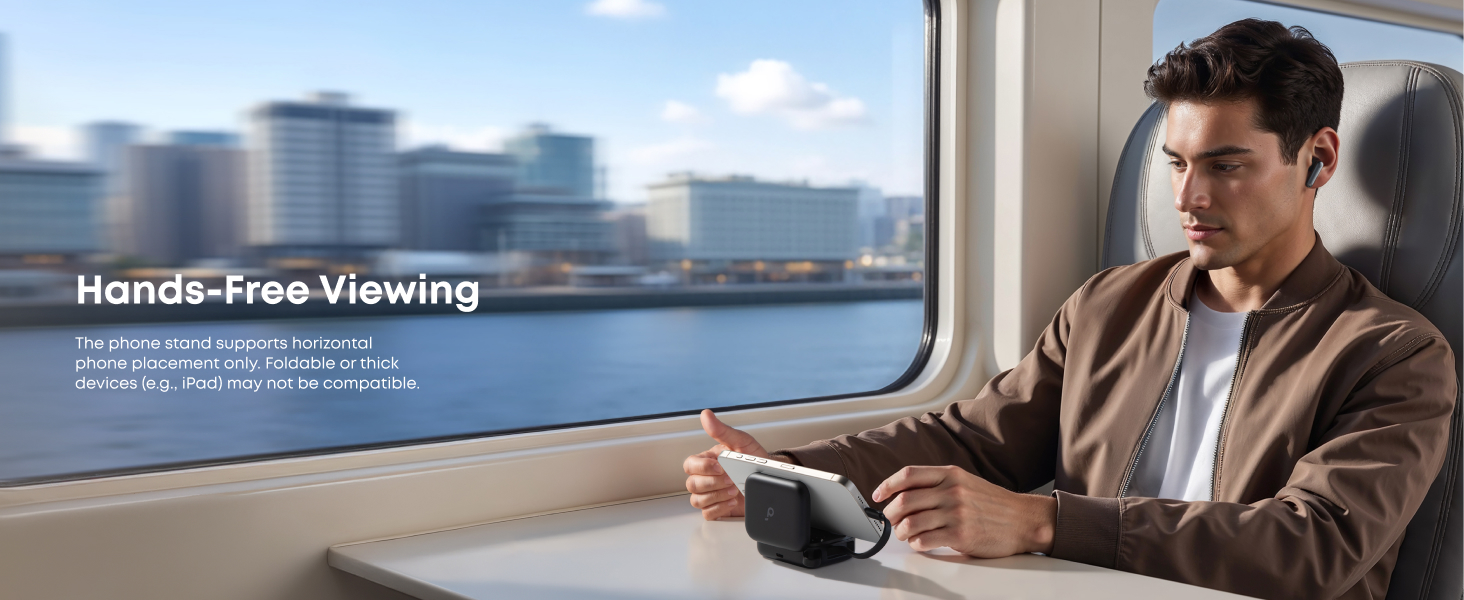
Image: The Soundcore P41i charging case demonstrating its phone stand functionality.
6. Funzjonijiet ta' Sejħa
The earbuds are equipped with 6 microphones and AI noise reduction technology to ensure clear calls, even in noisy environments.
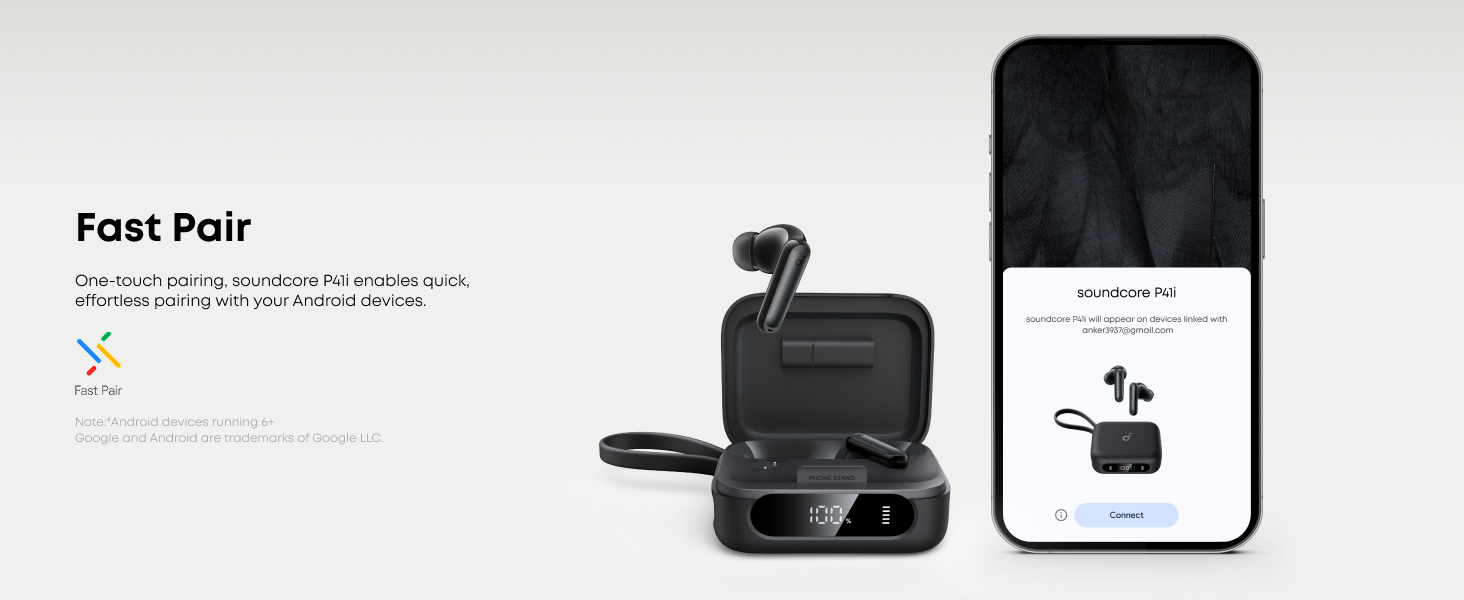
Image: A user making a clear call with Soundcore P41i earbuds.
7. Modi tal-Ħsejjes
The 11mm composite drivers deliver rich audio, enhanced by BassUp technology for deep bass. The Soundcore app allows for further sound customization, including Gaming Mode and Movie Mode for optimized audio experiences.
Immaġni: Dettaljata view of the 11mm audio driver with BassUp technology.
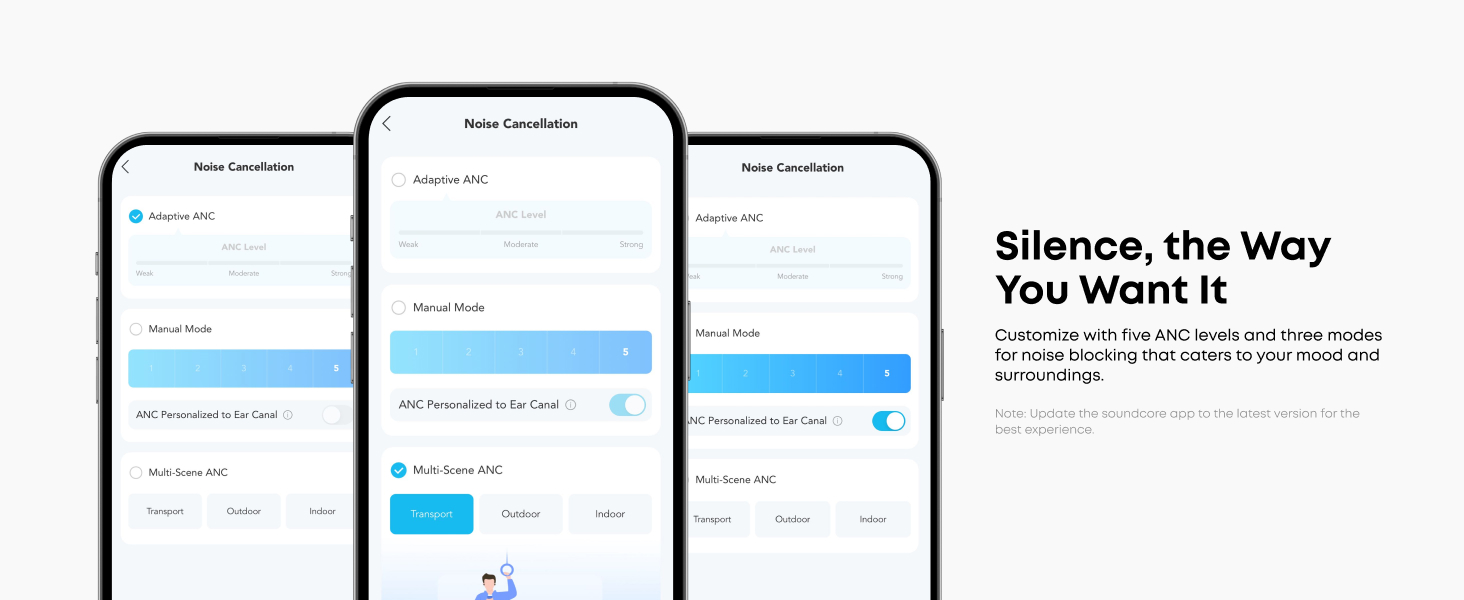
Image: Illustration of Gaming Mode and Movie Mode for enhanced audio experiences.
Manutenzjoni
1. Tindif
- Naddaf il-earbuds u l-kaxxa tal-iċċarġjar regolarment b'ċarruta ratba, niexfa u mingħajr suf.
- Neħħi l-eartips u naddafhom bl-ilma u sapun ħafif jekk meħtieġ. Kun żgur li jkunu niexfa għalkollox qabel ma terġa’ twaħħalhom.
- Naddaf il-kuntatti tal-iċċarġjar kemm fuq il-earbuds kif ukoll fuq il-kaxxa biex tiżgura li l-iċċarġjar isir kif suppost.
2. Ħażna
Meta ma tkunx qed tużahom, aħżen il-earbuds fil-kaxxa tal-iċċarġjar tagħhom biex tipproteġihom mit-trab u l-ħsara.
3. Reżistenza għall-Ilma
The Soundcore P41i earbuds are IPX5 rated, meaning they are protected against light rain and water splashes. They are not designed for submersion in water.

Image: The IPX5 splash-proof rating of the Soundcore P41i earbuds.
Issolvi l-problemi
- Il-earbuds mhux qed jitqabbdu: Ensure earbuds are charged and in pairing mode. Turn off and on your device's Bluetooth. Try resetting the earbuds (refer to the Soundcore app for specific reset instructions).
- L-ebda ħoss minn earbud wieħed: Place both earbuds back into the charging case, close the lid, and then reopen it. Check if both earbuds are connected.
- Kwistjonijiet tal-iċċarġjar: Clean the charging contacts on both earbuds and the case. Ensure the charging cable is securely connected.
- Kwalità fqira tas-sejħiet: Ensure the microphones are not obstructed. Try adjusting the earbuds' position.
- ANC mhux effettiv: Ensure the earbuds are properly seated in your ears with a good seal. Adjust ANC levels in the Soundcore app.
Speċifikazzjonijiet
| Karatteristika | Speċifikazzjoni |
|---|---|
| Isem tal-Mudell | P41i |
| Kontroll tal-Ħoss | Kanċellazzjoni Adattiva tal-Ħoss |
| Teknoloġija tal-Konnettività | Mingħajr fili (Bluetooth 5.3) |
| Daqs tas-Sewwieq tal-Awdjo | 11 Millimetru |
| Medda ta' Frekwenzi | 20 Hz - 20,000 Hz |
| Ħajja tal-Batterija tal-Earbud | Sa 12 siegħa (ANC mitfi) |
| Ħin Totali tal-Logħob bil-Kaxxa | Sa 192 sigħat |
| Kawża tal-Iċċarġjar Kapaċità tal-Batterija | 3000 Milliamp Sigħat |
| Livell ta 'Reżistenza għall-Ilma | IPX5 |
| Mikrofoni | 6 (with AI noise reduction) |
| Weight (Earbuds and Case) | 159 Grams (madwar 5.6 uqija) |
| Dimensjonijiet (Każ) | 2.97 x 2.34 x 1.17 pulzieri |
Informazzjoni dwar is-Sigurtà
- Żarmax jew timmodifikax il-prodott.
- Tesponix għal temperaturi estremi.
- Avoid using the earbuds at high volume for extended periods to prevent hearing damage.
- Żomm fejn ma jintlaħaqx mit-tfal.
- Armi l-prodott b'mod responsabbli skont ir-regolamenti lokali.
Garanzija u Appoġġ
Soundcore products are covered by a limited warranty. For detailed warranty information, technical support, or customer service, please visit the official Soundcore webis-sit jew ikkuntattja lid-distributur lokali tiegħek. Jekk jogħġbok żomm il-prova tax-xiri tiegħek għal talbiet ta' garanzija.


