1. Introduzzjoni
This manual provides essential instructions for the safe and effective use of your GT POWER AC Adapter. This power supply is specifically designed for compatibility with ProForm HIIT L6 Elliptical models PFEL07920, PFEL07920.0, PFEL079200, and PFEL07920-INT.
Jekk jogħġbok aqra dan il-manwal bir-reqqa qabel l-installazzjoni u t-tħaddim biex tiżgura funzjonalità u sigurtà xierqa.

Stampa 1.1: The GT POWER AC Adapter is compatible with the ProForm HIIT L6 Elliptical, as shown in this image highlighting the elliptical machine.
2. Informazzjoni dwar is-Sigurtà
Observe the following safety precautions to prevent damage to the adapter, the elliptical, or personal injury:
- Użu fuq ġewwa biss: This AC adapter is designed for indoor use in dry environments. Do not expose it to water, moisture, or extreme temperatures.
- Fuq Voltage Protezzjoni (OVP): The adapter includes built-in protection against excessive output voltage.
- Over Current Protection (OCP): The adapter is protected against excessive output current.
- Protezzjoni Short Circuit (SCP): The adapter features protection against short circuits in the output.
- Ensure the adapter is connected to a properly grounded electrical outlet.
- Tippruvax tiftaħ jew timmodifika l-adapter. Irreferi kull servizz lil persunal kwalifikat.
- Keep the adapter away from heat sources and ensure adequate ventilation.

Stampa 2.1: The GT POWER AC Adapter, featuring a label indicating "CAUTION INDOOR USE ONLY" for safe operation.
3. Setup
Follow these steps to set up your AC adapter:
- Ivverifika l-Kompatibbiltà: Before connecting, confirm that your ProForm HIIT L6 Elliptical model (PFEL07920, PFEL07920.0, PFEL079200, or PFEL07920-INT) is compatible with this adapter.
- Connect to Elliptical: Locate the power input port on your ProForm HIIT L6 Elliptical. Insert the barrel connector of the AC adapter firmly into this port.
- Qabbad mal-Power Outlet: Plug the AC adapter's two-prong plug into a standard 100-240VAC 50/60Hz electrical wall outlet. Ensure the outlet is easily accessible.
- Cable Sikur: Arrange the 79-inch heavy-duty power cable to avoid tripping hazards or damage.

Stampa 3.1: A close-up view of the barrel connector, which plugs into the elliptical's power input.
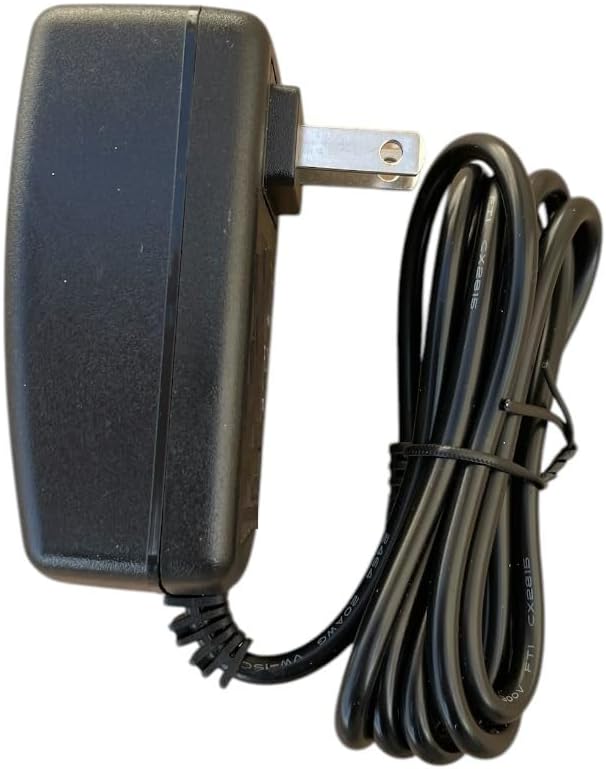
Stampa 3.2: Ġenb view of the GT POWER AC Adapter, illustrating the compact design and the attached power cable.
4. Istruzzjonijiet Operattivi
Once the adapter is properly connected to both the elliptical and a power outlet, the elliptical should receive power. Refer to your ProForm HIIT L6 Elliptical's user manual for specific instructions on operating the fitness equipment itself.
- Ensure all connections are secure before powering on the elliptical.
- If the elliptical does not power on, check the power outlet and all connections.
5. Manutenzjoni
Proper maintenance ensures the longevity and safe operation of your AC adapter:
- Tindif: Disconnect the adapter from the power outlet before cleaning. Use a dry, soft cloth to wipe the adapter. Do not use liquid cleaners or solvents.
- Ħażna: Meta ma tkunx qed tużah, aħżen l-adapter f'post frisk u niexef, 'il bogħod mix-xemx diretta u mill-umdità. Evita li ddawwar il-kejbil issikkat biex tevita l-ħsara.
- Spezzjoni: Periodically inspect the power cable and adapter housing for any signs of damage, such as cuts, fraying, or cracks. If damage is found, discontinue use and replace the adapter.
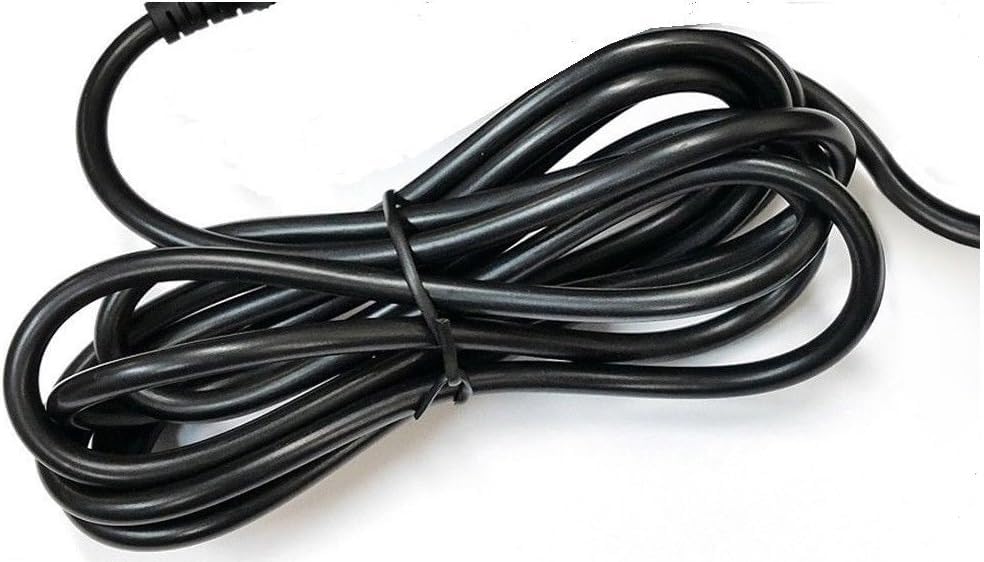
Stampa 5.1: A dettaljata view of the adapter's power cable, emphasizing its heavy-duty construction.
6 Issolvi l-problemi
If your ProForm HIIT L6 Elliptical is not receiving power after connecting the adapter, consider the following:
- No Power to Elliptical:
- Ensure the adapter is fully plugged into a functional wall outlet. Test the outlet with another device.
- Verify the barrel connector is securely inserted into the elliptical's power port.
- Check the adapter cable for any visible damage. If damaged, discontinue use.
- Is-sħana żejda tal-adapter:
- Disconnect the adapter immediately. Ensure it is not covered or placed in an area with poor ventilation.
- If overheating persists, the adapter may be faulty. Discontinue use and contact support.
7. Speċifikazzjonijiet
| Karatteristika | Dettall |
|---|---|
| Brand | QAWWA GT |
| Numru tal-Mudell | 108 |
| Input Voltage | 100-240VAC, 50/60Hz |
| Output | DC |
| Tul tal-Cable | 79-il pulzier (madwar 2 metri) |
| Tip ta' Konnettur | Barmil |
| Karatteristiċi ta' Protezzjoni | OVP (Over VoltagProtezzjoni minn Kurrent Żejjed), OCP (Protezzjoni minn Kurrent Żejjed), SCP (Protezzjoni minn Ċirkwit Qasir) |
| Apparati Kompatibbli | ProForm HIIT L6 Elliptical (PFEL07920, PFEL07920.0, PFEL079200, PFEL07920-INT) |
| Manifattur | GTPOWER |
| UPC | 781834742327 |
8. Garanzija u Appoġġ
Your GT POWER AC Adapter comes with the following:
- Garanzija ta' Money Back: 30 Days Money Back.
- Garanzija: One Year Warranty.
For technical support, warranty claims, or further assistance, please contact GTPOWER customer service. Refer to the product packaging or the seller's information for contact details.


