Introduzzjoni
This manual provides essential instructions for the setup, operation, and maintenance of your SimpliSafe 7-Piece Wireless Outdoor Camera Home Security System. Please read this guide thoroughly before installation and use to ensure optimal performance and security.
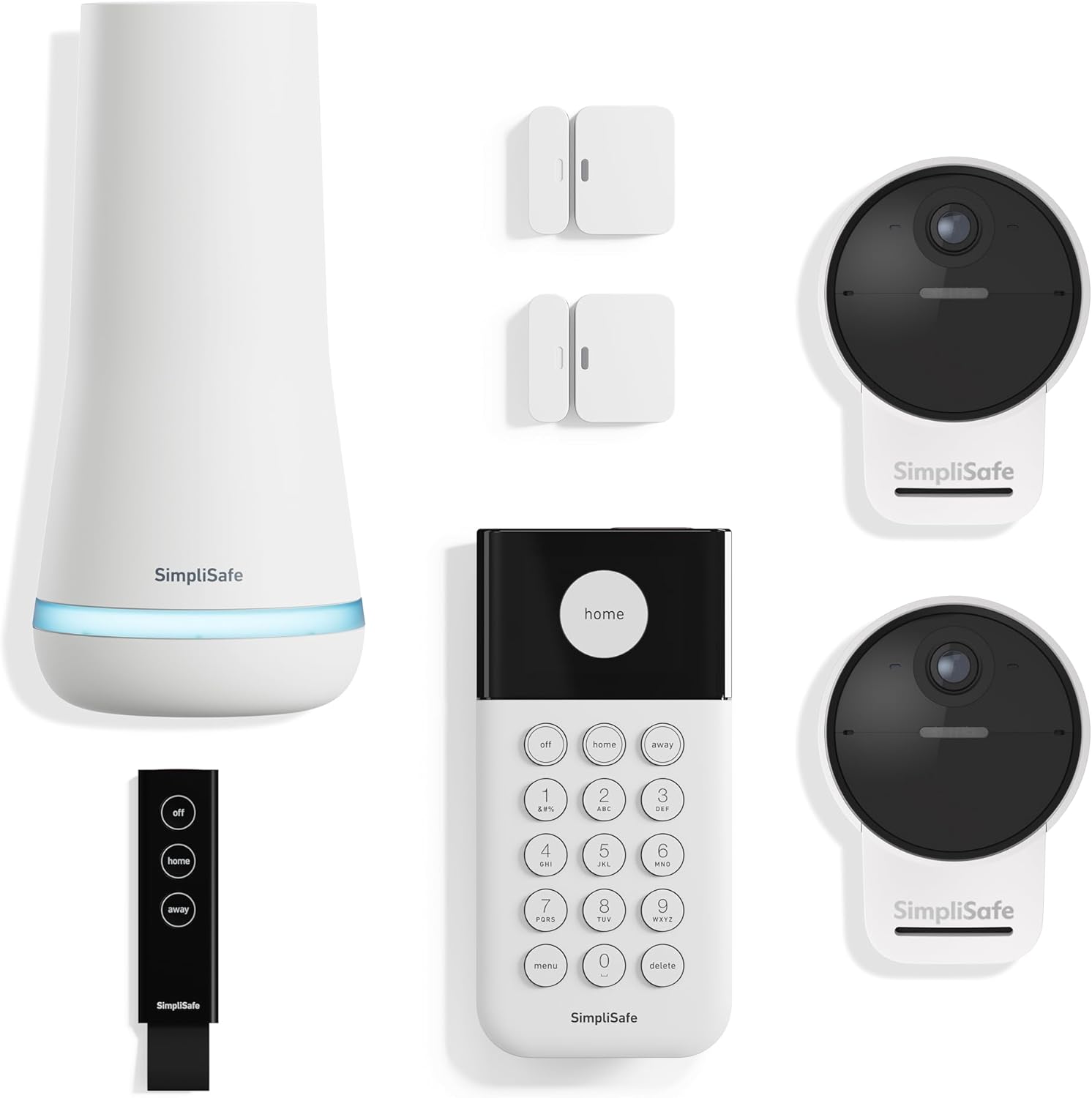
Immaġni: Fuqview of the SimpliSafe 7-Piece Wireless Outdoor Camera Home Security System, including the Base Station, Keypad, Entry Sensors, and Outdoor Cameras.
Komponenti Inklużi
Your SimpliSafe 7-Piece Wireless Outdoor Camera Home Security System includes the following:
- Stazzjon Bażi: Iċ-ċentru ċentrali tas-sistema tas-sigurtà tiegħek.
- Tastiera: Għall-arm, id-diżarm, u l-kontroll tas-sistema.
- 2 Entry Sensors: To detect when doors or windows are opened.
- Key Fob: A portable remote for arming and disarming.
- 2 Outdoor Cameras Series 2: Wireless cameras for outdoor surveillance.
- Kejbils tal-Enerġija: For wired installation and charging of Outdoor Cameras.
Setup u Installazzjoni
1. Stazzjon Bażi
The Base Station is the core of your SimpliSafe system. It communicates with all sensors and cameras and sends alarm signals to the monitoring center (if subscribed). Place the Base Station in a central location in your home, preferably near a power outlet and a strong cellular signal.

Image: SimpliSafe Base Station, illustrating its compact design and glowing light indicator.
- Plug the Base Station into a standard wall outlet.
- The light ring at the bottom will illuminate, indicating it is powering on.
- Follow the voice prompts from the Base Station to begin the setup process.
2. Tastiera
The Keypad allows you to arm and disarm your system, enter your PIN, and access system settings. It is designed for wire-free installation.

Image: SimpliSafe Keypad with illuminated buttons, mounted near an entrance.
- Choose a convenient location near your main entry/exit point.
- Mount the Keypad using the provided adhesive strips. No drilling is required.
- The Keypad will automatically connect to the Base Station.
3. Entry Sensors
Entry Sensors detect when a door or window is opened. They consist of two parts that must be placed within 2 inches of each other.

Image: SimpliSafe Entry Sensor installed on a window frame, showing the two components aligned.
- Attach one part of the sensor to the door/window frame and the other part to the door/window itself.
- Ensure the two parts are aligned and within 2 inches when the door/window is closed.
- Use the adhesive backing for easy installation.
4. Outdoor Cameras Series 2
The Outdoor Cameras provide 24/7 surveillance with 1080p HD resolution and color night vision. They feature a magnetic mount for easy removal and charging.
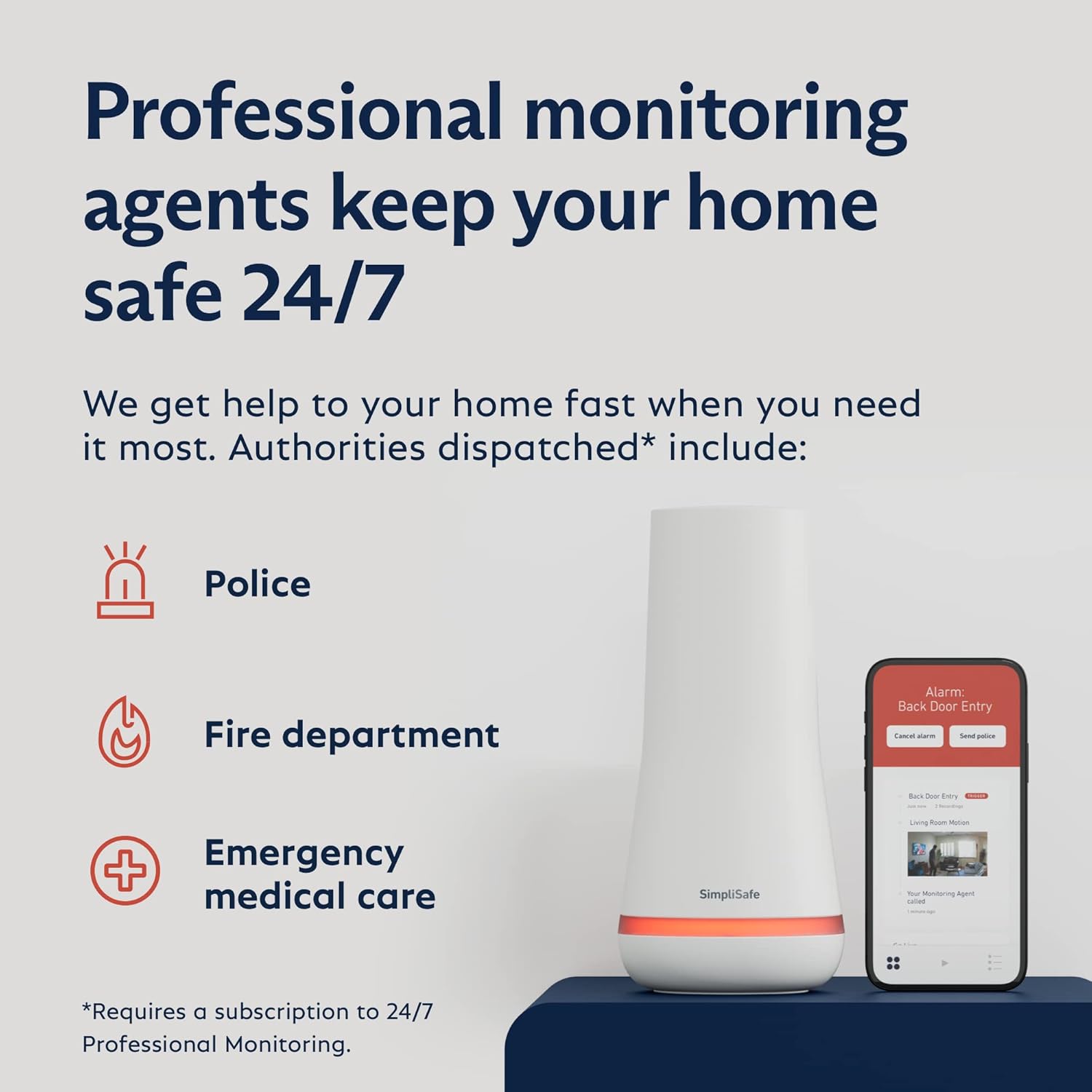
Image: SimpliSafe Outdoor Camera Series 2, showing its placement on the exterior of a home, utilizing AI-powered motion detection.
- Mount the camera base securely to an outdoor surface using screws.
- The camera unit attaches magnetically to the base, allowing for easy adjustment and removal for charging.
- Position cameras to cover key areas, such as entry points or high-traffic zones.
- Connect the camera to the included power cable for continuous power or rely on the rechargeable battery.
It-tħaddim tas-Sistema
Armar u Diżarm
Your SimpliSafe system can be armed and disarmed using the Keypad, Key Fob, or the SimpliSafe mobile application.
- Tastiera: Enter your PIN and select 'Off', 'Home', or 'Away' mode.
- Key Fob: Press the corresponding button for 'Off', 'Home', or 'Away'.
- SimpliSafe App: Use the app interface to change the system status remotely.
SimpliSafe Mobile Application
The SimpliSafe app provides comprehensive control and monitoring features for your system.

Image: Screenshot of the SimpliSafe mobile application, displaying a live camera feed and options to arm/disarm the system.
- Live View: Access live video feeds from your Outdoor Cameras.
- Skeda tal-ħin: Review a chronological log of system events, including motion detections and arming/disarming activities.
- Notifiki: Receive real-time alerts for detected motion, open sensors, and system status changes.
- Kontroll mill-bogħod: Arm or disarm your system from anywhere.
Professional Monitoring (Optional)
SimpliSafe offers optional 24/7 professional monitoring services. With a monitoring plan, trained agents can respond to alarms, verify threats, and dispatch emergency services (police, fire, medical) if needed.

Image: Infographic illustrating how professional monitoring agents can dispatch police, fire department, and emergency medical care in response to alarms.
Manutenzjoni
Outdoor Camera Charging
The Outdoor Cameras are battery-powered and rechargeable. The magnetic mount allows for easy removal for charging.
- When the camera battery is low, remove the camera unit from its magnetic mount.
- Connect the camera to the provided power cable and a power source.
- A full charge typically lasts several months, depending on usage and motion activity.
Kura Ġenerali
- Keep all components clean and free from dust and debris.
- Ensure the Base Station remains plugged in and connected to power. It has a backup battery for power outages.
- Regularly check the SimpliSafe app for system status and battery levels.
Issolvi l-problemi
Connectivity Issues (Outdoor Cameras)
Some users have reported connectivity issues with Outdoor Cameras, particularly with certain Wi-Fi routers or access points. If your camera frequently disconnects or fails to maintain a stable connection:
- Kun żgur li s-saħħa tas-sinjal tal-Wi-Fi tiegħek hija adegwata fil-post fejn tinsab il-kamera.
- Try repositioning your Wi-Fi router or the camera to improve signal.
- Verify your router's firmware is up to date.
- If issues persist, consult SimpliSafe support for compatibility guidance with your specific network hardware.
Allarmi Foloz
To minimize false alarms from Entry Sensors:
- Ensure Entry Sensors are securely mounted and the two parts remain within 2 inches when closed.
- Adjust the delay settings for entry/exit points via the Keypad or app to allow sufficient time to disarm the system.
Speċifikazzjonijiet
| Karatteristika | Dettall |
|---|---|
| Brand | SimpliSafe |
| Numru tal-Mudell | KT072-01RUS |
| Kulur | Abjad |
| Sors tal-Enerġija | Mħaddma bil-batterija |
| Apparati Kompatibbli | Alexa, Google Assistent |
| Dimensjonijiet tal-oġġett (L x W x H) | 12.3 x 12.38 x 4.4 pulzieri |
| Riżoluzzjoni tal-Qbid tal-Vidjo | 1080p |
| Teknoloġija tal-Konnettività | Wireless |
| Tip ta' Installazzjoni | Wireless DIY, Professional Hard-Wired |
| Tip ta 'Twissija | Mozzjoni Biss |
| Piż tal-oġġett | 5 Liri |
| Metodu ta' Kontroll | App, Remote, Voice |
| Kompożizzjoni taċ-Ċellola tal-Batterija | Alkalin |
| Komponenti Inklużi | Base Station, Keypad, 2 Entry Sensors, Key Fob, 2 Outdoor Cameras Series 2 and Power Cables |
| UPC | 843261114136 |
Garanzija u Appoġġ
For warranty information, technical support, or further assistance with your SimpliSafe system, please refer to the official SimpliSafe website or contact their customer service directly. Keep your purchase receipt and model number (KT072-01RUS) handy for any inquiries.


