1. Introduzzjoni
The LAUNCH SmartLink C HD Elite is a high-performance diagnostic module designed to expand the capabilities of your existing 8-inch LAUNCH X-431 PROS V+, V PRO, or PRO Dyno series diagnostic tablet. This module enables comprehensive full-system OBDII diagnostics for heavy-duty trucks and commercial vehicles, supporting advanced protocols such as CANFD and DOIP. It offers compatibility with over 1,200 global vehicle systems, including major brands like Cummins and Bosch, transforming your tablet into a versatile diagnostic tool for commercial fleets and repair shops.
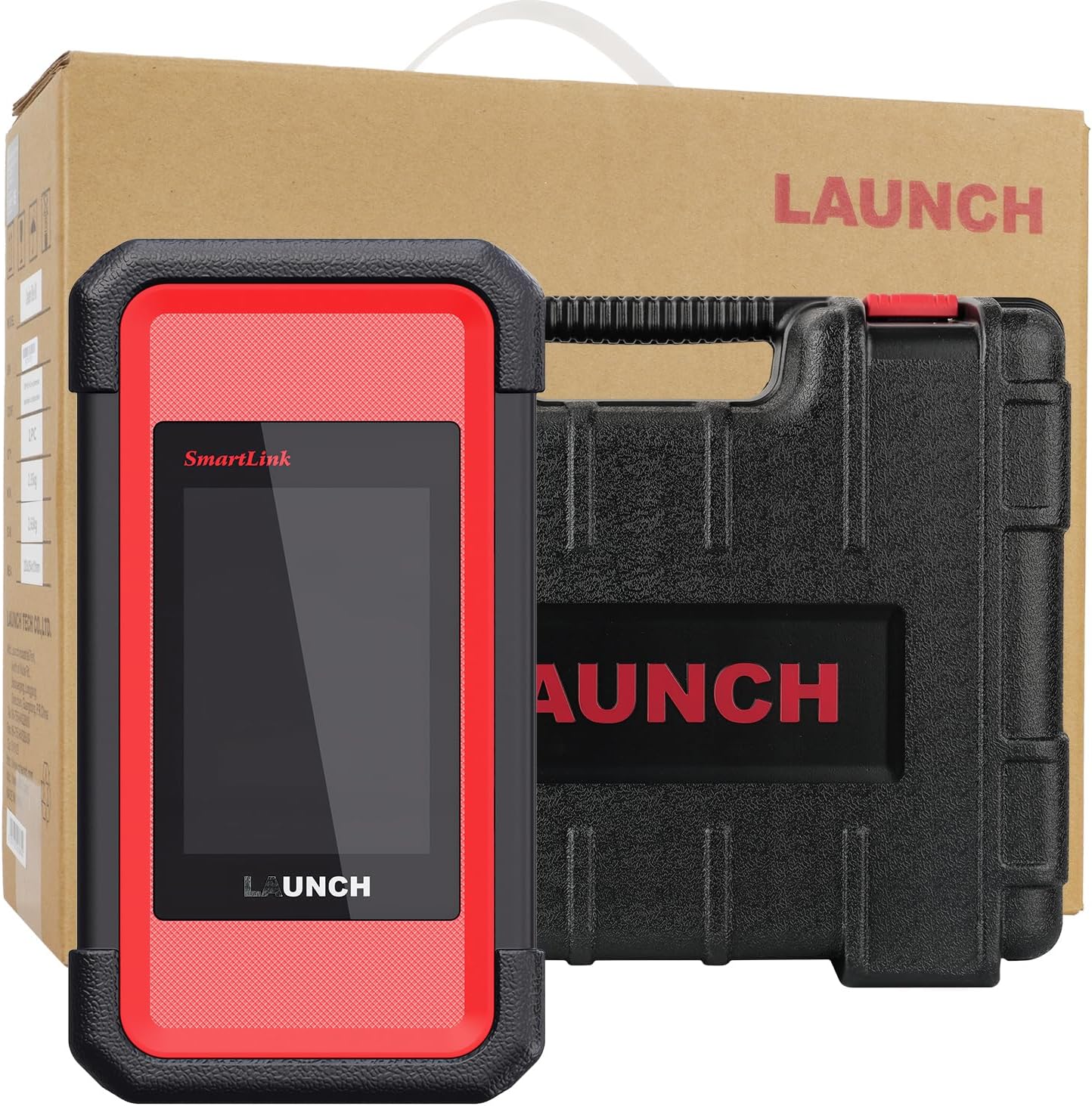
Image 1.1: The LAUNCH SmartLink C HD Elite Scanner module and its protective carrying case.
2. X'hemm fil-Kaxxa
Malli tiftaħ il-kaxxa, jekk jogħġbok ivverifika li l-komponenti kollha huma preżenti:
- SmartLink C HD Elite Main Unit
- Kawża Protettiva tal-Ġarr
- Diagnostic Cables (various OBD16/6/9-pin adapters)
- USB-C Cable
3. Konfigurazzjoni u Kompatibbiltà
The SmartLink C HD Elite module is specifically designed for integration with the LAUNCH X-431 8-inch wireless diagnostic tablets. Ensure your tablet model is one of the following for compatibility:
- X-431 PROS V+
- X-431 V PRO
- X-431 PRO Dyno series
If you are uncertain about your device's compatibility, please contact LAUNCH support for confirmation before proceeding.
3.1 Konnessjoni Inizjali
- Qawwa Mixgħul: Ensure your LAUNCH X-431 tablet is powered on and fully charged.
- Connect SmartLink C HD Elite: Connect the SmartLink C HD Elite module to your vehicle's diagnostic port using the appropriate OBD16, 6-pin, or 9-pin adapter cable.
- Tqabbil: Establish a connection between the SmartLink C HD Elite module and your X-431 tablet via Bluetooth or Wi-Fi. Refer to your X-431 tablet's manual for specific pairing instructions. A USB-C connection can also be used for direct linking.
- Rikonoxximent tas-Softwer: Once connected, the X-431 tablet's diagnostic software should recognize the SmartLink C HD Elite module, enabling heavy-duty diagnostic functions.

Image 3.1: The SmartLink C HD Elite module connected to an X-431 tablet, illustrating the expansion of diagnostic capabilities.
4. Istruzzjonijiet Operattivi
The SmartLink C HD Elite module, in conjunction with your LAUNCH X-431 tablet, provides extensive diagnostic and maintenance functionalities for commercial vehicles.
4.1 General Diagnostic Functions
Access the following standard OBDII/EOBD functions through your X-431 tablet's interface:
- Aqra Kodiċijiet: Irkupra l-Kodiċijiet ta' Problemi Dijanjostiċi (DTCs) mill-ECU tal-vettura.
- Ħassar Kodiċijiet: Clear DTCs after repairs are completed.
- Informazzjoni tal-Vettura: Display vehicle identification number (VIN), calibration ID (CALID), and calibration verification number (CVN).
- Fluss tad-Dejta: View live sensor data in text or graph format.
- Lookup DTC: Jipprovdi definizzjonijiet għall-kodiċijiet tal-problemi rkuprati.
- View Iffriżar qafas: Capture a snapshot of vehicle operating conditions at the time a fault code was set.
- Test tas-Sistema EVAP: Initiate a test of the Evaporative Emission System.
- Lest I / M: Iċċekkja l-istatus tal-moniters relatati mal-emissjonijiet.
- Test tal-Monitor Abbord: Aċċessa r-riżultati tat-testijiet ta' monitoraġġ dijanjostiku abbord għal komponenti/sistemi speċifiċi.
- Test tas-Sensor O2: Irkupra r-riżultati tat-test tal-monitoraġġ tas-sensor tal-O2.

Immaġni 4.1: Fuqview of universal HD OBD/OBDII/EOBD diagnostic functions available through the SmartLink C HD Elite.
4.2 Advanced Diagnostic Functions
The SmartLink C HD Elite supports advanced functions for in-depth vehicle analysis:
- Kodifikazzjoni tal-ECU: Modify vehicle parameters, activate hidden features, or match new components.
- Active Test / Bi-Directional Control: Perform specific component tests (e.g., injector cutoff, ABS bleeding) to verify system integrity.
- J2534 Pass-thru: Utilize the module as a pass-thru device for OEM software diagnostics.
- CANFD & DOIP Support: Compatible with modern vehicle communication protocols for faster data transfer and broader vehicle coverage.
- Dijanjostiċi mill-bogħod: Allows technicians to remotely connect to a vehicle for diagnostic purposes.

Image 4.2: Illustration of the SmartLink C HD Elite's comprehensive system diagnostic capabilities for heavy-duty trucks.
4.3 Specialized Maintenance Functions
The module provides access to over 40 critical maintenance and reset functions:
- DPF Regeneration Cycles
- Injector Calibration
- SCR System Cleaning
- Irrisettjar tal-kuxxinett tal-brejk
- Turbocharger Adaptation
- DEF Urea System Diagnostics
- Speed Limiter Adjustment
- Irrisettja l-Angolu tat-Tmexxija
- Transmission Matching Functions
- Irrisettja żejt
- Test tal-Valv PRV
- Test taċ-Ċilindru Mkisser
- Clear Spec DTC

Immaġni 4.3: Eż.amples of multi-system OE reset and calibration functions supported by the SmartLink C HD Elite.
5. Manutenzjoni
5.1 Aġġornamenti tas-Software
The SmartLink C HD Elite includes 1-year of free software updates. After the initial year, perpetual access to the DTC database is maintained. Regular software updates ensure compatibility with new vehicle models and improved diagnostic capabilities. Connect your X-431 tablet to the internet and follow the on-screen prompts within the LAUNCH diagnostic application to download and install updates.
5.2 Tindif u Ħażna
Biex tiżgura l-lonġevità tal-apparat tiegħek:
- Clean the exterior of the module with a soft, damp drapp. Evita prodotti tat-tindif jew solventi li joborxu.
- Keep the diagnostic ports free from dust and debris.
- Store the module in its protective carrying case when not in use, in a cool, dry environment away from direct sunlight and extreme temperatures.
6 Issolvi l-problemi
If you encounter issues with the SmartLink C HD Elite module, consider the following:
- Kwistjonijiet ta' Konnessjoni: Ensure all cables are securely connected and that the Bluetooth/Wi-Fi pairing between the module and your X-431 tablet is active.
- Kompatibilità: Double-check that your X-431 tablet is one of the compatible 8-inch wireless models (X-431 PROS V+, V PRO, PRO Dyno series).
- Rikonoxximent tas-Softwer: If the tablet does not recognize the module, try restarting both devices and re-establishing the connection. Ensure your diagnostic software is up to date.
- Registration/Activation: For issues related to product registration or activation, please contact LAUNCH technical support directly. You may be asked to provide the product's serial number.
7. Speċifikazzjonijiet
| Karatteristika | Speċifikazzjoni |
|---|---|
| Brand | Tnedija |
| Mudell | M-SmartLinkCElite |
| Sistema Operattiva | Linux |
| Lingwa | Ingliż |
| Tip ta 'Waħħal tal-Karozzi | Vehicle Specific Fit (Heavy-Duty Trucks, Commercial Vehicles) |
| UPC | 199284237957 |
| Piż tal-oġġett | 9.55 liri |
| Dimensjonijiet tal-Prodott | 4.72 x 3.15 x 5.91 pulzieri |
| Konnettività | Bluetooth, Wi-Fi, USB-C, OBD16/6/9-pin adapters |
| Protokolli Appoġġjati | OBDII, CANFD, DOIP |
| Ħażna Interna | 8GB |
| Interface tal-Wiri | 320x480 HD (via connected X-431 tablet) |

Immaġni 7.1: Dettaljata view of the SmartLink VCI Module's physical features and connectivity options.
8. Garanzija u Appoġġ
The LAUNCH SmartLink C HD Elite module includes 1-year of free software updates and perpetual access to the DTC database. For technical support, compatibility inquiries, or assistance with registration and activation, please contact LAUNCH directly via Amazon Messaging. When contacting support for registration or activation issues, please provide the product's serial number for prompt assistance.


