1. Introduzzjoni
This manual provides essential information for the safe and efficient operation, maintenance, and troubleshooting of your MACAP LEO 55 Touch Burr Coffee Grinder. Please read all instructions carefully before using the appliance and retain this manual for future reference.
Informazzjoni Importanti dwar is-Sigurtà
- Always ensure the grinder is unplugged before cleaning or performing any maintenance.
- Do not immerse the grinder in water or other liquids.
- Keep hands and foreign objects away from the burrs during operation.
- Use only whole roasted coffee beans in the hopper. Do not grind other substances.
- Dan l-apparat huwa għall-użu fid-dar biss.
2. Prodott Aktarview u Karatteristiċi
The MACAP LEO 55 Touch is a precision coffee grinder designed for home use, featuring 55mm flat burrs and a modern touchscreen interface for optimal control.

Figure 2.1: MACAP LEO 55 Touch Coffee Grinder highlighting its main features.
Karatteristiċi ewlenin:
- Exclusive Blind Flat Burrs: Designed to improve grind consistency and reduce retention for professional espresso performance.
- Modern Touchscreen Interface: A 2.4-inch color display provides precise control over grind size and dose.
- Operazzjoni ultra-kwieta: Incorporates quiet grinder technology for minimal noise.
- Hands-Free Auto Grinding: Activates grinding upon portafilter insertion for consistent dosing.
- Infinite Grind Precision: Stepless micrometric adjustment allows fine-tuning for various brew methods, from espresso to French press.
- Low Retention Design: Engineered to reduce grind waste and static for a cleaner workflow.
3. Setup
3.1 Tneħħija tal-kaxxa u tqegħid
Carefully remove all packaging materials. Place the grinder on a stable, flat, and dry surface. Ensure adequate ventilation around the unit.
3.2 Hopper Installation
- Kun żgur li l-grinder huwa skonnettjat.
- Align the hopper with the opening on top of the grinder.
- Dawwar il-hopper lejn l-arloġġ sakemm jissakkar sew f'postu.
- Fill the hopper with whole roasted coffee beans.
3.3 Konnessjoni tal-Enerġija
Connect the power cord to the grinder and then plug it into a grounded electrical outlet. The touchscreen display will illuminate.
4. Istruzzjonijiet Operattivi
4.1 Interface tat-touchscreen
The LEO 55 Touch features a 2.4-inch color touchscreen for intuitive control.
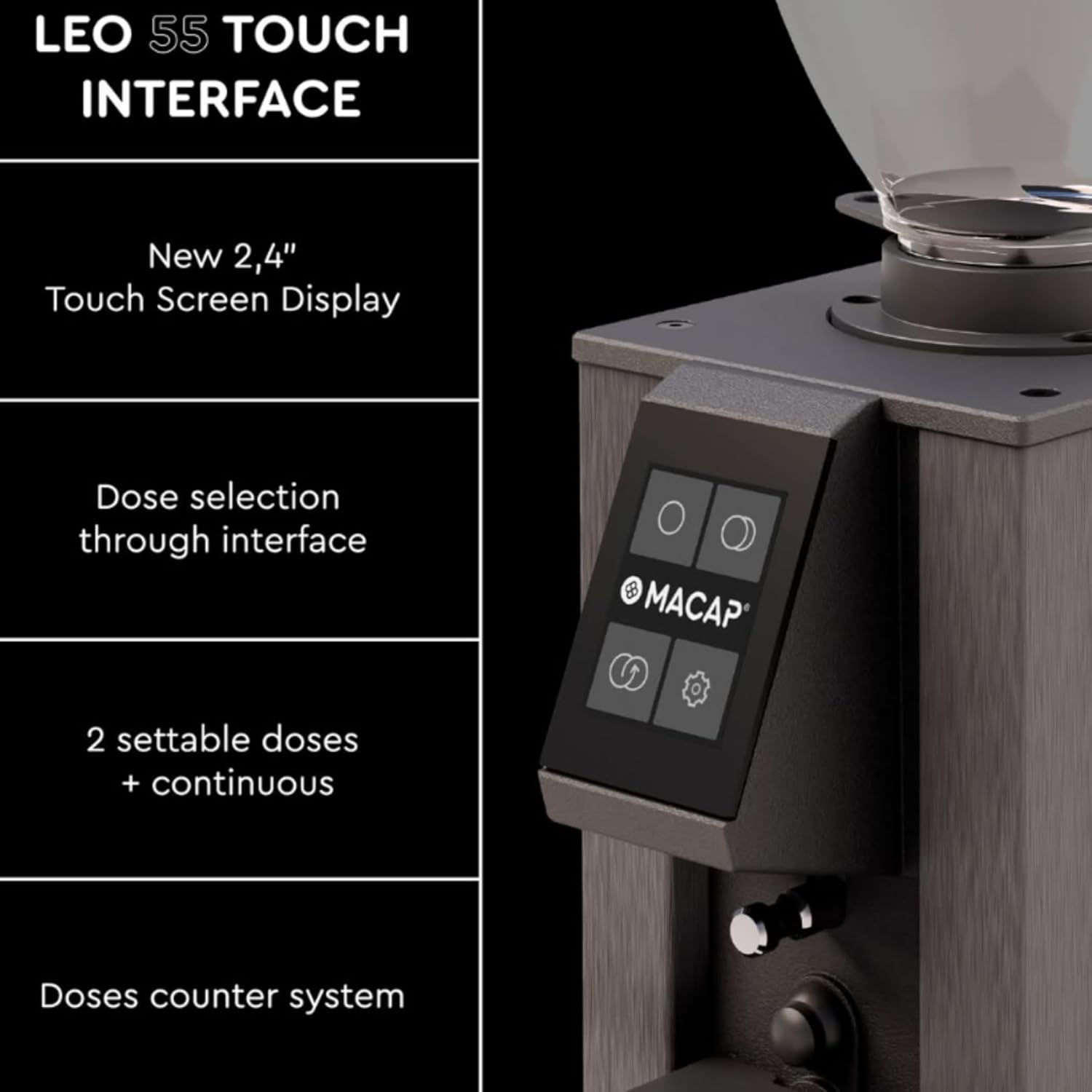
Figure 4.1: The LEO 55 Touch interface with dose selection and settings.
The display allows you to:
- Select pre-set doses (single or double).
- Activate continuous grinding.
- Access settings for grind time adjustment.
- View the doses counter.
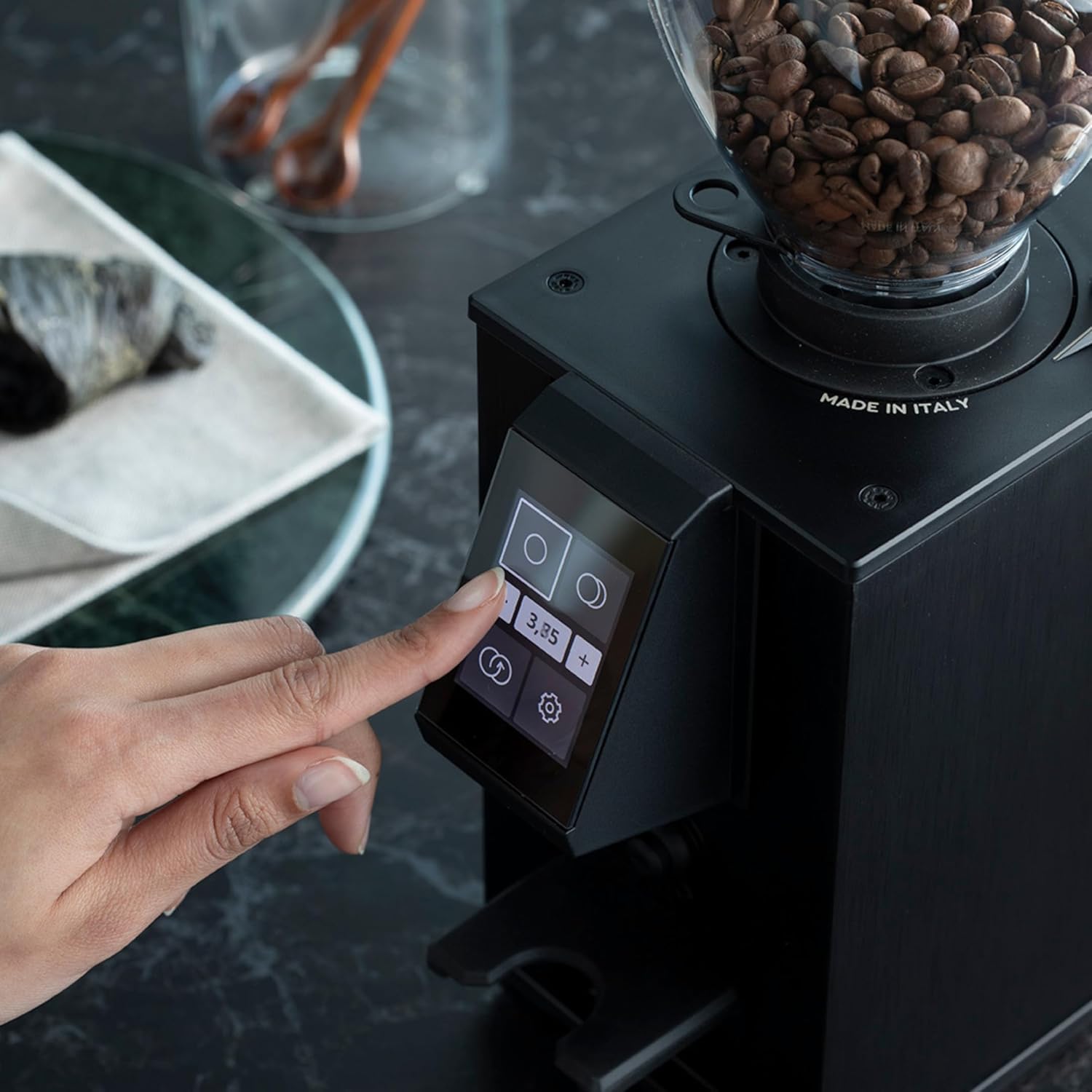
Figure 4.2: Interacting with the touchscreen to select dose or adjust settings.
4.2 Grind Size Adjustment
The LEO 55 Touch features stepless micrometric adjustment for precise control over grind fineness.
- To adjust the grind, locate the adjustment knob, typically on the side or top of the grinder.
- Turn the knob clockwise for a finer grind (suitable for espresso).
- Turn the knob counter-clockwise for a coarser grind (suitable for pour-over, French press, etc.).
- Make small adjustments and test the grind to achieve your desired consistency.

Figure 4.3: Adjusting the grind fineness using the micrometric knob.
4.3 Dosing and Grinding
The grinder supports hands-free auto grinding.
- Select your desired dose (single, double, or continuous) on the touchscreen.
- Place your portafilter or grinding container under the dispensing chute.
- For hands-free operation, insert the portafilter into the designated holder to activate grinding. The grinder will dispense the pre-set amount.
- For continuous grinding, select the continuous option and remove the portafilter when the desired amount is reached.
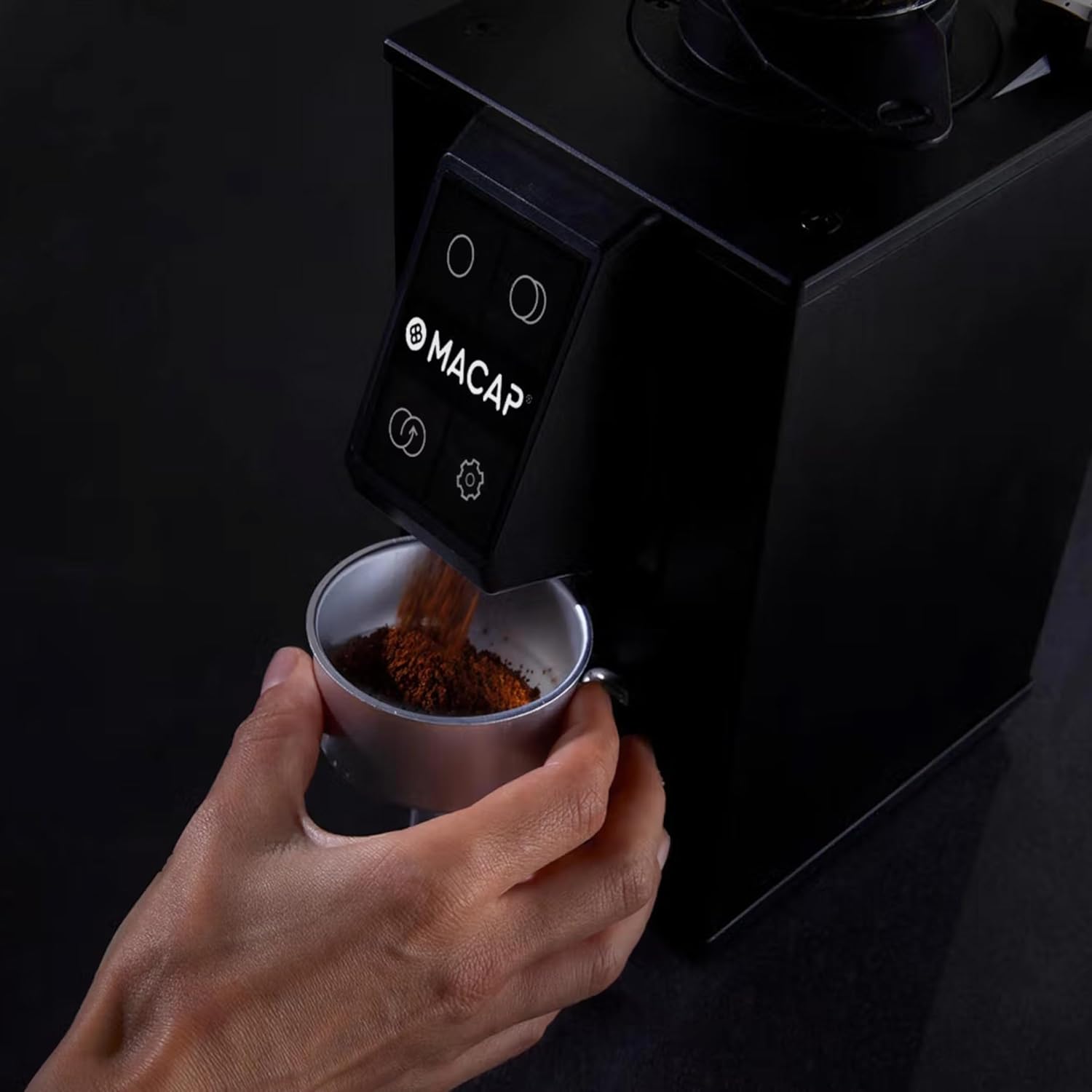
Figure 4.4: Grinding coffee directly into a portafilter.
5. Manutenzjoni
Regular cleaning and maintenance ensure optimal performance and longevity of your grinder.
5.1 Cleaning the Burrs
The LEO 55 Touch features a no-screw system for easy burr removal.
- Spluggja l-grinder mill-iżbokk tad-dawl.
- Remove the coffee bean hopper.
- Follow the specific instructions in your grinder's quick start guide or on the unit itself for releasing the upper burr assembly without tools.
- Carefully lift out the upper burr.
- Use a brush or vacuum cleaner to remove any accumulated coffee grounds from both burrs and the grinding chamber.
- Reinsert the upper burr and secure it according to the grinder's mechanism.

Figure 5.1: Removing the burr for cleaning.
5.2 Tindif Ġenerali
- Imsaħ il-barra tal-grinder ma adamp drapp. Tużax tindif li joborxu.
- Clean the dispensing chute regularly to prevent blockages and ensure consistent flow.
6 Issolvi l-problemi
If you encounter issues with your MACAP LEO 55 Touch, please refer to the following common solutions:
- Il-grinder mhux qed jixgħel: Ensure the power cord is securely plugged into both the grinder and a working electrical outlet. Check if the hopper is correctly installed and locked.
- L-ebda tqassim ta' kafè: Check if the hopper has enough beans. Ensure the grinding chamber and dispensing chute are not clogged with old grounds. Refer to Section 5.1 for burr cleaning.
- Tħin inkonsistenti: Verify that the burrs are clean and free from debris. Adjust the grind setting incrementally as described in Section 4.2.
- Ħoss eċċessiv: This may indicate a foreign object in the grinding chamber or improperly seated burrs. Unplug the unit and inspect the burrs.
Jekk il-problema tippersisti, jekk jogħġbok ikkuntattja l-appoġġ għall-klijenti.
7. Speċifikazzjonijiet
| Karatteristika | Dettall |
|---|---|
| Brand | Macap |
| Numru tal-Mudell | LEO 55 Touch |
| Kulur | Satin Gray |
| Dimensjonijiet tal-Prodott | 5.1"T x 7.2"W x 14.9"Għ |
| Kapaċità | 0.3 Kilograms (Coffee Beans) |
| Materjal | Stainless Steel |
| Piż tal-oġġett | 13.67 liri |
| Manifattur | MACAP |
| Tip ta' Burr | 55mm Flat Burrs |
8. Garanzija u Appoġġ
Your MACAP LEO 55 Touch Burr Coffee Grinder is covered by a manufacturer's warranty. Please refer to the warranty card included with your product for specific terms and conditions. For technical support, service, or to inquire about replacement parts, please visit the official Macap store or contact your local distributor.
Official Macap Store: Macap Store on Amazon
9. About Macap
Macap has a rich history rooted in Italian engineering and a passion for coffee. Since 1930, Macap has been dedicated to crafting precision grinders, evolving from Officine Petiziol to a global force in coffee grinding technology.
Video 9.1: A brief history of MACAP, detailing the brand's evolution and commitment to coffee grinding innovation.


