1. Introduzzjoni
Welcome to the TABWEE T80 Tablet user manual. This guide provides comprehensive instructions to help you get the most out of your new Android 15 tablet. The T80 is designed for a seamless and powerful user experience, featuring advanced AI capabilities, a vibrant display, and robust performance for both work and entertainment.
Karatteristiċi ewlenin:
- Sistema Operattiva Android 15: Experience the latest features and security enhancements.
- Gemini AI 2.0: Enhanced AI for smarter interactions and controls.
- 10.5-inch HD+ IPS Display: Enjoy clear and vibrant visuals with a wide viewangolu tal-ing.
- Prestazzjoni qawwija: Equipped with a 2.0GHz CPU, 12GB RAM, and 64GB ROM (expandable up to 2TB via TF card).
- Batterija fit-tul: 6000mAh mega battery for extended use.
- Konnettività Avvanzata: Supports 5G WiFi and Bluetooth 5.0.
- 5MP Google Lens Camera: For clear photos and smart scene recognition.

Figure 1.1: The TABWEE T80 Tablet, showcasing id-disinn u l-wiri eleganti tiegħu.
2. Setup
2.1 Il-Ftuħ tal-Kaxxa u l-Iċċarġjar Inizjali
Carefully remove your TABWEE T80 Tablet from its packaging. Before first use, it is recommended to fully charge the device using the provided USB-C cable and power adapter. The charging port is located on the side of the tablet.
2.2 Ixgħel u Konfigurazzjoni Inizjali
- Press and hold the Power button (located on the side) until the TABWEE logo appears on the screen.
- Segwi l-istruzzjonijiet fuq l-iskrin biex tagħżel il-lingwa tiegħek, tikkonnettja ma' netwerk Wi-Fi, u tissettja l-kont Google tiegħek.
- Review u aċċetta t-termini u l-kundizzjonijiet biex tlesti l-proċess tas-setup.

Figura 2.1: Aktar minnview of the TABWEE T80's core specifications and features.
3. Tħaddim tat-Tablet
3.1 Karatteristiċi ta' Android 15
Your TABWEE T80 runs on the latest Android 15, offering enhanced user experience, improved privacy, and smart features.
Split-Screen Combo
The split-screen feature allows you to run two applications simultaneously, enhancing multitasking and productivity. You can easily save app pairs for quick access.
Video 3.1: Demonstrates how to use the split-screen feature to run two applications concurrently on the TABWEE T80 tablet.
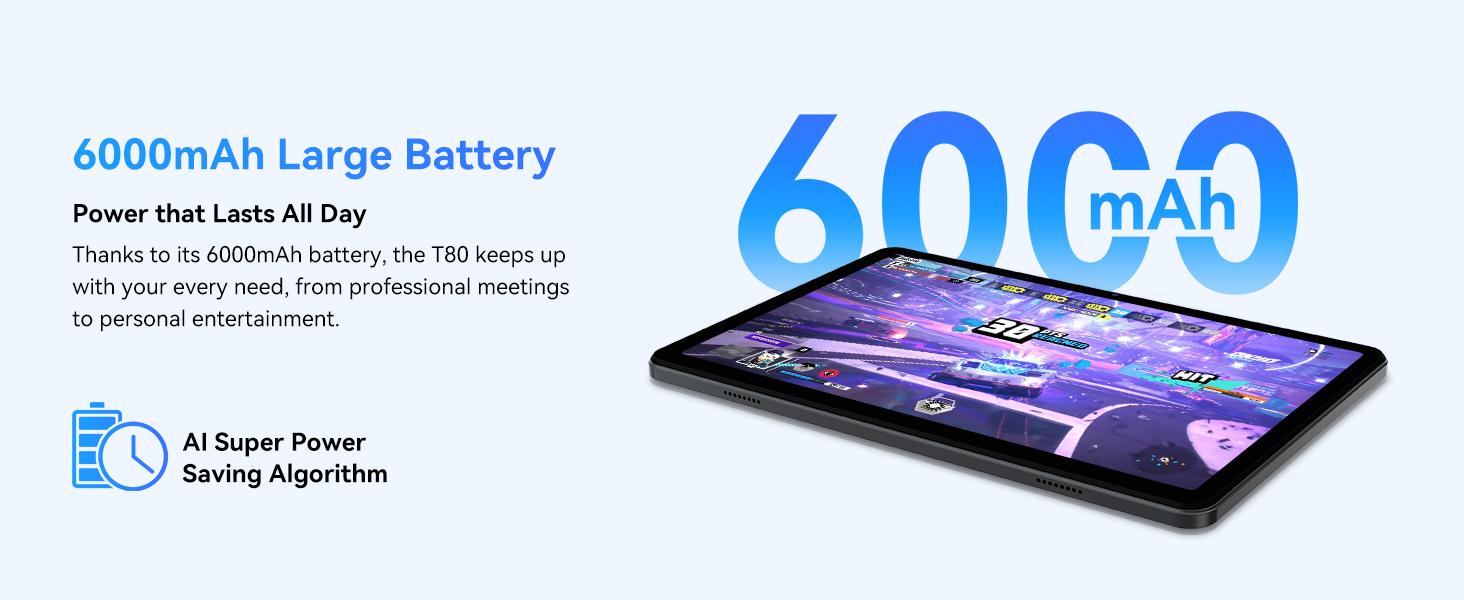
Figure 3.1: Visual representation of the split-screen functionality, allowing for efficient multitasking.
Desktop Customization and Widgets
Personalize your home screen by dragging and grouping apps freely. You can also add various widgets, such as the calendar, to quickly access information and tasks.
Video 3.2: Illustrates how to customize your desktop layout and add widgets for quick access to information.
Kontroll tal-Privatezza
Android 15 offers enhanced privacy controls, allowing you to manage app permissions and secure your data. You can block app access to sensitive information like location.
Video 3.3: Shows how to manage privacy settings and control app access to your data on the TABWEE T80.
Parental Controls with Gemini AI
Utilize Gemini AI parental controls to manage screen time, automatically lock games during homework, and ensure a safe digital environment for children.
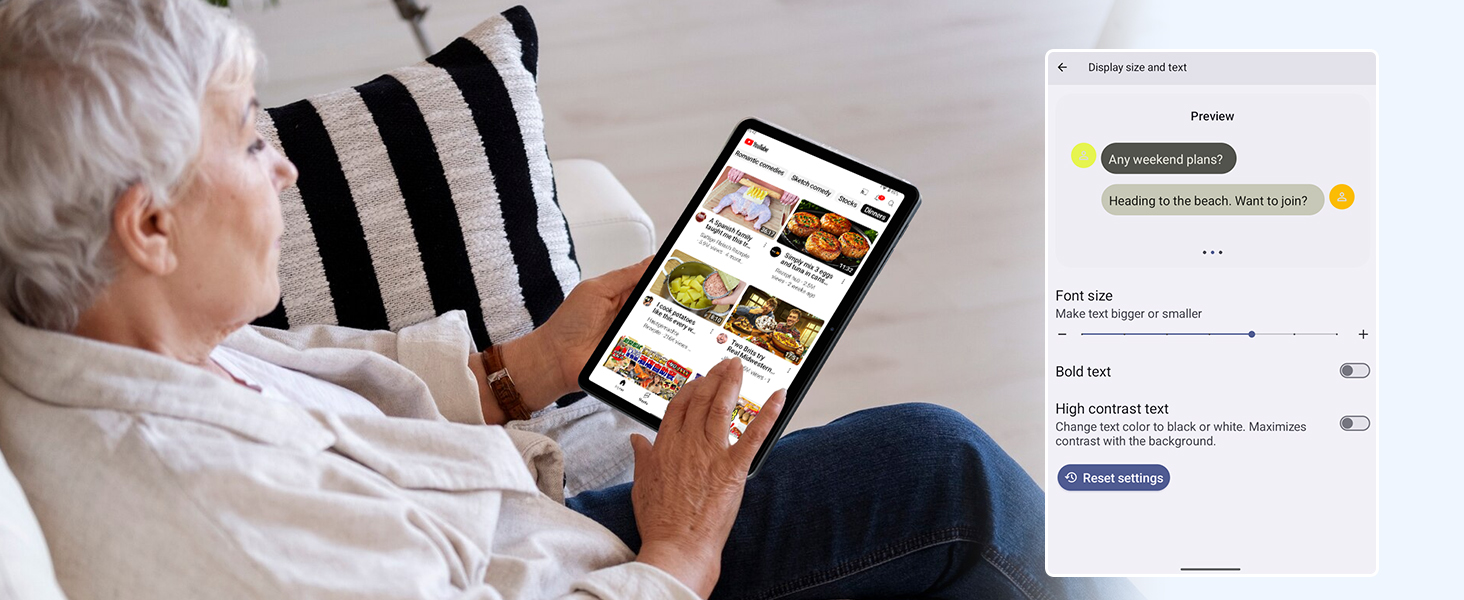
Figure 3.2: The Digital Wellbeing interface, demonstrating options for managing screen time and parental controls.
3.2 Wirja u Viżwali
The 10.5-inch HD+ IPS display provides a clear and immersive viewing experience with a 1280x800 resolution and 84.9% screen-to-body ratio. It's ideal for watching videos, browsing, and reading.

Figure 3.3: Details of the tablet's display, highlighting its resolution and IPS full view kapaċitajiet.
3.3 Prestazzjoni u Ħażna
Powered by a 2.0GHz Unisoc T310 CPU and 12GB RAM (expandable via software memory extension), the T80 ensures smooth multitasking and responsive performance. With 64GB of internal storage and support for up to 2TB TF cards, you have ampspazju għal kulħadd tiegħek files, apps, u midja.

Figure 3.4: Illustration of the tablet's processing power and memory, enabling seamless multitasking and productivity.
3.4 Ħajja tal-batterija
The 6000mAh mega battery provides extended usage, offering up to 8 hours of video streaming, 6 hours of gaming, or 30 hours of music playback. Smart power-saving modes further optimize battery longevity.

Figure 3.5: Depiction of the tablet's large 6000mAh battery and its USB-C charging port.
3.5 Karatteristiċi tal-Kamera
The T80 features a 5MP Google Lens enabled camera. This allows for scene recognition, night mode optimization, and useful functions like text translation and object identification.

Figura 3.6: Aktar minnview of the tablet's camera and its integration with Google Lens for smart functions.
4. Manutenzjoni
To ensure the longevity and optimal performance of your TABWEE T80 Tablet, follow these maintenance guidelines:
- Tindif: Uża drapp artab u mingħajr suf biex tnaddaf l-iskrin u l-qafas. Evita materjali li joborxu jew kimiċi ħarxa.
- Aġġornamenti tas-Software: Iċċekkja u installa regolarment aġġornamenti tas-sistema biex tibbenefika mill-aħħar karatteristiċi, irqajja tas-sigurtà, u titjib fil-prestazzjoni.
- Kura tal-batterija: Avoid extreme temperatures. Do not let the battery fully drain frequently. For long-term storage, charge the battery to about 50%.
- Ġestjoni tal-Ħażna: Neħħi perjodikament bla bżonn files u apps biex jilliberaw l-ispazju tal-ħażna u jżommu tħaddim bla xkiel.
- Protezzjoni: Ikkunsidra li tuża kaxxa protettiva u protettur tal-iskrin biex tipproteġi kontra l-waqgħat u l-grif.
5 Issolvi l-problemi
Din it-taqsima tindirizza kwistjonijiet komuni li tista’ tiltaqa’ magħhom bit-TABWEE T80 Tablet tiegħek.
5.1 L-Apparat Mhux Qed Jixgħel
- Iċċekkja l-batterija: Ensure the tablet has sufficient charge. Connect it to the charger and wait a few minutes before attempting to power on again.
- Hard Reset: Press and hold the Power button for about 10-15 seconds until the device restarts.
5.2 Kwistjonijiet ta' Konnettività tal-Wi-Fi
- Toggle Wi-Fi: Itfi l-Wi-Fi u mbagħad erġa' ixgħelu fis-Settings.
- Ibda mill-ġdid Router: Power cycle your Wi-Fi router.
- Insejt in-Netwerk: Go to Wi-Fi settings, forget the problematic network, and then reconnect.
5.3 Prestazzjoni bil-mod
- Agħlaq l-Applikazzjonijiet tal-Isfond: Agħlaq l-applikazzjonijiet mhux użati li jkunu qed jaħdmu fl-isfond.
- Clear Cache: Regularly clear app caches in Settings > Apps.
- Ħieles mill-Ħażna: Ħassar bla bżonn files or uninstall rarely used apps.
- Irristartja l-Apparat: A simple restart can often resolve temporary slowdowns.
5.4 L-Applikazzjonijiet Jikkraxxjaw jew Ma Jirrispondux
- App tal-Forza Waqfien: Go to Settings > Apps, select the problematic app, and choose 'Force Stop'.
- Clear App Data/Cache: In the same app settings, try clearing its cache or data (note: clearing data will reset the app to its default state).
- Installa mill-ġdid l-App: Uninstall and then reinstall the app from the Google Play Store.
6. Speċifikazzjonijiet
Detailed technical specifications for the TABWEE T80 Tablet:
| Karatteristika | Speċifikazzjoni |
|---|---|
| Brand | TABWEE |
| Isem tal-Mudell | T80 |
| Sistema Operattiva | Android 15 |
| Daqs tal-Iskrin | 10.5 Pulzier |
| Riżoluzzjoni tal-Iskrin | 1280 x 800 pixel |
| Proċessur | 2.0 GHz Unisoc T310 |
| Memorja (RAM) | 12 GB |
| Ħażna (ROM) | 64 GB |
| Ħażna espansibbli | Up to 2TB TF Card |
| Wara WebCam Riżoluzzjoni | 5 MP |
| Tip bla fili | 802.11n, 802.11b, 802.11a, 802.11ac, 802.11g (5G WiFi) |
| Bluetooth | Bluetooth 5.0 |
| Kapaċità tal-batterija | 6000mAh |
| Ħajja Medja tal-Batterija | 550 Siegħa (Standby) |
| Piż tal-oġġett | 1.1 liri (madwar 523 gramma) |
| Dimensjonijiet tal-Prodott | 9.5 x 6.4 x 0.3 pulzieri |
| Kulur | Griż |
7. Garanzija u Appoġġ
TABWEE is committed to quality and customer satisfaction. Your T80 Tablet comes with comprehensive support to ensure a worry-free experience.
7.1 Informazzjoni dwar Garanzija
The TABWEE T80 Tablet is backed by a garanzija ta 'sena. This warranty covers manufacturing defects and ensures free repair service for eligible issues. Please retain your proof of purchase for warranty claims.
7.2 Appoġġ għall-Klijent
For any questions, technical assistance, or warranty claims, please contact our dedicated support team:
- 24/7 Online Call Support: Available for immediate assistance.
- Appoġġ Tekniku tul il-ħajja: Expert help whenever you need it.
- Hassle-Free Service: Assistance available through the TABWEE Official Flagship Store.
We are dedicated to providing prompt and effective solutions to all your inquiries.

Figure 7.1: Our dedicated customer support team is ready to assist you.


