Introduzzjoni
This manual provides detailed instructions for the assembly, operation, and maintenance of your Okin Small Electric Standing Desk. Please read this manual thoroughly before assembly and use to ensure safe and efficient operation. Retain this manual for future reference.

Image: The Okin Small Electric Standing Desk in white, featuring a monitor, laptop, and various office accessories, with optional casters shown separately.
Informazzjoni dwar is-Sigurtà
- Taqbiżx il-limitu massimu ta 'piż ta' 176 lbs (80 kg).
- Kun żgur li l-viti u l-boltijiet kollha jkunu ssikkati sew qabel l-użu.
- Żomm it-tfal u l-annimali domestiċi 'l bogħod mill-iskrivanija waqt l-operazzjoni.
- Avoid placing liquids directly on the desk surface to prevent damage to electronic components.
- Dejjem skonnettja l-enerġija qabel ma tnaddaf jew tagħmel manutenzjoni.
- Do not attempt to modify the desk's structure or electrical system.
Kontenut tal-Pakkett
Qabel tibda l-assemblaġġ, ivverifika li l-komponenti kollha huma preżenti u mhux imħassra. Jekk xi partijiet huma neqsin jew imħassra, ikkuntattja l-appoġġ għall-klijenti.

Image: All components of the Okin Electric Standing Desk laid out for assembly, including the desktop, leg frames, motor, control panel, power adapter, headphone hook, adjustable foot pads, lockable casters, screws, and assembly tools.
The package includes the desktop, leg frames, motor, control panel, power adapter, headphone hook, adjustable foot pads, and lockable casters, along with all necessary screws and assembly tools.
Istruzzjonijiet ta' Armar
Assembly is straightforward with pre-drilled holes and included accessories. It is recommended to assemble the desk on a soft, clean surface to prevent scratches.
- Waħħal il-Kolonni tal-Irfigħ: Secure the lifting columns to the desktop using the provided screws. Ensure they are aligned correctly with the pre-drilled holes.
- Installa s-Saqajn: Attach the desk feet to the bottom of the lifting columns. You can choose between the adjustable foot pads for stability or the lockable casters for mobility.
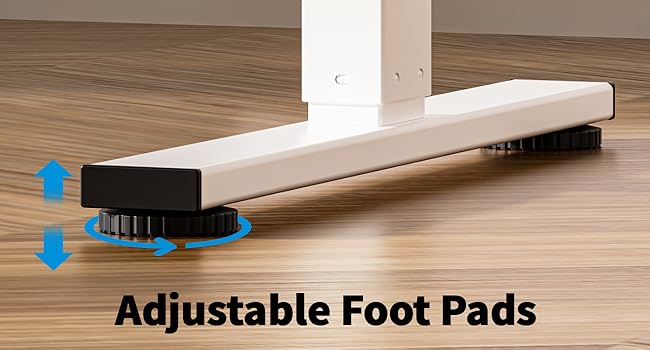
Image: Adjustable foot pads for leveling the desk on uneven surfaces.

Image: Lockable casters for easy movement and secure positioning of the desk.
- Connect the Motor and Control Panel: Follow the wiring diagram to connect the motor to the control box and the control panel to the control box. Ensure all connections are secure.
- Install the Headphone Hook: Attach the headphone hook to the desired location on the desk frame.
- Ġestjoni tal-Kejbil: Utilize the specially designed grooves at the back of the tabletop for easy cable arrangement to maintain a clutter-free workspace.
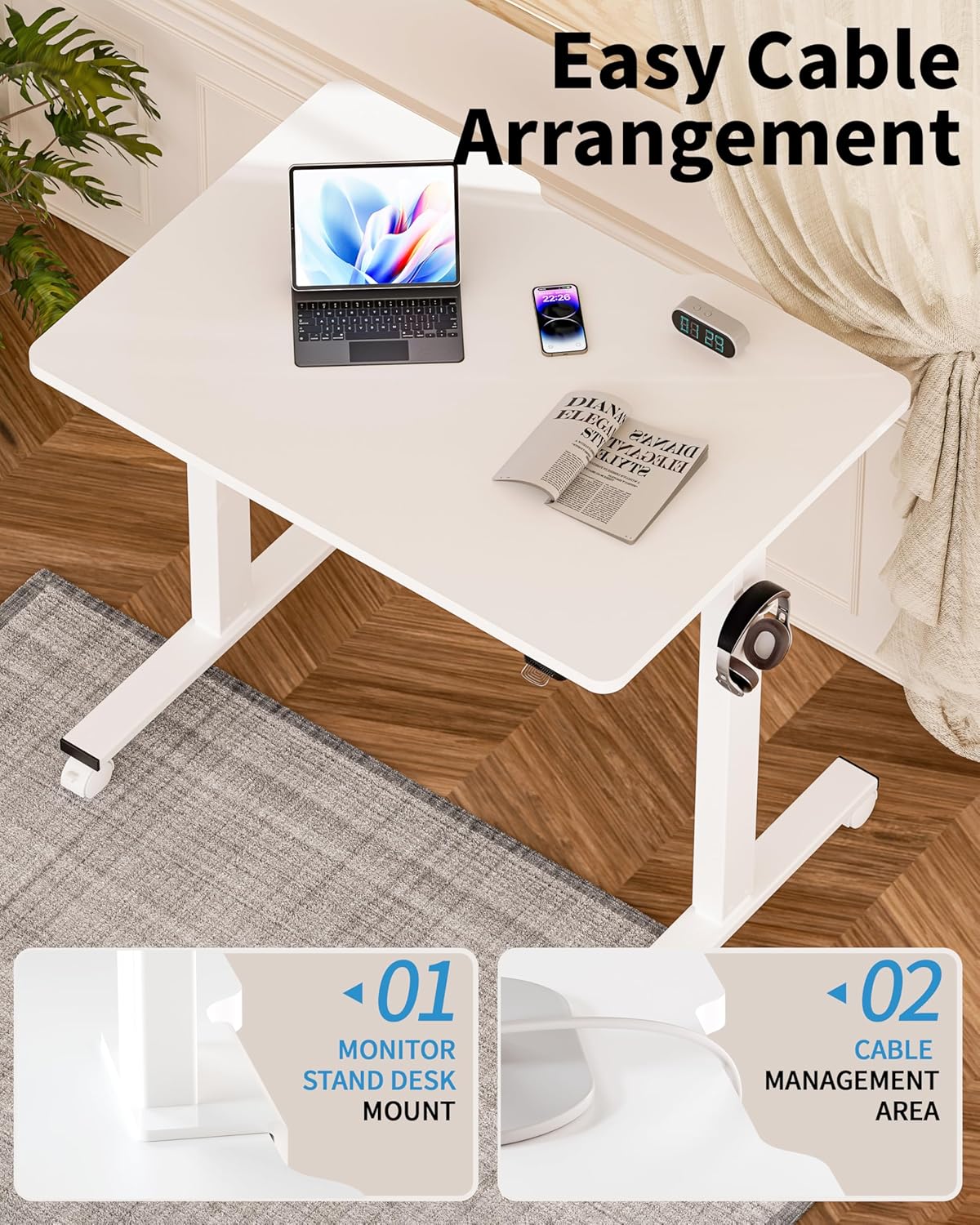
Image: Detail of the desk's cable management area and monitor stand mount feature.
- Konnessjoni tal-Enerġija: Ipplaggja l-adapter tal-enerġija fil-kaxxa tal-kontroll u mbagħad f'sokit tal-ħajt.
Istruzzjonijiet Operattivi
Your Okin Electric Standing Desk allows for smooth and quiet height adjustments to suit your ergonomic needs.

Image: A user demonstrating the ergonomic height adjustment of the Okin standing desk, highlighting improved circulation, enhanced posture, and boosted productivity.
Aġġustament Għoli
- Għolli l-Iskrivanija: Press and hold the "Up" button on the control panel. The desk will move upwards. Release the button at your desired height.
- Desk t'Isfel: Press and hold the "Down" button on the control panel. The desk will move downwards. Release the button at your desired height.
- The desk adjusts smoothly from 27.56 inches to 45.28 inches in height. When using casters, the adjustable height range is 29.53 inches to 47.25 inches.
- The motor operates with low noise, typically below 50 dB.
Manutenzjoni
- Tindif: Wipe the desk surface and frame with a dry cloth. Avoid using abrasive cleaners or solvents that may damage the finish.
- Spezzjonijiet: Iċċekkja l-viti u l-konnessjonijiet kollha perjodikament biex tiżgura li jibqgħu ssikkati. Erġa' ssikka jekk meħtieġ.
- Ġestjoni tal-Kejbil: Ensure cables are neatly arranged and not pinched or strained, especially during height adjustments.
Issolvi l-problemi
If you encounter issues with your Okin Electric Standing Desk, refer to the following common problems and solutions.
- L-Iskrivanija Mhux Tiċċaqlaq:
- Iċċekkja jekk il-korda tal-enerġija hijiex imdaħħla sew kemm fl-iskrivanija kif ukoll fis-sokit tal-ħajt.
- Ensure all cables connecting the motor, control box, and control panel are properly connected.
- Ivverifika li l-iżbokk tad-dawl huwa funzjonali.
- Error Code E-3 Displayed:
- An E-3 error code typically indicates a motor or control system issue.
- Try unplugging the desk from the power source for 10-15 minutes, then plug it back in to reset the system.
- If the error persists, contact Okin customer support for assistance.
- Moviment irregolari jew tbandil:
- Kun żgur li l-iskrivanija titqiegħed fuq wiċċ livell.
- If using adjustable foot pads, adjust them to stabilize the desk.
- If using casters, ensure they are locked when the desk is in a stationary position.
- Check that all assembly screws are tightened.
- Storbju Waqt l-Operazzjoni:
- A low noise level (below 50 dB) is normal during operation.
- If you hear unusual or loud noises, check for any obstructions in the lifting mechanism.
- Ensure the desk is not overloaded beyond its maximum weight capacity.
Speċifikazzjonijiet
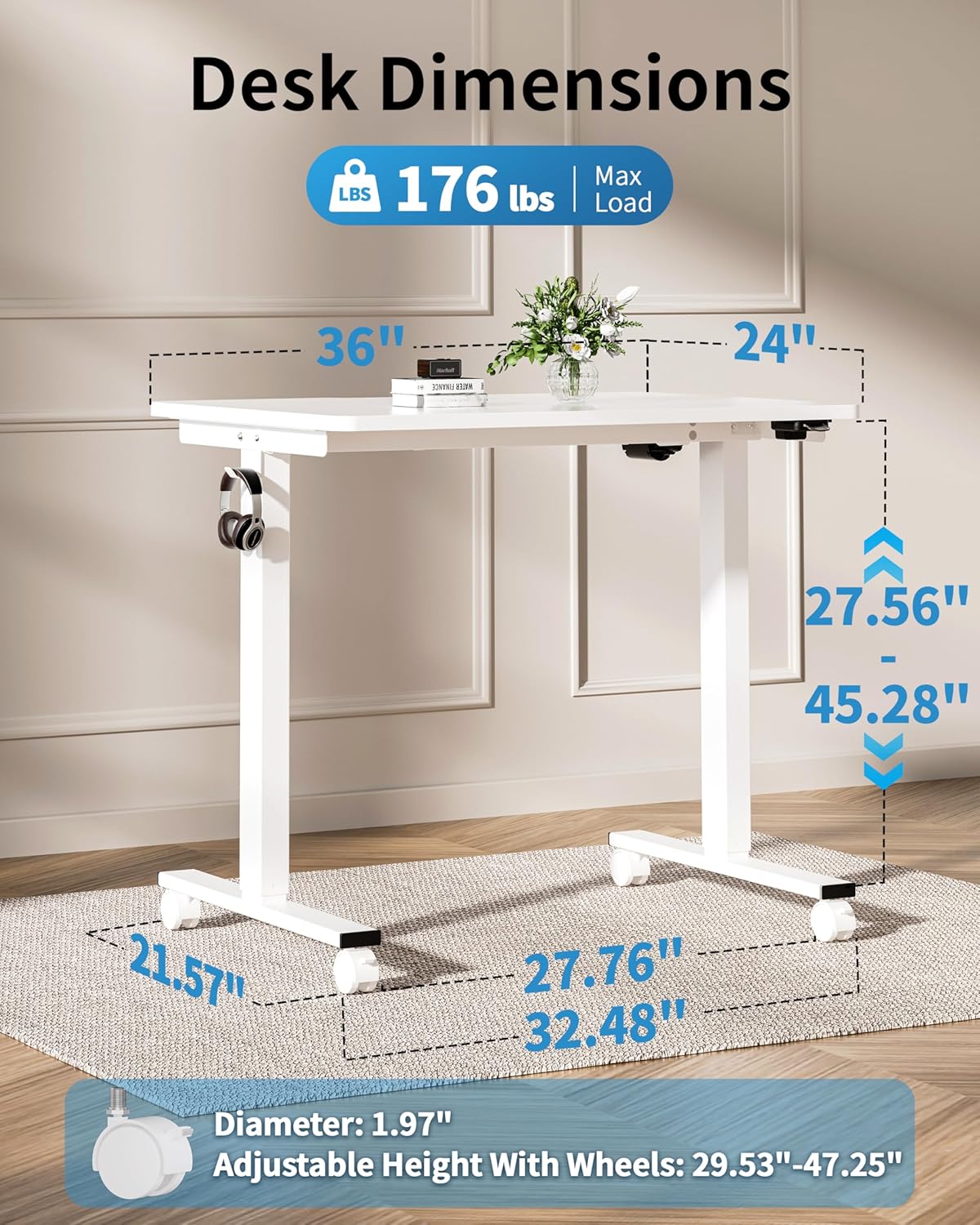
Image: Detailed dimensions of the Okin Electric Standing Desk, including desktop size (36"x24"), height range (27.56"-45.28"), and base dimensions.
| Brand | Okin |
| Numru tal-Mudell | OKSM6545W3624WO-CA |
| Id-Dimensjonijiet tad-Desktop | 36" (W) x 24" (F) |
| Height Adjustment Range (without casters) | 27.56" - 45.28" |
| Height Adjustment Range (with casters) | 29.53" - 47.25" |
| Kapaċità massima tal-piż | 176 lbs (80 kg) |
| Livell ta' Storbju | < 50 dB |
| Materjal | Wood (Desktop), Alloy Steel (Base) |
| Kulur | Abjad |
| Karatteristiċi Speċjali | Adjustable Height, Electric, Ergonomic, Wheels (optional), Headphone Hook, Cable Management Grooves |
| Piż tal-oġġett | 43.74 lbs |
Garanzija u Appoġġ
The Okin Small Electric Standing Desk comes with a Garanzija Limitata. For specific warranty terms and conditions, please refer to the documentation included with your purchase or contact Okin customer support.
For technical support, missing parts, or warranty claims, please contact Okin customer service through the retailer where the product was purchased or visit the official Okin websit għal informazzjoni ta' kuntatt.


