1. Introduzzjoni
This manual provides detailed instructions for the safe and efficient use of your Baseus Picogo 5000mAh MagSafe Portable Charger. Please read this manual thoroughly before using the product and retain it for future reference.
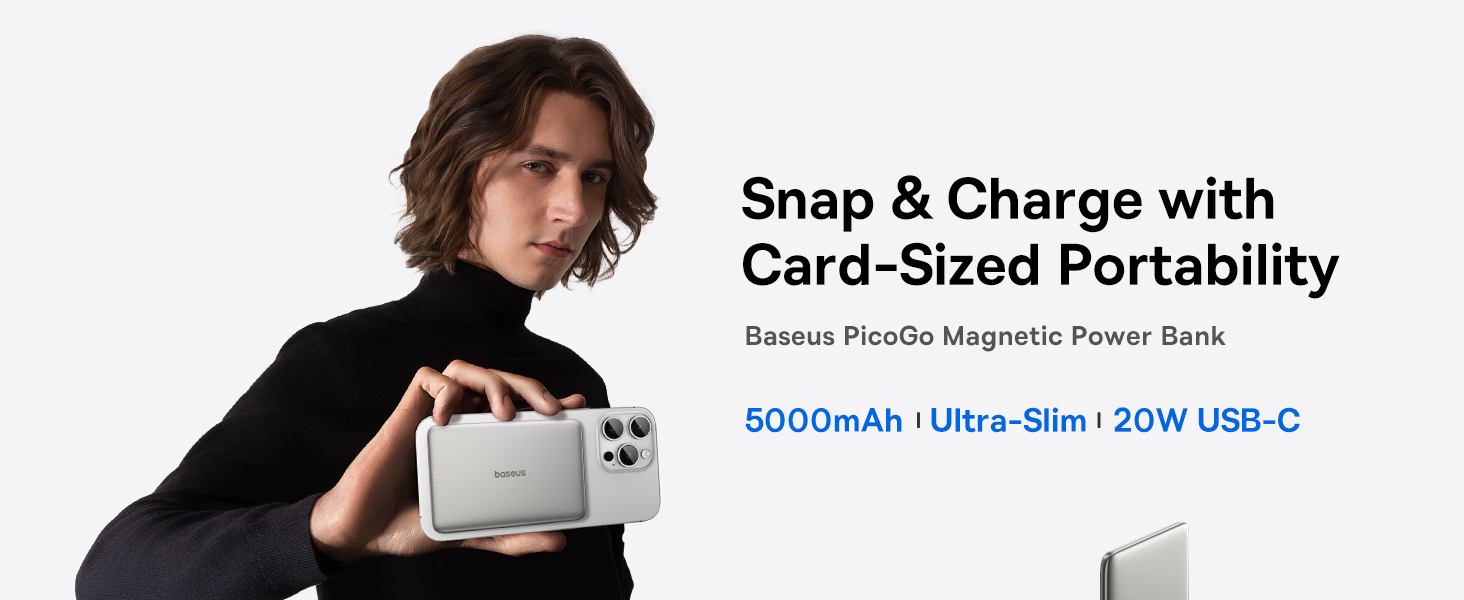
Image: The Baseus Picogo Power Bank magnetically attached to the back of a smartphone, highlighting its compact and slim design.
2. Karatteristiċi tal-prodott
- Disinn Ultra-Slim: Measures 0.3 inches thick and weighs 3.8 ounces for enhanced portability.
- 5000mAh Kapaċità: Provides supplemental power for mobile devices.
- Twaħħil manjetiku: Strong 11N magnetic force for secure wireless charging with compatible devices.
- Modi ta' Iċċarġjar Doppju: Supports 20W USB-C wired output and 7.5W wireless charging.
- Sistema Avvanzata ta' Tkessiħ: Features NTC temperature control chip, Graphene material, and aluminum alloy shell for efficient heat dissipation.
- Kostruzzjoni Durabbli: Aluminum alloy shell and nano-coated silicone surface for scratch resistance and comfortable grip.
- Protezzjonijiet tas-Sigurtà: Incorporates 9-layer safety protections for secure operation.
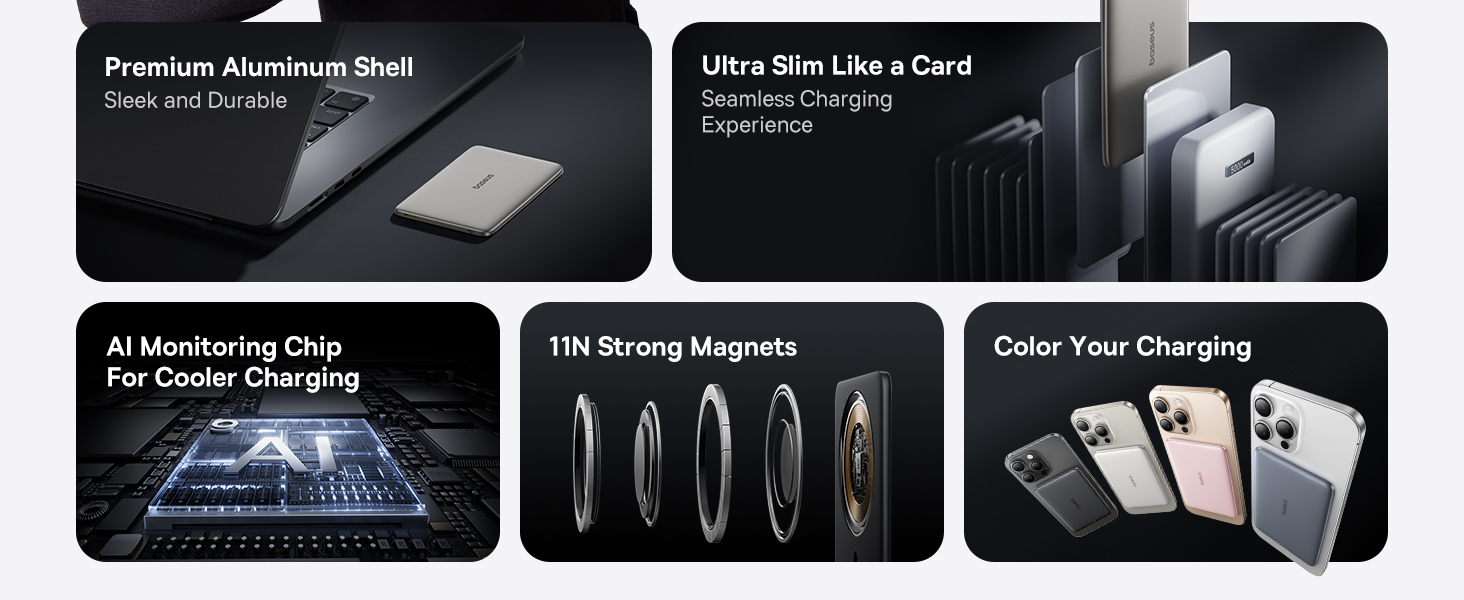
Image: Visual representation of the power bank's ultra-slim profile (0.3 inches) and light weight (3.8 oz), emphasizing its portability and ergonomic design.

Image: A diagram detailing the internal cooling system, including aluminum alloy, AI monitoring chip, and Graphene material, designed to maintain optimal operating temperature.
3. Kontenut tal-Pakkett
Jekk jogħġbok iċċekkja l-kontenut tal-pakkett meta tiftaħ il-kaxxa:
- Baseus Picogo 5000mAh MagSafe Portable Charger
- Cable Braided USB-C
- Manwal għall-Utent (dan id-dokument)
4. Twaqqif u Użu Inizjali
4.1 Iċċarġjar tal-Power Bank
Qabel l-ewwel użu, iċċarġja l-power bank kompletament.
- Connect the provided USB-C braided cable to the USB-C port on the power bank.
- Qabbad it-tarf l-ieħor tal-kejbil ma' adapter tal-enerġija USB kompatibbli (mhux inkluż).
- The LED indicators on the power bank will illuminate to show the charging status. All four LEDs will be solid when fully charged.
4.2 Status tal-Indikatur LED
The LED indicators provide information about the power bank's battery level and charging status.
- 1-il LED: 0-25% batterija li fadal
- 2 LEDs: 25-50% batterija li fadal
- 3 LEDs: 50-75% batterija li fadal
- 4 LEDs: 75-100% batterija li fadal
- During wireless charging, a specific LED indicator will light up to confirm magnetic charging is active.

Image: An illustration detailing how the LED indicators on the power bank function to display battery level and magnetic charging status.
5. Istruzzjonijiet Operattivi
Iċċarġjar mingħajr fili 5.1 (Kompatibbli ma' MagSafe)
The power bank supports magnetic wireless charging for compatible devices (e.g., iPhone 12-17 series with MagSafe or MagSafe-compatible cases).
- Kun żgur li t-tagħmir tiegħek huwa kompatibbli ma' MagSafe jew għandu kaxxa kompatibbli ma' MagSafe.
- Align the power bank with the back of your device. The strong magnets will automatically snap it into place.
- Wireless charging will begin automatically. The LED indicator on the power bank will confirm active charging.

Image: The power bank securely attached to the back of an iPhone, demonstrating the magnetic wireless charging feature.

Image: A user holding a smartphone with the Baseus Picogo Power Bank attached, illustrating the secure magnetic connection during use.
5.2 Wired Charging (USB-C)
The power bank can also charge devices via its USB-C port.
- Connect one end of the USB-C braided cable to the USB-C port on the power bank.
- Qabbad it-tarf l-ieħor tal-kejbil mal-port tal-iċċarġjar tat-tagħmir tiegħek.
- L-iċċarġjar se jibda awtomatikament.

Image: The power bank connected to an iPhone via a USB-C cable, demonstrating wired charging capability.
5.3 Simultaneous Charging (Pass-through Charging)
The power bank supports pass-through charging, allowing it to be recharged while simultaneously charging a device.
- Connect the power bank to a power adapter using the USB-C cable to recharge it.
- While the power bank is recharging, connect your device for wired or wireless charging.
- Kemm il-power bank kif ukoll l-apparat tiegħek se jiċċarġjaw fl-istess ħin.

Image: The power bank connected to a wall adapter and an iPhone, illustrating the pass-through charging feature where both devices charge simultaneously.
6. Kompatibilità
The Baseus Picogo Power Bank is designed for broad compatibility:
- Output mingħajr fili: Compatible with iPhone 12-17 Series, AirPods 4/3/Pro 2/Pro, and devices with MagSafe phone cases.
- Output USB-C: Compatible with iPad Mini/Air/Pro, Android Phones, and other USB-C powered devices.
Nota: Wireless charging is not compatible with non-MagSafe phones or phone cases.

Image: A visual guide illustrating the compatibility of the power bank with various devices, including iPhones, AirPods, iPads, and Android phones, for both wireless and wired charging.
7. Speċifikazzjonijiet
| Kapaċità Totali | 5,000mAh |
| Forza manjetika | 11N |
| Materjal | Silicone, Aluminum Alloy |
| Input USB-C | 5V=3A / 9V=1.67A |
| Output USB-C | 5V=2.4A / 9V=2.22A / 12V=1.5A |
| Output Wireless | 5W / 7.5W / 15W |
| Output Totali | 5V=2.4A |
| Dimensjonijiet | 3.9 x 2.6 x 0.3 pulzieri |
| Piż | Madwar 3.8 oz |
| Numru tal-Mudell | PPKPC-0520 |

Image: The product packaging alongside a detailed list of technical specifications for the Baseus Picogo Power Bank.
8. Manutenzjoni u Kura
- Żomm il-power bank 'il bogħod mill-ilma, l-umdità, u temperaturi estremi.
- Evita li twaqqa’ jew tissuġġetta l-bank tal-enerġija għal impatti qawwija.
- Naddaf il-wiċċ b'ċarruta ratba u niexfa. Tużax kimiċi ħarxa jew materjali li joborxu.
- Aħżen f'post frisk u niexef meta ma tkunx qed tuża.
- Recharge the power bank at least once every three months to maintain battery health if stored for extended periods.
9 Issolvi l-problemi
9.1 L-Apparat Mhux Qed Jiċċarġja
- Iċċekkja l-Iċċarġjar tal-Power Bank: Ensure the power bank itself is sufficiently charged (check LED indicators).
- Konnessjoni tal-Cable: For wired charging, ensure the USB-C cable is securely connected to both the power bank and your device. Try a different cable if available.
- Wireless Alignment: For wireless charging, ensure the power bank is correctly aligned with your device's charging coil. Remove any thick or non-MagSafe compatible cases.
- Kompatibbiltà tal-Apparat: Verify your device is compatible with the power bank's charging methods (MagSafe for wireless, USB-C for wired).
9.2 Iċċarġjar bil-mod
- Kwalità tal-Kejbil: Use the provided USB-C braided cable or a high-quality, certified charging cable.
- Adapter tal-Enerġija: For recharging the power bank, use a compatible power adapter that supports the input specifications.
- Temperatura tal-Apparat: If your device or the power bank becomes too warm, charging speed may reduce to protect the battery. Move to a cooler environment.

Image: An explanation regarding potential charging slowdowns at 80% battery, often due to thermal management protocols in devices like iPhones.
10. Informazzjoni dwar is-Sigurtà
- Żarmax, timmodifikax jew isewwi l-prodott lilek innifsek.
- Do not expose the product to fire, water, or corrosive liquids.
- Avoid using the product in environments with high temperatures or humidity.
- Żomm fejn ma jintlaħaqx mit-tfal.
- Armi l-prodott skont ir-regolamenti lokali għall-iskart elettroniku.
11. Garanzija u Appoġġ
The Baseus Picogo Power Bank comes with a Garanzija ta' 24 Xahar. This warranty covers manufacturing defects and ensures free returns or replacements.
For technical support, warranty claims, or any inquiries, please contact Baseus customer service. Lifelong 24/7 professional support is available.
You can find contact information on the official Baseus webis-sit jew permezz tal-pjattaforma tax-xiri tiegħek.


