Introduzzjoni
Thank you for choosing the Emerson EVP-2002 Home Theater LCD Projector. This manual provides essential information for setting up, operating, and maintaining your projector to ensure optimal performance and longevity. Please read this manual thoroughly before using the product and retain it for future reference.
X'hemm fil-Kaxxa
Meta tiftaħ il-pakkett, jekk jogħġbok kun żgur li l-oġġetti kollha li ġejjin huma preżenti:
- Emerson EVP-2002 Projector
- UL Approved Power Adaptor
- Kontroll mill-bogħod
- Qoxra tal-Lenti tal-Proġekter
- Manwal għall-Utent (dan id-dokument)
Prodott Overview
The Emerson EVP-2002 is designed to deliver an immersive home theater experience with its advanced LCD technology and versatile connectivity options.

Immaġni: Quddiem view of the Emerson EVP-2002 projector, showcasing the lens and ventilation. This compact projector is designed for home entertainment.
Karatteristiċi ewlenin:
- Immersive Entertainment: Transforms your space into a theater for sports, movies, and TV shows.
- Konnettività Bluetooth: Allows easy pairing with external audio devices.
- Effortless Media Streaming: Compatible with streaming devices like Amazon Fire Stick, Roku, or Google Chromecast (not included).
- Viżwali Vivid: Advanced LCD projector delivers high-quality resolution with clarity and color vibrancy.
- Versatile Multi-Media Functionality: Supports HDMI and USB flash drives for various video, audio, and photo formats.
- Bozza LED fit-tul: Durable LED bulb with up to 30,000 hours of lifespan.
- Powerful Built-In Speakers: Delivers clear, full-bodied sound.

Immaġni: Ġenb view of the Emerson EVP-2002 projector, showing its compact cylindrical design and adjustable stand.
Dimensjonijiet u Piż tal-Prodott:
- Dimensjonijiet: 6.75 x 4.12 x 4.98 pulzieri
- Piż: 1.43 liri

Image: Diagram illustrating the dimensions (6.75 in. length, 4.12 in. width, 4.98 in. height) and weight (1.43 lbs) of the Emerson EVP-2002 projector.
Gwida ta' Setup
1 Tqegħid
Position the projector on a stable, flat surface. Ensure there is adequate ventilation around the unit. The distance from the screen or wall will determine the image size. Adjust the projector's angle using its stand for optimal projection.
2. Konnessjoni tal-Enerġija
- Connect the UL Approved Power Adaptor to the DC IN port on the projector.
- Plug the power adaptor into a standard electrical outlet.
- The power indicator light should illuminate.
3. Konnessjoni tas-Sorsi tal-Input
The EVP-2002 offers multiple input options:
- HDMI: Connect an HDMI cable from your source device (e.g., laptop, game console, streaming stick) to the HDMI port on the projector.
- USB: Daħħal flash drive tal-USB fil-port tal-USB biex tilgħab il-midja files direttament.
- Awdjo 3.5mm: Connect external speakers or headphones using a 3.5mm audio cable to the AUX OUT port.

Immaġni: Wara view of the Emerson EVP-2002 projector, showing the various input ports including HDMI, USB, and DC power input.
Istruzzjonijiet Operattivi
1. Power On/Off
- Biex tixgħel il-proġettazzjoni, agħfas il-buttuna tal-Enerġija fuq il-proġettazzjoni jew fuq ir-remote control.
- Biex titfi, agħfas il-buttuna tal-Enerġija mill-ġdid. Il-proġettur jidħol fil-modalità standby.
2. Aġġustament tal-Focus
Rotate the focus ring located near the lens until the projected image appears clear and sharp.
3. Għażla tas-Sors
Use the "Source" button on the remote control or the projector's control panel to cycle through available input sources (HDMI, USB, etc.).
4. Konnettività Bluetooth
- Ensure Bluetooth is enabled on your external audio device (e.g., speaker, headphones).
- On the projector, navigate to the Bluetooth settings (refer to on-screen menu if available, or press the dedicated Bluetooth button if present).
- Agħżel it-tagħmir tiegħek mil-lista ta' tagħmir disponibbli biex tqabbad.
- Once paired, audio will be routed through the connected Bluetooth device.
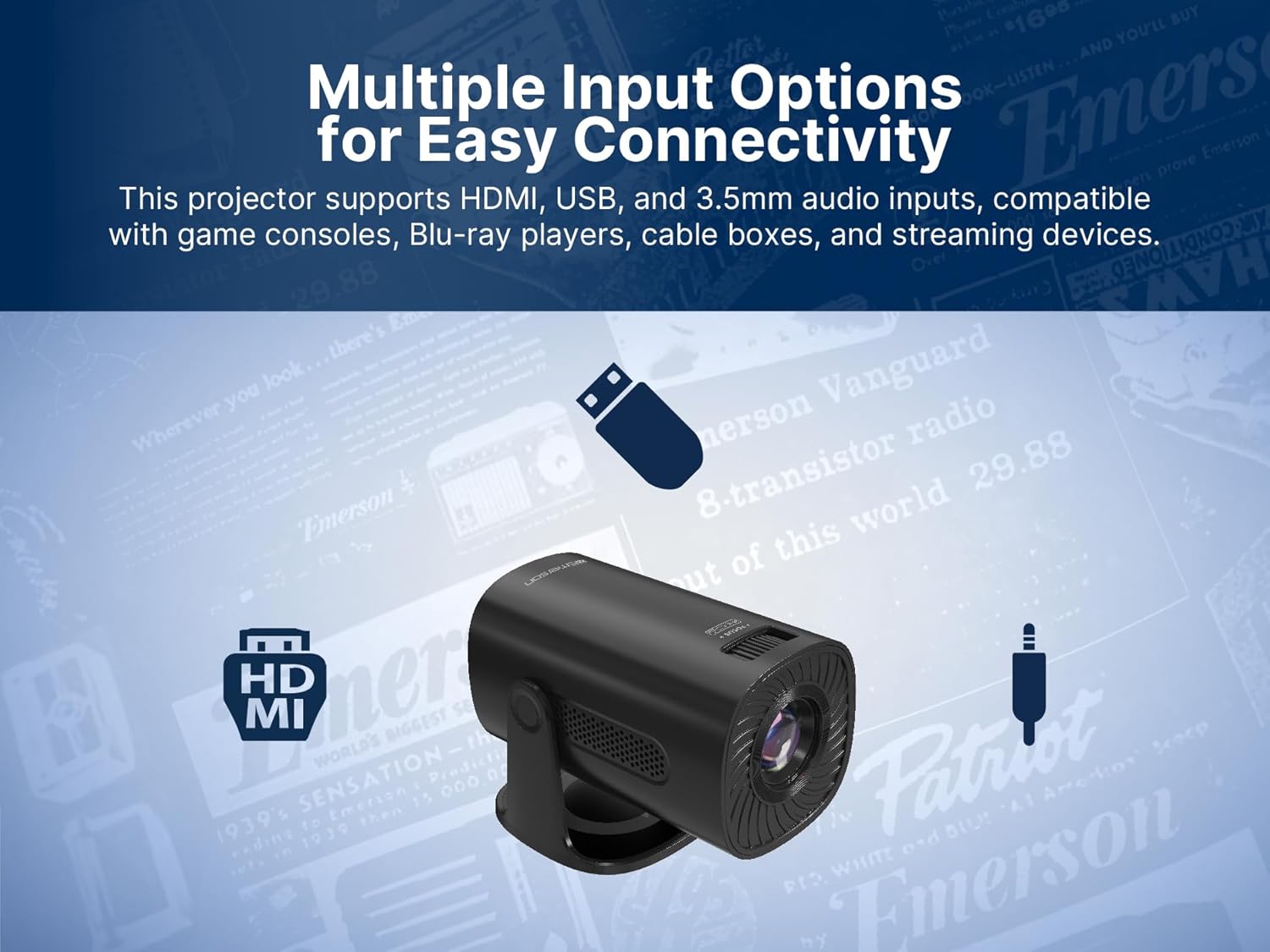
Image: The Emerson EVP-2002 projector displaying a Bluetooth icon, indicating its wireless audio connectivity feature.
5. Media Playback (USB)
- Insert a USB flash drive containing compatible media files fil-port USB.
- Select "USB" as the input source.
- Innaviga fil-fowlders u files using the remote control or projector buttons.
- Agħżel a file biex tibda daqq.

Image: The Emerson EVP-2002 projector connected to a USB drive, illustrating its capability to play various media formats directly.
Manutenzjoni
Manutenzjoni xierqa tiżgura l-lonġevità u l-prestazzjoni ottimali tal-proġettazzjoni tiegħek.
1. Tindif tal-Lenti
- Always power off and unplug the projector before cleaning.
- Uża drapp artab u mingħajr suf iddisinjat speċifikament għal lentijiet ottiċi.
- Gently wipe the lens in a circular motion. Avoid harsh chemicals or abrasive materials.
- Replace the lens cover when the projector is not in use to protect it from dust.
2. Tindif tal-Korp tal-Proġettur
- Imsaħ il-barra b'ċarruta ratba u niexfa.
- Do not use liquid cleaners or sprays directly on the projector.
3. Ventilazzjoni
- Ensure the ventilation vents are not blocked to prevent overheating.
- Periodically check and gently clean any dust accumulation on the vents using a soft brush or compressed air.
Issolvi l-problemi
Jekk tiltaqa' ma' problemi bil-proġettur tiegħek, irreferi għall-problemi u s-soluzzjonijiet komuni li ġejjin:
| Problema | Kawża Possibbli | Soluzzjoni |
|---|---|---|
| L-ebda immaġni pproġettata |
|
|
| L-immaġni hija mċajpra |
|
|
| L-ebda ħoss |
|
|
| Il-proġekter iżżejjed |
|
|
Speċifikazzjonijiet
| Karatteristika | Dettall |
|---|---|
| Numru tal-Mudell | EVP-2002 |
| Brand | Emerson |
| Dimensjonijiet tal-Prodott | 6.75 x 4.12 x 4.98 pulzieri |
| Piż tal-oġġett | 1.43 liri |
| Riżoluzzjoni tal-Wiri | 1280 x 720 |
| Teknoloġija tal-Konnettività | Bluetooth |
| Karatteristika Speċjali | Speaker Inkorporat |
| Użi Rakkomandati | Negozju, Edukazzjoni, Logħob, Ċinema fid-Dar |
| Manifattur | Naxa Electronics, Inc. |
Vidjows tal-Prodott
Emerson EVP-2002 Product Video - 360 Spin
Video: A 360-degree view of the Emerson EVP-2002 projector, showcasing its design and various angles. This video provides a comprehensive visual overview of the product's exterior.
Garanzija u Appoġġ
Informazzjoni dwar Garanzija
For detailed warranty information, please refer to the warranty card included with your product or visit the official Emerson websit. Żomm l-irċevuta tax-xiri tiegħek bħala prova tax-xiri għal kwalunkwe talba ta' garanzija.
Appoġġ għall-Klijent
If you require further assistance, technical support, or have questions not covered in this manual, please contact Emerson customer support. Contact details can typically be found on the product packaging, the official Emerson webis-sit, jew il-karta tal-garanzija.


