1. Introduzzjoni
This manual provides essential instructions for the assembly, operation, and maintenance of your MCombo Power Zero Wall Hugger Recliner Chair, model ST257. Please read this manual thoroughly before use to ensure proper function and longevity of your product. Keep this manual for future reference.

Image 1.1: MCombo Power Zero Wall Hugger Recliner Chair (Beige)
2. Informazzjoni dwar is-Sigurtà
Attenzjoni: Assemble the chair carefully due to its unique structure and wiring design. Regularly inspect and maintain all electrical parts and upholstery material to ensure safety and prevent potential hazards.
- Ensure all connections are secure before operating the recliner.
- Keep children and pets away from the moving parts of the recliner.
- Do not place hands or feet near the reclining mechanism during operation.
- Avoid spilling liquids on the control panel or electrical components.
- Unplug the chair from the power outlet before cleaning or performing maintenance.
3. Kontenut tal-Pakkett
Ivverifika li l-komponenti kollha huma preżenti qabel tibda l-assemblaġġ. Il-pakkett tipikament jinkludi:
- Serħ id-dahar
- Serħan tad-dirgħajn (Xellug u Lemin)
- Base (Seat and Footrest Assembly)
- Adapter tal-Enerġija u Cable
- Accessories Box (containing small parts and hardware)
- Manwal ta 'Istruzzjoni (dan id-dokument)

Image 3.1: Packaging for the MCombo Recliner Chair
4. Istruzzjonijiet tal-Immuntar (Setup)
Assembly is designed to be straightforward and typically requires no additional tools. It can be completed by a novice in approximately 20 minutes.
- Ħoll il-Komponenti: Carefully remove all parts from the two boxes. Place them on a soft, clean surface to prevent damage.
- Waħħal id-Dahar: Align the metal brackets on the backrest with the receivers on the seat base. Slide the backrest down firmly until it clicks into place. Ensure it is securely fastened.
- Qabbad Wajers elettriċi: Locate the electrical wires extending from the backrest and the seat base. Connect them according to the color-coded or labeled connectors. Ensure a snug fit.
- Waħħal Armrests: Slide the armrests onto the designated slots on the sides of the seat base. Press down until they lock into position.
- Qabbad l-Enerġija: Plug the power adapter into the chair's power input, then plug the adapter into a standard wall outlet.
For visual guidance, refer to the diagrams below illustrating key components:

Image 4.1: Backrest

Image 4.2: Armrest

Image 4.3: Base

Image 4.4: Accessories Box
5. Istruzzjonijiet Operattivi
Your MCombo recliner features a power reclining mechanism and an adjustable headrest for personalized comfort.
5.1 Power Reclining Mechanism
To recline the chair, locate the control panel on the side of the armrest. Press and hold the appropriate button to smoothly extend the footrest and recline the backrest to your desired position (maximum reclining angle: 145°).

Image 5.1: Recliner in a partially reclined position
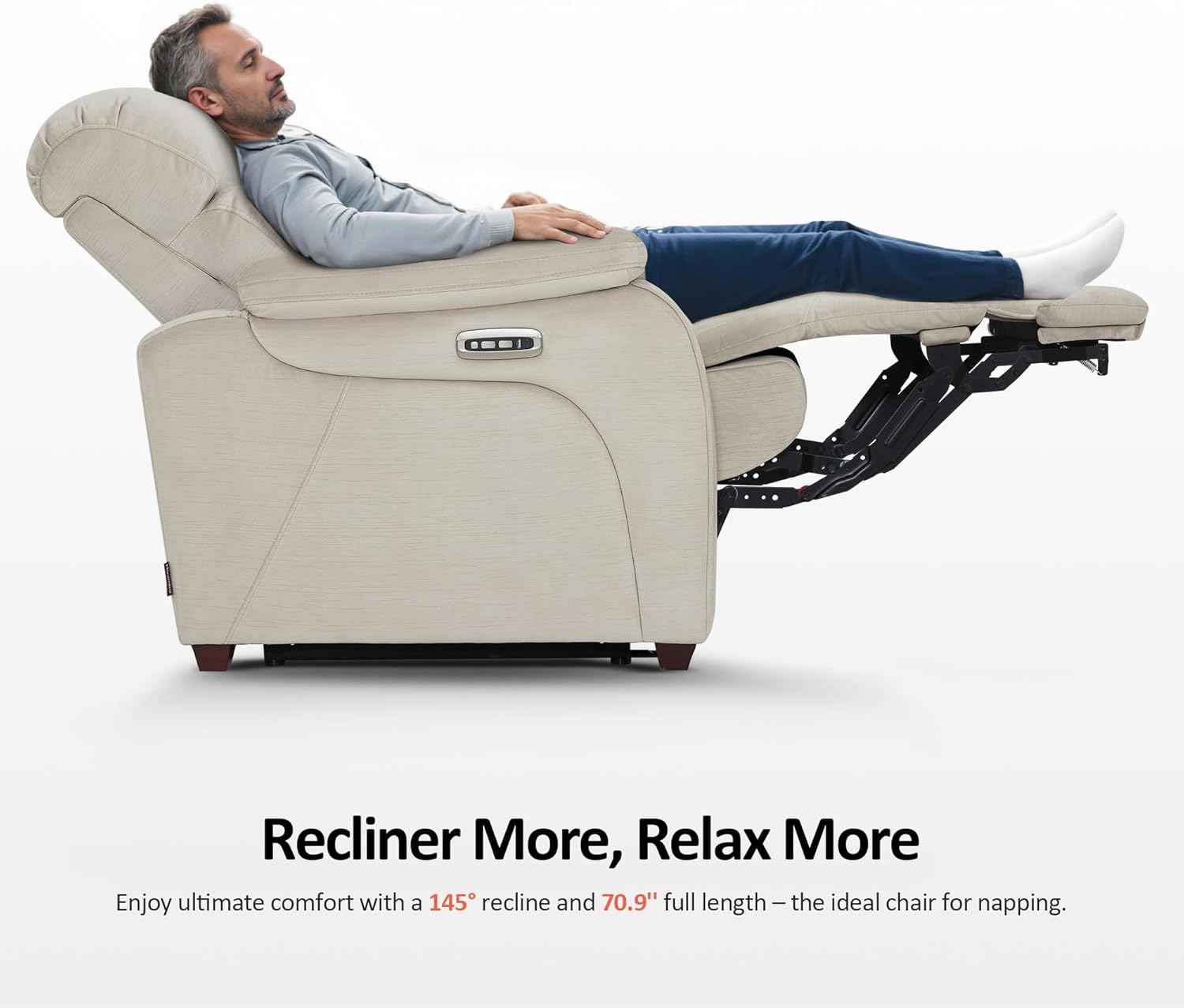
Image 5.2: Full recline position for relaxation
5.2 Adjustable Power Headrest
The headrest can be adjusted independently to provide optimal neck and head support. Use the dedicated button on the control panel to tilt the headrest from 0° to 35°, enhancing comfort for activities like watching TV or reading.

Image 5.3: Adjustable headrest mechanism
5.3 User-Friendly Controller and Charging Ports
The control panel includes a home button that, when pressed, returns the chair smoothly to its original upright position in approximately 8 seconds. Dual USB and USB-C charging ports are integrated into the armrest, allowing convenient charging for phones, tablets, and other compatible devices.

Image 5.4: Control panel with USB and USB-C charging ports
5.4 Zero Wall Hugger Feature
The forward-gliding mechanism of this recliner allows it to be placed close to a wall while still fully reclining, optimizing space in smaller rooms or RVs. The chair moves forward as it reclines, requiring minimal clearance behind it.

Image 5.5: Zero Wall Hugger design for space-saving
6. Manutenzjoni u Kura
Kura xierqa se testendi l-ħajja u d-dehra tas-siġġu recliner tiegħek.
- Kura tad-drapp: For general cleaning, vacuum the fabric regularly using a soft brush attachment to remove dust and loose particles. For spills, blot immediately with a clean, dry cloth. Avoid rubbing, which can spread the stain. For stubborn stains, consult a professional upholstery cleaner or use a mild fabric cleaner according to its instructions. Test any cleaning product on an inconspicuous area first.
- Komponenti elettriċi: Keep the power cord and adapter free from damage. Do not expose electrical parts to moisture. If any electrical component appears damaged or malfunctions, discontinue use and contact customer support.
- Kura tal-Mekkaniżmu: The reclining mechanism is designed for durability. Avoid forcing the mechanism. Periodically check that all bolts and connections are tight. Do not apply lubricants unless specifically instructed by the manufacturer.
- Kura tal-qafas: The chair features solid wood feet. Clean them with a soft, damp drapp u nixxef immedjatament. Evita kimiċi ħarxa.

Image 6.1: Fabric detail with OEKO-TEX certification

Image 6.2: Certifications for materials (CertiPUR-US, OEKO-TEX, FSC)
7 Issolvi l-problemi
If you encounter issues with your recliner, refer to the following common troubleshooting steps:
- Is-Siġġu Ma Jiċċaqlaqx:
- Kun żgur li l-korda tal-enerġija hija pplaggjata sew kemm fis-siġġu kif ukoll f'sokit tal-ħajt li jaħdem.
- Iċċekkja jekk is-sokit tal-ħajt hux qed jaħdem billi tqabbad apparat ieħor.
- Verify that all internal electrical connections within the chair are properly connected (refer to assembly instructions).
- Headrest Does Not Adjust:
- Confirm the chair is receiving power.
- Check the headrest's electrical connection.
- USB/USB-C Ports Not Charging:
- Ensure the chair is powered on and fully connected.
- Test with a different charging cable or device to rule out external issues.
- Ħsejjes mhux tas-soltu waqt it-tħaddim:
- Inspect the reclining mechanism for any obstructions.
- Kun żgur li l-boltijiet kollha tal-assemblaġġ huma ssikkati.
Jekk il-problema tippersisti wara li tipprova dawn il-passi, jekk jogħġbok ikkuntattja l-appoġġ għall-klijenti.
8. Speċifikazzjonijiet
| Karatteristika | Dettall |
|---|---|
| Brand | MCombo |
| Isem tal-Mudell | Zero Wall-Hugger Power Recliner Chair |
| Numru tal-Mudell tal-Oġġett | 6160-ST257 |
| Kulur | Beige |
| Dimensjonijiet tal-Prodott (P x W x H) | 38.2"D x 36"W x 41.4"H |
| Max Reclining Angle | 145° |
| Adjustable Headrest Tilt | 0° sa 35° |
| Għoli tas-Sedil | 19.3 Pulzier |
| Fond tas-Sedil | 22.4 pulzieri |
| Għoli Intern tad-Dahar tas-Sedil | 27.2 Pulzier |
| Għoli tad-driegħ | 25.2 Pulzier |
| Wisa tad-Dahar tas-Siġġu | 27.6 Pulzier |
| Piż tal-oġġett | 130 liri |
| Materjal | Fabric (Upholstery), Foam (Fill), Wood (Frame/Legs) |
| Karatteristiċi Speċjali | Zero Wall Hugger, Power Reclining, Adjustable Headrest, USB & USB-C Charging Ports |

Image 8.1: Detailed dimensions of the recliner chair
9. Informazzjoni dwar Garanzija
Your MCombo Power Zero Wall Hugger Recliner Chair is covered by a Garanzija Limitata ta' 2 Snin from the date of purchase. This warranty covers:
- Mekkaniżmu ta' Reklinazzjoni
- Partijiet elettriċi
- Materjal tal-Tapizzerija
- Kuxxini
- Injam u Qafas tal-metall
This warranty is valid for manufacturing defects and does not cover damage resulting from misuse, accidents, unauthorized repairs, or normal wear and tear. Please retain your proof of purchase for warranty claims.
10. Appoġġ għall-Klijent
For any questions, assistance, or warranty claims, please contact MCombo customer support. Have your model number (6160-ST257) and proof of purchase ready when contacting support.
You can visit the official MCombo store for more information and support resources: MCombo Store on Amazon


