1. Informazzjoni Importanti dwar is-Sigurtà
Please read this manual carefully before installation and use. Keep it for future reference.
- Do not expose the lock to extreme temperatures outside the specified operating range (-22°F to 158°F).
- Use only the specified battery type (Lithium Polymer) and charging methods.
- Kun żgur li tagħmel installazzjoni xierqa biex tevita ħsara lis-serratura jew lill-bieb.
- Keep mechanical keys in a safe place outside the property.
- Evita li tuża prodotti tat-tindif jew solventi li joborxu fuq il-wiċċ tas-serratura.
2. Kontenut tal-Pakkett
Iċċekkja li l-komponenti kollha huma preżenti qabel tibda l-installazzjoni:
- Assemblea Esterni
- Assemblea Intern
- Lithium Polymer Battery (1)
- Ċwievet Mekkaniċi (2)
- Installation Hardware (screws, strike plate, etc.)
- Manwal għall-Utent
3. Prodott Aktarview u Karatteristiċi Ewlenin
The Lockin Veno Pro is an advanced smart lock system integrating multiple security and convenience features.
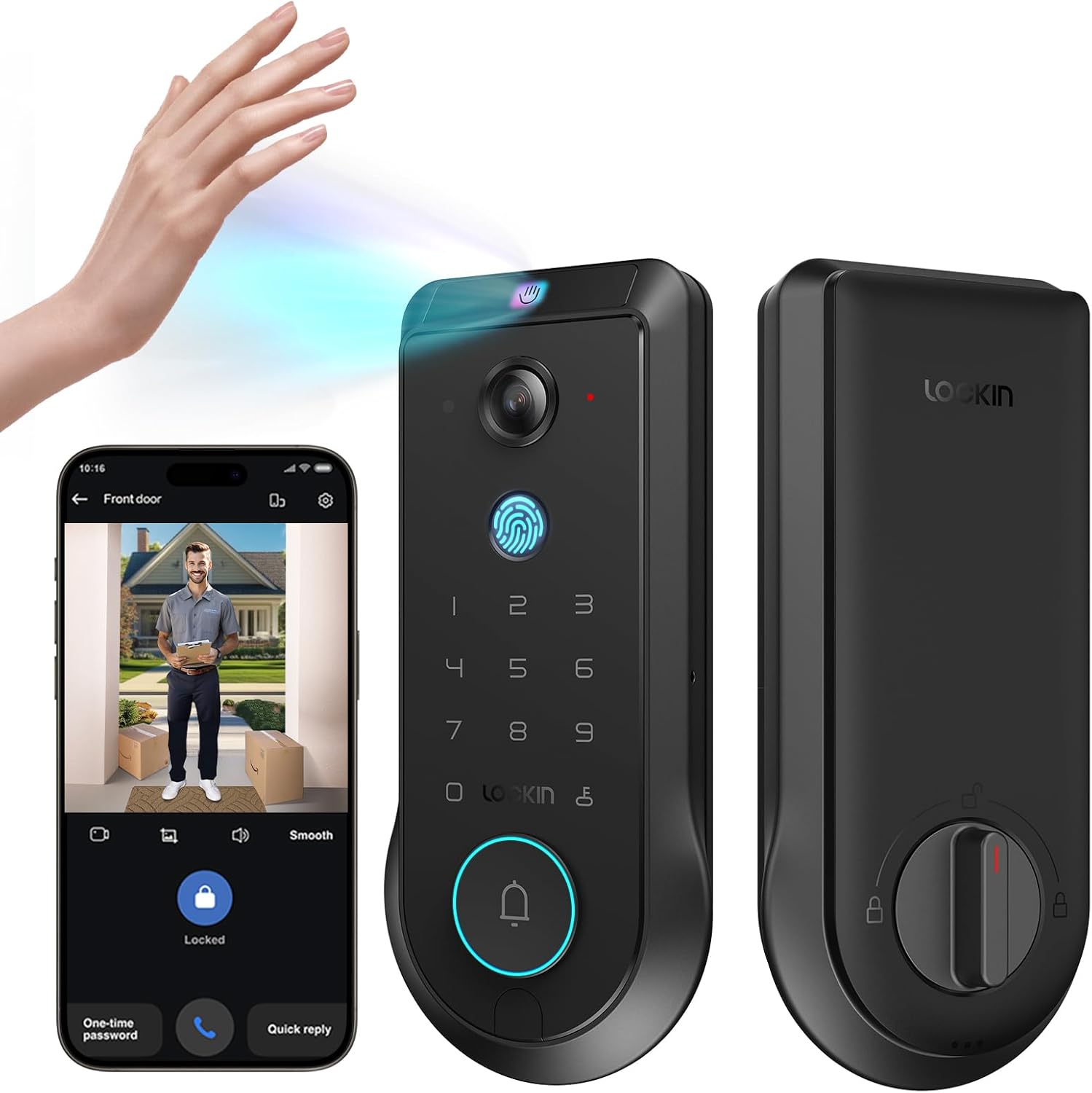
Figure 3.1: Lockin Veno Pro Smart Lock with integrated camera and keypad.
3.1. Integrated 4-in-1 System
The Veno Pro combines a palm vein & fingerprint smart lock, a 2K 180° true panoramic camera, a smart video doorbell with night vision, and a built-in AI hub with 32GB local storage. No additional hub or monthly fees are required.
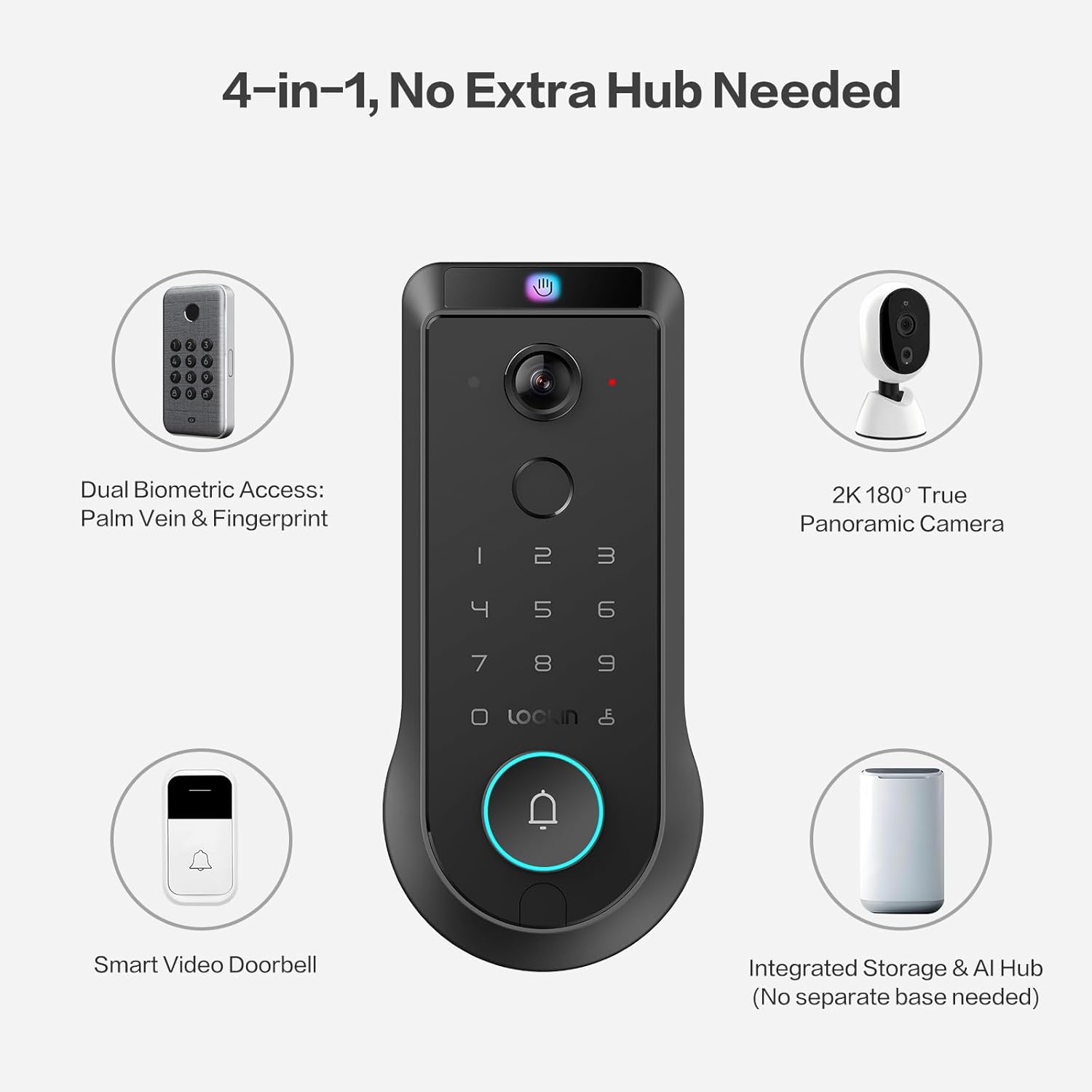
Figure 3.2: The 4-in-1 integrated system of the Veno Pro.
3.2. Venokey Palm Vein Recognition
Experience touchless unlocking with TÜV Rheinland certified 0.17s recognition speed and 99.9% accuracy. This technology works reliably even with soiled hands, peeling fingers, faint fingerprints, or long nails. The False Acceptance Rate (FAR) is less than 0.00001%, ensuring high security.
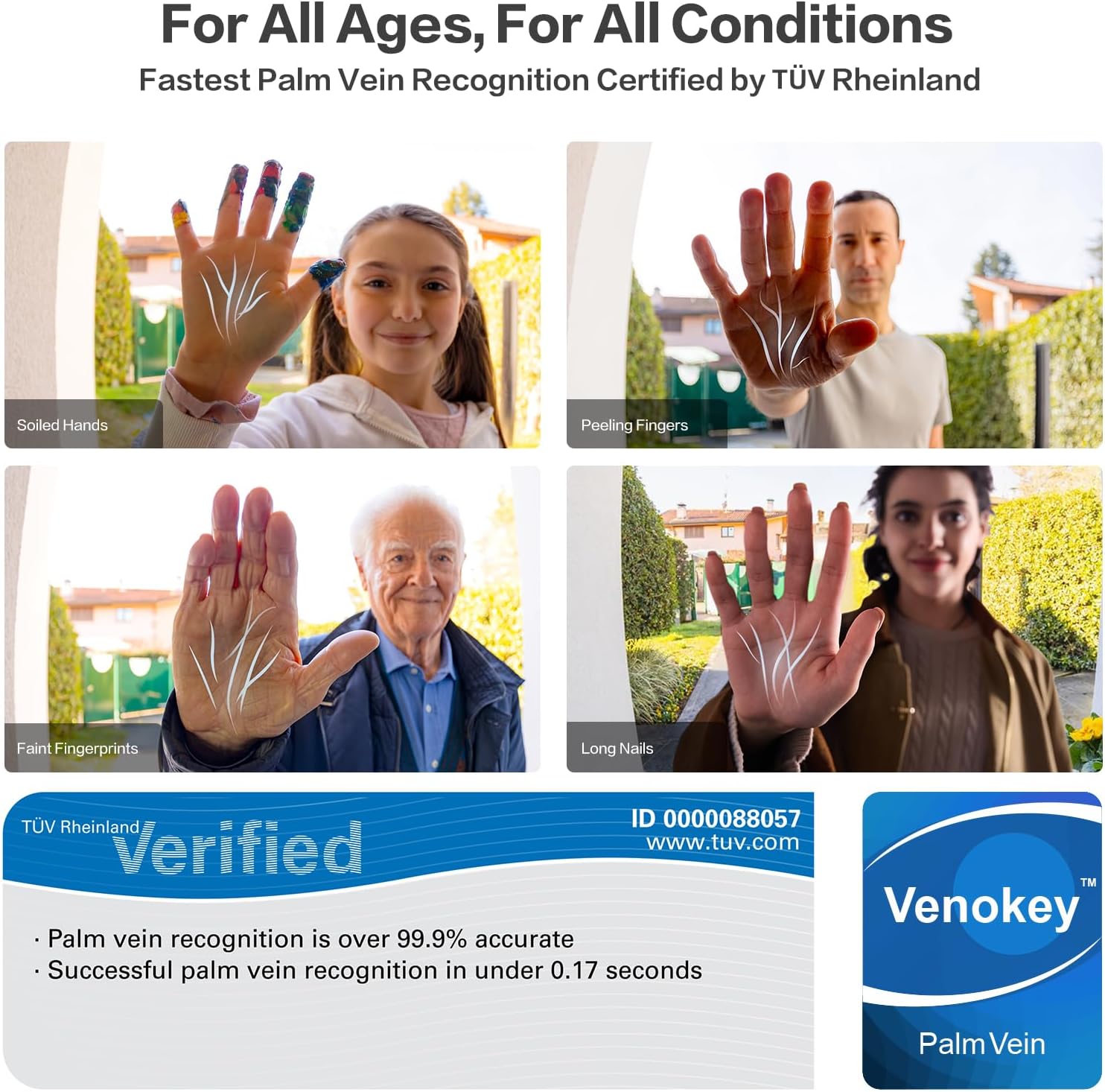
Figure 3.3: Palm vein recognition adapts to various hand conditions.
Vidjo 3.1: Overview of the benefits and technology behind palm vein recognition.
3.3. LockinCam 2K 180° True Panoramic Camera
The revolutionary 180°x180°x180° camera significantly reduces blind spots, providing a head-to-toe, ultra-wide view at your doorstep. Features include local AI motion detection, IR night vision, two-way talk, and 32GB built-in storage, all without monthly fees.
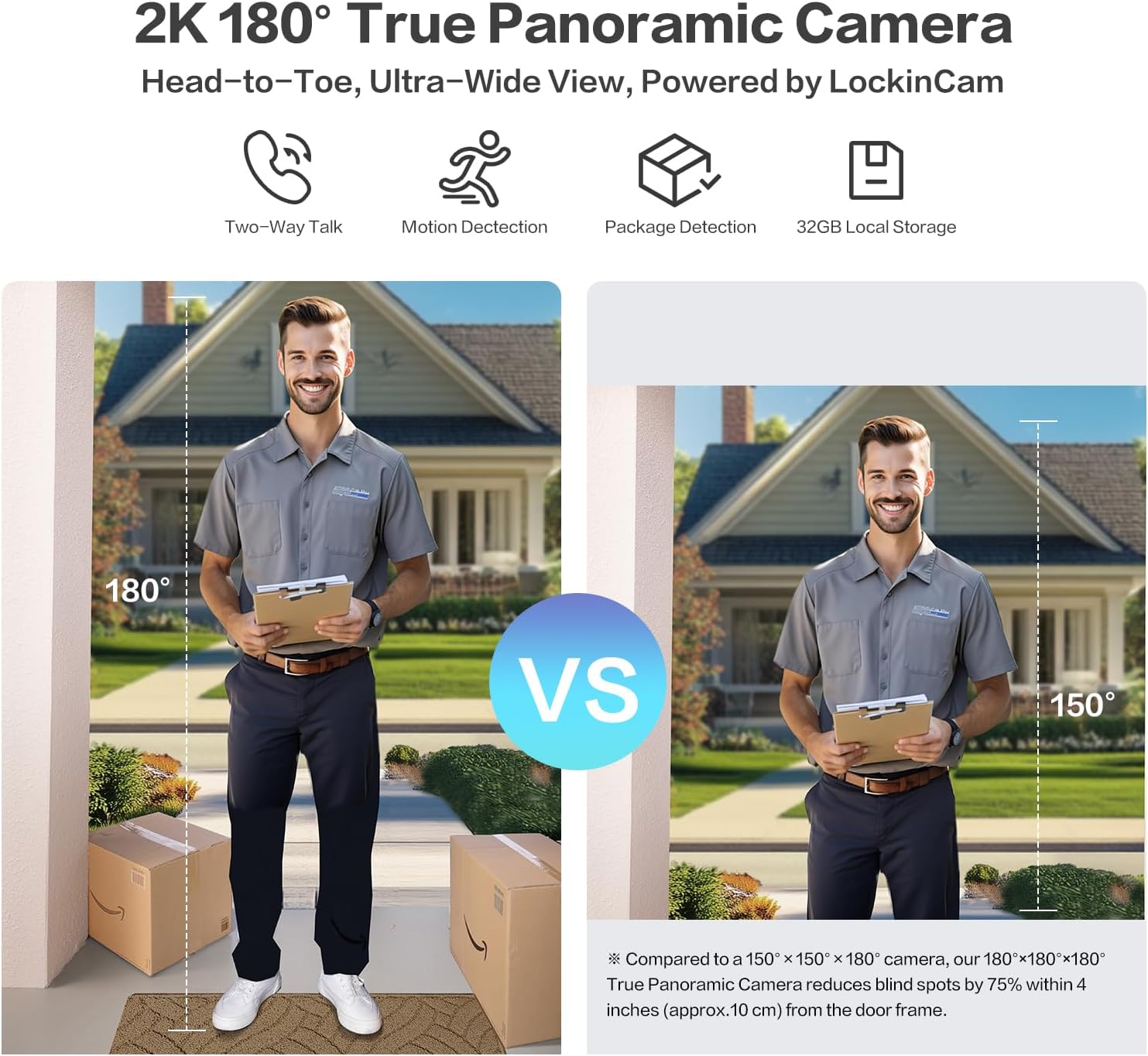
Figure 3.4: Enhanced field of view with the 180° panoramic camera.
3.4. Triple-Layer Security Protection
LockinAI's on-device computation architecture ensures all data processing occurs locally, eliminating cloud dependencies and safeguarding your privacy from unauthorized access and data transmission risks.
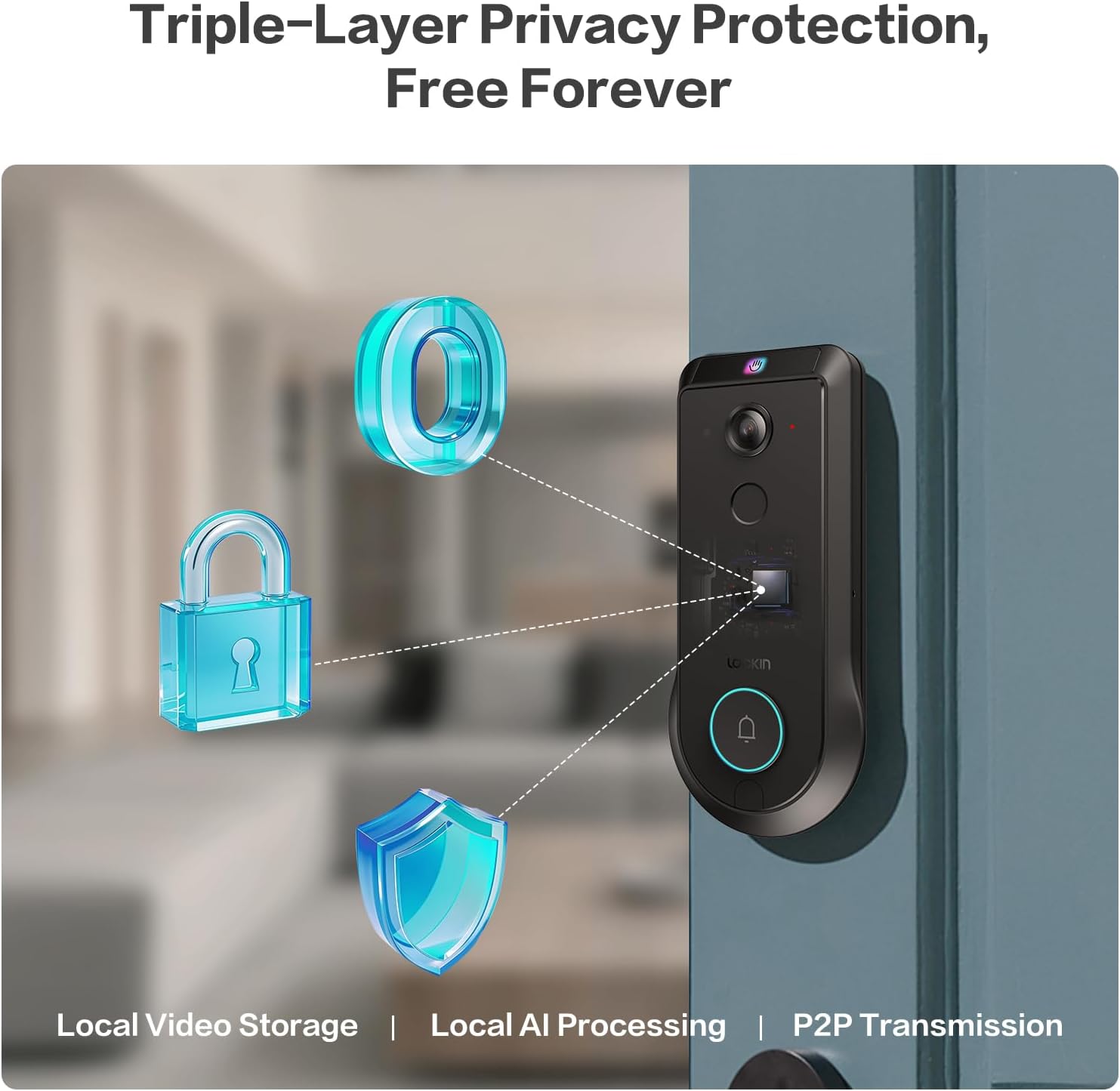
Figure 3.5: Triple-layer privacy protection architecture.
Video 3.2: Detailed information about the Veno Pro's features and capabilities.
4. Setup u Installazzjoni
Installation is designed to be straightforward, requiring only a screwdriver and approximately 15 minutes.
4.1. Lista ta' Kontroll ta' Qabel l-Installazzjoni
- Kun żgur li l-bieb tiegħek jissodisfa l-ispeċifikazzjonijiet li ġejjin:
- Dijametru tat-Toqba tal-Bieb: 1 pulzier / 25.4 mm
- Crossbore Diameter: 2⅛ in / 54 mm
- Door Thickness: 1⅜ in - 2¹¹⁄₆₄ in (35-55 mm)
- Backset: 2⅜ in / 60 mm or 2¾ in / 70 mm
- The lock is MHUX compatible with round faceplate cutouts, Storm Doors, or Mortise Locks.
- Compatible with Single Cylinder and doors with a rectangular latch faceplate cutout.
- Fully charge the included Lithium Polymer battery before installation.

Figure 4.1: Door measurement requirements for installation.
4.2. Passi ta 'installazzjoni
Refer to the detailed step-by-step instructions provided in the included Quick Start Guide for precise installation. A screwdriver is the only tool typically required.
- Prepare the door by ensuring it meets the specified dimensions.
- Installa l-lukkett u l-pjanċa tal-istrajk.
- Mount the exterior assembly.
- Install the interior assembly and connect the cables.
- Daħħal il-batterija ċċarġjata.
- Test the lock's functionality.
5. Istruzzjonijiet Operattivi
5.1. Metodi ta 'ftuħ
The Lockin Veno Pro offers six convenient ways to unlock your door:
- Vina tal-Palm: Touchless recognition by simply presenting your palm to the sensor.
- Marka tas-swaba ': Fast and secure access using your registered fingerprint.
- Kodiċi PIN: Enter your personalized code on the keypad.
- Kontroll tal-App: Unlock remotely via the Lockin App on your smartphone.
- Kontroll tal-Vuċi: Integrate with smart home ecosystems for voice commands (e.g., Alexa, Google Home).
- Ċwievet mekkaniċi: Traditional key access for backup.
5.2. Lockin App Features
The Lockin App provides comprehensive control and monitoring capabilities:
- Aċċess mill-bogħod: Control your lock from anywhere.
- Twissijiet Instant: Receive notifications for activity at your door.
- Kodiċijiet ta' Darba Waħda: Generate temporary access codes for guests.
- Ġestjoni tal-Utenti: Easily add or remove user permissions.
- Modi Intelliġenti: Choose from Home, Away, Geofencing, and Party modes to tailor alerts and access.
- Taħdita f'żewġ direzzjonijiet: Ikkomunika mal-viżitaturi permezz tal-app.
5.3. Camera and AI Features
The integrated camera and AI enhance your home security:
- 2K HD Video: Clear video feed with a 180° panoramic view.
- Sejbien tal-Mozzjoni bl-AI: Local AI processing accurately identifies humans, packages, and vehicles.
- Viżjoni Lejl IR: Ensures clear monitoring in low-light conditions.
- Ħażna Lokali ta' 32GB: Securely stores video recordings without cloud fees.
Video 5.1: A short demonstration of the Veno Pro's features.
Vidjo 5.2: Wirja qasira tal-vidjoasing the Veno Pro's capabilities.
6. Manutenzjoni
6.1. Ġestjoni tal-batterija
The Veno Pro includes a removable, rechargeable Lithium Polymer battery that lasts up to 3 months per charge. For continuous power, consider adding the optional Lockin Solar Panel (sold separately).

Figure 6.1: Battery charging options and backup methods.
- Monitor battery levels via the Lockin App.
- Recharge the battery using the provided USB-C cable.
- In case of a dead battery, use the external USB-C port for emergency power or the mechanical keys.
6.2. Tindif u Kura
The tempered glass finish is designed to resist scratches, fingerprints, and fading. To maintain its appearance:
- Imsaħ il-wiċċ b'soft, damp drapp.
- Evita kimiċi ħarxa jew materjali li joborxu.
- Ensure the lock is dry after cleaning, especially around the keypad and sensors.
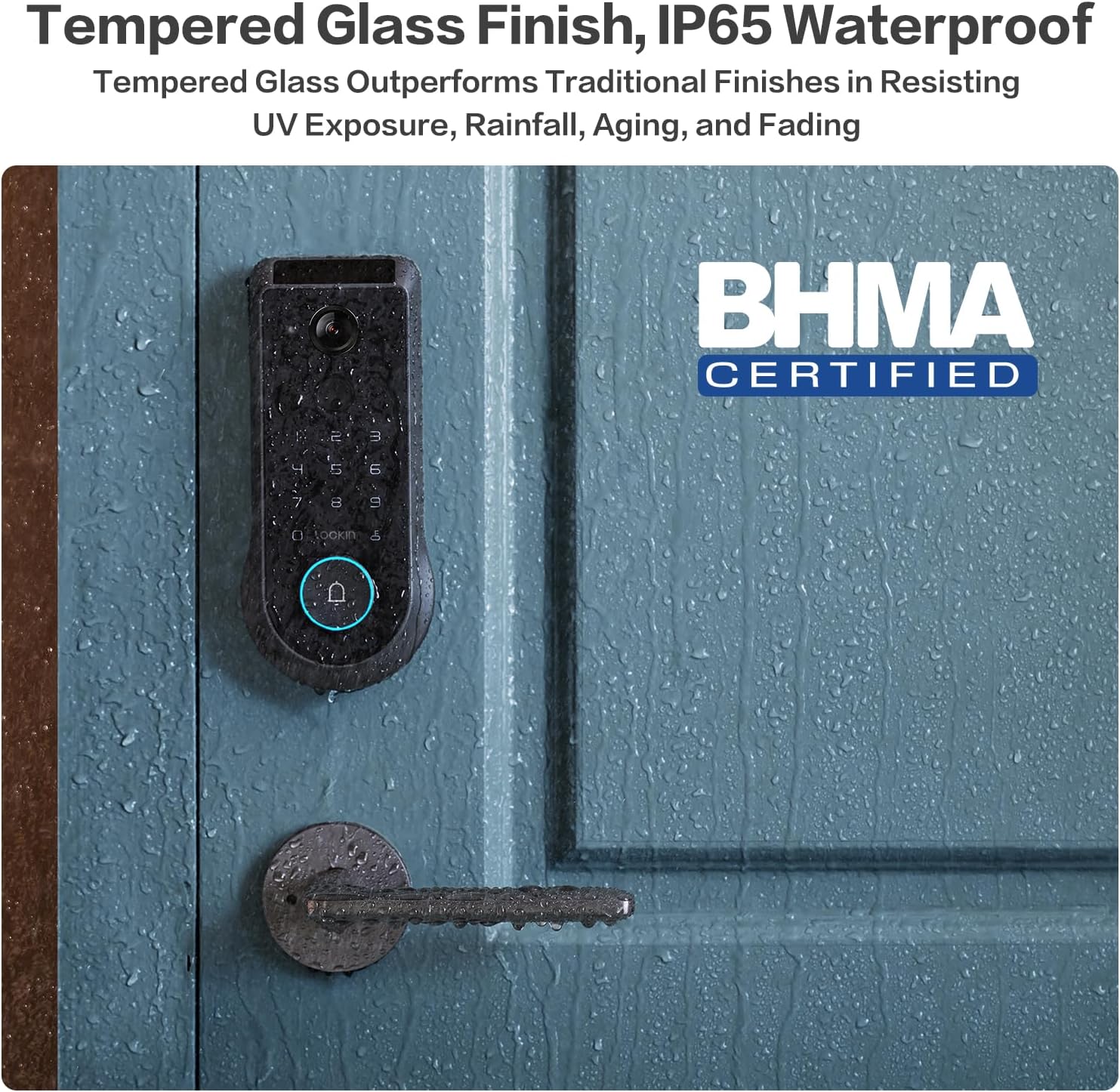
Figure 6.2: Tempered glass finish and IP65 waterproof rating.
7 Issolvi l-problemi
This section addresses common issues you might encounter with your Lockin Veno Pro Smart Lock.
| Problema | Kawża Possibbli | Soluzzjoni |
|---|---|---|
| "Door Locked" voice prompt is too loud/cannot be disabled. | Firmware setting for auto-lock voice volume/disabling. | Check the Lockin App's audio settings. Ensure all volume controls are set to minimum or muted if possible. Lockin is actively working on firmware updates to provide more control over this feature. |
| Palm Vein recognition requires multiple attempts. | Incorrect hand positioning or environmental factors. | Ensure your palm is approximately 6-8 inches from the camera. Try approaching from about a foot away and slowly moving closer. Re-enroll your palm vein if issues persist. |
| Ir-rikonoxximent tal-marki tas-swaba' ma jaħdimx sew. | Dirty sensor, dry/peeling skin, or unregistered fingerprint. | Clean the fingerprint sensor with a soft, dry cloth. Ensure your finger is clean and dry. Re-register your fingerprint if necessary. |
| Lock does not respond (no power). | Il-batterija hija eżawrita. | Recharge the battery. Use the external USB-C port with a power bank for emergency power, or use the mechanical keys. |
| Problemi ta' konnettività tal-app. | Wi-Fi signal, app version, or lock firmware. | Ensure your Wi-Fi is stable. Update the Lockin App to the latest version. Check for firmware updates for the lock via the app. Restart the lock and your phone. |
| False triggers from camera (rain/sunlight). | Interferenza ambjentali. | The lock features advanced anti-false trigger technology. If issues persist, ensure the camera lens is clean and free from obstructions. Adjust motion detection sensitivity in the app if available. |
8. Speċifikazzjonijiet
| Karatteristika | Dettall |
|---|---|
| Brand | Lockin |
| Isem tal-Mudell | Veno |
| Numru tal-Mudell tal-Oġġett | LKMSD411 |
| Tip Lock | Biometric, Deadbolt, KeypadBiometric |
| Karatteristiċi Speċjali | Motion Sensor, Night Vision, HD Definition, Palm Vein, Auto-Lock, One-Touch Lock |
| Materjal | Żingu |
| Kulur | Iswed |
| Dimensjonijiet tal-oġġett (L x W x H) | 7.24 x 3.29 x 1.48 pulzieri |
| Piż tal-oġġett | 3.66 liri |
| Użi Rakkomandati | Bieb ta 'quddiem |
| Komponenti Inklużi | Interior Assembly, Exterior Assembly |
| Metodu ta' Kontroll | App |
| Protokoll tal-Konnettività | Bluetooth, Matter, Wi-Fi |
| Tip ta 'batterija | Polimer tal-litju (inkluż) |
| Klassifikazzjoni li ma jgħaddix ilma minnha | IP65 |
| Temperatura operattiva | -22°F sa 158°F |
| Ċertifikazzjoni BHMA | Grade 2 (10-year mechanical durability) |
9. Garanzija u Appoġġ għall-Klijent
Lockin stands behind the quality of its products.
- Garanzija: The Lockin Veno Pro comes with a 1-year warranty.
- Appoġġ għall-Klijent: Lockin provides round-the-clock customer care. For assistance, please contact:
- Email: support@lockin.com
- Phone: Refer to Lockin's official websit għal numri ta' appoġġ bit-telefon reġjonali.
The customer support team is available via phone or email to assist with installation, troubleshooting, and any product-related inquiries.