1. Introduzzjoni
Thank you for choosing the Machenike G3V2 Bluetooth Controller. This manual provides essential information for setting up, operating, and maintaining your new gaming controller. Please read it thoroughly to ensure optimal performance and longevity of your device.

Image 1.1: Machenike G3V2 Bluetooth Controller in black, showcasing its transparent design and RGB lighting.
2. Karatteristiċi ewlenin
- Lightning-Fast 1000Hz Response: Experience ultra-low latency in wired and 2.4G wireless modes for competitive gaming.
- Convenient Charging Dock: Keeps your controller charged and ready, with an integrated USB extension port for enhanced stability.
- Precision Hall Joysticks and Triggers: Quad-Hall system ensures precise tracking, pressure sensitivity, and eliminates drift.
- Ħin tal-logħob estiż: Equipped with a robust 1000mAh battery for long gaming sessions.
- Buttuni ta' wara doppji li jistgħu jiġu personalizzati: Program up to 32 actions for a personalized experience.
- Feedback Immersiv: 4-level vibration feature with asymmetrical motors for realistic in-game sensations.
- Kompatibilità multi-pjattaformi: Supports PC, Nintendo Switch, iOS, and Android devices.

Immaġni 2.1: Viżwali fuqview of the controller's key features, including 1000Hz polling rate, customizable back buttons, 1000mAh battery, dual-core receiver, Quad-Hall system, native vibration, Keylinker 2.0 app support, and tri-mode connectivity.
3. Kontenut tal-Pakkett
- Machenike G3V2 Bluetooth Controller
- Dock tal-Iċċarġjar (jekk inkluż mal-mudell tiegħek)
- USB-C għal USB-A Cable
- Riċevitur bla fili 2.4G
- Manwal għall-Utent (dan id-dokument)
4. Setup
4.1 Iċċarġjar tal-Kontrollur
Before first use, fully charge the controller. Place the controller on the charging dock or connect it directly via the USB-C cable to a power source (e.g., PC USB port, USB wall adapter). The RGB lighting will indicate charging status and turn off or change color when fully charged.

Image 4.1: Illustration of the controller's 1000mAh high-capacity battery, indicating extended playtime.
4.2 Konnessjoni ma 'Tagħmir
The G3V2 controller supports three connection modes: Wired, 2.4G Wireless, and Bluetooth.
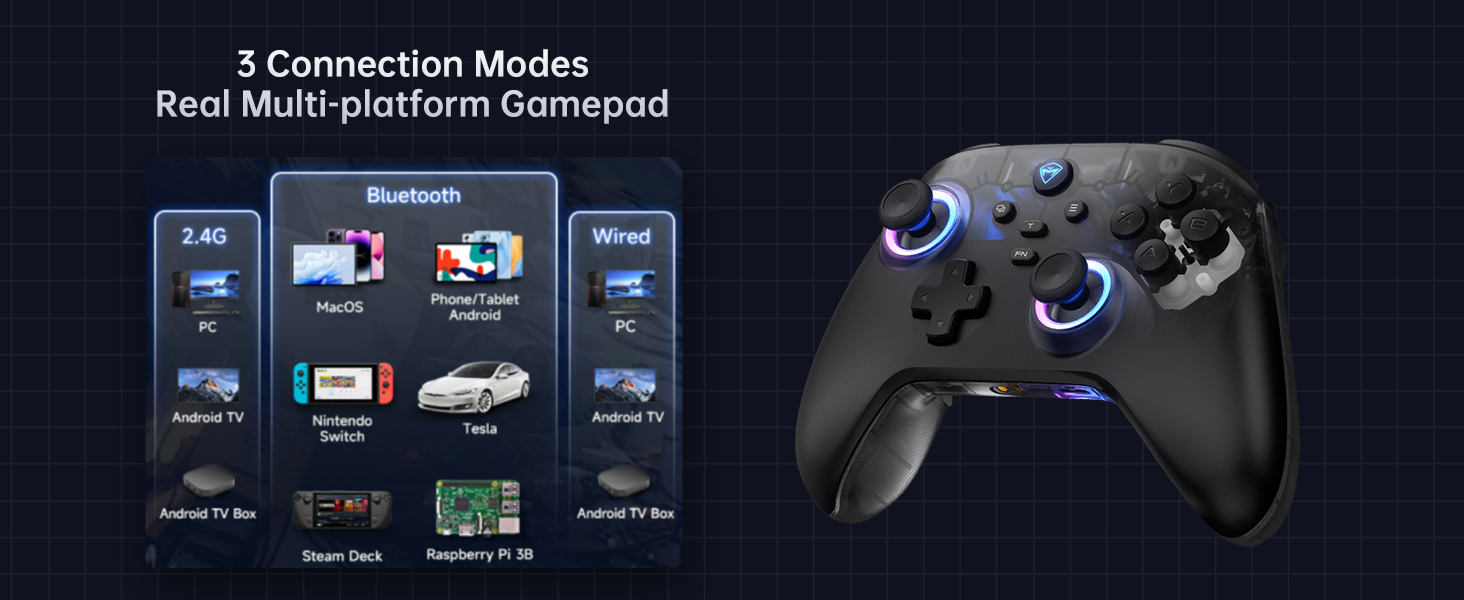
Image 4.2: Diagram illustrating the three connection modes: 2.4G (PC, Android TV Box, Steam Deck, Raspberry Pi 3B), Bluetooth (PC, MacOS, Phone/Tablet Android, iOS, Nintendo Switch, Tesla), and Wired (PC, Android TV).
4.2.1 Konnessjoni bil-Wajers (PC)
- Connect the USB-C end of the cable to the controller and the USB-A end to your PC.
- Il-kontrollur se jiġi rikonoxxut awtomatikament mill-PC tiegħek.
4.2.2 2.4G Wireless Connection (PC, Android TV Box, Steam Deck, Raspberry Pi 3B)
- Insert the 2.4G wireless receiver into an available USB port on your device.
- Agħfas u żomm il- Dar button on the controller until the indicator light flashes rapidly, then turns solid, indicating a successful connection.
4.2.3 Bluetooth Connection (PC, MacOS, Phone/Tablet Android, iOS, Nintendo Switch, Tesla)
- Kun żgur li l-Bluetooth huwa attivat fuq it-tagħmir tiegħek.
- Fuq il-kontrollur, agħfas u żomm il- Tqabbil tal-Bluetooth button (refer to controller diagram for location) until the indicator light flashes rapidly.
- On your device, search for new Bluetooth devices and select "Machenike G3V2" from the list.
- The indicator light on the controller will turn solid when successfully paired.
5. Istruzzjonijiet Operattivi
5.1 Power On/Off
- Qawwa Mixgħul: Agħfas il- Dar buttuna.
- Itfi: Agħfas u żomm il- Dar button for 3 seconds. The controller will also automatically power off after a period of inactivity.
5.2 Kontroll tad-Dawl RGB
The controller features customizable RGB lighting. Use the dedicated lighting control button (often labeled with a light icon or integrated with the FN button) to cycle through various lighting modes, colors, and brightness levels.
5.3 Buttuni ta' wara programmabbli (M1/M2)
The G3V2 controller includes two customizable back buttons (M1 and M2) that can be programmed for macros or remapping. Refer to the Keylinker 2.0 app section for detailed programming instructions.
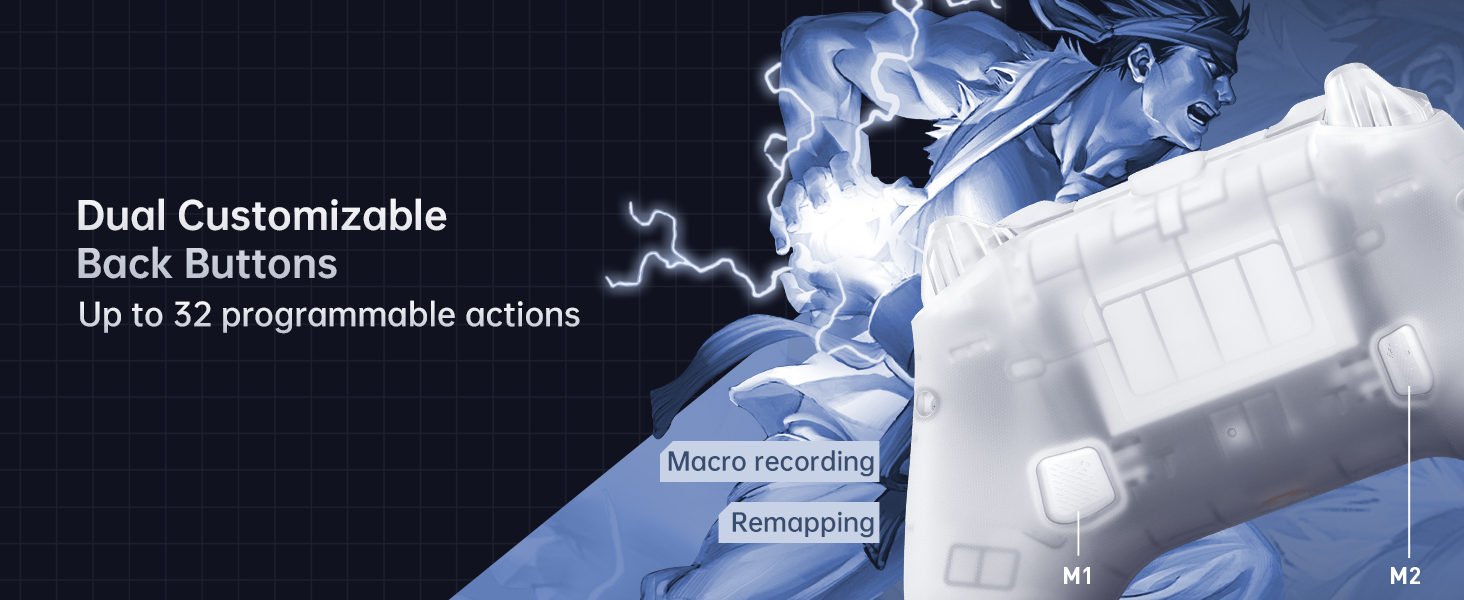
Immaġni 5.1: Mill-qrib view of the dual customizable back buttons (M1 and M2) on the controller, highlighting their placement for easy access and the ability to program up to 32 actions.
5.4 Rispons tal-Vibrazzjoni
The controller provides 4-level native vibration feedback. This feature enhances immersion by replicating in-game actions through asymmetrical rotor motors. Vibration intensity can often be adjusted via the Keylinker 2.0 app.
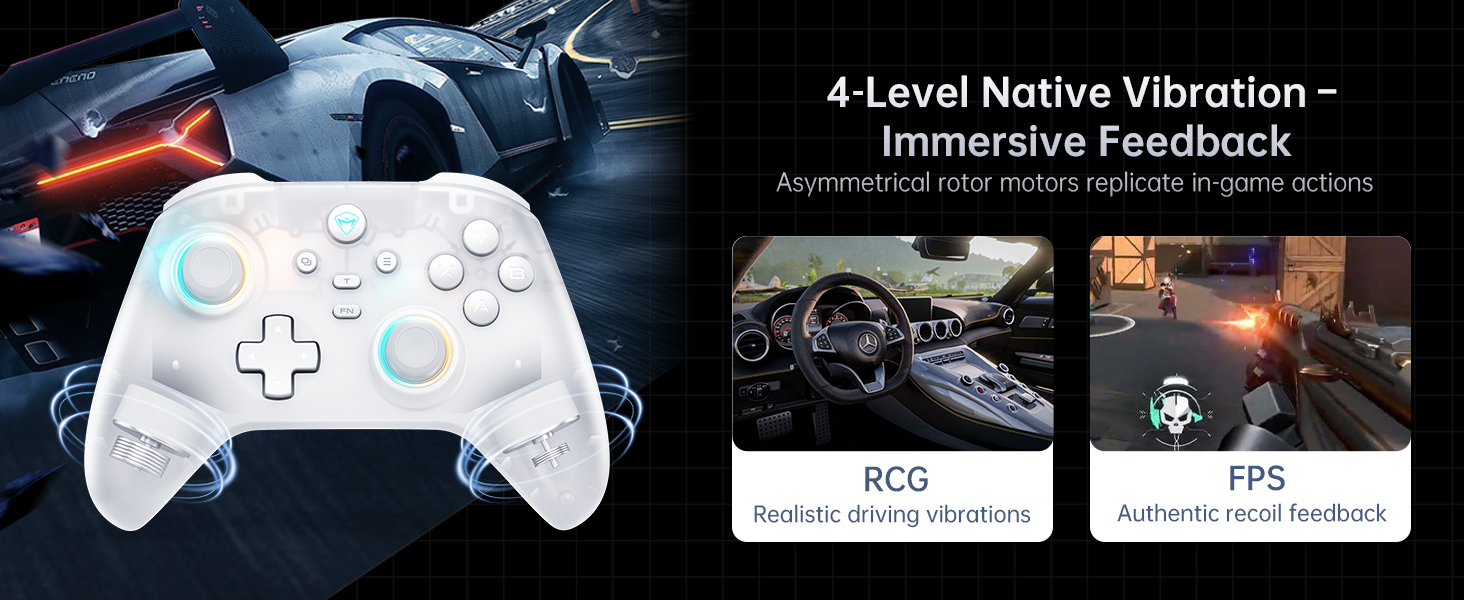
Image 5.2: Visual representation of the 4-level native vibration feature, showing how it provides realistic driving vibrations for racing games and authentic recoil feedback for shooting games.
5.5 Keylinker 2.0 APP Support
The Machenike G3V2 controller is compatible with the Keylinker 2.0 application, allowing for smart, hassle-free quick setup and advanced customization without manual pairing. This app enables fine-tuning of settings such as button remapping, joystick dead zones, trigger sensitivity, vibration intensity, and RGB lighting effects.
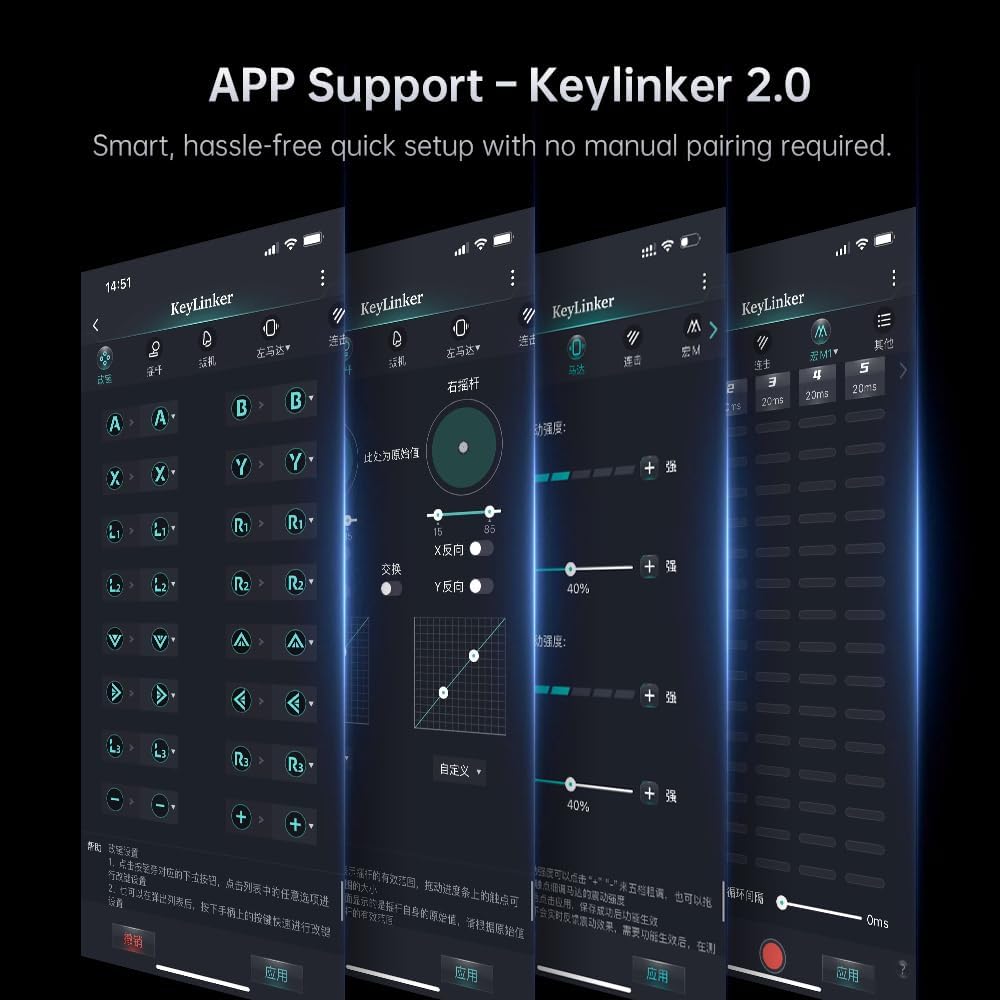
Image 5.3: Screenshots of the Keylinker 2.0 mobile application interface, demonstrating various customization options for the controller, including button remapping, joystick calibration, and vibration settings.
5.6 Vidjo ta' Dimostrazzjoni tal-Prodott
Video 5.4: An official product video demonstrating the Machenike G3V2 game controller in use, highlighting its RGB lighting, ergonomic design, and responsiveness during gameplay. This video showcases the controller's features and user experience.
6. Manutenzjoni
6.1 Tindif
Biex tnaddaf il-kontrollur tiegħek, uża drapp artab u niexef. Għal ħmieġ iebes, nixxef ftit.ampen the cloth with water or a mild, non-abrasive cleaner. Do not use harsh chemicals or solvents, as they may damage the surface.
6.2 Ħażna
Aħżen il-kontrollur f'post frisk u niexef 'il bogħod mix-xemx diretta u minn temperaturi estremi. Jekk tuża l-iċċarġjar, kun żgur li jitqiegħed fuq wiċċ stabbli.
6.3 Kura tal-Batterija
- Evita li tiċċarġja l-batterija kompletament ta' spiss.
- Jekk taħżinha għal perjodu estiż, iċċarġja l-batterija sa madwar 50% biex ittawwal il-ħajja tagħha.
- Tesponix il-batterija għal temperaturi għoljin.
7 Issolvi l-problemi
7.1 Kwistjonijiet ta' Konnessjoni
- Il-kontrollur mhux qed jikkonnettja: Ensure the controller is charged. For wireless connections, check if the receiver is properly inserted or if Bluetooth is enabled and discoverable on your device. Try re-pairing the controller.
- Skonnessjonijiet frekwenti: Ensure the controller is within range of the receiver/device. Minimize interference from other wireless devices. Update controller firmware via the Keylinker 2.0 app if available.
7.2 Button/Joystick Issues
- Unresponsive buttons/joysticks: Clean around the buttons to remove any debris. Calibrate joysticks and triggers using the Keylinker 2.0 app.
- Drift tal-joystick: The Hall Effect joysticks are designed to prevent drift. If you experience drift, try recalibrating through the Keylinker 2.0 app. Ensure the controller's firmware is up to date.
7.3 Kwistjonijiet ta' Iċċarġjar
- Il-kontrollur mhux qed jiċċarġja: Check the USB cable and charging dock for damage. Ensure the power source is active. Try a different USB port or power adapter.
8. Speċifikazzjonijiet
| Karatteristika | Dettall |
|---|---|
| Numru tal-Mudell | G3V2PE |
| Konnettività | Bil-fili, 2.4G bla fili, Bluetooth |
| Ir-Rata tal-Votazzjoni | 1000Hz (Wired & 2.4G Wireless), 150Hz (Bluetooth) |
| Joysticks u Triggers | Effett Sala |
| Kapaċità tal-batterija | Polimer tal-Litju 1000mAh |
| Buttuni programmabbli | 2 (M1, M2) |
| Vibrazzjoni | 4-level Native Vibration (Asymmetrical Motors) |
| Dimensjonijiet | 6.69 x 2.76 x 5.12 pulzieri |
| Piż | 0.53 uqija |
| Manifattur | Machenike |
| Pajjiż ta' Oriġini | Iċ-Ċina |
9. Garanzija u Appoġġ
Machenike products are designed and manufactured to the highest quality standards. For warranty information and technical support, please refer to the warranty card included with your product or visit the official Machenike websit. Żomm l-irċevuta tax-xiri tiegħek bħala prova tax-xiri għal talbiet ta' garanzija.


