Machenike G3V2 Bluetooth Controller User Manual
Model: G3V2PE
Introduzzjoni
This manual provides detailed instructions for the setup, operation, maintenance, and troubleshooting of your Machenike G3V2 Bluetooth Controller. Please read this manual thoroughly to ensure proper use and to maximize your gaming experience across PC, Switch, iOS, and Android platforms.
X'hemm fil-Kaxxa
- Machenike G3V2 Bluetooth Controller
- Baċir tal-Iċċarġjar
- USB-C Cable
- 2.4GHz Wireless Dongle
- Manwal għall-Utent (dan id-dokument)
Prodott Overview
The Machenike G3V2 is a versatile gaming controller designed for high-performance gameplay. It features Hall Effect joysticks and triggers for precision, customizable RGB lighting, and multiple connectivity options.

Image: The Machenike G3V2 Bluetooth Controller in black, resting on its dedicated charging dock. The controller features RGB lighting around the joysticks and a translucent design.

Image: A collage highlighting key features including Dual 1000Hz Polling Rate, Dual Customizable Back Buttons, 1000mAh High-Capacity Battery, Dual-Core Receiver, Native Vibration Feedback, APP-Keylinker2.0 support, and Tri-Mode Connectivity.
Setup
1. Iċċarġjar tal-Kontrollur
The controller comes with a 1000mAh battery. For optimal performance, fully charge the controller before first use.
- Użu tal-Baċir tal-Iċċarġjar: Place the controller onto the magnetic charging dock. The RGB lighting on the dock will indicate the charging status. A full charge takes approximately 1.8 hours.
- Direct USB-C Connection: Connect the controller directly to a USB power source using the provided USB-C cable.
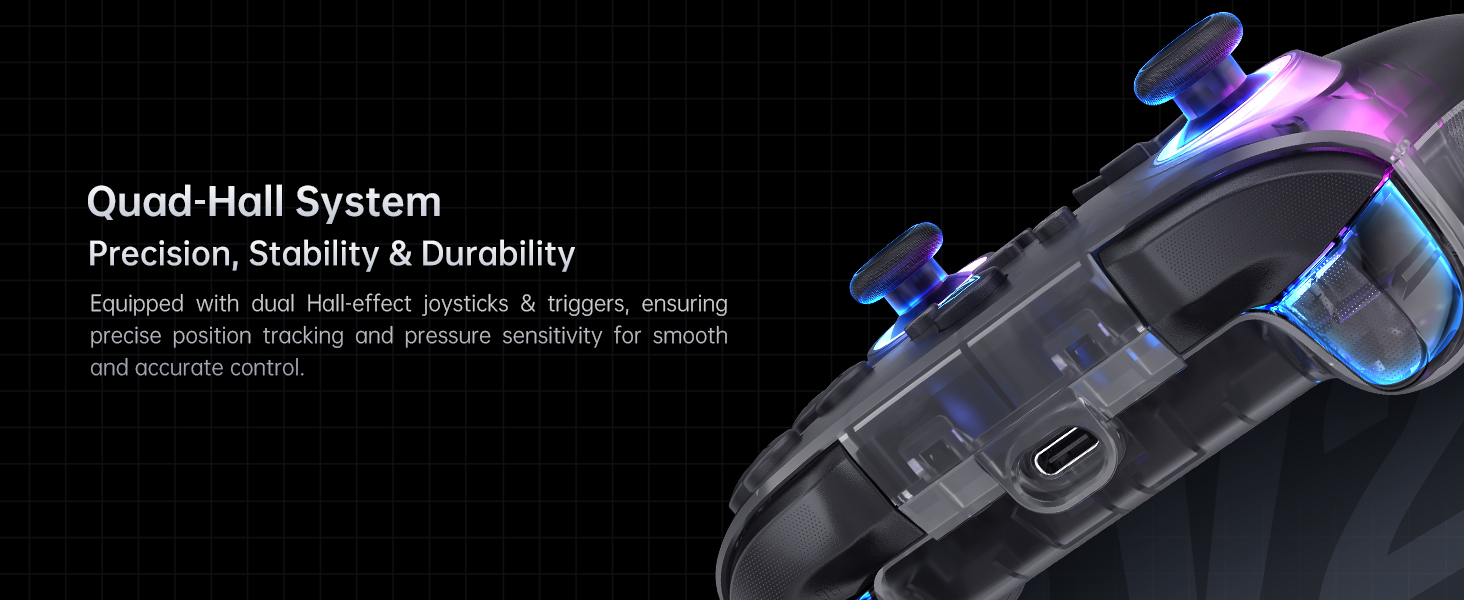
Image: The Machenike G3V2 controller resting on its charging dock, illustrating the instant power boost feature. The dock also features an integrated USB extension port.
2. Konnessjoni ma' Apparati
The G3V2 controller supports three connection modes: Wired, 2.4GHz Wireless, and Bluetooth.
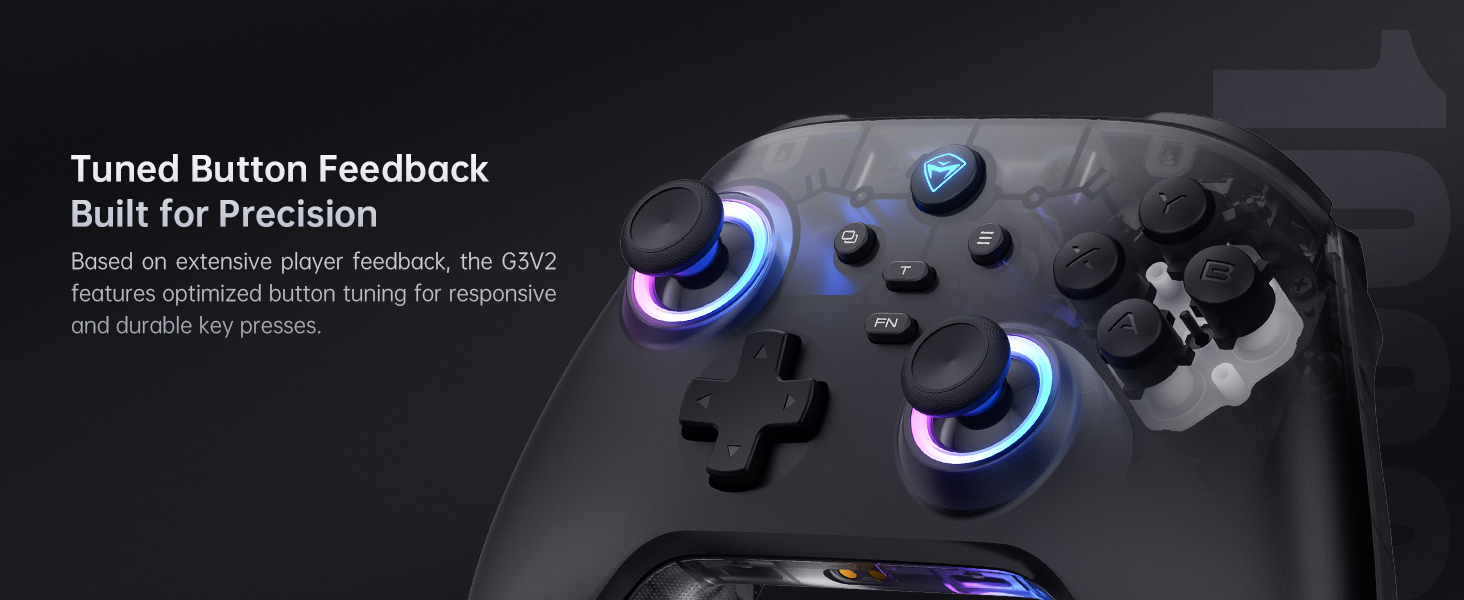
Image: Diagram showing the three connection modes: 2.4G (for PC, Android TV Box, Steam Deck, Raspberry Pi 3B), Bluetooth (for PC, MacOS, Phone/Tablet Android/iOS, Nintendo Switch, Tesla), and Wired (for PC, Android TV).
Wired Connection (PC)
Connect the controller directly to your PC using the provided USB-C cable. The controller will be automatically recognized.
2.4GHz Wireless Connection (PC, Android TV Box, Steam Deck, Raspberry Pi 3B)
- Insert the 2.4GHz wireless dongle into an available USB port on your device.
- Ixgħel il-kontrollur. Għandu jikkonnettja awtomatikament mad-dongle.
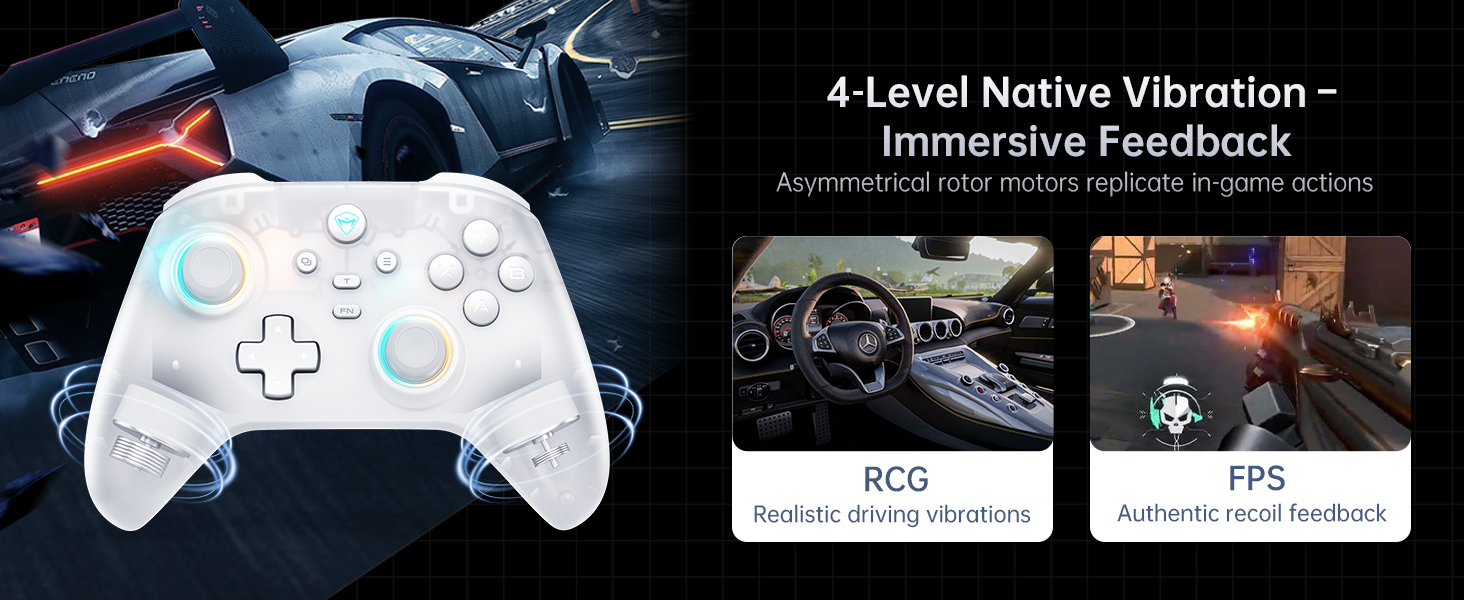
Image: The dual-core receiver dongle inserted into the charging dock, illustrating how one receiver can support simultaneous connection of two controllers (Controller A: G3 V2, Controller B: G3 V2 or other Wireless Controllers).
Bluetooth Connection (PC, MacOS, iOS, Android, Nintendo Switch, Tesla)
- Kun żgur li l-Bluetooth huwa attivat fuq it-tagħmir tiegħek.
- Put the controller into Bluetooth pairing mode (refer to the controller's specific button combination for Bluetooth pairing, usually holding a specific button like 'FN' + 'Bluetooth icon button').
- On your device, search for and select 'Machenike G3V2' from the list of available Bluetooth devices to pair.
Istruzzjonijiet Operattivi
1. Kontrolli Bażiċi
The Machenike G3V2 features standard controller layouts with additional customizable buttons.
- Joysticks tal-Effett Hall: Provide precise, drift-free control.
- Triggers tal-Effett Hall: Offer contactless, millisecond-precision actuation for rapid response.
- Programmable Back Buttons (M1, M2): Located on the rear grips, these buttons can be customized for up to 32 programmable actions, including macro recording and remapping.
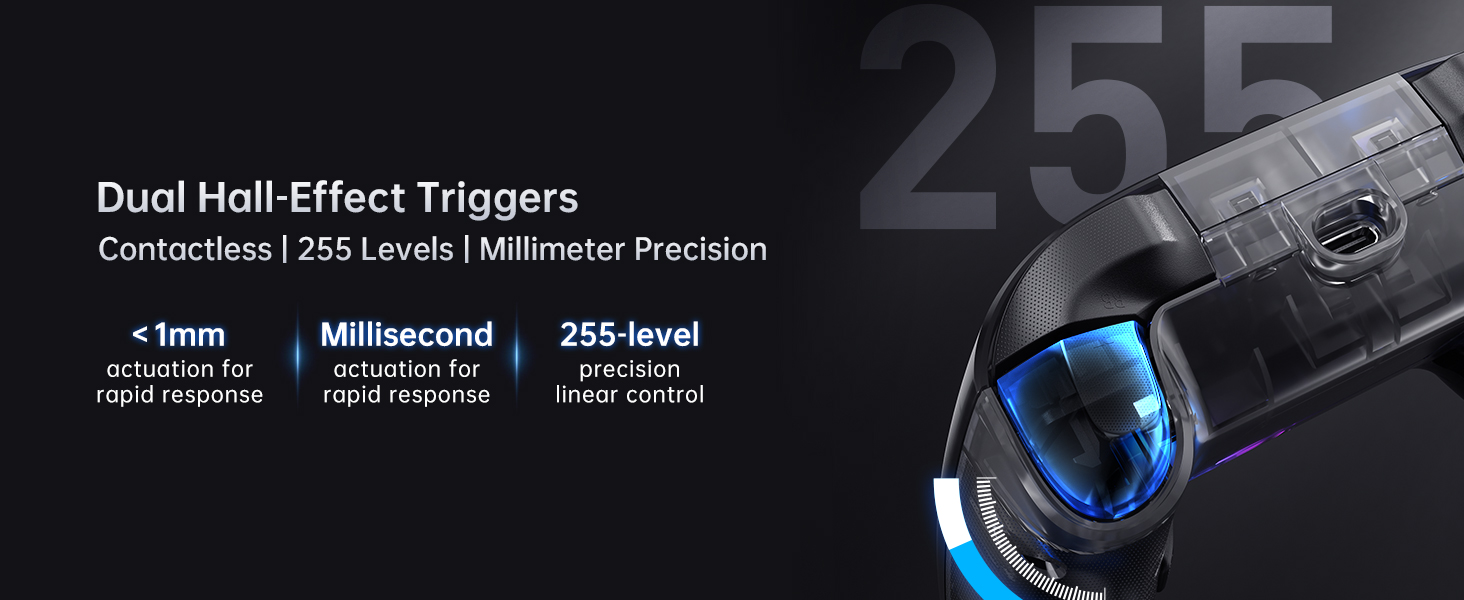
Image: Close-up of the dual Hall-Effect Joysticks, highlighting their 5M+ times cycle lifespan, wear-resistant ring for smooth motion, and electromagnetic sensing to eliminate drift.
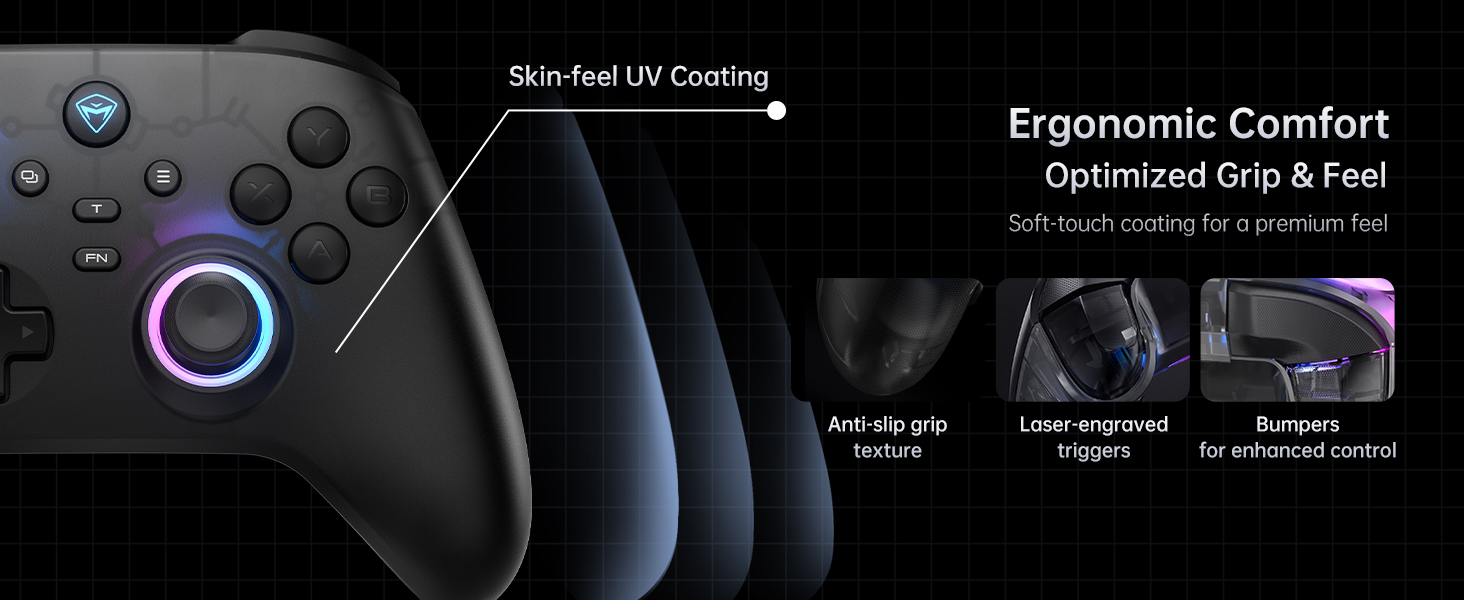
Image: Close-up of the dual Hall-Effect Triggers, emphasizing their contactless design, less than 1mm actuation for rapid response, millisecond precision, and 255-level linear control.
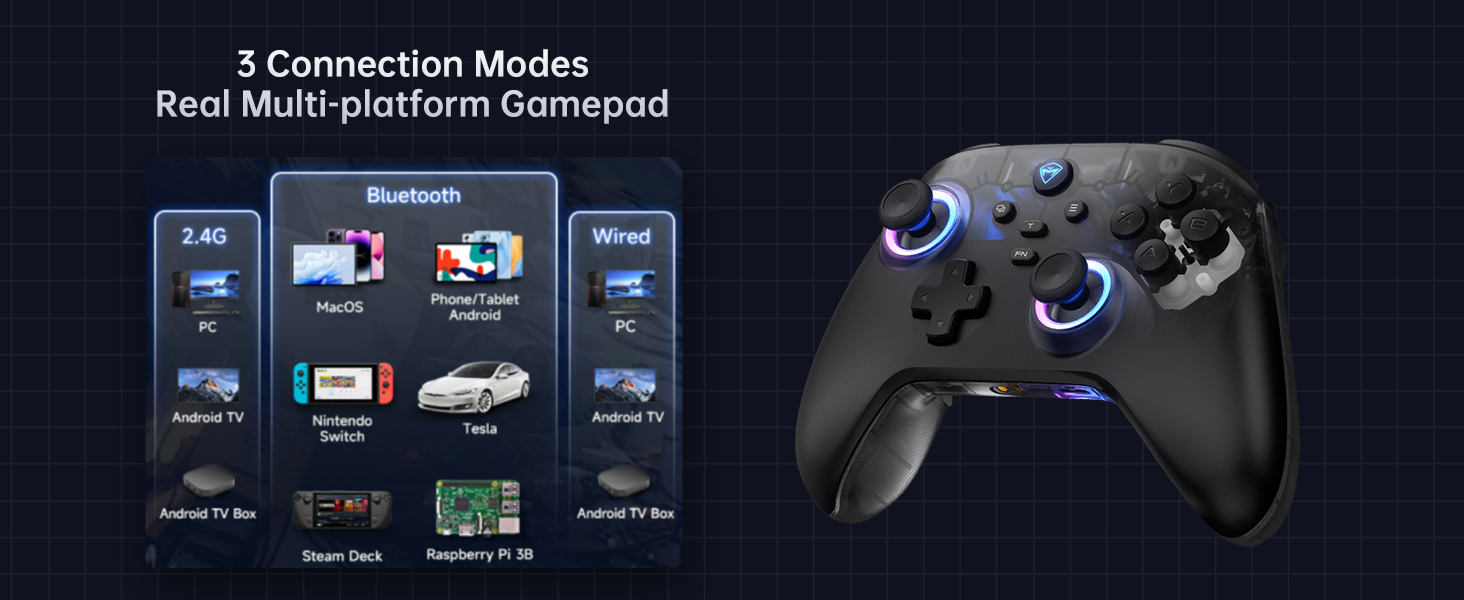
Image: Illustration showing the M1 and M2 dual customizable back buttons on the controller, capable of macro recording and remapping for up to 32 programmable actions.
2. Personalizzazzjoni tad-Dawl RGB
The controller features customizable RGB lighting. Refer to the controller's quick start guide or the Keylinker 2.0 app for specific button combinations to change lighting modes, colors, and brightness.
3. Rispons tal-Vibrazzjoni
The G3V2 includes 4-level native vibration with asymmetrical rotor motors for immersive feedback, replicating in-game actions like realistic driving vibrations in racing games (RCG) and authentic recoil feedback in first-person shooters (FPS).

Image: A white Machenike G3V2 controller with visual cues indicating vibration, alongside examples of realistic driving vibrations (RCG) and authentic recoil feedback (FPS).
4. Keylinker 2.0 App Support
For advanced customization and fine-tuning of your controller, download the Keylinker 2.0 app. The app allows for smart, hassle-free quick setup without manual pairing.
- Customize button mappings.
- Adjust joystick dead zones and curves.
- Configure trigger sensitivity.
- Immaniġġja l-effetti tad-dawl RGB.
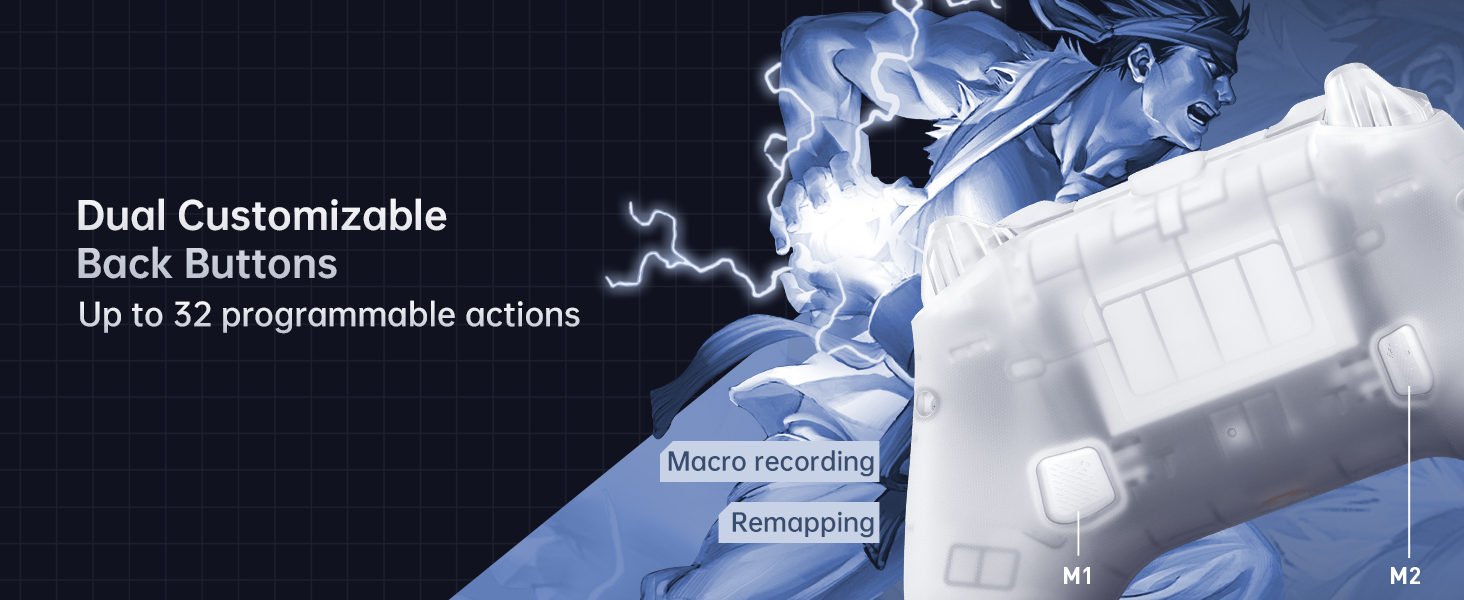
Image: Screenshots of the Keylinker 2.0 app interface, demonstrating various customization options for button mapping, joystick settings, and trigger adjustments.
5. Vidjo Uffiċjali tal-Prodott
Watch the official product video for a visual guide on the Machenike G3V2 controller's features and usage.
Vidjo: Wirja uffiċjali tal-vidjoasing the Machenike G3V2 game controller, its RGB lighting, Hall Effect features, and usage in various gaming scenarios.
Manutenzjoni
1. Tindif
- Use a soft, dry cloth to wipe the controller's surface.
- Għal ħmieġ iebes, neħħi ftitampLaħlaħ id-drapp bl-ilma jew b'soluzzjoni ħafifa tat-tindif. Evita kimiċi ħarxa.
- Do not allow liquids to enter the controller's openings.
2. Kura tal-batterija
- Evita li tiċċarġja l-batterija kompletament ta' spiss.
- Aħżen il-kontrollur f'post frisk u niexef meta ma jkunx qed jintuża għal perjodi twal.
- Charge the controller at least once every three months to maintain battery health.
Issolvi l-problemi
| Problema | Kawża Possibbli | Soluzzjoni |
|---|---|---|
| Il-kontrollur mhux qed jixgħel | Batterija baxxa; Il-buttuna tal-qawwa mhux ippressata sew | Charge the controller; Press and hold the power button for a few seconds |
| Il-kontrollur mhux qed jgħaqqad | Incorrect pairing mode; Bluetooth interference; Dongle not recognized | Ensure correct pairing mode for your device; Move closer to the device; Re-insert dongle or try a different USB port |
| Joystick drift or inaccurate input | Software calibration needed; Minor debris | Use the Keylinker 2.0 app to recalibrate joysticks; Clean around the joystick base |
| Il-vibrazzjoni ma taħdimx | Vibration disabled in game or app; Low battery | Check in-game settings; Verify vibration settings in Keylinker 2.0 app; Charge the controller |
Speċifikazzjonijiet
- Numru tal-Mudell: G3V2PE
- Konnettività: Bil-fili (USB-C), Mingħajr fili 2.4GHz, Bluetooth
- Rata tal-votazzjoni: 1000Hz (Wired & 2.4GHz Wireless), 150Hz (Bluetooth)
- Joysticks u Triggers: Effett Sala
- Batterija: Polimeru tal-litju 1000mAh (inkluż)
- Ħajja tal-batterija: Up to 18 hours (without vibration)
- Ħin tal-Iċċarġjar: Madwar 1.8 - 2 sigħat
- Buttuni programmabbli: 2 (M1, M2)
- Vibrazzjoni: 4-level adjustable force feedback with asymmetrical motors
- Dimensjonijiet: 6.69 x 2.76 x 5.12 pulzieri
- Piż: 0.53 uqija
- Manifattur: Machenike
- Pajjiż ta' Oriġini: Iċ-Ċina
- L-Ewwel Disponibbli: 24 ta’ Settembru, 2024
Garanzija u Appoġġ
Għal informazzjoni dwar il-garanzija u appoġġ tekniku, jekk jogħġbok irreferi għall-websajt uffiċjali ta' Machenike. website or contact Machenike customer service directly. Keep your purchase receipt as proof of purchase.


