Introduzzjoni
Thank you for choosing the Alomejor Wireless Translation Earbuds. These earbuds are designed to provide real-time language translation, enabling seamless communication across different languages. Featuring noise-canceling technology and a comfortable design, they are suitable for various environments, from business meetings to travel. This manual provides essential information for the proper setup, operation, maintenance, and troubleshooting of your device.
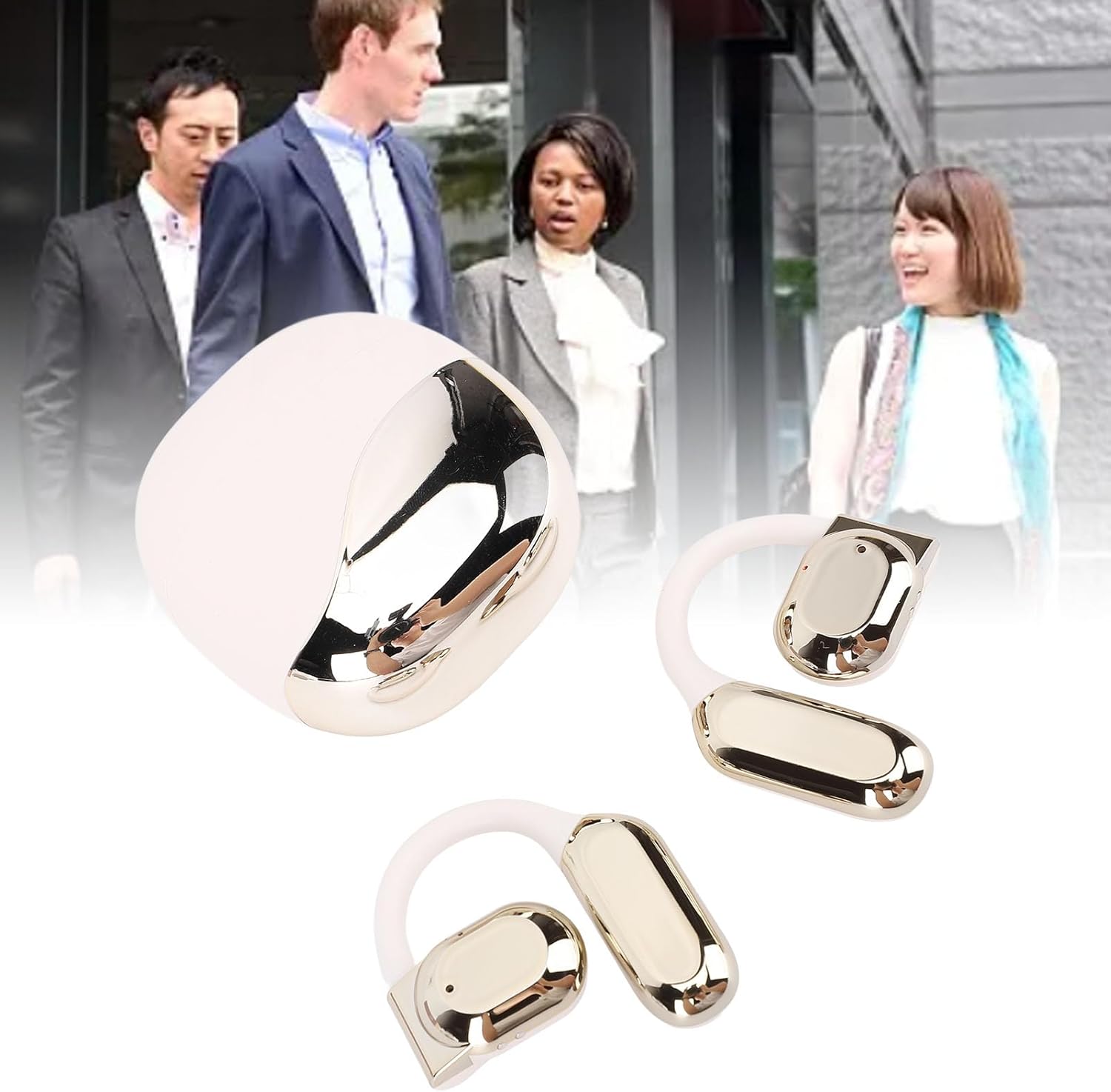
Image: Alomejor Wireless Translation Earbuds and their charging case, shown with individuals engaged in conversation in the background, illustrating their use in communication settings.
Setup
1. Iċċarġjar tal-Earbuds u l-Kaxxa
Before first use, fully charge the earbuds and the charging case. Place the earbuds into the charging case. Connect the charging case to a power source using the provided USB cable. The indicator lights on the case will show the charging status. A full charge typically takes approximately 1-2 hours.

Image: The Alomejor Wireless Translation Earbuds securely placed within their open charging case, ready for charging or storage.
2. Tqabbil tal-Bluetooth
- Kun żgur li l-earbuds huma ċċarġjati u mneħħija mill-kaxxa tal-iċċarġjar. Huma jidħlu awtomatikament fil-modalità ta' tqabbil.
- Fuq it-tagħmir mobbli tiegħek, ippermetti l-Bluetooth u fittex tagħmir disponibbli.
- Select "Alomejor Earbuds" (or similar name) from the list to connect.
- Ladarba jkun konness, se tinstema' twissija bil-vuċi biex tikkonferma li l-akkoppjar sar b'suċċess.
3. Translation App Installation
For real-time translation functionality, download and install the dedicated translation application on your smartphone. Refer to the separate software manual included in your package for specific app details and setup instructions. Ensure your phone has an active internet connection for optimal translation performance.
Istruzzjonijiet Operattivi
1. Power On/Off
- Qawwa Mixgħul: Neħħi l-earbuds mill-kaxxa tal-iċċarġjar. Dawn jixegħlu awtomatikament.
- Itfi: Poġġi l-earbuds lura fil-kaxxa tal-iċċarġjar. Dawn jintfew awtomatikament u jibdew jiċċarġjaw.
2. Traduzzjoni f'Ħin Reali
Once paired with your device and the translation app is running:
- Open the translation application on your smartphone.
- Select the desired translation mode (e.g., conversation mode, simultaneous interpretation).
- Speak into the earbud's microphone, and the translated audio will be played through the other earbud or your connected device, depending on the app's settings.
- Ensure clear speech and a stable internet connection for accurate translation.

Immaġni: Dettaljata view of an earbud positioned on an ear, highlighting the directional sound transfer technology designed for clear audio and privacy.
3. Daqq tal-Awdjo u Sejħiet
The earbuds can also be used for standard audio playback and phone calls:
- Play/Pawsa: Tektek iż-żona tal-kontroll tat-touch fuq kwalunkwe earbud darba.
- Tweġiba/Tmiem Sejħa: Tap the touch control area on either earbud once during an incoming call.
- Irrifjuta Sejħa: Agħfas u żomm iż-żona tal-kontroll tat-touch fuq kull earbud għal żewġ sekondi.
- Noise-Canceling: The earbuds feature integrated noise-canceling technology to enhance audio clarity during calls and translation. This feature is typically active by default or managed through the connected app.
Manutenzjoni
1. Tindif
- Imsaħ bil-mod il-earbuds u l-kaxxa tal-iċċarġjar b'ċarruta ratba, niexfa u mingħajr suf.
- Tużax prodotti tat-tindif li joborxu, solventi, jew sprejs tal-ajrusol.
- Evita li tidħol l-umdità fi kwalunkwe fetħiet.

Image: A detailed close-up of the Alomejor Wireless Translation Earbuds, highlighting their ergonomic design and the various components.
2. Kura tal-batterija
- Biex ittawwal il-ħajja tal-batterija, evita li tbattal kompletament il-earbuds u l-kaxxa tal-iċċarġjar ta' spiss.
- Aħżen l-apparat f'post frisk u niexef meta ma jkunx qed jintuża.
- Tesponix għal temperaturi estremi.
3. Ħażna
Always store the earbuds in their charging case to protect them from dust, damage, and to keep them charged.
Issolvi l-problemi
- Earbuds not turning on/charging: Ensure the charging case is charged. Check that the earbuds are correctly seated in the case. Clean the charging contacts if necessary.
- Problemi ta' tqabbil bil-Bluetooth: Make sure Bluetooth is enabled on your device. Turn off and on the earbuds. Forget the device in your phone's Bluetooth settings and try pairing again. Ensure earbuds are not connected to another device.
- No sound/poor sound quality: Check the volume levels on both your device and the earbuds. Ensure the earbuds are properly seated in your ears. If using for translation, verify internet connection and app settings.
- It-traduzzjoni ma taħdimx: Confirm the translation app is open and correctly configured. Check your internet connection. Ensure the correct languages are selected in the app. Speak clearly and at a moderate pace.
- Il-earbuds jiskonnettjaw ta' spiss: Kun żgur li t-tagħmir tiegħek jinsab fil-medda tal-Bluetooth (tipikament 10 metri/33 pied) u li m'hemm l-ebda ostaklu sinifikanti.
Speċifikazzjonijiet
| Karatteristika | Speċifikazzjoni |
|---|---|
| Tip ta' Oġġett | Traduzzjoni Earbuds |
| Materjal | Acrylonitrile Butadiene Styrene (ABS) |
| Kawża tal-Iċċarġjar tat-Tip tal-Batterija | Li Battery |
| Kawża tal-Iċċarġjar Kapaċità tal-Batterija | 300mAh |
| Single Earphone Battery Capacity | 90mAh |
| Verżjoni Bluetooth | V5.3+EDR |
| Frekwenza bla fili | 2.4GHZ |
| Protokolli Appoġġjati | HFP, HSP, AVRCP, A2DP, AVTCP |
| Temperatura tax-Xogħol | -10-45°C |
| Dimensjonijiet tal-Pakkett | 4.72 x 3.94 x 1.57 pulzieri |
| Piż tal-oġġett | 4.1 uqija |
| Numru tal-Mudell | Alomejor613a7dbh4g-12 |
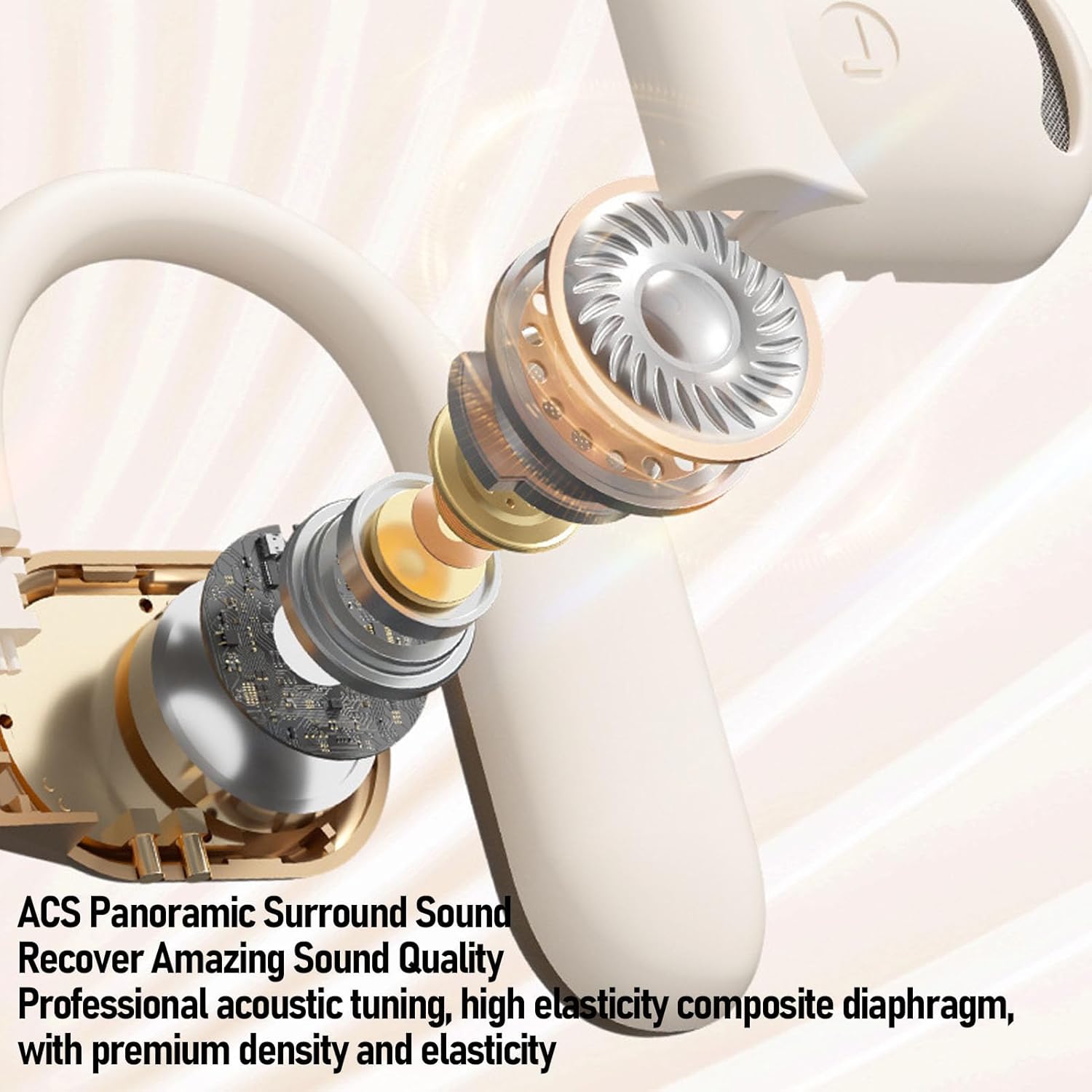
Immaġni: Sploda view of an Alomejor earbud, showcasing its internal acoustic components and the "ACS Panoramic Surround Sound" technology.
Garanzija u Appoġġ
For warranty information, please refer to the documentation provided at the time of purchase or contact your retailer. For technical support or further assistance, please visit the official Alomejor website or contact their customer service department using the contact details provided with your product packaging.


