1. Istruzzjonijiet ta' Setup
1.1 Disimballaġġ
Carefully remove all components from the packaging. Ensure all parts listed in the assembly guide are present before proceeding. Keep packaging materials for potential future transport or returns.
1.2 Assemblea Overview
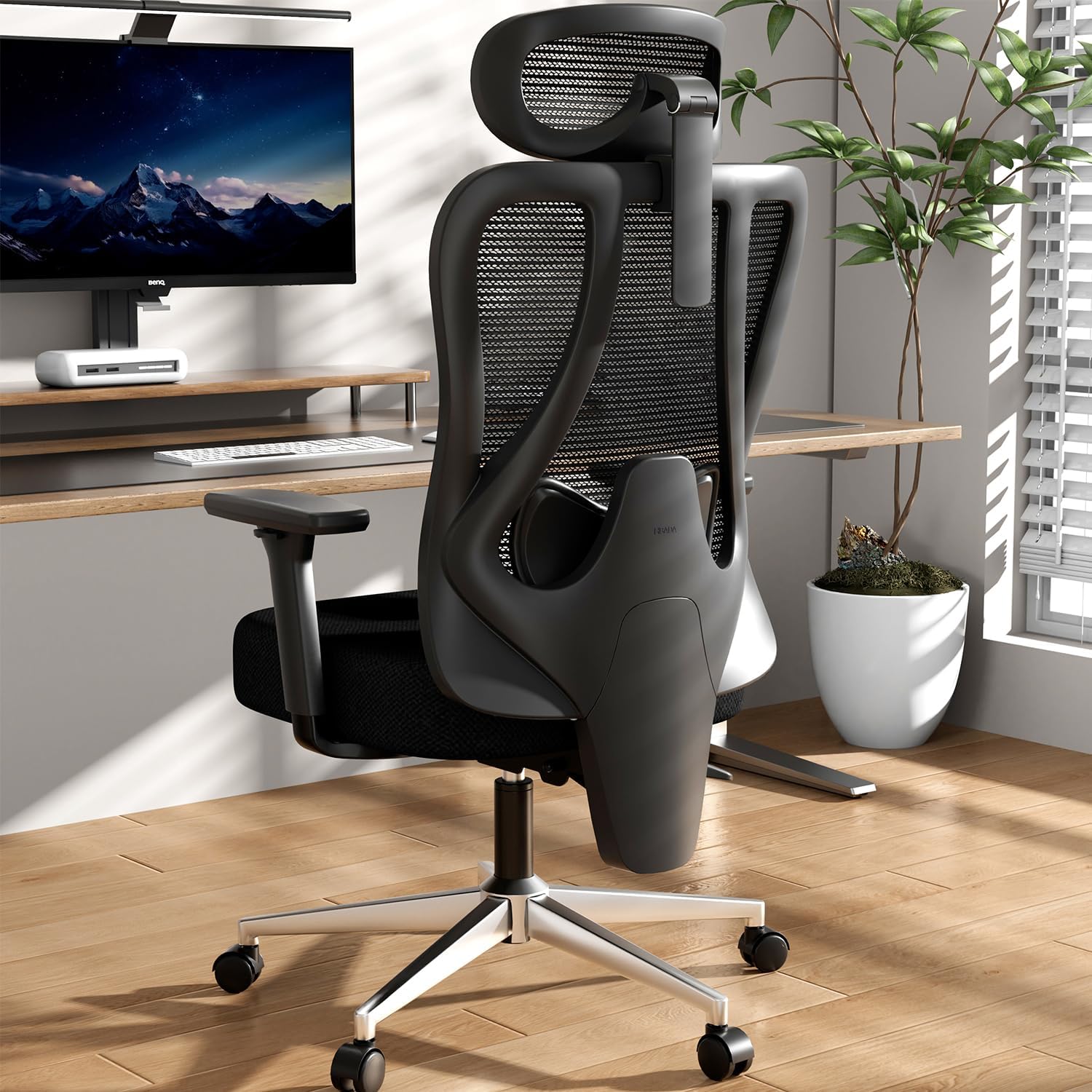
Assembly is required for the Hbada P3 Pro Ergonomic Office Chair. It is recommended that two people perform the installation for ease and safety. Instructions and necessary tools are included.
1.3 Gwida bil-Vidjo tal-Assemblaġġ
This video provides a step-by-step guide on how to assemble the Hbada P3 Pro Ergonomic Office Chair, demonstrating each part's placement and fastening.
1.4 Assemblaġġ tal-Bażi
Attach the five chair legs to the central base using the provided screws and wrench. Ensure they are securely tightened. Insert the five casters into the leg ends, pressing down firmly until they click into place. Finally, insert the gas lift into the central hole of the base.
1.5 Assemblaġġ tas-Sedil
Invert the seat cushion. Align the armrests with the designated mounting holes on the sides of the seat cushion and secure them with the appropriate screws and washers. Then, align the chassis with the four mounting holes on the underside of the seat cushion and fasten it securely with screws.
1.6 Backrest Attachment
Attach the backrest steel plate to the chassis, ensuring proper alignment. Secure it with the provided screws. Then, slide the backrest shell into the slots on the backrest and secure it with the remaining screws.
1.7 Headrest Attachment
Align the headrest connector with the protrusion on the lower part of the backrest. Rotate the connector to lock it into place. Secure the headrest with the provided screws.
2. Istruzzjonijiet Operattivi
The Hbada P3 Pro Ergonomic Office Chair offers multiple adjustment features to customize your seating experience for optimal comfort and support.
2.1 Aġġustament tal-Għoli tas-Sedil
To raise the seat, stand up and lift the lever located on the outer side of the front control rod. To lower the seat, sit down and lift the same lever. Adjust to your desired height.
2.2 Inklinazzjoni u Serratura tad-Dahar tas-Serħan
To recline, lift the rear control rod while leaning back. Once at the desired angle (up to 135 degrees), push the control rod down to lock the backrest in that position. To return to an upright position, lift the control rod, lean slightly forward, and then push the rod down to lock.

The chair's backrest can recline up to 135 degrees for relaxation.
2.3 Aġġustamenti ta' Armrest
The 3D armrests can be adjusted in multiple ways:
- Għoli: Press the button on one side of the armrest and move it up or down (2.8 inches range).
- Quddiem/Lura: Push or pull the armrest to adjust its position (2.6 inches range).
- Rotazzjoni: Rotate the armrest left or right to adjust the angle (40 degrees range).

Visual representation of the 6-way adjustable armrests, highlighting their multi-dimensional support capabilities.
2.4 Aġġustamenti tas-Serħan tar-Ras
The 3D headrest offers comprehensive adjustability:
- Għoli: Move the neck pillow up or down (5.5 inches range).
- Mejjel: Tilt the neck pillow forward or backward (80 degrees full rotation, 70 degrees surface rotation) to adjust its angle.

Illustration of the 3D headrest's mechanical adjustments for height and tilt, designed to relax neck muscles.
2.5 Aġġustament tal-Appoġġ Lumbari
The 2D adjustable lumbar support can be customized:
- Għoli: Grip the connector behind the lumbar support and move it up or down (2.2 inches range).
- Fond: Adjust the front/rear position of the lumbar support (1.3 inches range).
- Lock: The lumbar support can be locked in its front and rear positions for stable support.

Dettaljati view of the 2D adjustable lumbar support, illustrating its vertical and horizontal adjustment capabilities and locking mechanism.
2.6 Usage Video Guide
This video demonstrates the various adjustment features of the Hbada P3 Pro Ergonomic Office Chair, including seat height, recline, armrests, headrest, and lumbar support.
3. Manutenzjoni
3.1 Tindif
- Tessili tal-malji: Uża pinzell artab jew vacuum cleaner biex tneħħi t-trab. Għat-tbajja’, imsaħ bil-mod b’pinzell artab.amp cloth and mild soap, then air dry. Avoid harsh chemicals.
- Qafas u Bażi: Imsaħ b'artab, damp drapp. Evita cleaners li joborxu.
3.2 Spezzjoni
- Iċċekkja l-viti u l-boltijiet kollha perjodikament biex tiżgura li huma ssikkati. Erġa' ssikkahom jekk meħtieġ.
- Inspect casters for smooth movement and clean any debris that may hinder their function.
- Ensure all adjustment mechanisms operate smoothly. Do not force any adjustments.
4 Issolvi l-problemi
| Ħruġ | Kawża Possibbli | Soluzzjoni |
|---|---|---|
| Is-siġġu ma jaġġustax l-għoli | Ħsara fil-lift tal-gass jew il-lieva mhux attivata. | Ensure the height adjustment lever is fully engaged. If issue persists, contact customer service. |
| Id-dahar tas-serħan ma jimteddx jew ma jissakkarx | Il-mekkaniżmu tal-inklinazzjoni mwaħħal jew il-lieva mhux ingaġġata. | Check the recline lock lever. Ensure no obstructions. |
| Ħsejjes ta' tgergir | Konnessjonijiet laxki jew frizzjoni bejn il-partijiet. | Issikka l-viti kollha. Applika ammont żgħir ta' lubrikant tas-silikon fuq il-partijiet li jiċċaqalqu jekk meħtieġ. |
| Ir-roti mhux qed iduru bla xkiel | Debris fir-roti jew roti bil-ħsara. | Clean casters of hair and debris. Replace damaged casters if needed. |
For issues not listed or if solutions do not resolve the problem, please contact Hbada customer service.
5. Speċifikazzjonijiet
- Ditta: Hbada
- Mudell: P3 Pro
- Kulur: Iswed
- Dimensjonijiet tal-Prodott: 27.6"D x 27.6"W x 40"H
- Piż tal-oġġett: 44 liri
- Materjal: Polypropylene, Mesh, Foam
- Stil ta' Dahar: Malja
- Kapaċità massima tal-Piż: Do not exceed 300 pounds.
- Aġġustamenti: 2D Adjustable Lumbar Support, 3D Adjustable Headrest, 6-Way Adjustable Armrests, 135° Stepless Tilt Function.
6. Garanzija u Appoġġ
6.1 Informazzjoni dwar Garanzija
The Hbada P3 Pro Ergonomic Office Chair comes with a worry-free 3-year warranty. Additionally, a 30-day free return policy and a 15-day price match guarantee are offered.
6.2 Servizz tal-Klijent
For any questions, concerns, or assistance with your Hbada P3 Pro chair, please contact Hbada customer service. Refer to your purchase documentation for specific contact details.


