1. Introduzzjoni
Grazzi tax-xiriasing the ZEBRONICS ZEB-GLOW BOX 15A Party Trolley DJ Speaker. This manual provides essential information for the safe and efficient operation of your speaker. Please read it thoroughly before use and retain it for future reference.

Image: The ZEBRONICS ZEB-GLOW BOX 15A Party Trolley DJ Speaker with its wireless microphone.
2. X'hemm fil-Kaxxa
Iftaħ il-kontenut bir-reqqa u kun żgur li l-oġġetti kollha huma preżenti:
- Speaker - 1 unit
- Input Cable - 1 unit
- Korda tal-Enerġija - unità 1
- Remote - 1 unit
- Wireless Mic - 1 unit
- QR Code Guide - 1 unit
3. Karatteristiċi tal-prodott
The ZEB-GLOW BOX 15A is designed to deliver a powerful audio experience with versatile functionalities:
- Awdjo b'saħħtu: 180W output with a 38.1cm (15-inch) full-range driver for immersive sound.
- Multi-konnettività: Supports Bluetooth v5.0, USB, SD card, and AUX input, plus FM radio.
- Inputs Doppju: Features dual 6.3mm and dual XLR inputs for microphones and guitars.
- Ħin twil tal-logħob: Built-in rechargeable battery provides up to 6 hours of playback (at 50% volume, LED off).
- Disinn portabbli: Equipped with carry handles and trolley wheels for easy transport.
- Karaoke & Recording: Dedicated karaoke mode and recording feature to USB/SD card.
- RGB LED Lights: Translucent body with multiple RGB LED light modes and an LED display.
- TWS Capability: Allows pairing two ZEB-Glow Box 15A speakers for stereo sound.
- Kontrolli Komprensivi: Dedicated controls for mic volume, echo, bass, treble, and master volume.
- Wireless UHF Mic: Includes a wireless UHF microphone for hassle-free vocal input.
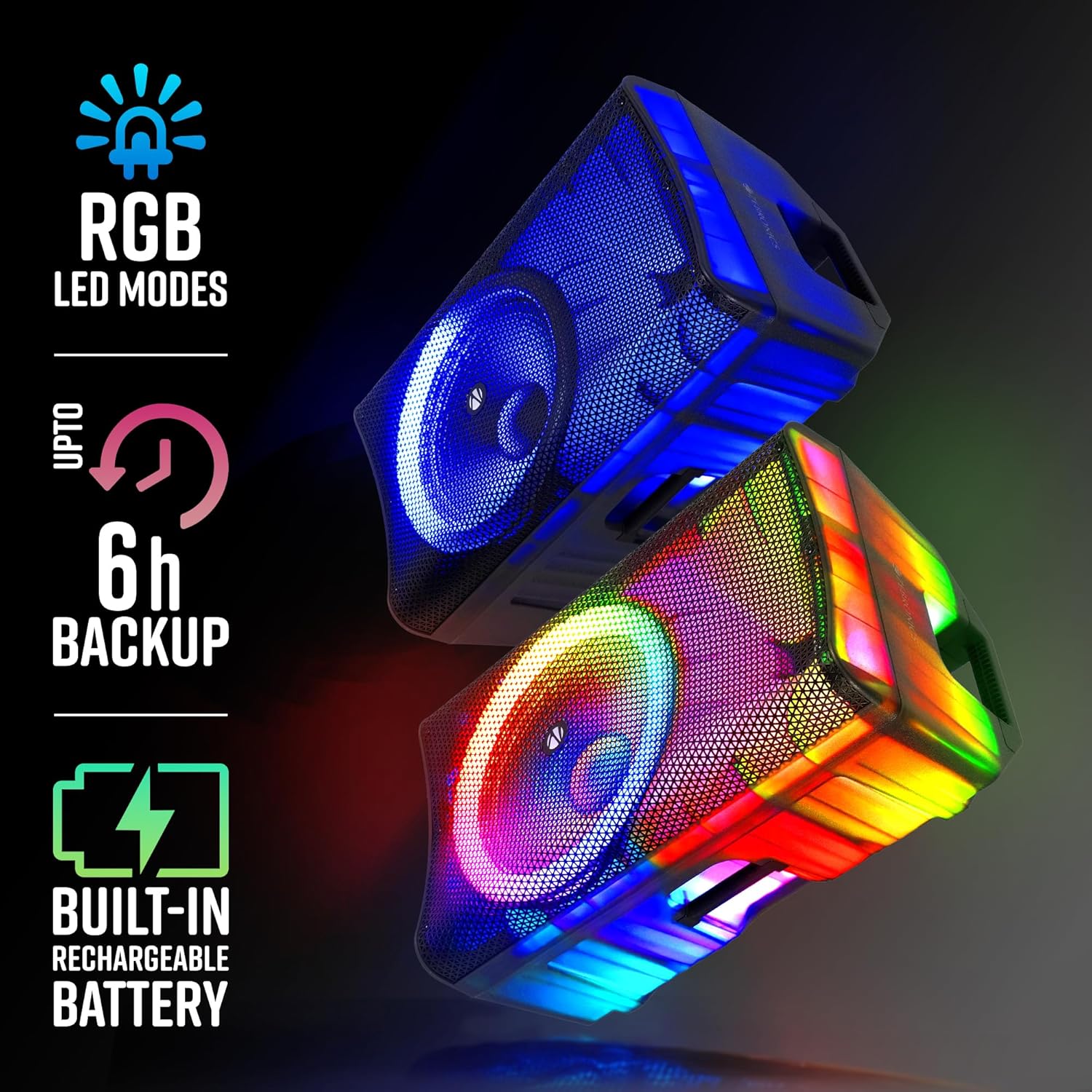
Image: Visual representation of the speaker's RGB LED modes, battery backup, and rechargeable battery feature.
4. Gwida ta' Setup
4.1 Spakkjar u Tqegħid
- Neħħi l-ispiker u l-aċċessorji kollha mill-imballaġġ bir-reqqa.
- Place the speaker on a stable, flat surface. The integrated trolley wheels and carry handles facilitate easy movement.
- Ensure adequate ventilation around the speaker.

Immaġni: Close-up views highlighting the speaker's translucent body, trolley wheels, carry handle, and the included remote control.
4.2 Ixgħel u Iċċarġja
- Connect the power cord to the speaker's AC input and then to a suitable power outlet.
- The speaker has a built-in rechargeable battery. For first-time use, fully charge the speaker for optimal battery life.
- To power on, locate the power switch on the rear panel and switch it to the 'ON' position.
5. Istruzzjonijiet Operattivi
5.1 Operazzjoni Bażika
- Power On/Off: Use the main power switch on the rear panel.
- Kontroll tal-Volum: Adjust the master volume knob on the control panel. Separate bass and treble controls are available for sound customization.
- Għażla tal-Modalità: Press the 'MODE' button on the control panel or remote to switch between Bluetooth, USB, SD, AUX, and FM radio modes. The LED display will indicate the current mode.
5.2 Dwal LED RGB
- The speaker features dynamic RGB LED lights. Use the dedicated LED button on the control panel or remote to cycle through different light modes or turn them off.

Image: The ZEB-GLOW BOX 15A speaker displaying its blue RGB lighting effect.

Image: The ZEB-GLOW BOX 15A speaker displaying its vibrant multicolor RGB lighting effect.
6. Konnettività
6.1 Konnessjoni Bluetooth
- Switch the speaker to Bluetooth mode. The LED display will show 'BLUE'.
- Enable Bluetooth on your mobile device and search for 'ZEB-GLOW BOX 15A'.
- Select the speaker to pair. A confirmation tone will indicate successful pairing.
6.2 Daqq tal-Karta USB/SD
- Insert a USB drive or SD card into the respective slot. The speaker will automatically switch to USB/SD mode and begin playing compatible audio files.
- Use the playback controls (Play/Pause, Next, Previous) on the speaker or remote.
6.3 Input AUX
- Connect an external audio device (e.g., MP3 player, smartphone) to the AUX input using a 3.5mm audio cable.
- Switch the speaker to AUX mode.
6.4 Inputs tal-Mikrofonu u l-Kitarra
- The speaker features dual 6.3mm and dual XLR inputs for microphones or guitars.
- Connect your wired microphone or guitar to the appropriate input.
- Adjust the dedicated 'MIC VOL' and 'ECHO' controls for optimal sound.

Immaġni: Dettaljata view of the speaker's control panel, illustrating the various input ports and adjustment knobs.
7. Karaoke and Recording
7.1 Using the Wireless UHF Microphone
- Insert batteries into the wireless UHF microphone.
- Turn on the microphone. It will automatically connect to the speaker.
- Adjust the 'MIC VOL' and 'ECHO' controls on the speaker for desired vocal effects.
7.2 Funzjoni ta' Reġistrazzjoni
- Kun żgur li ddaħħal USB drive jew SD card fl-ispiker.
- Press the 'REC' button on the control panel or remote to start recording.
- Press 'REC' again to stop recording. The audio will be saved to the inserted storage device.

Image: The top image demonstrates the TWS function with two speakers, while the bottom image illustrates the use of the UHF wireless microphone for karaoke and recording.
8. Funzjoni TWS (Stereo Veru Mingħajr Fili)
The TWS function allows you to pair two ZEB-GLOW BOX 15A speakers wirelessly for a true stereo sound experience.
- Kun żgur li ż-żewġ kelliema huma mixgħula u fil-modalità Bluetooth.
- Fuq wieħed mill-ispikers (dan se jkun l-ispiker primarju), agħfas u żomm il-buttuna 'TWS'. L-ispiker se joħroġ ton ta' tqabbil.
- The primary speaker will automatically search for and connect to the secondary speaker. Once connected, both speakers will play audio in stereo.
- Connect your mobile device to the primary speaker via Bluetooth as described in section 6.1.
9. Manutenzjoni
9.1 Tindif
- Imsaħ il-barra tal-ispiker b'ċarruta ratba u niexfa.
- Tużax prodotti tat-tindif li joborxu, xama', jew solventi.
- Keep the speaker free from dust and debris.
9.2 Kura tal-Batterija
- Biex ittawwal il-ħajja tal-batterija, evita li tiċċarġja kompletament il-batterija ta' spiss.
- Iċċarġja l-ispiker regolarment, anke jekk ma jkunx qed jintuża, biex tevita li l-batterija tiskarika sew.
- Aħżen l-ispiker f'post frisk u niexef meta ma jkunx qed jintuża għal perjodi twal.
10 Issolvi l-problemi
| Problema | Kawża Possibbli | Soluzzjoni |
|---|---|---|
| Ebda qawwa | Power cord not connected; Battery discharged; Power switch off | Check power cord connection; Charge the battery; Turn power switch ON |
| L-ebda ħoss | Volum baxx wisq; Modalità ta' input mhux korretta; Apparat mhux imqabbad sew | Increase volume; Select correct input mode; Reconnect device/cable |
| Bluetooth mhux pairing | Speaker not in Bluetooth mode; Device Bluetooth off; Speaker already paired | Switch to Bluetooth mode; Enable Bluetooth on device; Disconnect from other devices |
| Mikrofonu mhux qed jaħdem | Mic volume low; Mic off; Batteries low (wireless mic); Incorrect input | Increase 'MIC VOL'; Turn mic ON; Replace batteries; Ensure mic is in correct input |
| It-tqabbil tat-TWS falla | Speakers too far apart; One speaker not in Bluetooth mode | Ensure speakers are close; Verify both are in Bluetooth mode before TWS pairing |
11. Speċifikazzjonijiet
| Mudell | ZEB-GLOW BOX 15A |
| Qawwa tal-Ħruġ (RMS) | 180W |
| Daqs tas-Sewwieq | 38.1cm (15-inch) Full Range |
| Konnettività | Bluetooth v5.0, USB, SD, AUX, FM Radio |
| Microphone/Guitar Inputs | Dual 6.3mm, Dual XLR |
| Mikrofonu bla fili | UHF Wireless Mic (included) |
| Ħin tal-logħob tal-batterija | Up to 6 hours (at 50% volume, LED off) |
| Karatteristiċi | Karaoke, Recording, TWS, RGB LED Lights, Trolley Wheels, Carry Handle |
| Dimensjonijiet (L x W x H) | 44.2 x 47.5 x 73.2 ċm |
| Piż tal-oġġett | 12 kg |
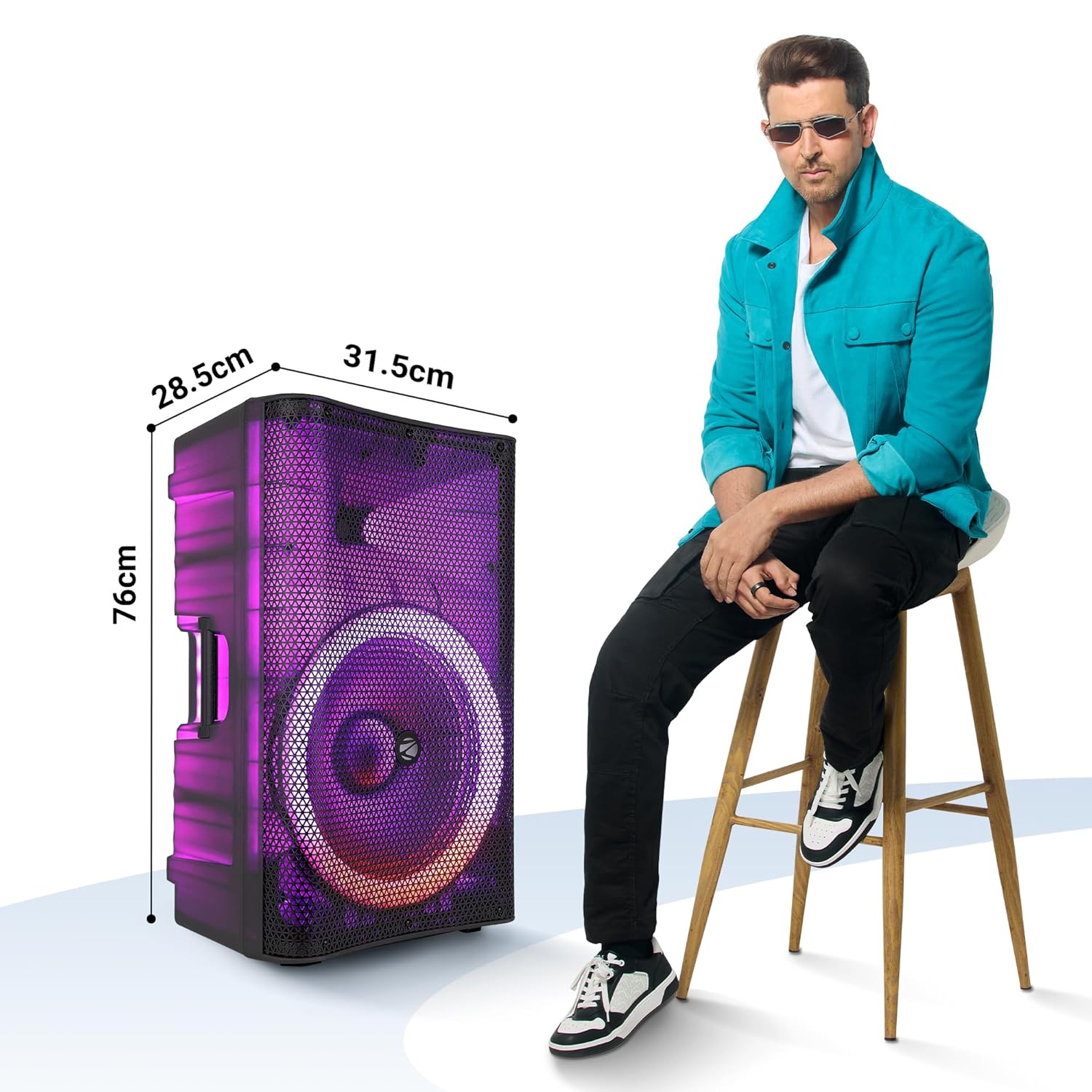
Image: The ZEB-GLOW BOX 15A speaker with its key dimensions indicated, shown next to a person for size comparison.
12. Informazzjoni dwar is-Sigurtà
- Tesponix l-ispiker għax-xita jew għall-umdità.
- Tiftaħx l-ispiker casing; irreferi għas-servizz lil persunal kwalifikat.
- Evita li tpoġġi l-ispiker ħdejn sorsi ta’ sħana jew fid-dawl tax-xemx dirett.
- Żgura ventilazzjoni xierqa biex tevita sħana żejda.
- Żomm fejn ma jintlaħaqx mit-tfal.
13. Garanzija u Appoġġ
For warranty information, technical support, or service inquiries, please refer to the warranty card included with your product or visit the official ZEBRONICS websit. Żomm l-irċevuta tax-xiri tiegħek bħala prova tax-xiri.
Manufacturer: Zebronics India Private Limited