1. Introduzzjoni
This manual provides detailed instructions for the setup, operation, and maintenance of your TOMLOV DM301 Max Digital Microscope. Please read this manual thoroughly before using the device to ensure proper function and longevity.
2. X'inhu Inkluż
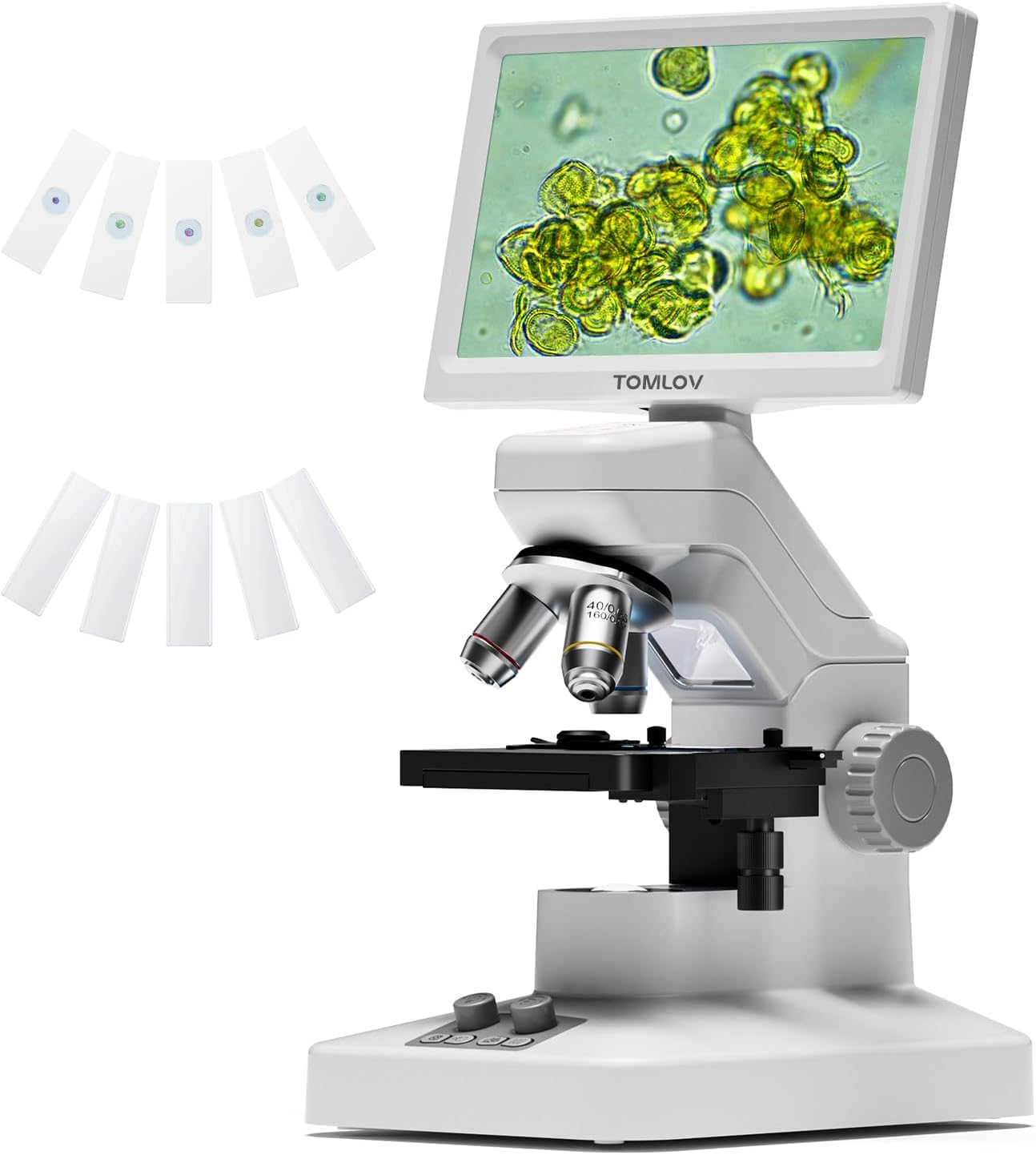
- 1 X TOMLOV DM301 Max Biological Digital Microscope with Screen
- 1 X Kejbil tal-Enerġija
- 1 X Cable HDMI
- 1 X Adapter tal-Enerġija
- 5 X Prepared Slides
- 5 X Blank Slides
- 1 X 32GB Micro SD Card
- 1 X Carrying Case

3. Gwida ta' Setup
3.1 Assemblaġġ Inizjali
Carefully remove all components from the packaging. Place the microscope base on a stable, flat surface. Ensure the screen is securely attached and adjusted to a comfortable viewangolu tal-ing.
3.2 Konnessjoni tal-Enerġija
Connect the power adapter to the microscope and plug it into a power outlet. The microscope features a built-in 2000mAh rechargeable battery, offering up to 3 hours of cordless use once fully charged.
3.3 Aġġustament tal-Iskrin
The 7-inch IPS display can be adjusted up to 120 degrees for optimal viewing comfort, reducing neck strain during extended use.

4. Istruzzjonijiet Operattivi
4.1 Placing Specimens
Place your prepared or blank slide onto the X-Y axis metal stage. Uża l-stage adjustment knobs to precisely position the specimen under the objective lens.

4.2 Magnification and Focusing
The microscope features 3 achromatic lenses, providing up to 1200X magnification. Rotate the objective lens turret to select the desired magnification. Use the coarse and fine focus knobs on the side of the microscope to bring your specimen into sharp focus on the screen.

4.3 Illuminazzjoni
Adjustable dual LED lights provide balanced lighting for both solid objects (top light) and slide specimens (bottom light), ensuring clear visibility in various environments.

4.4 Connectivity and Output
The DM301 Max offers multiple output options:
- Wifi u Kontroll tal-App: Connect wirelessly to Android and iOS devices for real-time zooming, capturing, and sharing. Dual-saving to the SD card and your phone is supported.
- USB & HDMI Output: Connect directly to TVs, laptops, and projectors via USB or HDMI for larger displays without driver installation.


4.5 Qbid ta' Stampi u Vidjows
With built-in 8MP imaging and 1080P video capabilities, you can capture high-quality scientific moments. The included 32GB Micro SD card provides ample ħażna.

4.6 On-Screen Measurement
A built-in measuring overlay allows for precise readings across different magnification levels, enhancing interactive and measurable STEM learning.

5. Manutenzjoni
- Tindif: Use a soft, lint-free cloth to clean the screen and exterior. For lenses, use specialized lens cleaning solutions and cloths to avoid scratches.
- Kura tal-batterija: To prolong battery life, avoid fully discharging the battery frequently. Charge the microscope regularly, especially if it will be stored for an extended period.
- Ħażna: Store the microscope in its carrying case in a cool, dry place away from direct sunlight and extreme temperatures.
6 Issolvi l-problemi
- Immaġni mċajpra: Adjust the coarse and fine focus knobs. Ensure the objective lens is clean and correctly rotated into position.
- L-ebda Immaġni fuq l-Iskrin: Check power connection and battery level. Ensure the specimen is correctly placed and illuminated. Verify the objective lens is properly engaged.
- Connectivity Issues (WiFi/HDMI/USB): For WiFi, ensure the microscope and device are within range and correctly paired via the app. For HDMI/USB, check cable connections and ensure the external display input is set correctly.
- Dwal ma Jaħdmux: Check the power source and ensure the light intensity controls are adjusted.
7. Speċifikazzjonijiet
| Karatteristika | Dettall |
|---|---|
| Dimensjonijiet tal-Prodott | 7.31 x 5.3 x 12.5 pulzieri |
| Piż tal-oġġett | 4.9 liri |
| Numru tal-Mudell tal-Oġġett | DM301 Max |
| Batteriji | 1 batterija tal-jone tal-litju meħtieġa (inkluża) |
| Tip ta' Sors tad-Dawl | LED |
| Materjal | 7'' IPS Display + ABS Stand |
| Kulur | Abjad |
| Angolu reali ta View | 178 Grad |
| Ingrandiment Massimu | 1200 x |
| Voltage | 5 Volts |
8. Garanzija u Appoġġ
For warranty information and technical support, please refer to the official TOMLOV webis-sit jew ikkuntattja lis-servizz tal-konsumatur direttament. Żomm l-irċevuta tax-xiri tiegħek għal talbiet ta' garanzija.
9. Vidjows Uffiċjali tal-Prodott
TOMLOV DM301 Biological Microscope with Screen
Dan il-video jipprovdi overview of the TOMLOV DM301 Biological Microscope, highlighting its screen and general features. It demonstrates the microscope in use, showcasing its capabilities for observing biological specimens.
TOMLOV DM301 Biological Microscope for Kids and Adults
This video illustrates the user-friendly aspects of the TOMLOV DM301 biological microscope, making it suitable for both children and adults. It shows various applications in educational and home settings.
TOMLOV Biological Microscope with Screen (Short Overview)
A brief video showcasing the TOMLOV biological microscope with its screen, emphasizing its ease of use for educational purposes for both kids and adults.
TOMLOV DM301 Max Microscope with X-Y Stage Karatteristiċi
This video highlights the advanced features of the TOMLOV DM301 Max Microscope, specifically focusing on the precision X-Y stage for accurate specimen manipulation, suitable for students and adults.


