1. Introduzzjoni
Grazzi tax-xiriasing the Deeyaple G4 60W Gaming Soundbar. This manual provides essential information for setting up, operating, and maintaining your soundbar to ensure optimal performance and longevity. Please read this manual thoroughly before use and retain it for future reference.
2. Informazzjoni dwar is-Sigurtà
- Tesponix is-soundbar għal temperaturi estremi, umdità, jew dawl tax-xemx dirett.
- Evita li twaqqa’ jew tissuġġetta l-apparat għal impatti qawwija.
- Keep the soundbar away from water and other liquids. The IPX5 rating indicates resistance to splashes, but it is not fully submersible.
- Do not attempt to disassemble, repair, or modify the soundbar yourself. Contact qualified service personnel for assistance.
- Uża biss il-kejbil tal-enerġija u l-aċċessorji pprovduti.
- Aċċerta ruħek li jkun hemm ventilazzjoni xierqa madwar is-soundbar waqt l-operazzjoni.
3. Kontenut tal-Pakkett
Jekk jogħġbok iċċekkja l-pakkett għall-oġġetti li ġejjin:
- Deeyaple G4 60W Gaming Soundbar
- Kejbil tal-Enerġija
- Manwal għall-Utent (dan id-dokument)
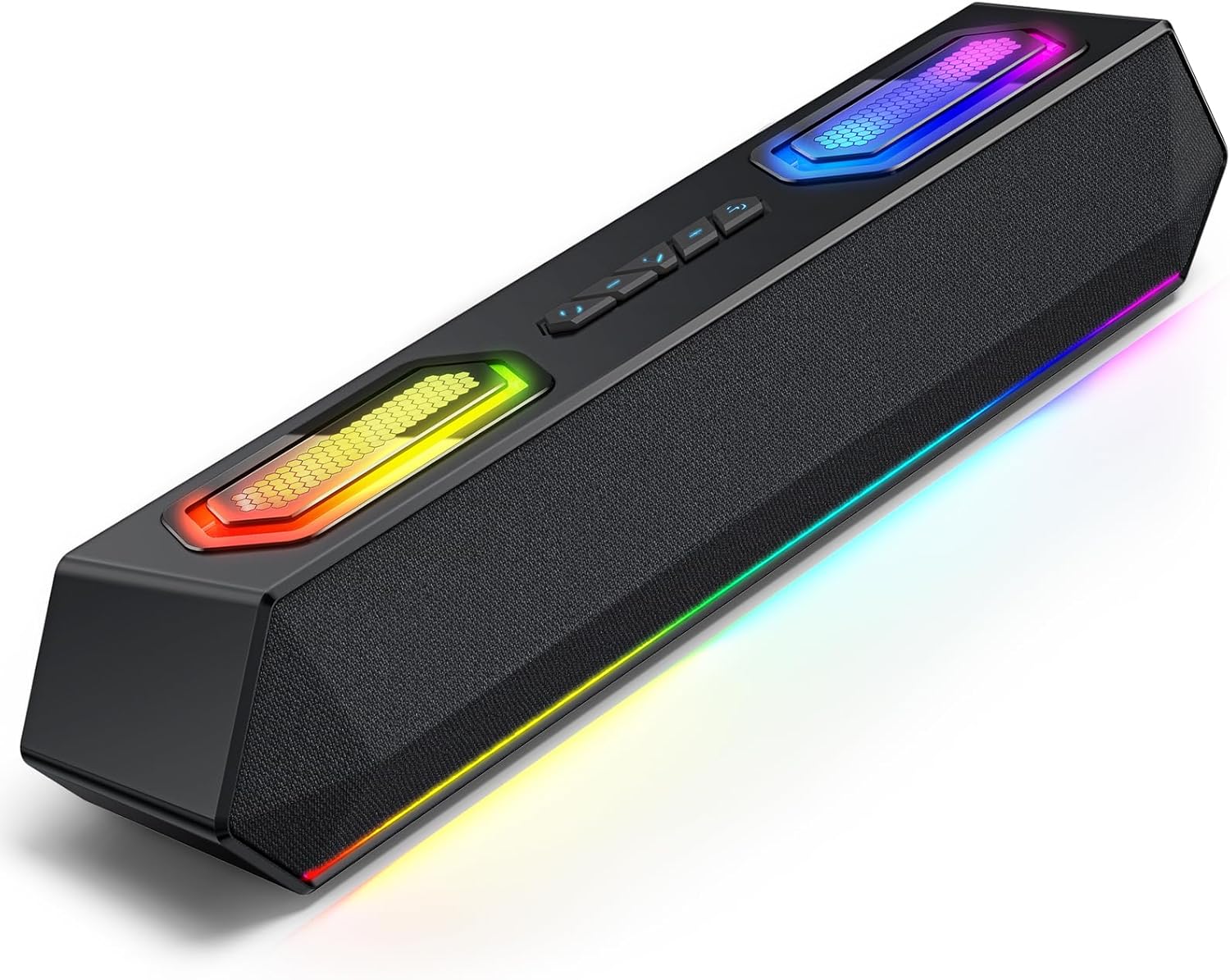
Image: Deeyaple G4 Soundbar, showcasinid-disinn u d-dawl RGB tiegħu.
4. Prodott Aktarview
Karatteristiċi ewlenin:
- Kelliema Doppji ta' 60W: Jipprovdi bass għani, medji ċari, u għoljin iqarmeċ.
- Dawl RGB: Dynamic lights that pulse in sync with music, offering multiple atmosphere modes.
- Bluetooth 5.3: Stable wireless connectivity with a 66-foot range.
- Extended 20-Hour Battery: 2500mAh battery for long playback (at 50% volume with lights off).
- IPX5 li ma jgħaddix ilma minnu: Resistant to splashes and rain.
- Tqabbil Stereo mingħajr fili (TWS): Connect two soundbars for immersive stereo sound.
- Precision Audio Positioning: Enhanced stereo sound effects for gaming.
Kontrolli u Portijiet:
The soundbar features intuitive controls for power, volume, and RGB lighting modes. Connection options include Bluetooth, USB, and 3.5mm AUX.

Immaġni: Fuq view of the Deeyaple G4 Soundbar highlighting the control buttons and RGB lighting panels.

Image: Diagram illustrating the internal speaker components of the 60W soundbar.
5. Setup
Tixgħel:
- Connect the provided power cable to the soundbar's power input.
- Ipplaggja t-tarf l-ieħor tal-kejbil tad-dawl fi żbokk tad-dawl adattat.
- Press and hold the power button on the soundbar until the RGB lights illuminate, indicating the device is on.
Konnessjoni permezz tal-Bluetooth:
- Ensure the soundbar is powered on and in Bluetooth pairing mode (indicated by a flashing blue light, if applicable).
- Fuq l-apparat tiegħek (smartphone, tablet, kompjuter), attiva l-Bluetooth u fittex apparati disponibbli.
- Select "Deeyaple G4" from the list of devices.
- Once connected, the soundbar will indicate a successful pairing (e.g., a solid blue light or an audible prompt).
Video: Demonstrates connecting a soundbar via Bluetooth and other modes. While not the exact Deeyaple G4, the connection process is similar.
Connecting via AUX (3.5mm Audio Cable):
- Connect one end of a 3.5mm AUX audio cable (not included) to the AUX input port on the soundbar.
- Connect the other end of the AUX cable to the audio output jack of your device (e.g., computer, TV, smartphone).
- The soundbar should automatically switch to AUX mode. If not, use the mode button (if available) to select AUX.
Konnessjoni permezz tal-USB:
- Connect the soundbar to your computer's USB port using a compatible USB cable (not included).
- The soundbar should be recognized as an audio output device by your computer. Select it from your computer's sound settings.
- Some soundbars may also support USB drives for direct music playback. Insert a USB drive into the designated USB port.
Video: Shows a soundbar connecting via USB and demonstrating RGB lighting. This video is for a related product (LENRUE E-1103) but illustrates similar functionality.
6. Istruzzjonijiet Operattivi
Kontroll tal-Volum:
- Rotate the main knob on the soundbar to adjust the volume.
- Alternatively, adjust the volume directly from your connected device.
Modi tad-Dawl RGB:
- The soundbar features dynamic RGB lighting. Use the dedicated light effect button (if available) or a short press on the main knob to cycle through different lighting modes.
- Long press the light effect button or main knob to turn the lights on/off.

Image: Visual representation of different RGB pulse light modes available on the soundbar.
Playback Control (Bluetooth/USB Mode):
- Use the Play/Pause button to start or pause audio playback.
- Use the Next Track and Previous Track buttons to skip between songs.
Tqabbil Stereo mingħajr fili (TWS):
To connect two Deeyaple G4 soundbars for a true stereo experience:
- Ensure both soundbars are powered on and in Bluetooth pairing mode.
- On one soundbar, long press the TWS pairing button (refer to product diagram if available, otherwise assume a dedicated button or combination).
- The soundbars will attempt to connect to each other. Once paired, they will function as a stereo pair.
- Connect your device to one of the paired soundbars via Bluetooth.
7. Manutenzjoni
- Clean the soundbar with a soft, dry cloth. Do not use abrasive cleaners or solvents.
- Żomm il-portijiet ħielsa mit-trab u l-fdalijiet.
- Store the soundbar in a cool, dry place when not in use for extended periods.
8 Issolvi l-problemi
| Problema | Soluzzjoni Possibbli |
|---|---|
| Ebda qawwa | Ensure the power cable is securely connected to both the soundbar and the power outlet. Check if the outlet is functional. |
| L-ebda ħoss | Check volume levels on both the soundbar and the connected device. Ensure the correct input mode (Bluetooth, AUX, USB) is selected. Verify audio cable connections. |
| Tqabbil Bluetooth ifalli | Ensure the soundbar is in pairing mode. Turn off and on Bluetooth on your device. Move closer to the soundbar. Clear previous Bluetooth connections on your device and try again. |
| Distorsjoni tal-ħoss | Reduce the volume on both the soundbar and the connected device. Check audio source quality. Ensure cables are not damaged. |
| Dwal RGB ma jaħdmux | Press the light effect button to cycle through modes or turn them on/off. Ensure the soundbar is powered on. |
9. Speċifikazzjonijiet
- Isem tal-Mudell: G4
- Tip ta' Kelliem: Speaker li jista ’jinġarr
- Qawwa tal-Ħruġ Massimu tal-Ispeaker: 60 Watts
- Teknoloġija tal-Konnettività: Bluetooth
- Teknoloġija tal-Komunikazzjoni mingħajr Fili: Bluetooth 5.3
- Medda massima: 66 Saqajn
- Modalità tal-Ħruġ tal-Awdjo: Stereo
- Karatteristika Speċjali: Li ma jgħaddix ilma minnha (IPX5)
- Sors tal-Enerġija: Corded Electric (Internal 2500mAh battery for portable use)
- Dimensjonijiet tal-Prodott: 13D x 8W x 41.3H Ċentimetri
- Piż tal-oġġett: 1.18 kg
- Metodu ta' Kontroll: App, Touch (Physical buttons/knob)
- Manifattur: Deeyaple
10. Garanzija u Appoġġ
The Deeyaple G4 Soundbar comes with a limited warranty. For detailed warranty information, product support, or technical assistance, please refer to the official Deeyaple webis-sit jew ikkuntattja lis-servizz tal-konsumatur tagħhom direttament. Żomm l-irċevuta tax-xiri tiegħek bħala prova tax-xiri.
Għal aktar għajnuna, jekk jogħġbok żur il- Deeyaple Store on Amazon.


