Introduzzjoni
Welcome to the user manual for your INTERPHONE Portable Air Compressor. This device is engineered for convenient and efficient inflation of motorcycle, car, and bike tires, and also features a power bank function for charging your electronic devices. Please read this manual thoroughly before use to ensure safe and optimal performance.
Informazzjoni Importanti dwar is-Sigurtà
- Dejjem aqra u ifhem l-istruzzjonijiet kollha qabel ma tħaddem l-apparat.
- Żomm l-apparat fejn ma jintlaħaqx mit-tfal u l-annimali domestiċi.
- Tesponix l-apparat għall-ilma jew temperaturi estremi.
- Ensure the correct pressure is set for the item being inflated to prevent over-inflation, which can cause damage or injury.
- Uża l-apparat f'żona b'ventilazzjoni tajba.
- Tippruvax tiżżarma jew issewwi l-apparat int stess. Ikkuntattja persunal tas-servizz kwalifikat għall-għajnuna.
- Armi l-apparat u l-batterija tiegħu b'mod responsabbli skont ir-regolamenti lokali.
Kontenut tal-Pakkett
Jekk jogħġbok immarka l-kaxxa għall-oġġetti li ġejjin:
- INTERPHONE Portable Air Compressor
- Cable tal-Iċċarġjar tal-USB-C
- Inflation Nozzles/Adapters (e.g., for bicycle valves, ball needles)
- Manwal għall-Utent
Prodott Overview
Familiarize yourself with the main components of your INTERPHONE Portable Air Compressor.

Figura 1: Quddiem View. This image displays the front of the portable air compressor, featuring a large digital display that shows pressure readings in PSI, BAR, and KPA. Below the screen are intuitive control buttons for operation.

Figura 2: Lura View. In-naħa ta’ wara view of the device, highlighting the manufacturer's label with model information and the USB-C charging port.
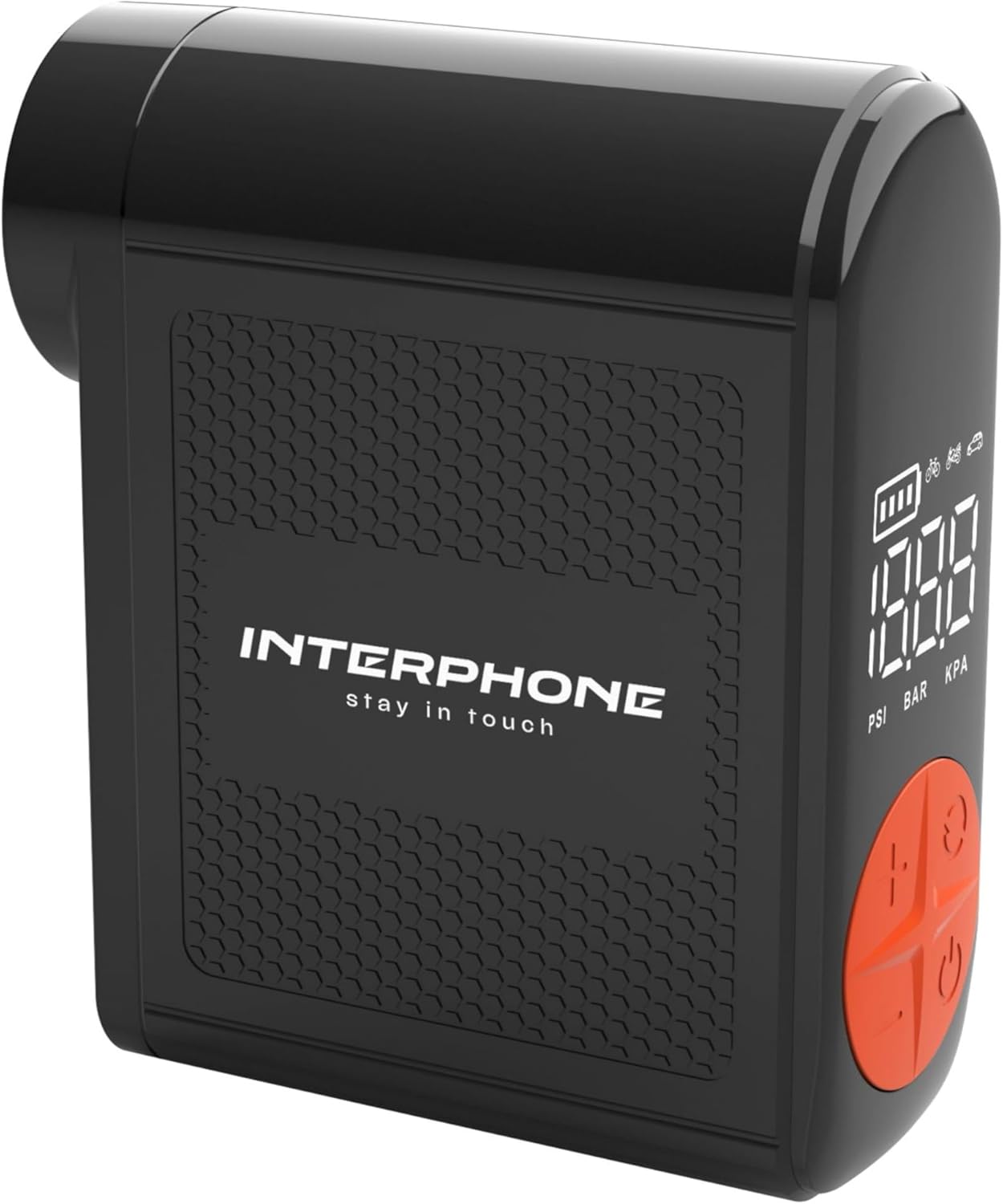
Figura 3: Ġenb View with Hose. This image shows the side of the compressor where the integrated inflation hose is stored, ready for use.
Setup
Iċċarġjar tal-Apparat
Before first use, fully charge the portable air compressor. Connect the provided USB-C cable to the charging port on the device and the other end to a suitable USB power adapter (not included). The battery indicator on the digital display will show the charging status. A full charge ensures optimal performance and standby time.
It-twaħħil tal-Manka
The device features an integrated inflation hose. Gently pull out the hose from its storage slot on the side of the compressor. Select the appropriate nozzle adapter for your tire valve (e.g., Presta, Schrader) and securely attach it to the end of the hose.
Istruzzjonijiet Operattivi
Tixgħel/Jitfi
Biex iddawwar l-apparat on, press and hold the power button (usually marked with a power symbol) for a few seconds until the display illuminates. To turn the device mitfi, agħfas u żomm il-buttuna tal-qawwa mill-ġdid sakemm id-displej jintefa.
Issettjar ta' Unitajiet ta' Pressjoni
After powering on, you can cycle through the available pressure units (PSI, BAR, KPA) by briefly pressing the 'M' (Mode) or unit selection button. Select the unit appropriate for your needs.
L-issettjar tal-Pressjoni fil-Mira
Use the '+' and '-' buttons on the control panel to adjust the desired target pressure. The dual backlit display will show the current pressure and the target pressure simultaneously. Refer to your vehicle's manual or tire sidewall for recommended pressure values.
Proċess ta' Inflazzjoni
- Securely connect the inflation hose with the correct adapter to the tire valve. Ensure there are no air leaks.
- Once connected, the display will show the current tire pressure.
- Press the start/inflate button (often marked with a play symbol or a circle) to begin the inflation process.
- The compressor will automatically stop when the set target pressure is reached.
- Skonnettja l-pajp bir-reqqa mill-valv tat-tajer.
Funzjoni tal-Bank tal-Enerġija
The INTERPHONE Portable Air Compressor can also function as a power bank. Locate the USB-A output port on the device. Connect your electronic device (e.g., smartphone, tablet) to this port using its charging cable. The compressor will then provide power to charge your device.
Operazzjoni tad-Dawl LED
The built-in LED light is useful for operating in low-light conditions or as an emergency light. Press the dedicated light button (or a multi-function button, refer to device markings) to turn the LED light on or off.
Manutenzjoni
Proper maintenance ensures the longevity and reliability of your air compressor.
- Tindif: Wipe the device with a soft, dry cloth. Do not use harsh chemicals or abrasive cleaners. Ensure no liquids enter the device.
- Ħażna: Store the compressor in a cool, dry place away from direct sunlight and extreme temperatures. Ensure the integrated hose is properly retracted into its slot.
- Kura tal-batterija: For long-term storage, charge the battery to approximately 50-70% every 3-6 months to maintain battery health. Avoid fully discharging the battery frequently.
Issolvi l-problemi
If you encounter issues with your INTERPHONE Portable Air Compressor, refer to the table below for common problems and solutions.
| Problema | Kawża Possibbli | Soluzzjoni |
|---|---|---|
| L-apparat ma jixgħelx. | Batterija baxxa jew eżawrita. | Iċċarġja l-apparat kompletament billi tuża l-kejbil USB-C provdut. |
| Air is not inflating or inflating slowly. | Hose not securely connected to valve; incorrect nozzle adapter; hose kinked. | Ensure the hose is tightly screwed onto the tire valve. Check that the correct adapter is used and the hose is not bent. |
| Device stops before reaching target pressure. | Battery is low; internal safety mechanism (overheat protection). | Recharge the device. If the device feels hot, allow it to cool down for 15-20 minutes before resuming operation. |
| Id-displej juri messaġġ ta' żball. | Internal malfunction or sensor error. | Turn off the device, wait a few seconds, and turn it back on. If the error persists, contact customer support. |
Speċifikazzjonijiet
Detailed technical specifications for the INTERPHONE Portable Air Compressor.
| Karatteristika | Speċifikazzjoni |
|---|---|
| Manifattur | Cellularline SpA |
| Brand | Interphone |
| Mudell | INTERPHOAIRPUMP3K |
| Dimensjonijiet tal-Pakkett | 18 x 12.1 x 4.1 ċm |
| Piż tal-oġġett | 400 g |
| Inflation Capacity | Up to 4 motorcycle tyres on a single charge |
| Ħin tal-inflazzjoni | Less than 4 minutes per tyre |
| Ħin ta' Standby | Aktar minn 6 xhur |
| Unitajiet ta' Pressjoni | PSI, BAR, KPA |
| Karatteristiċi Addizzjonali | Power bank function, Built-in LED light, Integrated inflation tube, Dual backlit display, Auto-stop function |
Informazzjoni dwar il-Garanzija u Appoġġ għall-Klijent
This product comes with a standard manufacturer's warranty. Please refer to the warranty card included in your package for specific terms and conditions regarding coverage and duration.
For technical support, service, or any inquiries regarding your INTERPHONE Portable Air Compressor, please visit the official Interphone websit:


