Introduzzjoni
Welcome to the Gravity C26 Smartwatch user manual. This guide provides detailed instructions on how to set up, operate, and maintain your new smartwatch. The Gravity C26 features a 1.96-inch AMOLED display, Bluetooth calling, over 100 sports modes, comprehensive health monitoring, and an AI voice assistant. Its robust design ensures durability for various environments.
Kontenut tal-Pakkett
Jekk jogħġbok immarka l-kaxxa għall-oġġetti li ġejjin:
- Arloġġ Intelliġenti Gravity C26
- Iċċarġjar Cable
- Manwal għall-Utent (dan id-dokument)
Prodott Overview
Familiarize yourself with the components and key features of your Gravity C26 Smartwatch.

Immaġni: Quddiem view of the Gravity C26 Smartwatch, showcasing its square AMOLED display, two side buttons labeled "POWER" and "SPORT", and a durable black strap.
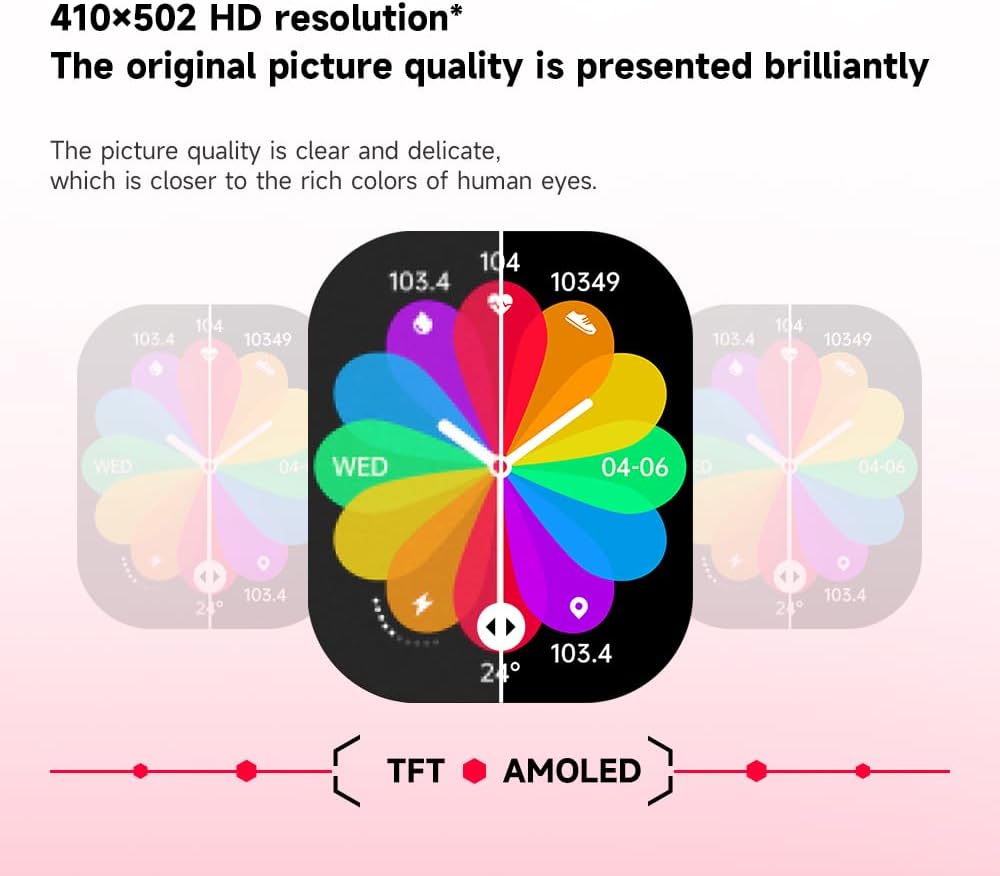
Immaġni: Illustration demonstrating the superior visual quality of the 410x502 HD AMOLED display compared to a TFT screen, highlighting vibrant colors and clarity.

Immaġni: Close-up view of the 1.96-inch AMOLED screen, emphasizing its explosion-proof and drop-proof tempered glass, thermal shock resistance, anti-corrosion, and anti-scratch properties.
Setup
1. Iċċarġjar tal-Ismartwatch
Before first use, fully charge your Gravity C26 Smartwatch. Connect the magnetic charging cable to the charging points on the back of the watch and plug the USB end into a power adapter (not included) or a computer's USB port.
- Ċarġ sħiħ tipikament jieħu madwar 2 sigħat.
- The watch features a 350mAh battery, providing up to 25 days of standby time.

Immaġni: Visual representation of the Gravity C26 Smartwatch's 350mAh battery, highlighting intelligent battery life upgrade, over-temperature protection, overvoltage protection, and intelligent optimization of application scenarios.
2. Pairing with Your Smartphone (FitCloudPro App)
To unlock the full potential of your Gravity C26, download and install the FitCloudPro app on your iOS or Android smartphone.
- Niżżel l-App: Fittex għal "FitCloudPro" in the Apple App Store (for iOS) or Google Play Store (for Android), or scan the QR code provided in the watch's quick start guide.
- Oħloq Kont: Iftaħ l-app FitCloudPro u segwi l-istruzzjonijiet fuq l-iskrin biex toħloq kont jew tidħol.
- Ippermetti Bluetooth: Kun żgur li l-Bluetooth huwa attivat fuq l-ismartphone tiegħek.
- Żid Apparat: In the FitCloudPro app, navigate to the "Device" or "Add Device" section. The app will search for nearby smartwatches. Select "Gravity C26" from the list.
- Ikkonferma l-Imqabbad: A pairing request will appear on both your phone and the smartwatch. Confirm the pairing on both devices.
- Agħti Permessi: Allow necessary permissions (e.g., notifications, location, contacts) for the app to function correctly.
Once paired, the watch will synchronize data with your phone, and you can customize settings, view health data, and manage notifications through the app.
Istruzzjonijiet Operattivi
1. Navigazzjoni fl-Interface
The Gravity C26 features a touch-sensitive AMOLED display and two physical buttons for navigation.
- Touch Screen: Swipe left/right, up/down to navigate through menus and widgets. Tap to select an option.
- "POWER" Button (Top Right): Press to wake/sleep the screen, return to the watch face, or long-press to access power options.
- "SPORT" Button (Bottom Right): Agħfas biex taċċessa malajr il-menù tal-modi sportivi.

Immaġni: Display of four different menu styles available on the Gravity C26 Smartwatch, including grid views and list views for accessing various functions like settings, dialer, contacts, call records, and voice assistant.
2. Tagħmel u Riċeviment Sejħiet
With Bluetooth calling enabled, you can manage calls directly from your wrist.
- Tagħmel Sejħa: Aċċessa t-tastiera tan-numri jew il-lista tal-kuntatti fuq l-arloġġ tiegħek biex tibda telefonata.
- Jirċievu Sejħa: Meta tidħol telefonata, l-arloġġ juri l-ID ta’ min qed iċempel. Tektek l-ikona ħadra biex twieġeb jew l-ikona ħamra biex tirrifjuta.

Immaġni: Depiction of the Gravity C26 Smartwatch's Bluetooth calling feature showing an incoming call screen and message notifications. Also illustrates the AI voice assistant responding to commands like "How is the weather tomorrow?" and "Call my mom."
3. Using AI Voice Assistant
The built-in AI voice assistant allows for hands-free control. Simply raise your hand to activate the voice assistant and speak your commands.
- Attivazzjoni: Raise your wrist or use a specific gesture/button press (refer to app settings for customization).
- Kmandi: Ask about weather, play music, set alarms, make calls, and more.
4. Tracking Sports Modes
The Gravity C26 supports over 100 sports modes for accurate workout tracking.
- Accessing Modes: Press the "SPORT" button or navigate through the menu to find the sports modes.
- Bidu ta' Workout: Select your desired activity (e.g., running, cycling, walking) and tap to start. The watch will track duration, heart rate, calories burned, and other relevant metrics.
- Tmiem ta' Workout: Swipe or press the appropriate button to pause or end the workout. Data will be synced to the FitCloudPro app.

Immaġni: Illustration showing the Gravity C26 Smartwatch tracking various sports activities such as walking, running, climbing, and cycling, with real-time data display for duration, heart rate, and calories.
5. Health Monitoring (Heart Rate, Sleep)
The smartwatch continuously monitors your health metrics.
- Rata tal-qalb: The watch automatically monitors your heart rate throughout the day. You can also initiate a manual measurement from the heart rate widget.
- Traċċar tal-irqad: Ilbes l-arloġġ fis-sodda għal analiżi awtomatika tal-irqad, inklużi l-ħinijiet tal-irqadtages (profond, ħafif, REM) u tul ta' żmien.
- Hydration Reminders: Set up hydration reminders in the FitCloudPro app to ensure you stay hydrated.
6. Il-Personalizzazzjoni tal-Uċuħ tal-Arloġġ
Personalize your smartwatch with over 200 cool visual watch faces available through the FitCloudPro app.
- Changing Faces: Open the FitCloudPro app, navigate to the watch face section, and select your preferred design. You can also long-press the watch face on the device to quickly switch between pre-loaded faces.
- Custom Faces: Some watch faces allow for customization with your own photos.

Immaġni: A collage of various watch faces available for the Gravity C26 Smartwatch, demonstrating the wide range of visual styles and customization options.
Manutenzjoni
1. Tindif
- Imsaħ l-iskrin u l-qafas tal-arloġġ b'ċarruta ratba u mingħajr suf.
- For the strap, use a damp cloth and mild soap if necessary, then rinse thoroughly and dry completely before wearing.
- Evita li tuża kimiċi ħarxa jew materjali li joborxu.
2. Reżistenza għall-Ilma
The Gravity C26 is 1 ATM waterproof, meaning it can withstand splashes, rain, and brief immersion in shallow water. It is suitable for daily use and light water activities.
- Do not use the watch for diving, hot showers, or saunas, as steam and hot water can compromise the seals.
- After exposure to water, especially saltwater, rinse the watch with fresh water and dry it thoroughly.
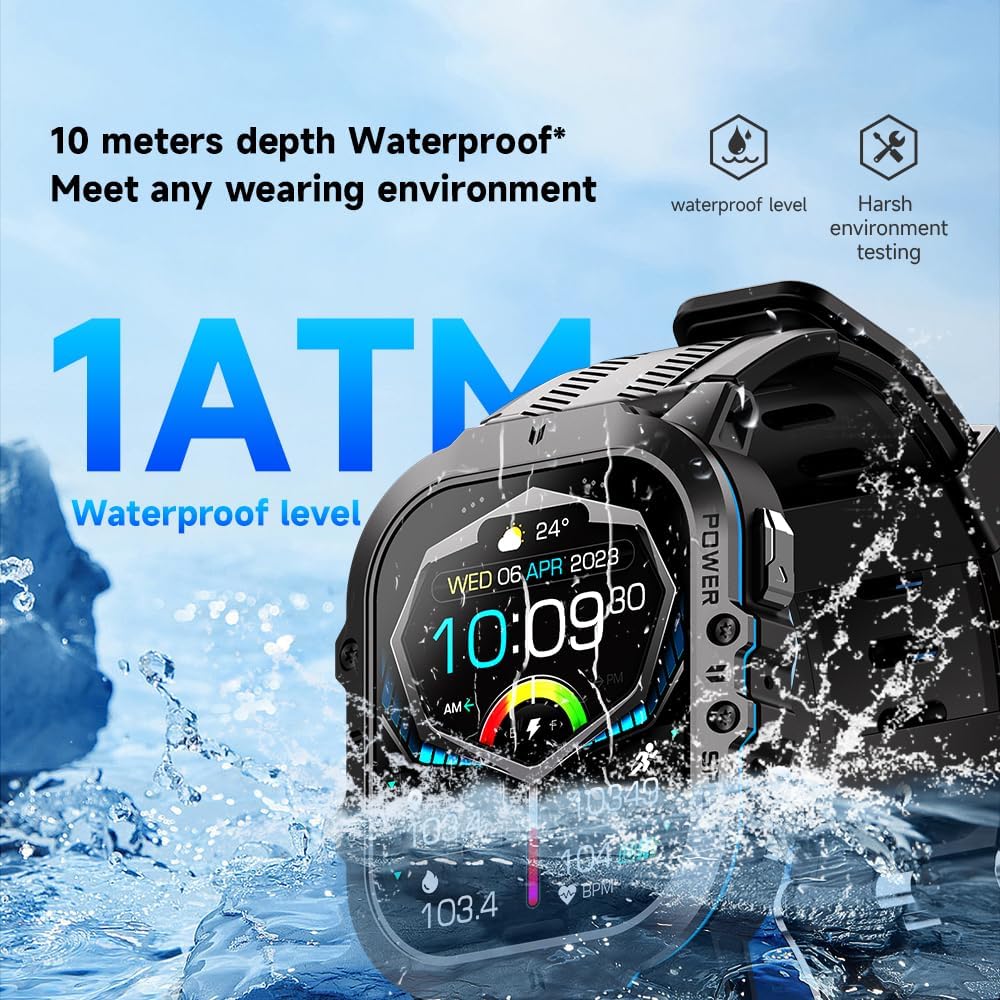
Immaġni: The Gravity C26 Smartwatch partially submerged in water, illustrating its 1 ATM waterproof rating and ability to meet various wearing environments.
3. Kura tal-batterija
- Avoid extreme temperatures (below -24°C or above 60°C) as they can affect battery life and performance.
- Iċċarġja l-arloġġ regolarment, anke jekk ma jkunx qed jintuża, biex iżżomm il-batterija f'saħħitha.
Issolvi l-problemi
| Problema | Soluzzjoni Possibbli |
|---|---|
| L-għassa ma tixgħelx | Kun żgur li l-arloġġ ikun iċċarġjat kompletament. Qabbad mal-kejbil tal-iċċarġjar u ma' sors tal-enerġija għal mill-inqas 30 minuti. |
| Ma nistax nqabbad ma' smartphone |
|
| Notifiki mhux riċevuti |
|
| Dejta dwar is-saħħa mhux preċiża |
|
| Ħajja qasira tal-batterija |
|
Speċifikazzjonijiet
| Karatteristika | Dettall |
|---|---|
| Mudell | C26 |
| Wiri | 1.96-inch AMOLED, 410x502 resolution |
| Kapaċità tal-batterija | 350 mAh |
| Ħin ta' Standby | Sa 25 jum |
| Reżistenza għall-Ilma | 1 ATM (suitable for splashes, rain, brief immersion) |
| Konnettività | Bluetooth |
| Kompatibilità | iOS and Android (via FitCloudPro app) |
| Temperatura operattiva | -24°C sa 60°C |
| Piż tal-oġġett | 1 liri |
| Dimensjonijiet | 9 x 4 x 1 pulzieri (Dimensjonijiet tal-Pakkett) |
Garanzija u Appoġġ
For warranty information and technical support, please refer to the official Gravity webis-sit jew ikkuntattja lill-bejjiegħ tiegħek. Żomm l-irċevuta tax-xiri tiegħek bħala prova tax-xiri.
For further assistance, you may also refer to the FitCloudPro app's help section or frequently asked questions.


