Introduzzjoni
This manual provides essential information for the safe and effective use of your Gravity C20 Pro Smartwatch. Please read it thoroughly before operating the device.
The Gravity C20 Pro Smartwatch is designed for durability and advanced functionality, featuring a rugged 1.83-inch TFT display. It is built to withstand various conditions, including dust and water, with an IP68 rating. Key features include Bluetooth calling, AI voice assistant, and comprehensive health monitoring.
Kontenut tal-Pakkett
Qabel ma tipproċedi bis-setup, kun żgur li l-oġġetti kollha huma preżenti fil-pakkett:
- Arloġġ Intelliġenti Gravity C20 Pro
- Iċċarġjar Cable
- Manwal għall-Utent (dan id-dokument)
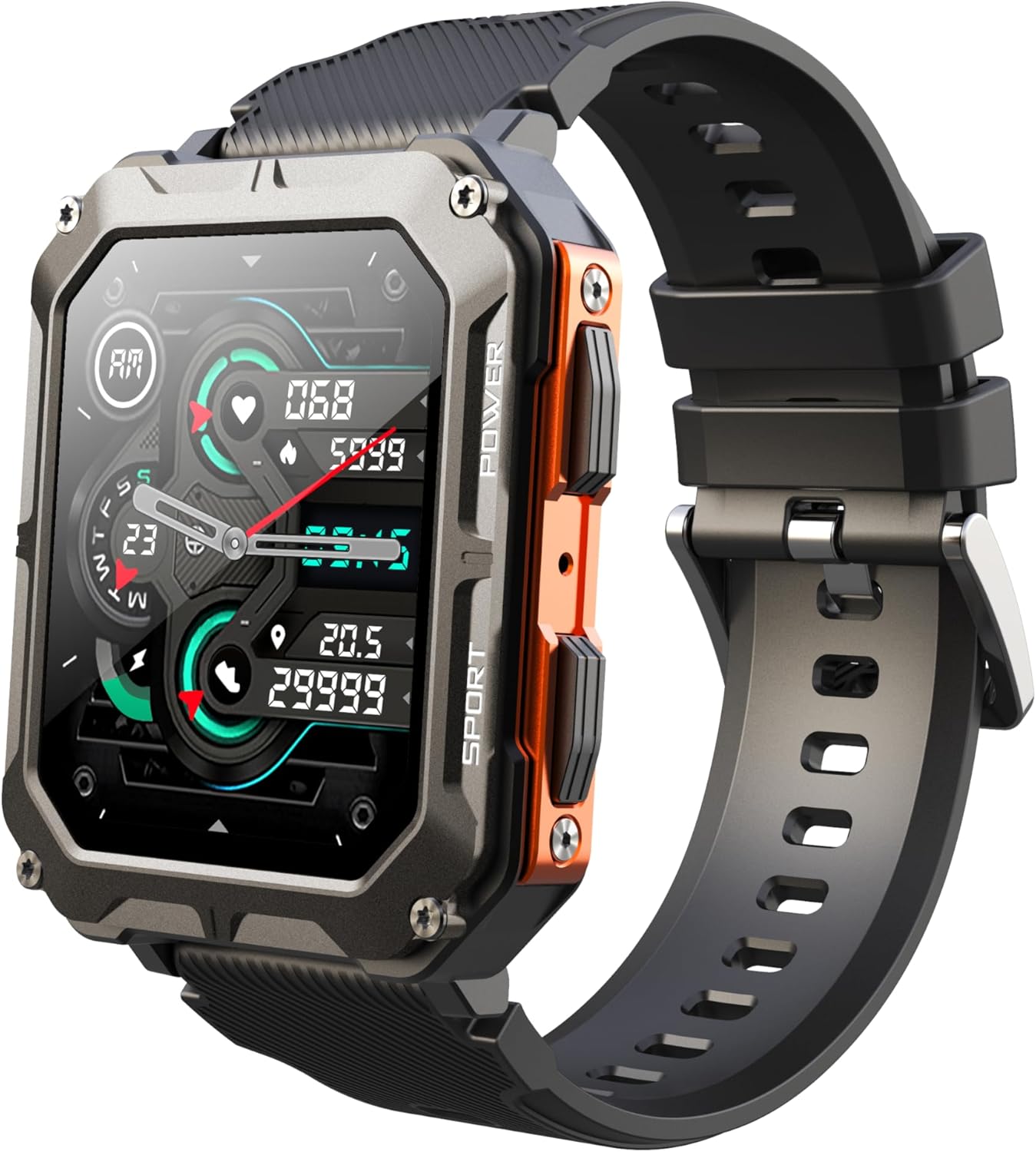
Image: The Gravity C20 Pro Smartwatch, typically accompanied by its charging cable and user manual.
Setup
1. Iċċarġjar tal-Apparat
Before first use, fully charge your smartwatch. Connect the magnetic charging cable to the charging points on the back of the watch and plug the USB end into a compatible power adapter (not included) or a computer USB port.
- Ħin tal-iċċarġjar: Madwar 2 sigħat għal iċċarġjar sħiħ.
- Battery life: Up to 20 days standby time.
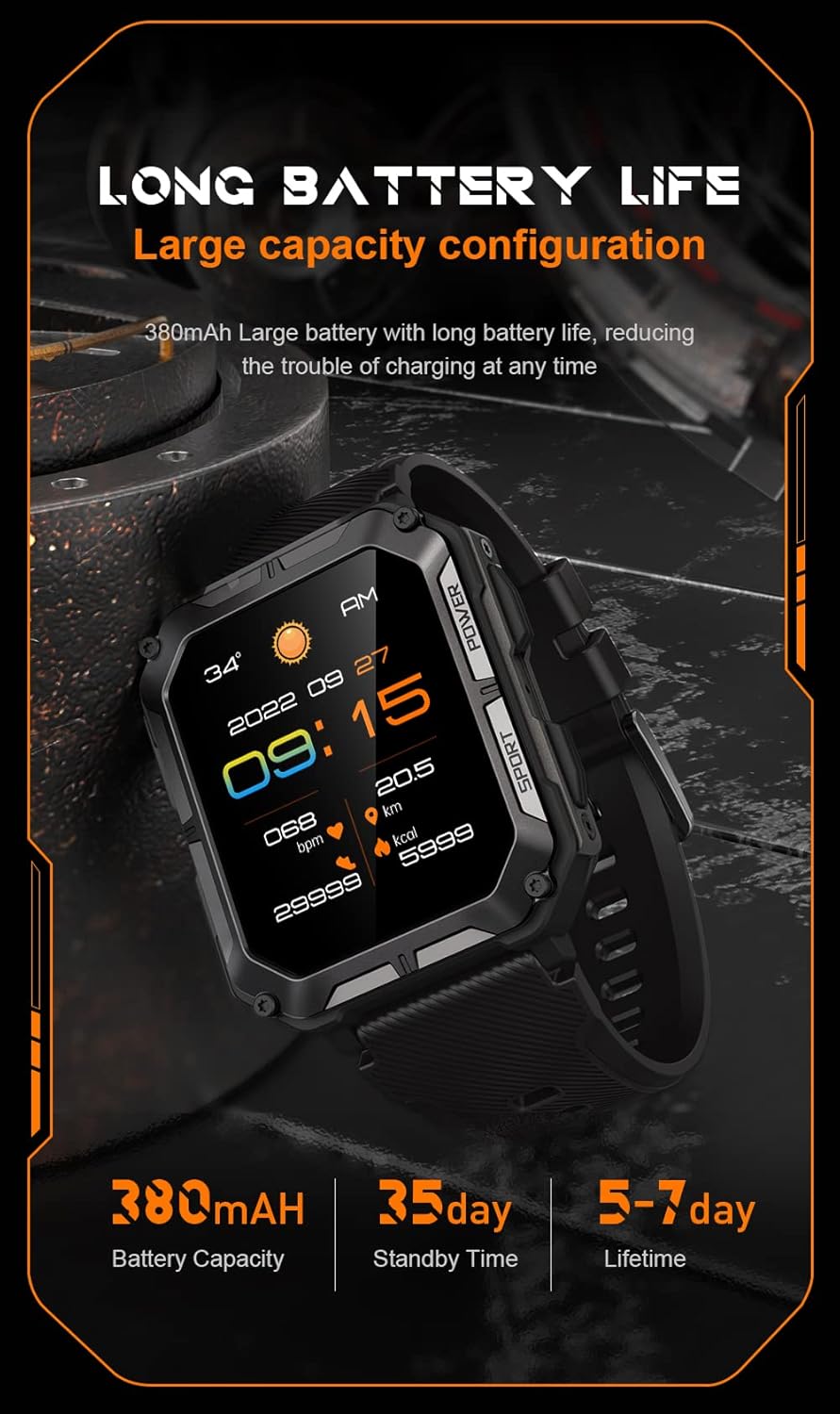
Image: The smartwatch screen showing current time and battery status, indicating long battery life.
2. Tniżżil tal-App tal-Kompann
To unlock the full functionality of your Gravity C20 Pro Smartwatch, download the official companion application on your smartphone. Refer to the product packaging or quick start guide for the specific app name (e.g., Da Fit, GloryFit) and search for it in your device's app store (iOS App Store or Google Play Store).
3. It-tqabbil mal-Ismartphone Tiegħek
- Kun żgur li l-Bluetooth huwa attivat fuq l-ismartphone tiegħek.
- Iftaħ l-app li takkumpanja u segwi l-istruzzjonijiet fuq l-iskrin biex iżżid apparat ġdid.
- Select "Gravity C20 Pro" from the list of available devices.
- Ikkonferma t-talba ta' tqabbil kemm fuq l-ismartphone tiegħek kif ukoll fuq l-ismartwatch.
Istruzzjonijiet Operattivi
Navigazzjoni Bażika
- Buttuna tal-Qawwa: Located on the side. Press and hold to power on/off. Short press to return to the watch face or wake the screen.
- Touch Screen: Swipe up, down, left, or right to navigate through menus and notifications. Tap to select an option.
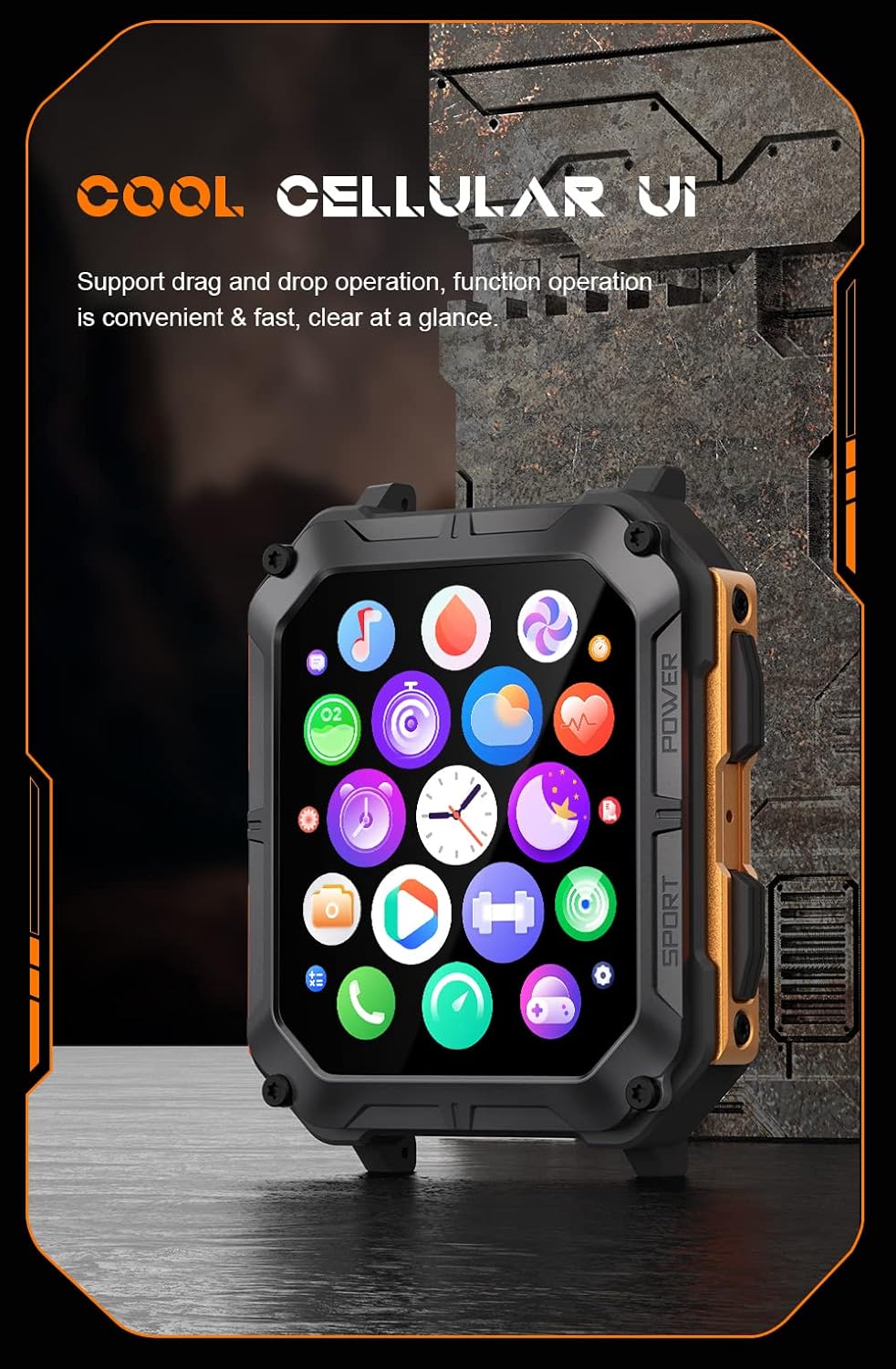
Image: The smartwatch screen showing a grid of application icons, demonstrating the cellular user interface for easy navigation.
Karatteristiċi Ewlenin
- Sejħa Bluetooth: Once paired, you can make and receive calls directly from your wrist. Access the call function via the watch's menu.
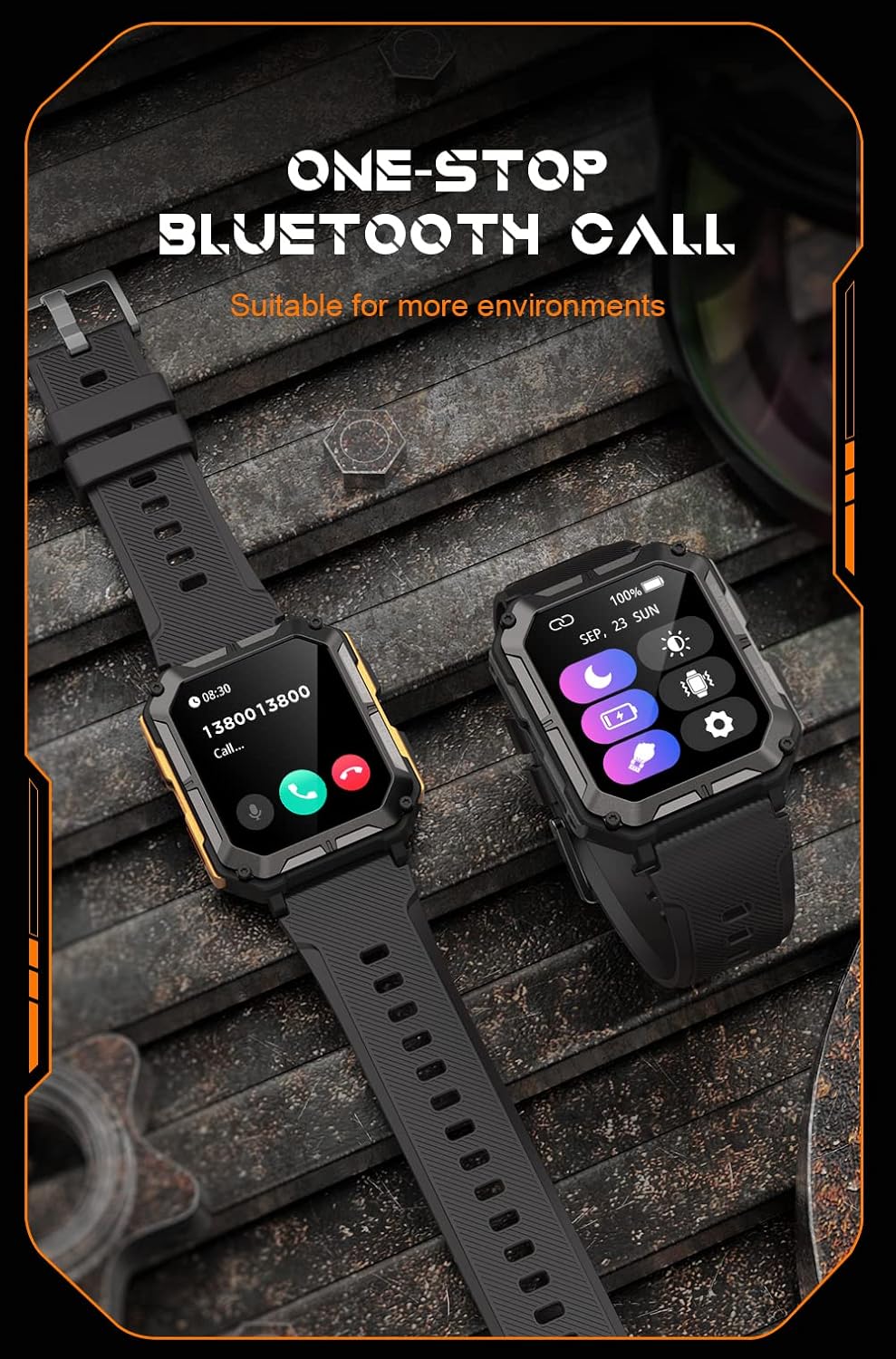
Image: The smartwatch screen showing an incoming call, illustrating the Bluetooth calling feature.
- Monitoraġġ tas-Saħħa:
- Rata tal-qalb: Immonitorja r-rata tat-taħbit tal-qalb tiegħek matul il-ġurnata.
- Ossiġnu fid-Demm (SpO2): Kejjel il-livelli tal-ossiġnu fid-demm tiegħek.
- Monitoraġġ tal-irqad: Isegwi x-xejriet u l-kwalità tal-irqad.

Image: The smartwatch screen displaying real-time heart rate and blood oxygen saturation (SpO2) data, highlighting its health monitoring capabilities.
- Modi sportivi: The watch supports over 100 sports modes. Select your activity to track performance metrics such as steps, distance, calories burned, and duration.
- Notifiki Intelliġenti: Receive alerts for calls, messages, and app notifications directly on your watch. Ensure notification permissions are enabled in the companion app.
- Assistent tal-Vuċi AI: Activate the voice assistant for hands-free control and information retrieval.

Image: A graphic displaying various features of the smartwatch, including heart rate, call reminder, pedometer, information reminder, blood pressure monitor, sleep monitor, calories, sedentary reminder, exercise data, IP68 waterproof, stress monitor, voice assistant, blood oxygen monitor, heart rate warning, and calculator.
Manutenzjoni
Tindif
Regularly clean your smartwatch to ensure optimal performance and hygiene.
- Imsaħ l-iskrin u l-korp b'ċarruta ratba u mingħajr suf.
- Għal ħmieġ iebsa, dampLaħlaħ id-drapp ftit bl-ilma. Evita li tuża kimiċi ħarxa jew materjali li joborxu.
- Naddaf il-kuntatti tal-iċċarġjar perjodikament biex tiżgura li l-iċċarġjar isir kif suppost.
Reżistenza għall-Ilma (IP68)
The Gravity C20 Pro is IP68 rated, meaning it is protected against dust ingress and can withstand immersion in water up to 1.5 meters for up to 30 minutes. While it is waterproof for daily use (e.g., hand washing, rain), it is not recommended for hot showers, saunas, or diving, as steam and high pressure can compromise the seals.
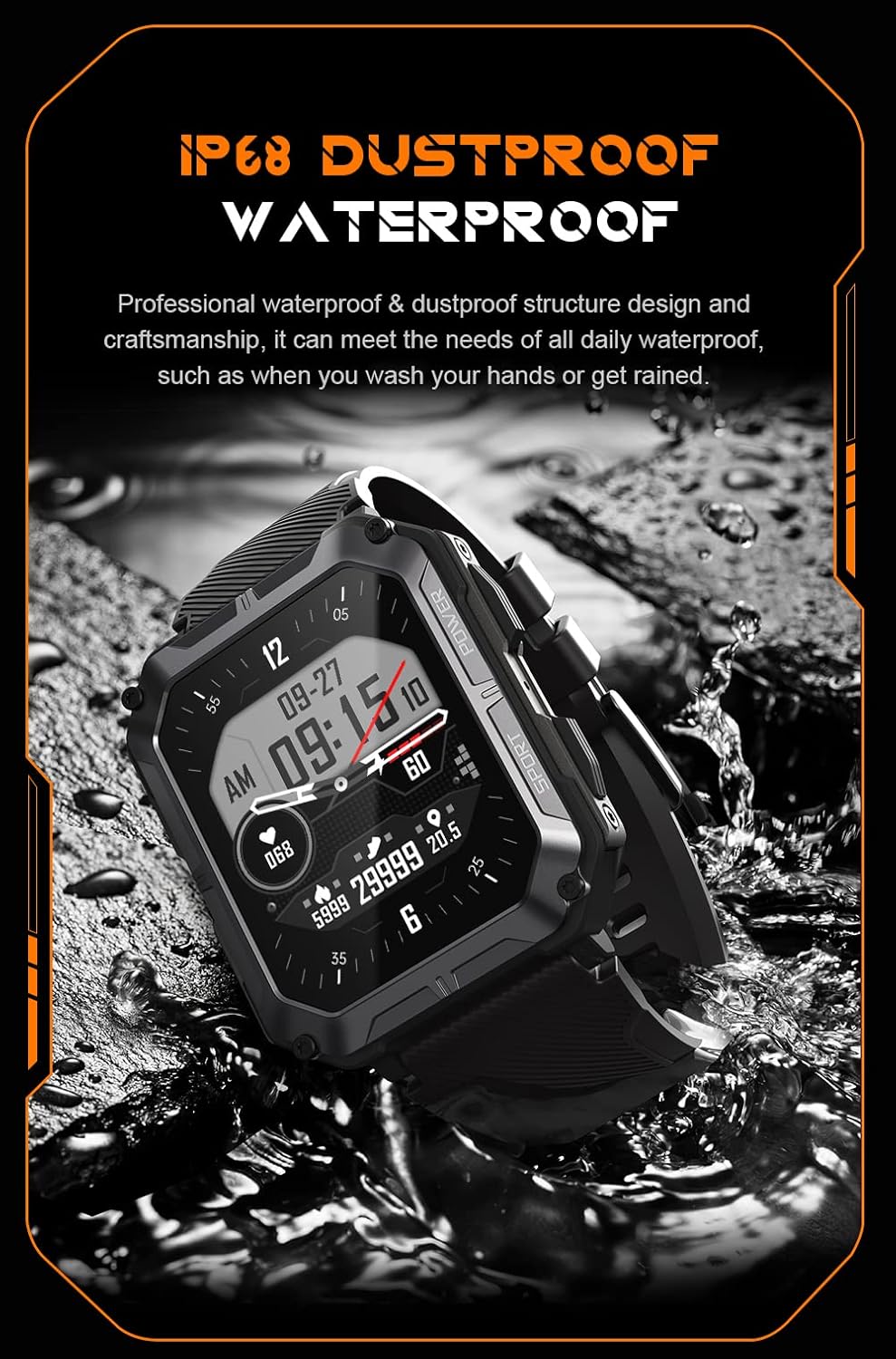
Image: The smartwatch partially submerged in water, demonstrating its IP68 dustproof and waterproof capabilities, suitable for daily exposure to water.
Ħażna
Meta ma tkunx qed tużah għal perjodi twal, aħżen l-ismartwatch f'post frisk u niexef 'il bogħod mix-xemx diretta u minn temperaturi estremi.
Issolvi l-problemi
| Problema | Kawża Possibbli | Soluzzjoni |
|---|---|---|
| L-arloġġ ma jixgħelx. | Batterija baxxa. | Iċċarġja l-arloġġ għal mill-inqas 30 minuta. |
| Ma tistax tqabbad ma' smartphone. | Bluetooth is off; app issue; watch not discoverable. | Ensure Bluetooth is on. Restart the app and watch. Try resetting the watch to factory settings if issues persist. |
| Notifiki mhux riċevuti. | App permissions not granted; app not running in background. | Check app notification permissions on your phone. Ensure the app is running and not optimized for battery saving. |
| Dejta dwar is-saħħa mhux preċiża. | Watch fit is too loose; sensor dirty. | Ensure the watch is snug on your wrist. Clean the heart rate sensor on the back of the watch. |
Speċifikazzjonijiet
| Karatteristika | Dettall |
|---|---|
| Numru tal-Mudell | W4-C28 |
| Daqs tal-Wiri | 1.83 pulzieri TFT |
| Kapaċità tal-batterija | 380 mAh |
| Ħajja tal-batterija (Standby) | Sa 20 jum |
| Reżistenza għall-Ilma | IP68 |
| Konnettività | Bluetooth |
| Sistema Operattiva | Android OS (compatible) |
| Reżistenza għat-temperatura | -24°C sa 60°C |
| Piż tal-oġġett | 1 liri |
| Dimensjonijiet tal-Pakkett | 9 x 4 x 1 pulzieri |
Informazzjoni dwar Garanzija
Gravity products are covered by a limited warranty from the date of purchase. This warranty covers manufacturing defects and workmanship under normal use. It does not cover damage caused by misuse, accidents, unauthorized modifications, or normal wear and tear.
For specific warranty terms and conditions, please refer to the warranty card included with your product or visit the official Gravity websit.
Appoġġ għall-Klijent
If you encounter any issues or have questions not covered in this manual, please contact Gravity customer support:
- Websit: www.gravity.com/support (Eżample URL, replace if actual URL is known)
- Email: support@gravity.com (Eżampl-Email)
- Telefon: Irreferi għall-uffiċjal websit għal numri ta' kuntatt reġjonali.
When contacting support, please have your product model number (W4-C28) and purchase details ready.


