Introduzzjoni
Welcome to the user manual for your new Samsung Galaxy S25 Ultra SM-S938B/DS AI Smartphone. This guide provides essential information to help you set up, operate, and maintain your device, ensuring you get the most out of its advanced features, including its powerful AI capabilities and high-resolution camera system.
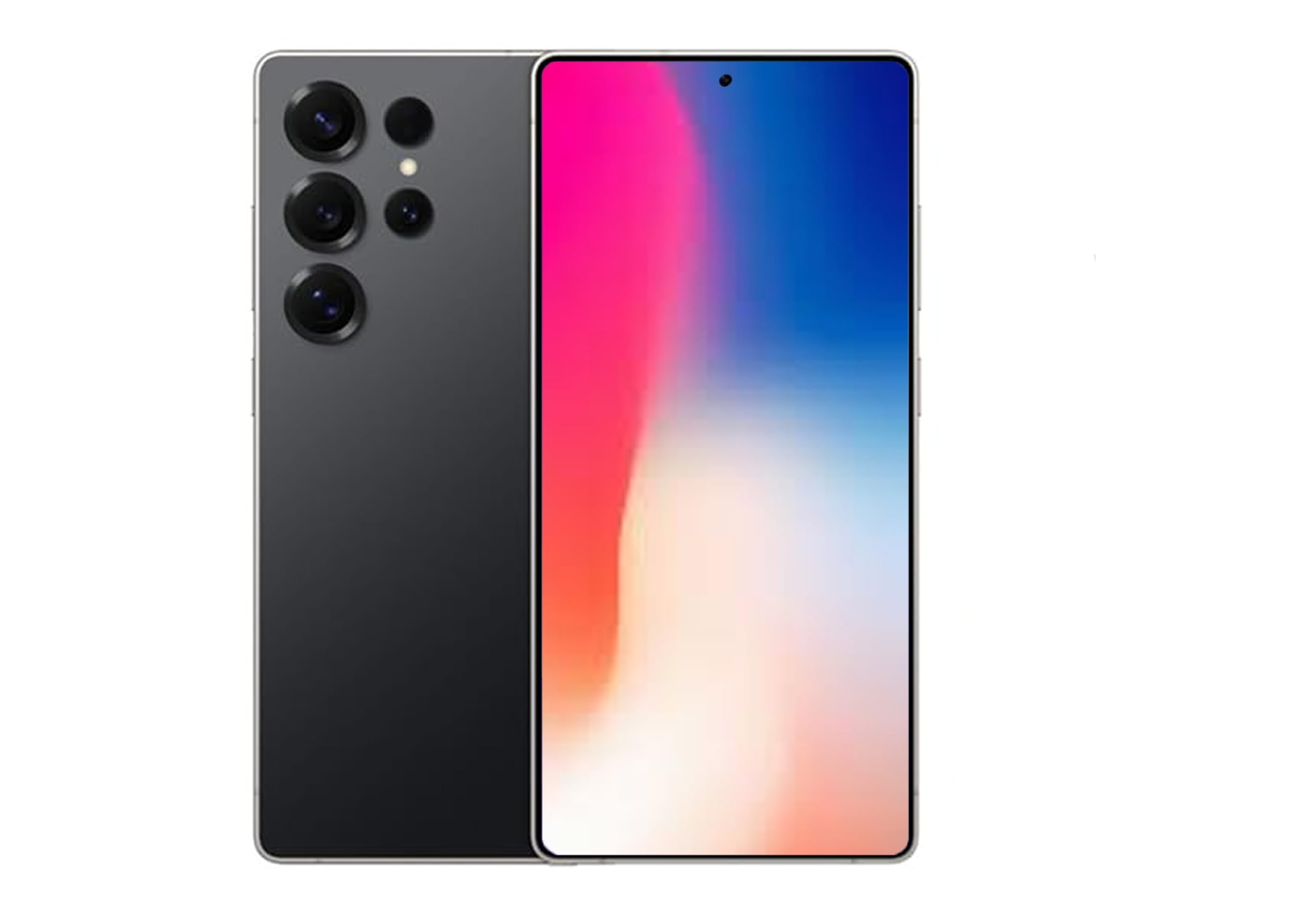
Figure 1: Samsung Galaxy S25 Ultra in Titanium Black.
1. Setup u Konfigurazzjoni Inizjali
1.1 Id-Daħħal tas-SIM Card
The Samsung Galaxy S25 Ultra supports Dual SIM functionality. To insert your SIM card(s):
- Sib it-trej tal-kard SIM fuq il-ġenb tat-tagħmir tiegħek.
- Use the provided ejection tool to open the tray.
- Poġġi l-kard(s) Nano-SIM tiegħek fit-trej bil-kuntatti tad-deheb iħarsu 'l isfel. Kun żgur li huma mqiegħda sew.
- Imbotta t-trej bil-mod lura fl-islott sakemm tikklikkja f'postu.
Nota: For USA buyers, this device is compatible with GSM carriers such as T-Mobile, Metro, Tello, Mint, and Ultra. It is not compatible with CDMA carriers like Verizon, Sprint, Boost, AT&T, Cricket, US Cellular, Xfinity, or Visible.
1.2 Tixgħel/Jitfi
- Biex Tixgħel: Agħfas u żomm il-buttuna tal-ġenb sakemm jidher il-logo ta' Samsung.
- Biex Tifi: Press and hold the Side key and Volume Down button simultaneously, then tap "Power off" on the screen. Alternatively, swipe down from the top of the screen to open the Quick Panel, tap the Power icon, and select "Power off".
1.3 Wizard tas-Setup Inizjali
Upon first power-on, follow the on-screen instructions to complete the initial setup, including language selection, Wi-Fi connection, Google account setup, and security settings (Face Recognition is available).
2. Operating Your Galaxy S25 Ultra
2.1 Navigazzjoni Bażika
Navigate your device using intuitive touch gestures. Swipe, tap, pinch, and spread to interact with apps and content on the 6.9-inch AMOLED display.
2.2 AI Features (Galaxy AI)
The Galaxy S25 Ultra integrates advanced AI features to enhance your daily experience:
- Issa fil-qosor: Stay informed with daily insights and information from selected apps, displayed proactively on your device.
- AI Camera with Audio Eraser: Capture vibrant videos even in low-light conditions. The Audio Eraser feature minimizes unwanted background noises, allowing for clearer audio in your recordings.
- Swiċċ intelliġenti: Easily transfer your photos, videos, music, apps, contacts, and conversations securely from your old device to your new Galaxy S25 Ultra.
- Interpreter Calls: Utilize AI for real-time translation during phone calls.
- Integrazzjoni ta' Google Gemini: Access advanced AI assistance for various tasks and queries.
2.3 Funzjonijiet tal-Kamera
Your Galaxy S25 Ultra features a powerful camera system with a 200 MP effective video resolution and 8K video capture capabilities. It includes four rear-facing cameras and one 12 MP front-facing camera.
- Portrait Features: Advanced portrait modes automatically adjust skin tones and preserve natural textures for professional-looking photos.
- Reġistrazzjoni tal-vidjo: Record stunning 8K videos at 30 frames per second.
- Zoom: Utilize the advanced zoom capabilities for capturing distant subjects with clarity.
2.4 Daqq tal-Midja
Control your music and other media directly from the lock screen. Swipe through tracks and manage playback with ease.
3. Manutenzjoni u Kura
3.1 Tindif tal-Apparat Tiegħek
To keep your Galaxy S25 Ultra in optimal condition:
- Imsaħ l-iskrin u l-korp b'ċarruta ratba u mingħajr suf.
- Evita li tuża kimiċi ħarxa jew materjali li joborxu.
3.2 Aġġornamenti tas-Software
Iċċekkja u installa aġġornamenti tas-softwer regolarment biex tiżgura li t-tagħmir tiegħek ikollu l-aħħar karatteristiċi, irqajja tas-sigurtà, u titjib fil-prestazzjoni. Mur fuq Settings > Aġġornament tas-softwer biex tiċċekkja għal aġġornamenti.
3.3 Reżistenza għall-Ilma
The Galaxy S25 Ultra is water resistant. However, it is not waterproof. Avoid submerging the device in water for extended periods or exposing it to high-pressure water jets. Always ensure the SIM tray is properly closed to maintain water resistance.
4. Issolvi l-problemi ta' Kwistjonijiet Komuni
- Apparat mhux qed jixgħel: Ensure the battery is charged. Connect the device to a charger and try powering it on after a few minutes.
- L-apps jiffriżaw jew jiġġarraf: Agħlaq l-app problematika u erġa' iftaħha. Jekk il-problema tippersisti, erġa' iftaħ it-tagħmir tiegħek.
- Konnessjoni tan-netwerk fqira: Check your SIM card insertion. Ensure you are within your carrier's coverage area. Restarting the device can often resolve minor network issues.
- Batterija tisbat malajr: Adjust screen brightness, close unused apps, and review battery usage in settings to identify power-hungry applications.
- L-iskrin ma jirrispondix: Perform a forced restart by pressing and holding the Side key and Volume Down button for more than 7 seconds.
5. Speċifikazzjonijiet
| Karatteristika | Speċifikazzjoni |
|---|---|
| Brand | Samsung |
| Isem tal-Mudell | SM-S938BZKKTPA |
| Kapaċità tal-Ħżin tal-Memorja | 512 GB |
| Daqs tal-Iskrin | 6.9 Pulzier |
| Riżoluzzjoni | 3120 x 1440 |
| Riffriskar Rata | 120 Hz |
| Trasportatur Wireless | Mhux miftuħ (kompatibbli mal-GSM) |
| Teknoloġija Ċellulari | 5G |
| Teknoloġija tal-Konnettività | 2G, 3G, 4G, 5G |
| Kulur | Iswed |
| Għadd ta' Slottijiet tal-Karta SIM | SIM doppju |
| Fattur tal-Formola | Bar |
| Biometric Security Feature | Rikonoxximent tal-wiċċ |
| Daqs tal-Karta SIM | Nano |
| Livell ta 'Reżistenza għall-Ilma | Reżistenti għall-Ilma |
| Headphones Jack | L-ebda jack tal-headphones |
| Memorja Flash Daqs Sostnut Massimu | 512 GB |
| Sena Mudell | 2025 |
| Ħin tat-Taħdit bit-Telefon | 24 Sigħat |
| Riżoluzzjoni tal-Vidjo Effettiva | 200 MP |
| Riżoluzzjoni tal-Qbid tal-Vidjo | 8k |
| Frame Rata | 30 fps |
| Tip ta 'Wiri | AMOLED |
| Riżoluzzjoni tal-Wiri Massimu | 3120x1440 |
| Display Pixel Density | 498 Pixels Per Inch (PPI) |
| Front Photo Sensor Resolution | 12 MP |
| Number of Rear Facing Cameras | 4 |
| Number of Front Cameras | 1 |
| Kapaċità tal-batterija | 5000 Milliamp Sigħat |
| Piż tal-oġġett | 250 Gramm |
| Dimensjonijiet tal-oġġett | 6.3 x 4.72 x 1.18 pulzieri |
| GPS Geotagging Functionality | Veru |
6. Garanzija u Appoġġ
For detailed warranty information, technical support, and service inquiries, please visit the official Samsung support webis-sit jew ikkuntattja s-servizz tal-konsumatur tagħhom. Tista' ssib aktar informazzjoni fuq Ħanut Samsung fuq Amazon jew is-Samsung uffiċjali websit.


