1. Introduzzjoni
Thank you for choosing the AYANEO AM01 Retro Mini PC. This manual provides essential information for setting up, operating, maintaining, and troubleshooting your device. Please read this manual thoroughly before use to ensure optimal performance and longevity of your Mini PC.
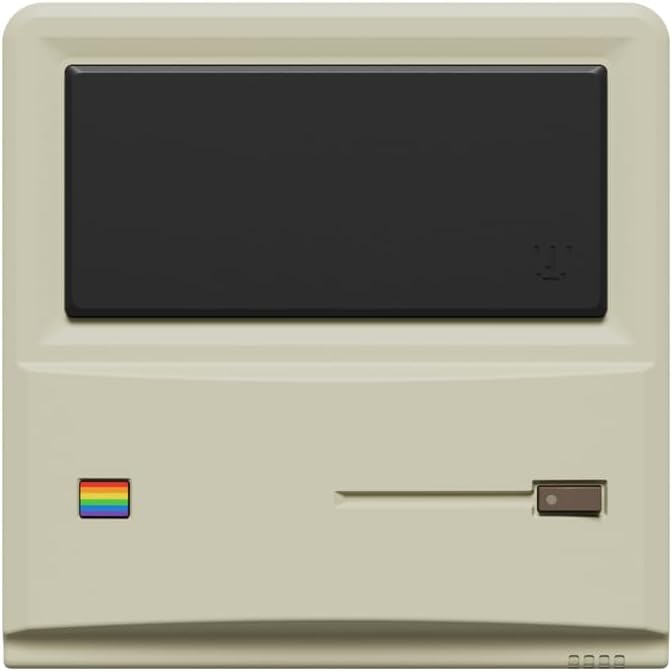
Figura 1: Quddiem view of the AYANEO AM01 Retro Mini PC.
2. Informazzjoni dwar is-Sigurtà
To prevent damage to the device or injury to yourself and others, please observe the following safety precautions:
- Tesponix l-apparat għall-ilma, umdità, jew temperaturi estremi.
- Evita li tpoġġi l-apparat ħdejn sorsi tas-sħana jew fid-dawl tax-xemx dirett.
- Uża biss l-adapter tal-enerġija pprovdut.
- Tippruvax tiftaħ jew issewwi l-apparat int stess. Irreferi għal persunal tas-servizz kwalifikat.
- Żgura ventilazzjoni xierqa madwar l-apparat biex tevita sħana żejda.
3. Kontenut tal-Pakkett
Ivverifika li l-oġġetti kollha huma preżenti fil-pakkett:
- 1 x AYANEO AM01 Mini PC
- 1 x Adapter tal-enerġija
- 1 x 2.5-inch hard drive bracket with Screws
- 1 x Cable HDMI
- 1 x 2.5-inch hard SATA cable
- 2 x Manwal għall-Utent
4. Prodott Aktarview
The AYANEO AM01 Mini PC features a compact design with various ports for connectivity.
4.1 Panel ta 'Quddiem
The front panel includes decorative elements and a power indicator.

Figure 2: Close-up of the AM01 front panel, highlighting the retro design and decorative elements. The virtual screen is for decoration only.
4.2 Pannelli ta' wara u tal-ġenb
The rear and side panels house the primary connectivity ports and ventilation.
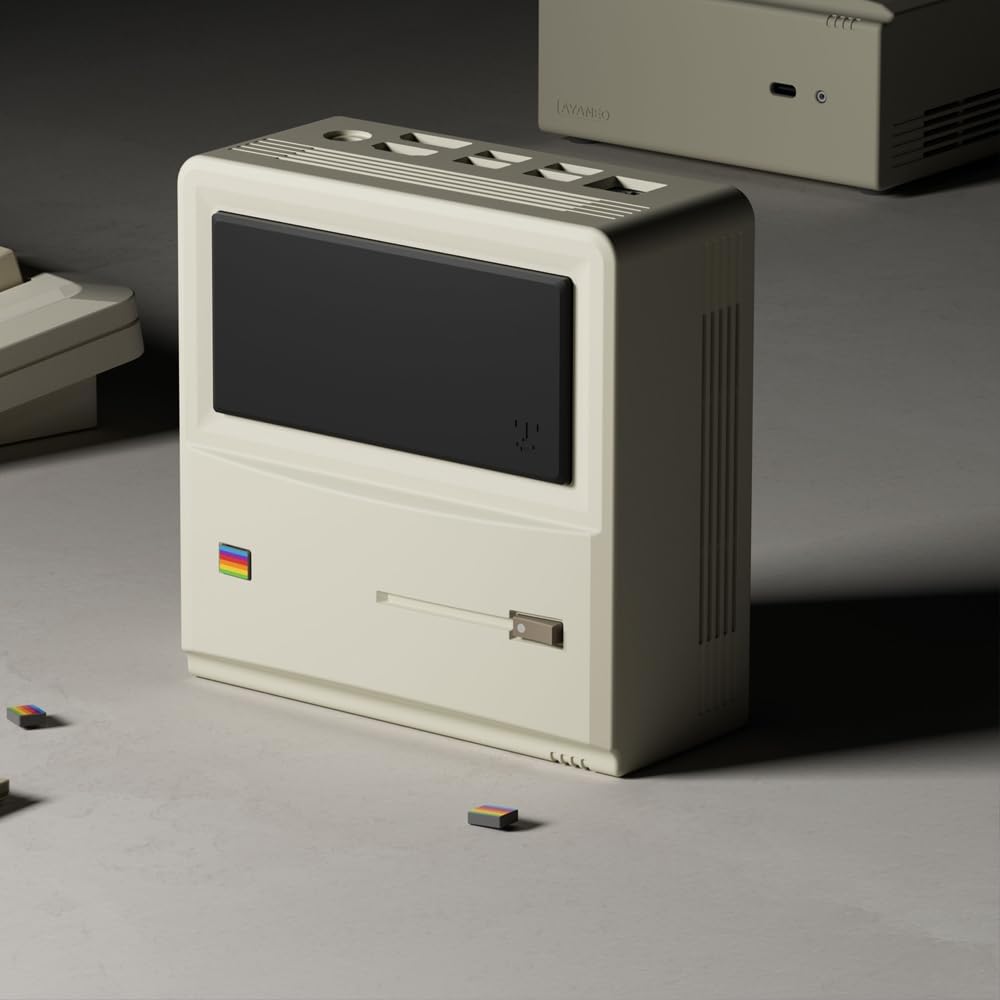
Figura 3: Wara u ġenb view of the AM01, illustrating the various input/output ports and ventilation grilles.
Key ports include:
- Portijiet USB 3.2 Gen 2
- Port HDMI 2.0
- DisplayPort 1.4
- Ġigabit port Ethernet
- 3.5mm jack awdjo
- Input tal-enerġija
5. Setup
5.1 Konnessjoni tal-Periferali
- Connect your monitor(s) to the HDMI and/or DisplayPort outputs.
- Qabbad it-tastiera u l-maws tiegħek mal-portijiet USB disponibbli.
- If using a wired network, connect an Ethernet cable to the Gigabit Ethernet port.
5.2 Tixgħel
- Connect the power adapter to the Mini PC's power input and then to a power outlet.
- Press the power button located on the device. The power indicator will illuminate.
5.3 Konfigurazzjoni Inizjali tal-Windows 11
Upon first boot, you will be guided through the Windows 11 Home setup process. Follow the on-screen instructions to configure your language, region, network, and user account.
5.4 Konnettività tan-Netwerk
- Wi-Fi: During Windows setup or via Windows Settings, select your Wi-Fi network and enter the password. The AM01 supports Wi-Fi 6.
- Ethernet: Jekk kejbil Ethernet ikun imqabbad, is-sistema awtomatikament tiskopri u tikkonnettja man-netwerk bil-fili.
6. Istruzzjonijiet Operattivi
6.1 Użu Bażiku
The AYANEO AM01 runs on Windows 11 Home, providing a familiar desktop environment. You can install applications, browse the web, and perform various computing tasks.

Figure 4: The AM01 Mini PC integrated into an office workspace, demonstrating its use for productivity tasks.
6.2 AYASpace Software
The AM01 is compatible with AYASpace, a Windows management software developed by AYANEO. This software offers features such as game library management, real-time performance monitoring (FPS Thunder), and fan control strategies.

Figura 5: Aktarview of the AYASpace software interface, showing features like game library search, FPS monitoring, and fan scheduling.
For barebone versions, AYASpace can be downloaded and installed from the AYANEO website after Windows installation.
6.3 Espansjoni tal-Ħażna u l-Memorja
The AM01 offers flexibility for upgrades:
- RAM: Dual DDR4 memory slots support up to 64GB RAM.
- Ħażna: Includes a 512GB PCIe 3.0 SSD and a 2.5-inch SATA 3.0 slot for additional SSDs or HDDs.
Consult a qualified technician for hardware upgrades to avoid voiding your warranty or damaging the device.
7. Manutenzjoni
7.1 Tindif
- Uża drapp artab u niexef biex tnaddaf il-barra tal-Mini PC.
- Għal akkumulazzjoni ta' trab fil-ventijiet, uża arja kkompressata. Kun żgur li l-apparat ikun mitfi qabel ma tnaddaf.
- Tużax prodotti tat-tindif likwidi jew materjali li joborxu.
7.2 Aġġornamenti tas-Software
Regularly update your Windows operating system and device drivers to ensure optimal performance and security. Windows Update can be accessed via the Settings menu.
7.3 Sistema tat-tkessiħ
The AM01 features a 35W high-pressure turbo fan and a four-copper-pipe cooling module for efficient heat dissipation. Ensure that the ventilation grilles are not obstructed to maintain proper airflow.

Figura 6: Intern view illustrating the AM01's cooling system components, including the fan and copper pipes.
8 Issolvi l-problemi
If you encounter issues with your AYANEO AM01, refer to the following common solutions:
- Ebda Qawwa: Ensure the power adapter is securely connected to both the Mini PC and a working power outlet. Try a different outlet.
- Ebda Display: Verify that the monitor is powered on and correctly connected to the Mini PC via HDMI or DisplayPort. Try a different cable or monitor.
- Ebda Konnessjoni tal-Internet: Check Wi-Fi settings or ensure the Ethernet cable is properly connected. Restart your router/modem.
- Prestazzjoni bil-mod: Close unnecessary applications. Check for background updates. Ensure adequate ventilation.
- System Freezes: Press and hold the power button for 10 seconds to force a shutdown, then restart the device.
For persistent issues, contact AYANEO customer support or visit their official websit għal aktar għajnuna.
9. Speċifikazzjonijiet
Detailed technical specifications for the AYANEO AM01 Mini PC:
| Karatteristika | Speċifikazzjoni |
|---|---|
| Mudell | AM01 |
| Proċessur | AMD Ryzen 7 5825U |
| RAM | 32GB DDR4 (Espansibbli sa 64GB) |
| Ħażna | 512GB SSD (PCIe 3.0), 2.5-inch SATA 3.0 slot available |
| Sistema Operattiva | Windows 11 Home |
| Grafika | Grafika Integrata |
| Riżoluzzjoni Massima tal-Iskrin | 3840x2160 (4K) |
| Konnettività | Wi-Fi 6, Bluetooth 5.2, Gigabit Ethernet |
| Portijiet | USB 3.2 Gen 2 (x3), USB 2.0 (x1), HDMI 2.0 (x1), DisplayPort 1.4 (x1), 3.5mm Audio Jack (x1) |
| Dimensjonijiet | 132 × 132 × 60.5mm (approx.) |
| Piż tal-oġġett | 1.1 liri (madwar) |
10. Garanzija u Appoġġ
The AYANEO AM01 Retro Mini PC comes with a manufacturer's warranty. Please refer to the warranty card included in your package or visit the official AYANEO websit għal termini u kundizzjonijiet dettaljati tal-garanzija.
For technical support, product inquiries, or service requests, please contact AYANEO customer support through their official channels. Keep your purchase receipt and product serial number handy when contacting support.


