Introduzzjoni
Thank you for choosing Raycon Bone Conduction Headphones. This manual provides essential information for the proper use, setup, and maintenance of your device. Please read it thoroughly before use.
These headphones utilize bone conduction technology, allowing you to hear audio while keeping your ears open to your surroundings. They are designed for active lifestyles, featuring a lightweight, water-resistant build and a secure fit.
Kontenut tal-Pakkett
- Raycon Bone Conduction Headphones
- Kejbil tal-Iċċarġjar Manjetiku
- Manwal għall-Utent (dan id-dokument)
Prodott Overview
Familiarize yourself with the components of your Raycon Bone Conduction Headphones.

Figura 1: Quddiem view of the Raycon Bone Conduction Headphones. The image shows the purple headphones with the Raycon logo visible on the left side, highlighting the open-ear design and the flexible band connecting the two ear pieces.

Figura 2: Ġenb view of the Raycon Bone Conduction Headphones. This image displays the control buttons located on the right ear piece, along with the charging port area. The overall lightweight and ergonomic design is visible.
Karatteristiċi ewlenin:
- Disinn tal-widna miftuħa: Allows situational awareness.
- Teknoloġija tal-Konduzzjoni tal-għadam: Delivers audio through cheekbones.
- Reżistenza għall-Ilma IP68: Protection against sweat, rain, and spills.
- Bini ħafif: Comfortable for extended wear.
- Adjustable Conduction Buds: For personalized sound and awareness balance.
- Bluetooth 5.3: Stable wireless connectivity.
- Ħin tal-logħob ta' 13 sigħat: Ħajja estiża tal-batterija.
Setup
1. Iċċarġjar tal-Headphones
Qabel l-ewwel użu, iċċarġja l-headphones tiegħek kompletament.
- Connect the magnetic charging cable to the charging port on your headphones.
- Qabbad it-tarf l-ieħor tal-kejbil ma' adapter tal-enerġija USB (mhux inkluż) jew mal-port USB tal-kompjuter.
- L-indikatur LED se juri l-istatus tal-iċċarġjar (eż., aħmar għall-iċċarġjar, blu għal iċċarġjat kompletament).
- Ċarġ sħiħ tipikament jieħu madwar 1.5-2 sigħat.
2. Tixgħil / Mitfi
- Biex Tixgħel: Press and hold the Power button for 3 seconds until the LED indicator flashes blue and you hear a power-on prompt.
- Biex Tifi: Press and hold the Power button for 5 seconds until the LED indicator flashes red and you hear a power-off prompt.
3. Tqabbil tal-Bluetooth
Qabbad il-headphones tiegħek mat-tagħmir tiegħek li jaħdem bil-Bluetooth (smartphone, tablet, laptop).
- Kun żgur li l-headphones huma mitfija.
- Agħfas u żomm il-buttuna tal-Power għal 5-7 sekondi sakemm l-indikatur LED jteptep aħmar u blu alternattivament, u dan jindika l-modalità ta' tqabbil.
- Fuq it-tagħmir tiegħek, mur fis-settings tal-Bluetooth u attiva l-Bluetooth.
- Fittex għal available devices and select "Raycon Bone Conduction" (or similar name).
- Once connected, the LED indicator will flash blue slowly, and you will hear a connection confirmation.
- Il-headphones jerġgħu jikkonnettjaw awtomatikament mal-aħħar apparat imqabbad meta jinxtegħlu, jekk ikunu fil-firxa.
Istruzzjonijiet Operattivi
Liebes il-headphones
Place the headphones with the transducers resting on your cheekbones, just in front of your ears. The band should wrap around the back of your head.
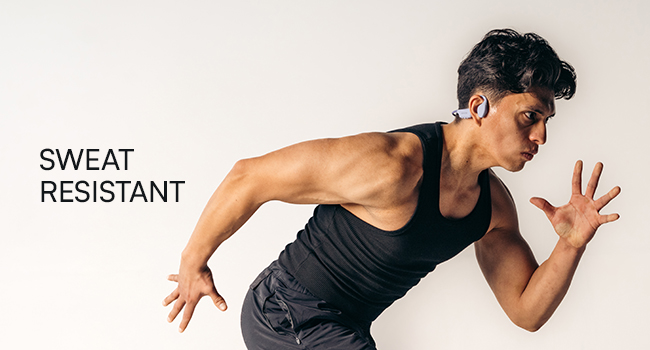
Figure 3: Illustration demonstrating the correct placement of the bone conduction headphones on the head, with the transducers positioned on the cheekbones near the ears. This image emphasizes the open-ear design.
The adjustable conduction buds allow you to slide them closer to your ear for louder sound or pull them back for increased environmental awareness. Experiment to find your preferred balance.
Funzjonijiet tal-buttuna
| Buttuna/Azzjoni | Funzjoni |
|---|---|
| Power Button (Press & Hold 3s) | Qawwa Mixgħul |
| Power Button (Press & Hold 5s) | Power Off / Enter Pairing Mode |
| Buttuna b'ħafna funzjonijiet (Pressjoni Waħda) | Daqq/Pawża l-Mużika, Tweġiba/Tmiem is-Sejħa |
| Buttuna b'ħafna funzjonijiet (Agħfas darbtejn) | Track li jmiss |
| Buttuna b'ħafna funzjonijiet (Tripla pressjoni) | Track Preċedenti |
| Volume Up (+) Button (Single Press) | Żid il-Volum |
| Volume Down (-) Button (Single Press) | Naqqas il-Volum |
| Volume Up (+) Button (Press & Hold) | Attiva l-Assistent tal-Vuċi |
Jagħmel u Jirċievi Sejħiet
- Irrispondi Sejħa: Agħfas il-Buttuna Multi-funzjoni darba.
- Tmiem Sejħa: Agħfas il-Buttuna Multi-funzjoni darba waqt telefonata.
- Irrifjuta Sejħa: Agħfas u żomm il-Buttuna b'Diversi Funzjonijiet għal 2 sekondi.
- Assistent tal-Vuċi: Press and hold the Volume Up (+) button to activate your device's voice assistant (Siri, Google Assistant, etc.).
Manutenzjoni u Kura
- Tindif: Imsaħ il-headphones b'artab, damp drapp. Tużax kimiċi ħarxa jew tindif li joborxu.
- Reżistenza għall-Ilma (IP68): These headphones are IP68 rated, meaning they are protected against dust and can withstand immersion in water up to 1.5 meters for up to 30 minutes. However, they are not designed for swimming or prolonged underwater use. Ensure the charging port is dry before charging.
- Ħażna: Aħżen il-headphones f'post frisk u niexef 'il bogħod mix-xemx diretta u minn temperaturi estremi.
- Kura tal-batterija: Biex ittawwal il-ħajja tal-batterija, evita li tiċċarġja l-headphones għalkollox ta’ spiss. Iċċarġjahom regolarment, anke jekk ma tkunx qed tużahom għal perjodi twal.
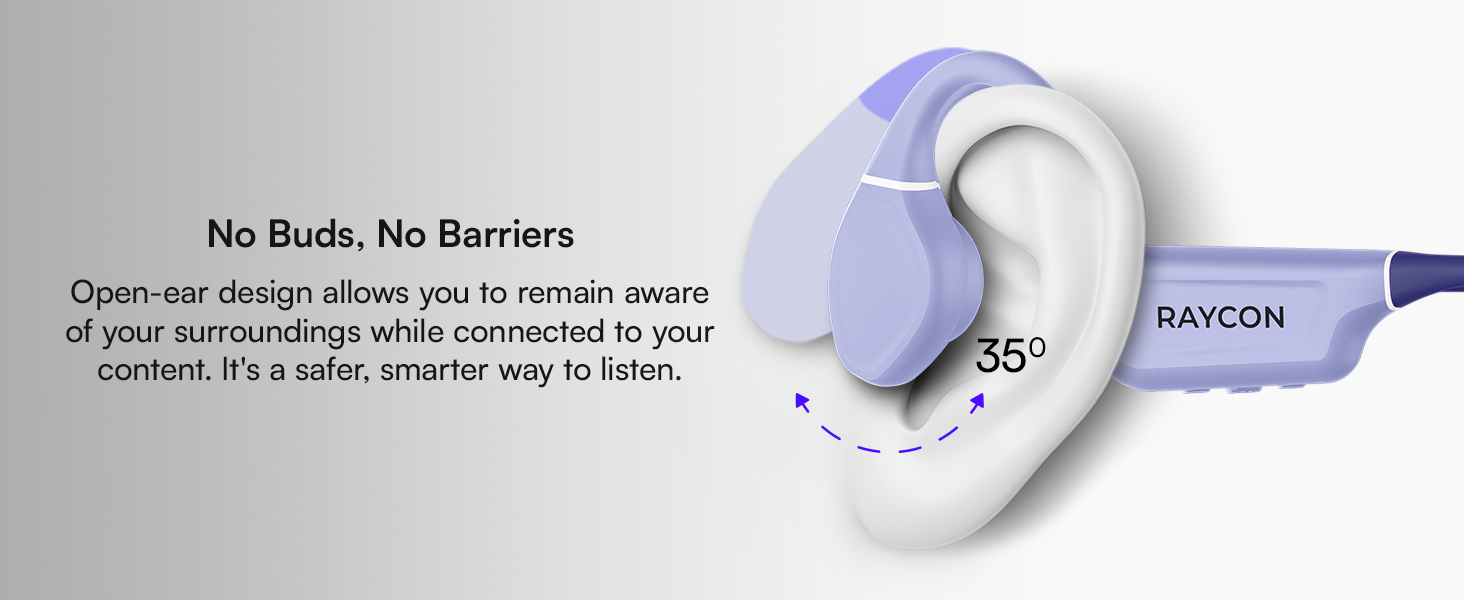
Figure 4: Image illustrating the water-resistant feature of the Raycon Bone Conduction Headphones, with water droplets splashing around them. This visually confirms their suitability for use in various weather conditions or during workouts.
Issolvi l-problemi
| Problema | Soluzzjoni Possibbli |
|---|---|
| Il-headphones ma jixegħlux. | Ensure the headphones are charged. Connect to the charging cable and check the LED indicator. |
| Ma tistax tqabbad mat-tagħmir. |
|
| L-ebda ħoss jew volum baxx. |
|
| Kwalità ħażina tas-sejħa. |
|
Speċifikazzjonijiet
| Karatteristika | Dettall |
|---|---|
| Isem tal-Mudell | Headphones tal-Konduzzjoni tal-għadam |
| Numru tal-Mudell | RBB842-24E |
| Teknoloġija tal-Konnettività | Mingħajr fili (Bluetooth 5.3) |
| Medda Bluetooth | Sa 33 pied (10 metri) |
| Tip ta' Sewwieq Awdjo | Sewwieq tal-Konduzzjoni tal-Għadam |
| Daqs tas-Sewwieq tal-Awdjo | 16 Millimetru |
| Medda ta' Frekwenzi | 20 Hz - 20 KHz |
| Sensittività | 91 dB |
| Impedenza | 8 Ohm |
| Ħajja tal-batterija | Sa 13 sigħat |
| Livell ta 'Reżistenza għall-Ilma | IP68 |
| Materjal | Acrylonitrile Butadiene Styrene (ABS), Silikon |
| Piż tal-oġġett | 5.6 uqija |
| Komponenti Inklużi | Kejbil tal-Iċċarġjar Manjetiku |
| UPC | 811162032804 |
Garanzija u Appoġġ
For warranty information and customer support, please refer to the official Raycon webis-sit jew ikkuntattja lis-servizz tal-konsumatur tagħhom direttament. Żomm il-prova tax-xiri tiegħek għal talbiet ta' garanzija.
Appoġġ onlajn: Żur Raycon Global Support għal FAQs, gwidi għas-soluzzjoni tal-problemi, u għażliet ta' kuntatt.
Informazzjoni dwar is-Sigurtà
- Żarmax, isewwi, jew timmodifikax il-prodott.
- Tesponix il-prodott għan-nar jew għal sħana estrema.
- Evita li tisma' f'volumi għoljin għal perjodi estiżi biex tevita ħsara fis-smigħ.
- Use caution when using headphones in situations requiring awareness of your surroundings.
- Żomm fejn ma jintlaħaqx mit-tfal.


