Introduzzjoni
This user manual provides comprehensive instructions for the installation, operation, and maintenance of your AZDOME M17 Pro Dash Cam. Please read this manual thoroughly before using the device to ensure proper functionality and to maximize your driving safety and recording experience.
Kontenut tal-Pakkett
Jekk jogħġbok ivverifika li l-oġġetti kollha elenkati hawn taħt huma inklużi fil-pakkett tiegħek:
- M17 Pro Dash Cam x1
- 1080P IP68 Waterproof Rear Cam (6M/20FT) x1
- Type-C Charging Cable (3.5M/12FT) x1
- Dual USB Car Charger x1
- Installation Tool x1
- Manwal għall-Utent x1
- 64GB MicroSD Card x1
- Electrostastic Sticker x2
- Cable Clip x5
- Pry Tool x1
- Spare 3M Sticker x1
- Pre-Moistened Lens Wipes x1

Figure 1: Complete Packing List for AZDOME M17 Pro Dash Cam.
Prodott Overview
The AZDOME M17 Pro is a high-performance dual dash cam system designed to capture clear footage of your journeys. It features a front camera capable of 4K resolution and a rear camera with 1080P resolution, ensuring comprehensive coverage.

Figure 2: AZDOME M17 Pro Dash Cam and App Interface.
The system provides dual-channel recording, capturing both the road ahead and behind your vehicle simultaneously. The front camera records in stunning 4K UHD, while the rear camera records in 1080P Full HD, providing critical details for accident reconstruction or scenic drives.

Figure 3: 4K+1080P Dual Channel Recording.
Setup
1. Immuntar tad-Dash Cam
- Naddaf iż-żona tal-windskrin fejn se titwaħħal il-kamera tad-dashboard.
- Attach the electrostatic sticker to the windshield, then mount the dash cam onto the sticker.
- Adjust the lens angle to ensure a clear view tat-triq.
2. Qawwa tal-Konnessjoni
- Connect the Type-C charging cable to the dash cam.
- Plug the other end of the cable into the provided Dual USB Car Charger.
- Daħħal il-ċarġer tal-karozza fis-sokit tal-lajter tas-sigaretti tal-vettura tiegħek.

Figure 4: Dual USB Car Charger Connection.
3. Installazzjoni tal-Kamera ta' Wara
- Mount the rear camera on the rear windshield using the adhesive.
- Route the rear camera cable to the main dash cam unit.
- For parking assistance, connect the red reverse line of the rear camera to the positive pole of your vehicle's reverse light.

Figure 5: Parking Assistance Function Display.
4. App WiFi Connection Guide
The AZDOME app allows for seamless video playback, downloads, and sharing. Ensure your dash cam is powered on and within 10 feet of your smartphone for optimal connection.

Figure 6: APP WiFi Connection Guide (Steps 1-4).

Figure 7: APP WiFi Connection Guide (Steps 5-8).
Istruzzjonijiet Operattivi
1. Loop Recording and Emergency Lock
The dash cam automatically records in a continuous loop, overwriting the oldest footage when the memory card is full. The included 64GB card provides ample storage, and the system supports cards up to 128GB.

Figure 8: Loop Recording with Free 64GB Card.
The built-in G-Sensor detects sudden impacts or collisions. When an event is detected, the current footage is automatically locked and saved to prevent it from being overwritten, ensuring critical evidence is preserved.

Figure 9: G-Sensor and Loop Recording.
2. Kontroll tal-Vuċi
The M17 Pro supports voice commands for hands-free operation. This allows you to control key functions without taking your hands off the steering wheel, enhancing safety.
- "Illokkja l-vidjo"
- "Ixgħel il-WiFi"
- "Ħu ritratt"
- "Ixgħel l-awdjo"
- "Turn off WiFi"
- "Itfi l-iskrin"
- And other commands as listed in the device settings.

Figure 10: Smart Voice Control in Action.
3. WiFi 6 & App Control
Utilize the built-in WiFi 6 to connect your dash cam to the AZDOME app on your smartphone. This enables live view, video playback, downloading footage directly to your phone, and sharing to social media platforms.

Figure 11: WiFi 6 & APP Control Interface.

Figure 12: 3x Faster Transmission with WiFi 6.
Karatteristiċi Avvanzati
1. ADAS (Advanced Driver Assistance Systems)
The ADAS feature provides real-time alerts to enhance driving safety. This includes Lane Departure Warning (LDW), which alerts you if your vehicle drifts out of its lane without signaling. Note: When ADAS is enabled, resolution adjusts to 2K+1K.

Figure 13: ADAS Lane Departure Warning.

Figure 14: Understanding ADAS.
2. Fatigue Driving Alert
To promote safe driving habits, the dash cam can remind you to take a rest after 1, 2, or 4 hours of continuous driving. This feature helps prevent accidents caused by driver fatigue.

Figure 15: Fatigue Driving Alert.
3. 24H Parking Modes
For continuous monitoring when your vehicle is parked, the M17 Pro offers two parking modes. A Type-C USB Port Hardwire Kit (ASIN: B0BM9JL327, not included) is required for these functions.
- Sejbien ta' Ħabtiet: The built-in G-sensor detects impacts and automatically locks the video to prevent overwriting, securing evidence of any incidents.
- Time-Lapse: This mode enables continuous recording for 24 hours, capturing every detail around your parked vehicle efficiently.

Figure 16: 24H Parking Modes.
4. Viżjoni Super bil-Lejl
Equipped with an F1.8 aperture and a 6-glass lens, the dash cam provides enhanced clarity and detail in low-light conditions, ensuring clear recordings even at night.
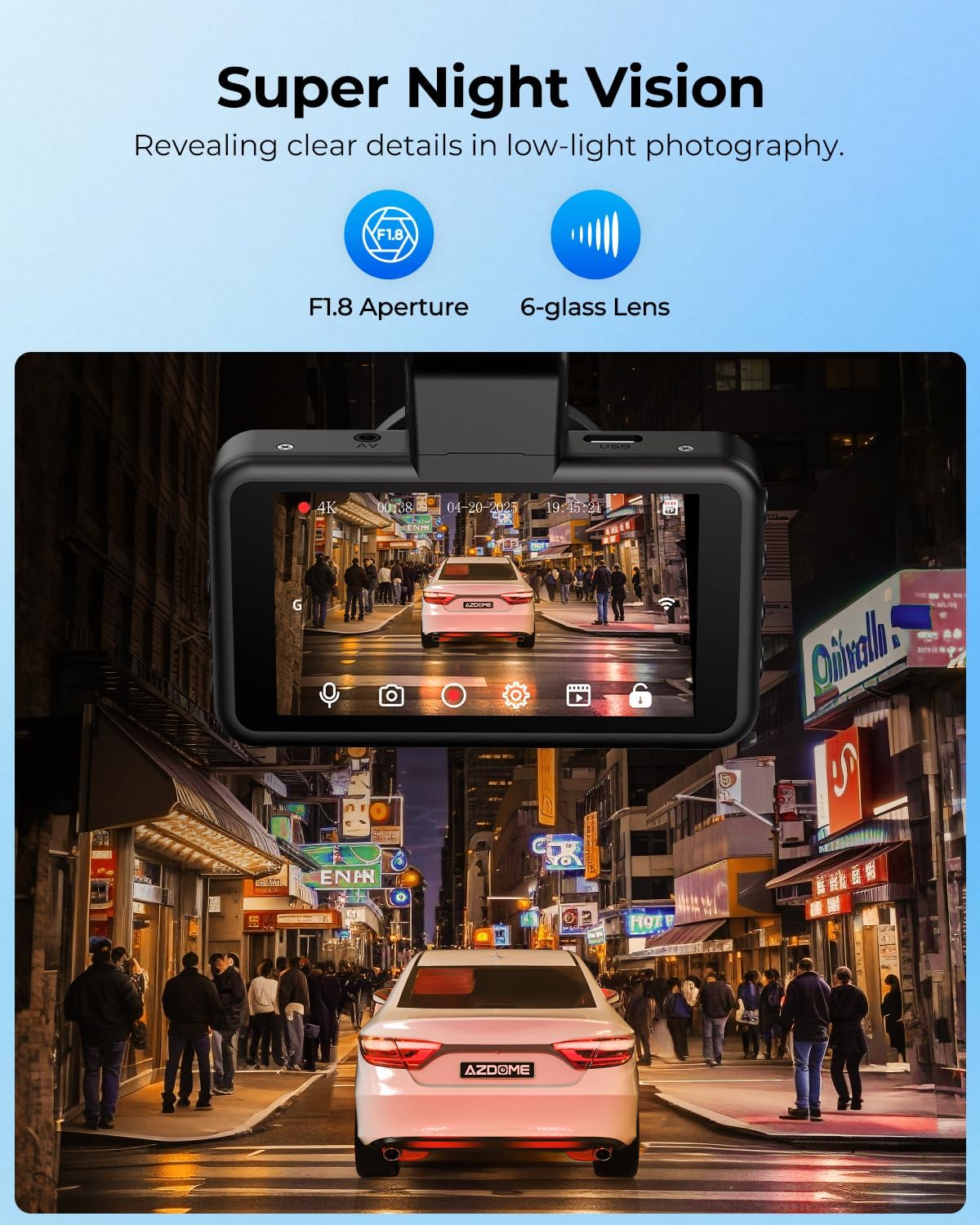
Figure 17: Super Night Vision Performance.
Manutenzjoni
- Tindif: Use a soft, dry cloth to clean the dash cam body. For the lens, use the provided pre-moistened lens wipes or a specialized lens cleaning solution and cloth to avoid scratches.
- Ħażna: Meta ma tkunx qed tużaha għal perjodi twal, aħżen id-dash cam f'post frisk u niexef 'il bogħod mix-xemx diretta u minn temperaturi estremi.
- Kard tal-memorja: Periodically format the MicroSD card (at least once a month) to ensure optimal performance and prevent data corruption. Back up any important footage qabel il-formattjar.
- Aġġornamenti tal-Firmware: Check the AZDOME official webżur is-sit jew l-app għal kwalunkwe aġġornament tal-firmware disponibbli biex tiżgura li d-dash cam tiegħek għandha l-aħħar karatteristiċi u tiswija ta' bugs.
Issolvi l-problemi
| Problema | Kawża / Soluzzjoni Possibbli |
|---|---|
| Id-dash cam ma tixgħelx. | Check power connection to the car charger and vehicle's power outlet. Ensure the vehicle's ignition is on. |
| Ir-reġistrazzjoni tieqaf jew tiffriża. | MicroSD card may be full or corrupted. Format the card. Use a high-speed (Class 10 or U3) MicroSD card. |
| Kwalità fqira tal-vidjo. | Clean the camera lens and windshield. Ensure the protective film is removed from the lens. Check resolution settings. |
| Problemi bil-konnessjoni tal-Wi-Fi. | Ensure the dash cam's Wi-Fi is enabled. Keep your smartphone within 10 feet of the dash cam. Restart both devices. |
| Il-modalità tal-parkeġġ mhux qed taħdem. | Kit ta' wajers fissi (ASIN: B0BM9JL327) is required for 24H parking modes. Ensure it is correctly installed and connected. |
Speċifikazzjonijiet
| Karatteristika | Dettall |
|---|---|
| Dimensjonijiet tal-Prodott | 1.18 x 5.48 x 1.3 pulzieri |
| Piż tal-oġġett | 1.3 liri |
| Riżoluzzjoni tal-Vidjo ta' Quddiem | 4K (2160p) |
| Riżoluzzjoni tal-Vidjo ta' wara | 1080P |
| Teknoloġija tal-Konnettività | Wi-Fi 6 |
| Wiri | Skrin IPS ta' 3.0" |
| Karatteristiċi Speċjali | ADAS, Voice Control, App Control, Reverse Assist, 24H Parking Mode (with hardwire kit), Night Vision (F1.8, 6-glass lens), G-Sensor, Loop Recording |
| Ħażna Inkluża | 64GB MicroSD Card (supports up to 128GB) |
| Sors tal-Enerġija | Type-C Charging Cable, Dual USB Car Charger |
| Batterija | 1 batterija tal-Lithium Metal (inkluża) |
| Manifattur | AZDOME |
Garanzija u Appoġġ
AZDOME provides 12 months of warranty u Appoġġ tekniku 24/7 for your product. If you encounter any issues or have questions regarding your AZDOME M17 Pro Dash Cam, please do not hesitate to contact our customer service team.
Kuntatt Email: service@azdomevipdotcom
Our R&D team is committed to providing feedback and solutions within 24 working hours.


