1. Introduzzjoni
The TECTINTER N64 to HDMI Converter allows you to connect your classic Nintendo 64, SNES, SFC, NGC, or Gamecube console to modern televisions, monitors, or projectors via an HDMI input. This adapter converts analog signals to digital HDMI, providing a clearer 720P or 1080P resolution output with minimal latency, enhancing your retro gaming experience.
2. Prodott Aktarview
2.1 Kontenut tal-Pakkett
- TECTINTER N64 to HDMI Converter (x1)
- Kejbil tal-Enerġija USB (x1)
- Manwal għall-Utent (x1)

Image: The package includes the N64 to HDMI converter, a USB power cable, and a user manual.
2.2 Karatteristiċi ewlenin
- Kompatibilità Universali: Supports Nintendo 64, SNES, SFC, NGC, and Gamecube consoles.
- High-Definition Output: Converts analog signals to 720P/1080P HDMI resolution.
- Plug-and-Play: L-ebda sewwieq mhu meħtieġ għall-installazzjoni.
- Zero Lag: Designed for low latency gaming.
- Tnaqqis tal-Ħsejjes: Built-in signal stabilization to minimize static and flickering.
- Disinn Durabbli: Features a reinforced braided cable and gold-plated connectors.

Image: The converter is compatible with Nintendo 64, SNES, SFC, and Gamecube consoles, connecting them to an HDTV via an HDMI cable.

Image: This 4-in-1 HD converter supports N64, SNES, SFC, and Gamecube consoles.

Image: The N64 to HDTV converter unit and its USB power cable.
3. Istruzzjonijiet ta' Setup
- Connect the Converter to your Console: Plug the N64 AV multi-out connector from the converter into the corresponding port on your Nintendo 64, SNES, SFC, NGC, or Gamecube console.
- Qabbad mal-Display: Connect one end of an HDMI cable (not included) to the 'OUTPUT' port on the converter and the other end to an available HDMI input on your television, monitor, or projector.
- Qawwa l-Konvertitur: Connect the provided USB power cable to the 'Power' port on the converter and plug the other end into a USB power source (e.g., a USB wall adapter, TV USB port, or console USB port).
- Qawwa Mixgħul: Turn on your console and your display device. Select the correct HDMI input on your display.
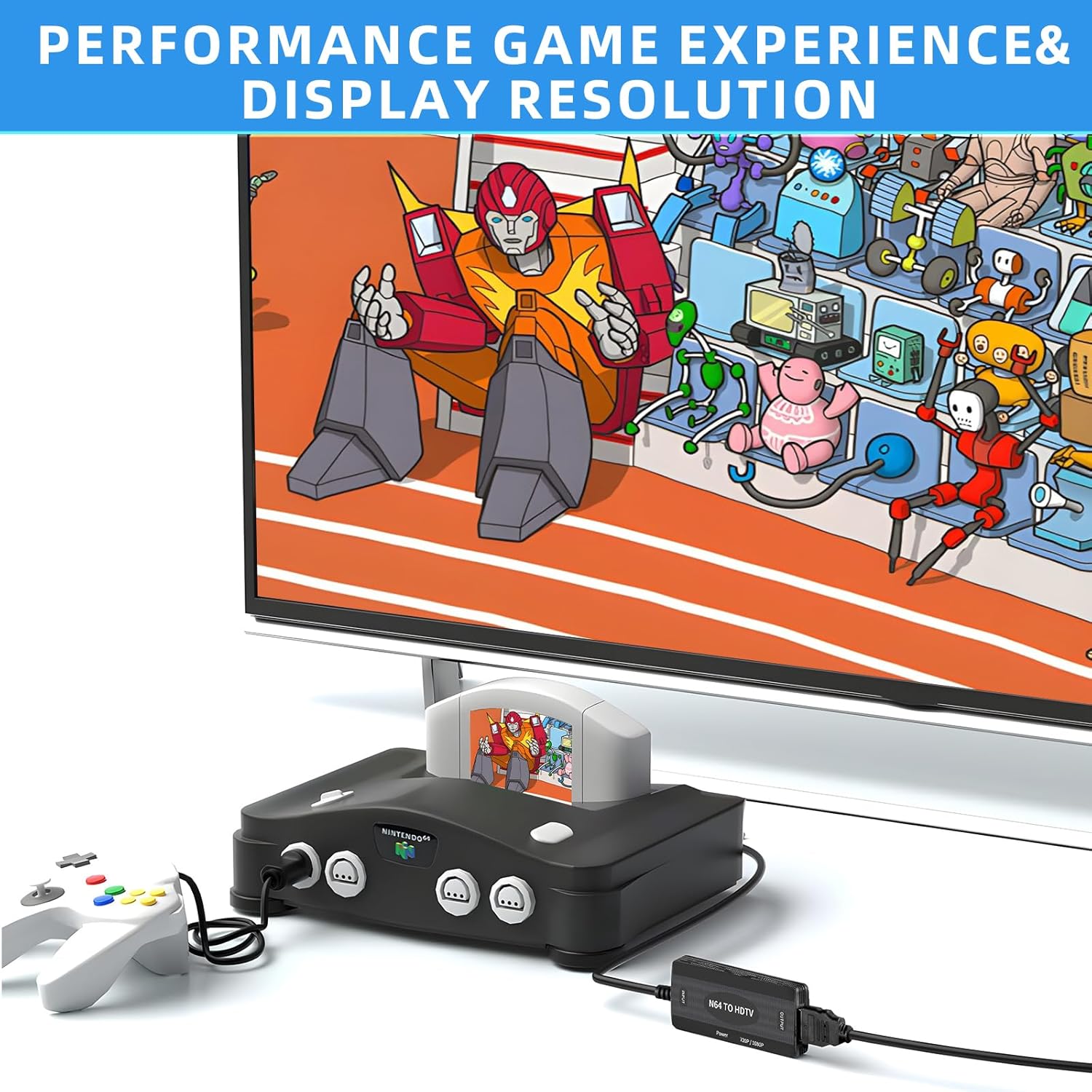
Image: An N64 console is connected to the converter, which outputs to a television.
4. Istruzzjonijiet Operattivi
Once connected and powered, the converter will automatically detect the video signal from your console. The converter features a switch to select between 720P and 1080P output resolutions. Adjust this switch to your preferred setting based on your display's capabilities and visual preference.
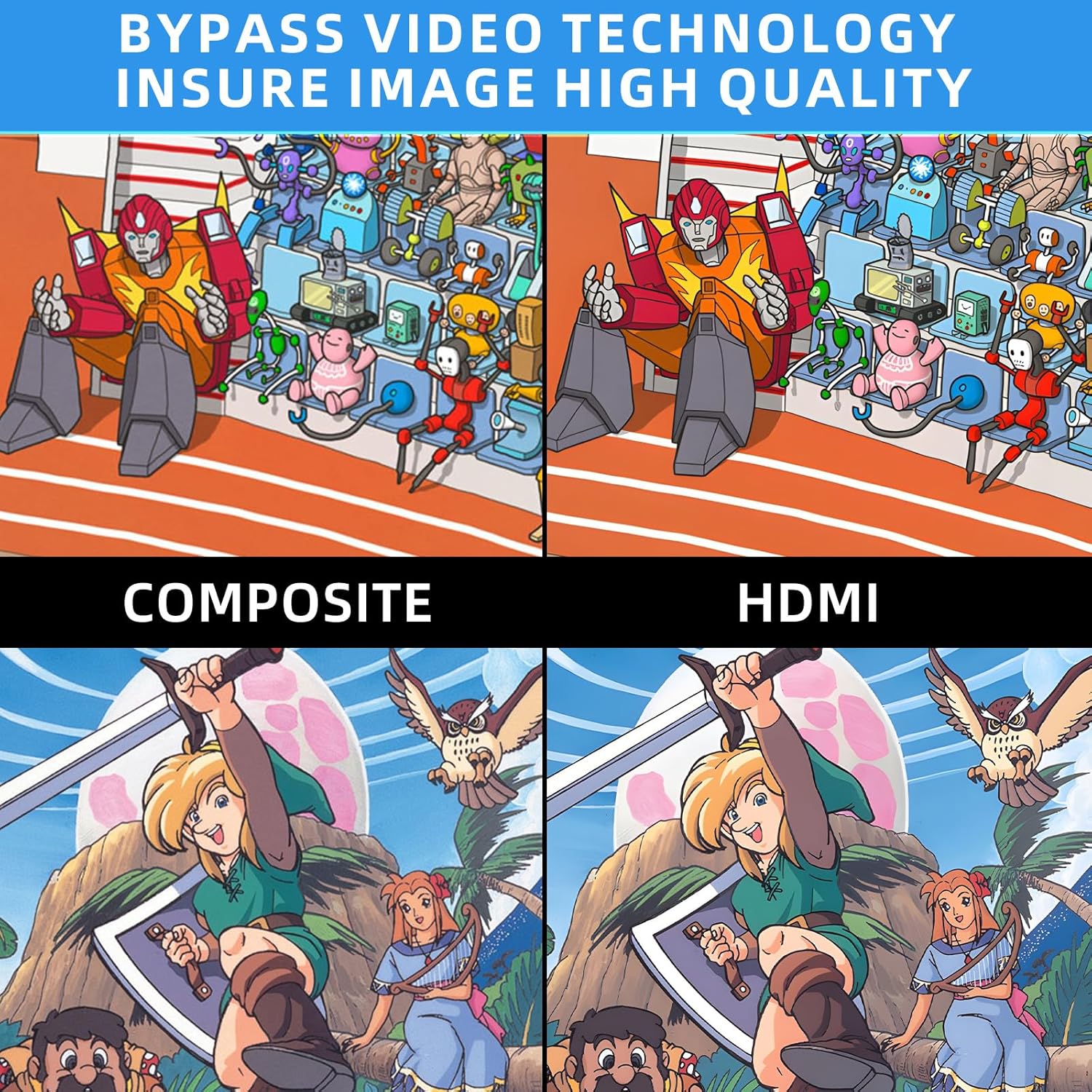
Image: Comparison of Composite video output versus HDMI output, highlighting improved image quality with the converter.
5 Issolvi l-problemi

Image: Troubleshooting guide for common issues like 'No Signal'.
- Blue Screen / No Signal: If your screen displays a blue screen or 'No Signal', it indicates no video input. Please check all connections to ensure they are secure and correctly plugged in. Verify that your display is set to the correct HDMI input.
- Ebda Ħsejjes: If there is no sound, please reconnect all cables. Ensure your display's audio settings are correctly configured for the HDMI input.
- N64/SNES/GC to HDMI, does not support HDMI to AV: This converter is designed for one-way conversion from analog AV (N64/SNES/GC) to digital HDMI. It does not support conversion from HDMI to AV.
- Rekwiżit ta' Enerġija: The converter requires external power via the included USB cable. Ensure it is connected to a stable USB power source.
If the above steps do not resolve the issue, please contact TECTINTER customer service for further assistance.
6. Speċifikazzjonijiet
| Karatteristika | Speċifikazzjoni |
|---|---|
| Dimensjonijiet tal-Prodott (L x W x H) | 1 x 0.5 x 0.5 pulzieri |
| Piż tal-oġġett | 7 uqija (0.2 Kilogrammi) |
| Numru tal-Mudell tal-Oġġett | N64 HDMI |
| Apparati Kompatibbli | Monitor, Televiżjoni |
| Tip ta' Konnettur | HDMI |
| Manifattur | TECTINTER |
7. Manutenzjoni
To ensure the longevity and optimal performance of your TECTINTER N64 to HDMI Converter, follow these maintenance guidelines:
- Żomm l-apparat f'ambjent niexef, 'il bogħod mill-umdità u minn temperaturi estremi.
- Avoid dropping or subjecting the converter to strong impacts.
- Naddaf l-apparat b'ċarruta ratba u niexfa. Tużax prodotti tat-tindif likwidi jew aerosols.
- Disconnect the power cable when the converter is not in use for extended periods.
8. Garanzija u Appoġġ
This product comes with a standard manufacturer's warranty. For detailed information regarding warranty coverage, returns, or technical support, please refer to the contact information provided with your purchase or visit the official TECTINTER websit. Jekk jogħġbok żomm il-prova tax-xiri tiegħek għal talbiet ta' garanzija.


