Introduzzjoni
Thank you for choosing the Edifier Active Noise Cancelling Headphones ES850NB. These over-ear Bluetooth headphones are designed to provide an immersive audio experience with advanced features such as Hi-Res Audio certification, extended playtime, fast charging, and clear call quality. This manual will guide you through the setup, operation, and maintenance of your new headphones to ensure optimal performance and longevity.
X'hemm fil-Kaxxa
Jekk jogħġbok iċċekkja l-kontenut tal-pakkett tiegħek biex tiżgura li l-oġġetti kollha huma preżenti:
- Edifier ES850NB Headphones
- Kawża tal-Iċċarġjar bla Fili
- Manwal għall-Utent
- Borża tal-Ivvjaġġar
- Kejbil tal-Iċċarġjar tat-Tip C
- Istruzzjonijiet Importanti dwar is-Sigurtà

Image: The contents of the Edifier ES850NB package, showing the headphones, charging case, and accompanying accessories.
Prodott Overview
Karatteristiċi Ewlenin
- Awdjo Immersiv b'Riżoluzzjoni Għolja: Features 40mm titanium-coated drivers and supports LDAC/AAC/SBC codecs for superb Hi-Res Audio and Hi-Res Audio Wireless.
- Kanċellazzjoni Attiva tal-Istorbju Ibrida Aġġornata: Blocks up to -45dB of ambient noise with multiple ANC modes (high, medium, wind reduction, ambient sound).
- Ħajja Estiża tal-Batterija u Iċċarġjar Mgħaġġel: Up to 92 hours of playtime (ANC off) or 53 hours (ANC on). A 15-minute charge provides up to 11.5 hours of playback (ANC off).
- Sejħiet Ċari u Konnettività Versatili: Built-in mics with AI noise cancellation for crystal-clear calls. Supports Bluetooth 5.4 and wired connection.
- Kumdità matul il-ġurnata kollha: Designed with skin-friendly leather ear cushions, an ergonomic steel headband, and a lightweight 260g build.
Kontrolli u Indikaturi
The Edifier ES850NB headphones feature intuitive controls located on the earcups for easy management of audio playback, calls, and noise cancellation modes.

Immaġni: Dettaljata view of the headphone controls, including volume up/down, power, play/pause, call management, and ANC mode switch.
- Volum 'il fuq (+): Single press to increase volume. Press and hold for next track.
- Volum 'l isfel (-): Single press to decrease volume. Press and hold for previous track.
- Power ON/OFF / Play/Pause: Press and hold for power. Single press for play/pause.
- Ġestjoni tas-Sejħiet: Single press to answer/end a call. Double press to reject a call.
- Assistent tal-Vuċi: Agħfas darbtejn biex tattiva l-assistent tal-vuċi.
- ANC Modes Switch / Bluetooth Pairing: Single press to cycle through ANC modes. Press and hold to initiate Bluetooth pairing.
Setup
Iċċarġjar tal-headphones
Before first use, fully charge your headphones. Connect the provided Type-C charging cable to the charging port on the headphones and the other end to a USB power source. The indicator light will show charging status. A full charge provides up to 92 hours of playback (ANC off). A quick 15-minute charge can provide up to 11.5 hours of playback (ANC off).
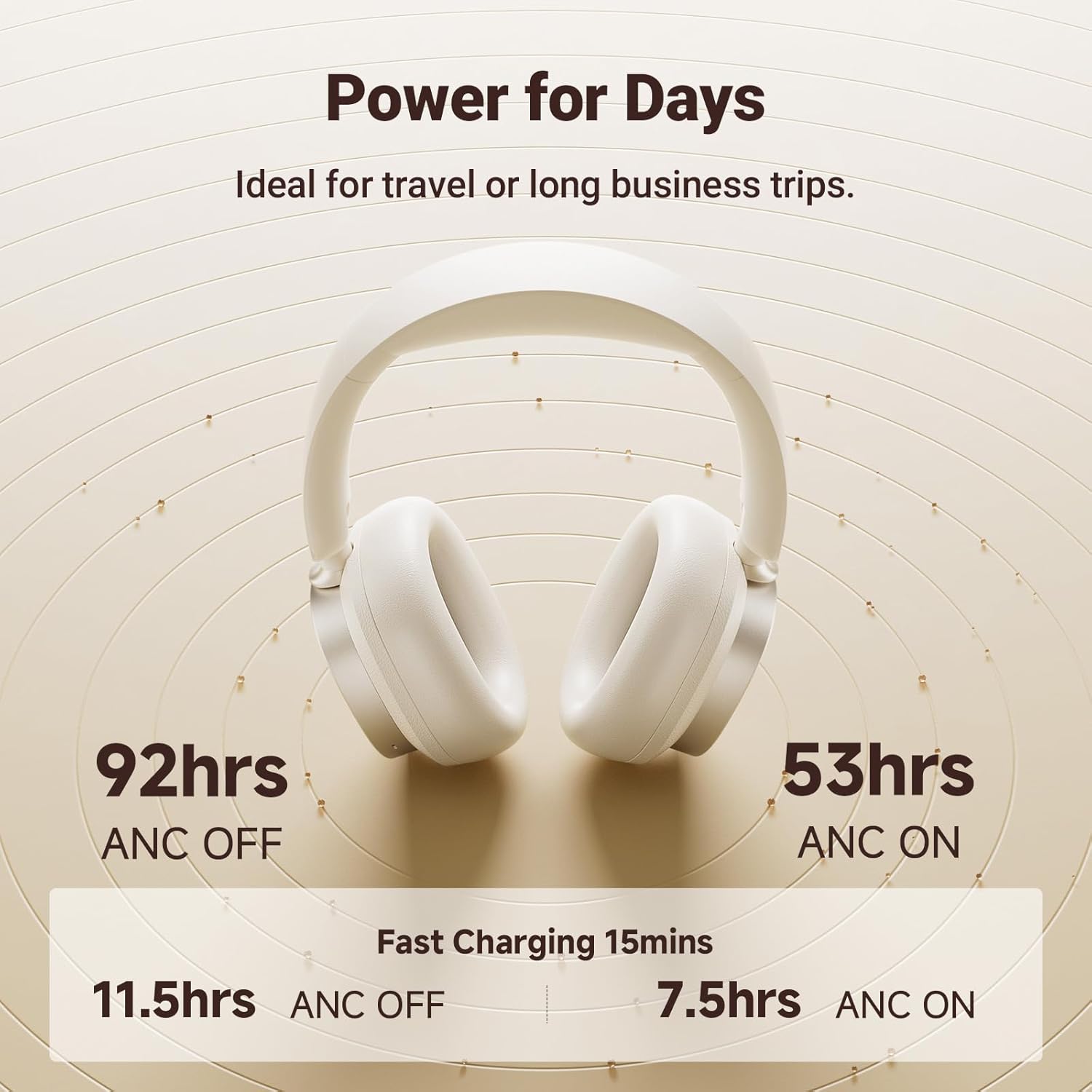
Image: Visual representation of the impressive battery life and fast charging capabilities of the headphones.
Tqabbil tal-Bluetooth
- Kun żgur li l-headphones huma mitfija.
- Press and hold the ANC/Bluetooth pairing button until the indicator light flashes rapidly, indicating pairing mode.
- On your device (smartphone, tablet, computer), enable Bluetooth and search for "Edifier ES850NB" in the list of available devices.
- Select "Edifier ES850NB" to connect. Once connected, the indicator light will turn solid blue or off, depending on the model.
- The headphones support multipoint connection, allowing seamless switching between two paired Bluetooth devices.
Video: An official product video demonstrating the Edifier Active Noise Cancelling Headphones, highlighting features like multipoint Bluetooth connectivity and comfort.
Istruzzjonijiet Operattivi
Kanċellazzjoni Attiva tal-Istorbju (ANC)
The ES850NB headphones feature advanced hybrid active noise cancellation. Press the ANC button to cycle through different modes:
- Kanċellazzjoni ta' Ħoss Għoli: Ideali għal ambjenti storbjużi bħal titjiriet, metros, jew karozzi tal-linja.
- Kanċellazzjoni Medja tal-Istorbju: Adattat għal uffiċċji, ħwienet tal-kafè, jew parks.
- Tnaqqis tar-Riħ: Jimminimizza l-istorbju tar-riħ waqt attivitajiet fil-beraħ.
- Ħoss ambjentali: Jippermettilek tisma' l-inħawi ta' madwarek waqt li xorta tgawdi l-awdjo.

Image: A visual guide to the various Active Noise Cancellation modes and their recommended uses.
Sound Effects and Personalization
Customize your listening experience with three distinct sound effects:
- Modalità Mużika: Optimized for general music listening.
- Modalità tal-Logħba: Provides 0.08s low latency for immersive gaming audio.
- Ħoss Spazjali: Creates a lifelike, surround-sound audio experience.
These modes can be selected via the Edifier Connect app, which also allows for EQ customization and firmware upgrades.

Image: The headphones emphasizing their Hi-Res Audio capabilities for an immersive sound experience.
Jagħmel u Jirċievi Sejħiet
The built-in microphones with AI noise cancellation ensure crystal-clear calls. Use the multi-function button for call management:
- Single press to answer an incoming call.
- Single press to end an active call.
- Double press to reject an incoming call.

Image: Demonstrating the clear hands-free call feature of the headphones.
Wired and Wireless Use
The ES850NB headphones offer both wireless Bluetooth 5.4 connectivity and a wired option for versatile use. Simply connect the included USB-C to USB-A cable for a wired connection to compatible devices.

Image: Comparison showing the flexibility of using the headphones wirelessly via Bluetooth or with a wired connection.
Touch-to-Chat Functionality
For quick conversations without removing your headphones, simply touch and hold the right ear cup. This action will pause your audio and activate ambient sound mode, allowing you to hear your surroundings clearly. Release to resume playback instantly.
Manutenzjoni
- Tindif: Uża drapp artab u niexef biex tnaddaf il-headphones. Tużax prodotti tat-tindif jew solventi li joborxu.
- Ħażna: When not in use, store the headphones in the provided travel bag or charging case to protect them from dust and damage.
- Kura tal-batterija: Biex ittawwal il-ħajja tal-batterija, evita li tiċċarġja l-headphones għalkollox ta’ spiss. Iċċarġjahom regolarment, anke jekk ma jintużawx għal perjodi twal.
- Temperatura: Evita li tesponi l-headphones għal temperaturi estremi (sħana jew kesħa) jew umdità għolja.
Issolvi l-problemi
| Problema | Kawża Possibbli | Soluzzjoni |
|---|---|---|
| L-ebda ħoss mill-headphones | Headphones not powered on; Not paired; Volume too low; Device issue. | Ensure headphones are on. Re-pair with device. Increase headphone and device volume. Test with another device. |
| Ma tistax tqabbad mat-tagħmir | Headphones not in pairing mode; Device Bluetooth off; Too many paired devices. | Put headphones in pairing mode. Ensure device Bluetooth is on. Clear old Bluetooth connections on device. |
| Kwalità tal-ħoss fqira | Out of Bluetooth range; Interference; Low battery. | Move closer to the device. Avoid strong Wi-Fi or other wireless signals. Charge headphones. |
| L-ANC mhux effettiv | Incorrect ANC mode; Poor fit. | Cycle through ANC modes. Adjust headphones for a snug fit over your ears. |
Speċifikazzjonijiet
| Karatteristika | Dettall |
|---|---|
| Mudell | ES850NB |
| Verżjoni Bluetooth | 5.4 |
| Codecs Awdjo | LDAC, AAC, SBC |
| Medda Bluetooth | Appross. 10m |
| Livell tal-Pressjoni tal-Ħoss | 91 ± 3dB (A) |
| Rispons ta' Frekwenza | 20Hz-40KHz |
| Ħajja tal-Batterija (ANC MITFIJA) | Appross. 92 sigħat |
| Ħajja tal-Batterija (ANC Mixgħul) | Appross. 53 sigħat |
| Input | 5V=1A |
| Piż tal-oġġett | 1.5 liri (madwar 260g) |
| Tqegħid tal-widnejn | Fuq il-widnejn |
| Kontroll tal-Ħoss | Kanċellazzjoni Attiva tal-Ħoss |
Garanzija u Appoġġ
Edifier products come with a standard manufacturer's warranty. For detailed warranty information, technical support, or service inquiries, please visit the official Edifier webis-sit jew ikkuntattja direttament lis-servizz tal-klijenti tagħhom.
Edifikatur Uffiċjali Websit: www.edifier.com


