1. Introduzzjoni
The Elitech LogEt5T is a reusable USB temperature data logger designed for precise temperature monitoring across various applications, including biosciences, cold chain logistics, and industrial environments. It features automatic PDF and CSV report generation, a wide temperature range, and enhanced data integrity functions.
Karatteristiċi ewlenin:
- Enhanced Shadow Data Function: Ensures data integrity even during accidental shutdowns or restarts.
- Reusable Temperature Logger: Wide temperature range of -30°C to 70°C with high accuracy (±0.1°C).
- Customizable Parameters: Easily modify temperature units, alarm ranges, and logging intervals.
- Automatic PDF & CSV Reports: Generates reports automatically without additional software.
- On-screen Data Visualization: Displays current, max, min, MKT values, date, and recording points.

2. Setup
2.1 Setup Inizjali
- Installazzjoni tal-batterija: The device comes with a pre-installed CR2450 battery. Ensure it is properly seated.
- Software Installation (Optional for Advanced Features): For advanced functionalities and detailed analysis, download the Elitechlog software from the official Elitech websit. Dan is-softwer huwa kompatibbli mal-Windows u l-macOS.
2.2 Customizing Parameters
Before starting a new recording, you can customize various parameters using the Elitechlog software:
- Unitajiet tat-temperatura (°C/°F)
- Alarm thresholds (high and low temperature limits)
- Logging interval (how frequently data is recorded)
- Ibda dewmien
- Protezzjoni bil-password
3. Istruzzjonijiet Operattivi
3.1 Tibda Reġistrazzjoni
Agħfas u żomm il- BIDU button on the device until the recording indicator appears on the LCD screen. The device will begin logging data according to the configured interval.
3.2 Twaqqif ta' Reġistrazzjoni
Agħfas u żomm il- STOP button on the device until the recording indicator disappears. The device will cease logging data.
3.3 ViewDejta fuq l-Iskrin
The LCD screen provides real-time and summary data. Press the BIDU button briefly to cycle through different display modes:
- Temperatura Kurrenti
- Maximum Temperature (MAX)
- Minimum Temperature (MIN)
- Average Temperature (AVG)
- Temperatura Kinetika Medja (MKT)
- Data u Ħin
- Number of Recorded Points (LOG)

3.4 Data Export and Report Generation
To access recorded data:
- Connect the LogEt5T to a computer's USB port.
- The device will automatically generate a PDF report and a CSV file containing all recorded data. These files can be found in the device's storage when connected to a computer.
- For more detailed analysis, open the Elitechlog software and import the data. The software allows for graphical comparison of data and trend analysis.

3.5 Reusing the Logger
The LogEt5T is reusable. To clear data and prepare for a new recording cycle:
- Qabbad l-apparat ma 'PC.
- Open the Elitechlog software.
- Perform a quick reset and confirm the action within the software.
Nota: Always save historical data before resetting the device to prevent data loss.

4. Manutenzjoni
4.1 Sostituzzjoni tal-batterija
The LogEt5T uses a CR2450 button cell battery. When the battery indicator on the LCD screen shows low power, replace the battery:
- Iftaħ b'attenzjoni l-kompartiment tal-batterija.
- Neħħi l-batterija CR2450 l-antika.
- Daħħal batterija CR2450 ġdida, u tiżgura polarità korretta.
- Agħlaq il-kompartiment tal-batterija sew.
4.2 Tindif u Ħażna
- Naddaf l-apparat b'ċarruta ratba u niexfa. Tużax prodotti tat-tindif jew solventi li joborxu.
- Aħżen l-apparat f'post frisk u niexef 'il bogħod mix-xemx diretta u minn temperaturi estremi.
- Ensure the USB port is protected from moisture and dust when not in use.
5 Issolvi l-problemi
Kwistjonijiet Komuni u Soluzzjonijiet:
- L-apparat mhux qed jibda: Iċċekkja l-livell tal-batterija. Ibdel jekk ikun baxx.
- No data export: Ensure the device is properly connected to the USB port. Try a different USB port or cable.
- Software not recognizing device: Ensure Elitechlog software is installed correctly. Restart the software and reconnect the device.
- Qari mhux preċiż: Ensure the device is placed in an appropriate environment, away from direct heat sources or extreme drafts. Refer to specifications for operating range.
For further assistance, consult the Elitechlog software's help section or contact Elitech customer support.
6. Speċifikazzjonijiet
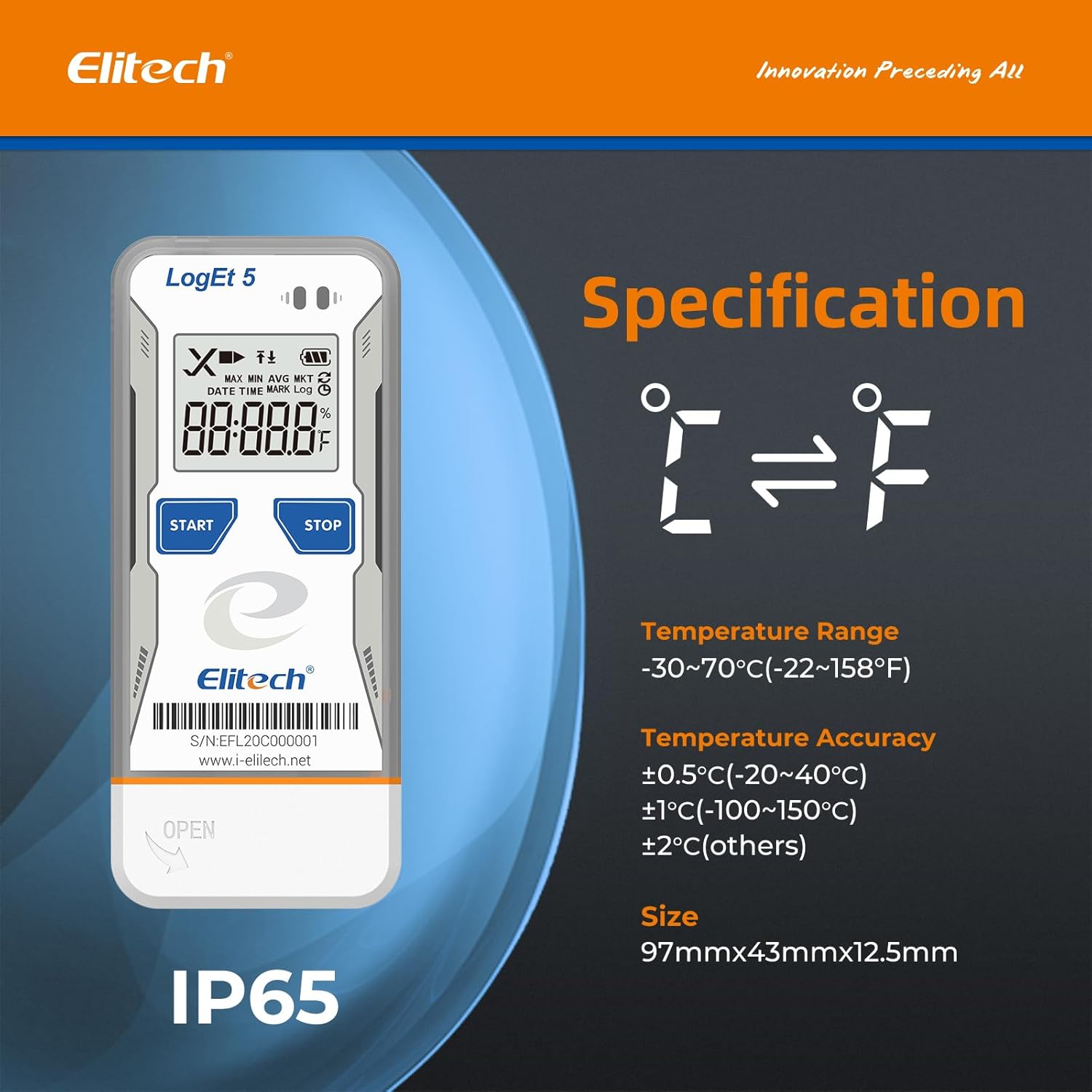
The following table details the technical specifications of the Elitech LogEt5T USB Temperature Data Logger:
| Karatteristika | Speċifikazzjoni |
|---|---|
| Isem tal-Mudell | LogEt5T |
| Firxa tat-Temperatura | -30°C sa 70°C (-22°F sa 158°F) |
| Preċiżjoni tat-Temperatura | ±0.5°C (-20~40°C), ±1°C (-100~150°C), ±2°C (others) |
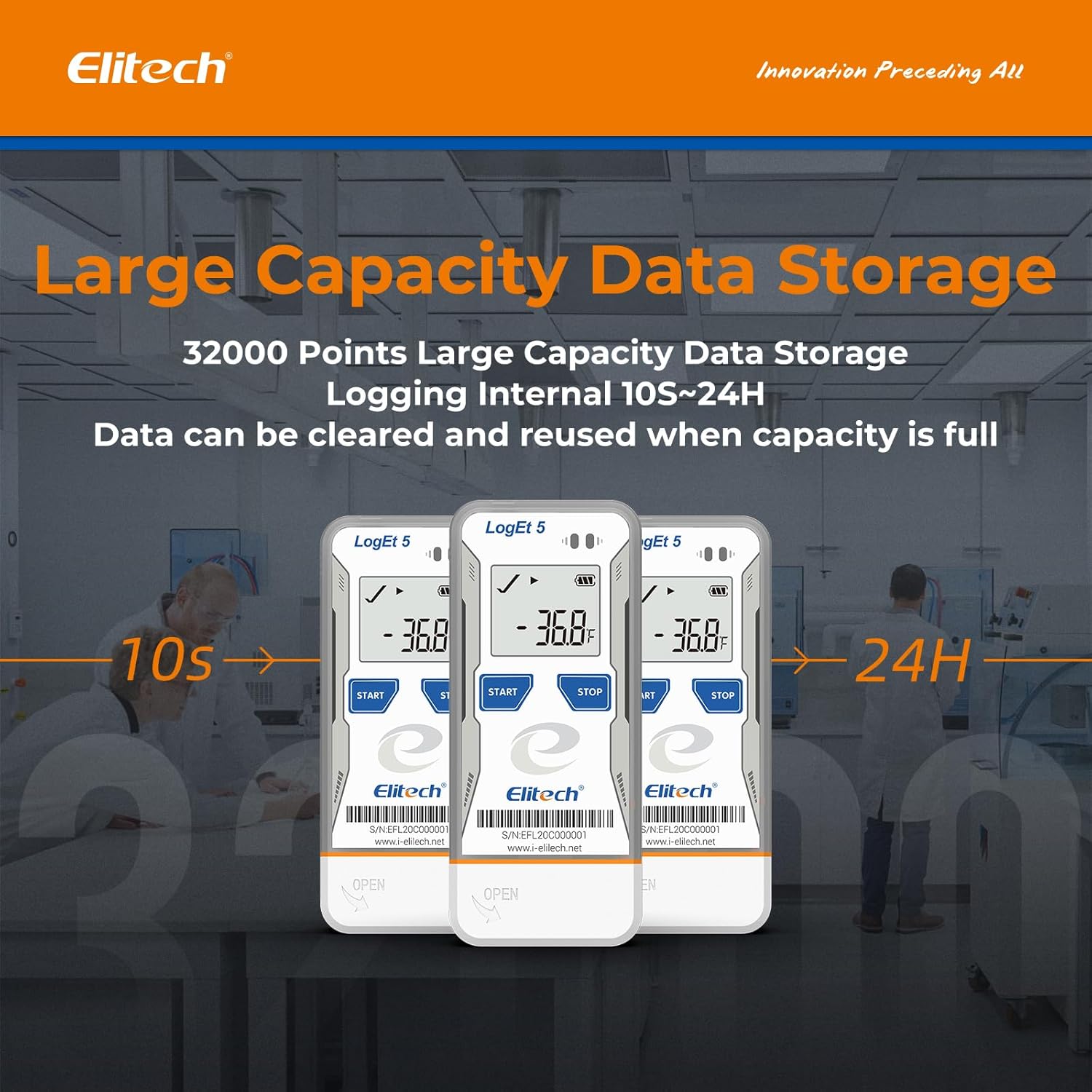
| Kapaċità tal-Ħażna tad-Dejta | 32,000 punti |
| Intervall tal-Logging | Configurable (from 10 seconds to 24 hours) |
| Teknoloġija tal-Konnettività | USB |
| Tip ta 'Wiri | LCD diġitali |
| Sors tal-Enerġija | Battery powered (1x CR2450, included) |
| Materjal | Azzar Inossidabbli (barra) |
| Dimensjonijiet | 97mm x 43mm x 12.5mm |
| Piż | 80 gramma |
| Konformità | FDA 21 CFR Parti 11 |

7. Garanzija u Appoġġ
For information regarding product warranty, technical support, or service, please refer to the official Elitech website or contact Elitech customer service directly. Details are typically provided with the product packaging or available online.
Tista 'wkoll iżżur il- Elitech Brand Store on Amazon għal aktar informazzjoni dwar il-prodott u riżorsi ta' appoġġ.


