1. Introduzzjoni
Thank you for choosing the FDUCE D30 USB/XLR Gaming Microphone Kit. This dynamic microphone is designed to deliver professional and clear audio for various applications including gaming, podcasting, streaming, and vocal recording. Please read this manual carefully to ensure proper setup and optimal performance of your device.
2. X'hemm fil-Kaxxa
- D30 dynamic microphone x1
- 2M USB-C to USB-A/C Cable x1
- Manwal ta 'struzzjonijiet x1
- Microphone desktop stand x1

Image: Contents of the FDUCE D30 microphone kit, showing the microphone, USB cable, desktop stand, and instruction manual.
3. Karatteristiċi ewlenin
- Professional and Clear Sound: 50Hz-16KHz frequency response and 24 Bit/192kHz high sampling rate for rich, clear audio. Directional cardioid dynamic microphone rejects off-axis noise.
- Konnettività Doppju: Supports both XLR and USB connections for versatile use with studio equipment or direct plug-and-play with PC, PS4/PS5.
- Controllable RGB Light: 3 modes and over 10 light color options, with memory function for automatic activation. (USB connection only)
- One-touch Mute: Front panel touch-mute button with LED reminder for quick privacy control. (USB mode only)
- Minimalist Function Key Design: Smooth 3-in-1 smart knob for microphone gain and headphone volume control, with LED indicators. Built-in headphone monitoring jack for real-time audio adjustment.
4. Setup
4.1 Desktop Stand Assembly
- Attach the D30 dynamic microphone to the desktop stand by screwing it clockwise until secure.
- Adjust the microphone angle as desired using the side knobs.

Image: The FDUCE D30 microphone on its desktop stand, illustrating its 360-degree rotation for flexible positioning.
4.2 USB Connection (Plug and Play)
- Connect the USB-C end of the provided 2M USB-C to USB-A/C cable to the USB-C port on the microphone.
- Connect the USB-A or USB-C end of the cable to your computer (PC, Laptop, Mac OS), PS4/PS5, or compatible smartphone.
- The microphone is plug-and-play and should be automatically recognized by your device.
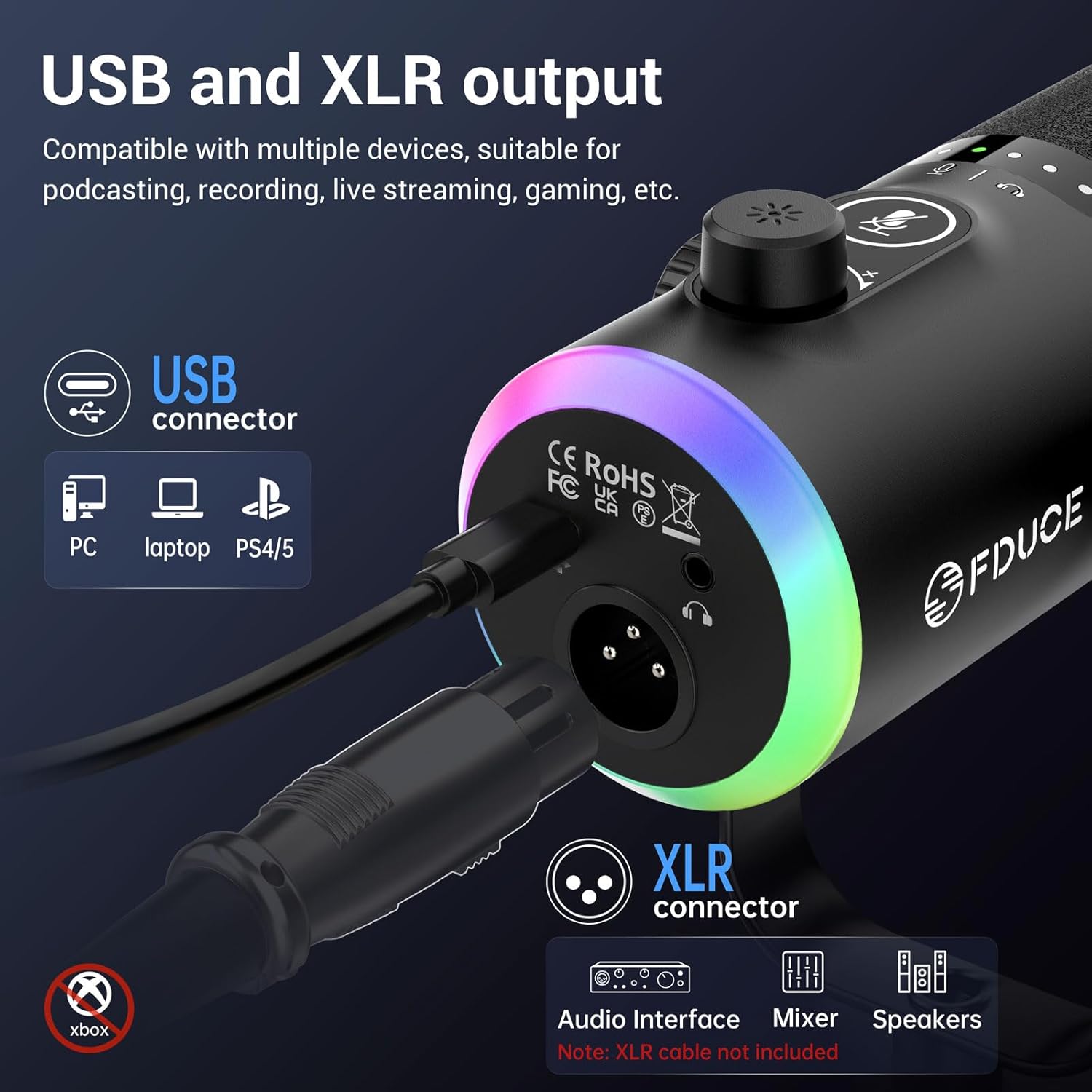
Image: The FDUCE D30 microphone's rear panel, highlighting the USB-C and XLR ports for connection to various devices.
4.3 XLR Connection
- Qabbad kejbil XLR (mhux inkluż) mal-port XLR fuq il-mikrofonu.
- Connect the other end of the XLR cable to your audio interface, mixer, or other studio setup equipment.
- Ensure your studio equipment is properly configured for the microphone.
Nota: When using XLR connection, RGB lighting and one-touch mute features are not available as they are USB-specific functions.
5. Operazzjoni
5.1 Multi-function Button (USB Mode Only)

Image: A close-up of the FDUCE D30 microphone's control panel, showing the mute button, 3-in-1 smart knob, and their respective functions.
- One-touch Mute: Tap the microphone icon button on the front panel to mute/unmute. An LED indicator will show the mute status (red for muted, green for active).
- Microphone/Headphone Volume Control: Long press the microphone icon button to switch between microphone gain control and headphone volume control. The LED indicators around the knob will change color to indicate the active mode (e.g., green for mic gain, blue for headphone volume).
- Aġġusta Volum: Rotate the 3-in-1 smart knob clockwise to increase volume/gain and counter-clockwise to decrease.
5.2 RGB Lighting Control (USB Mode Only)
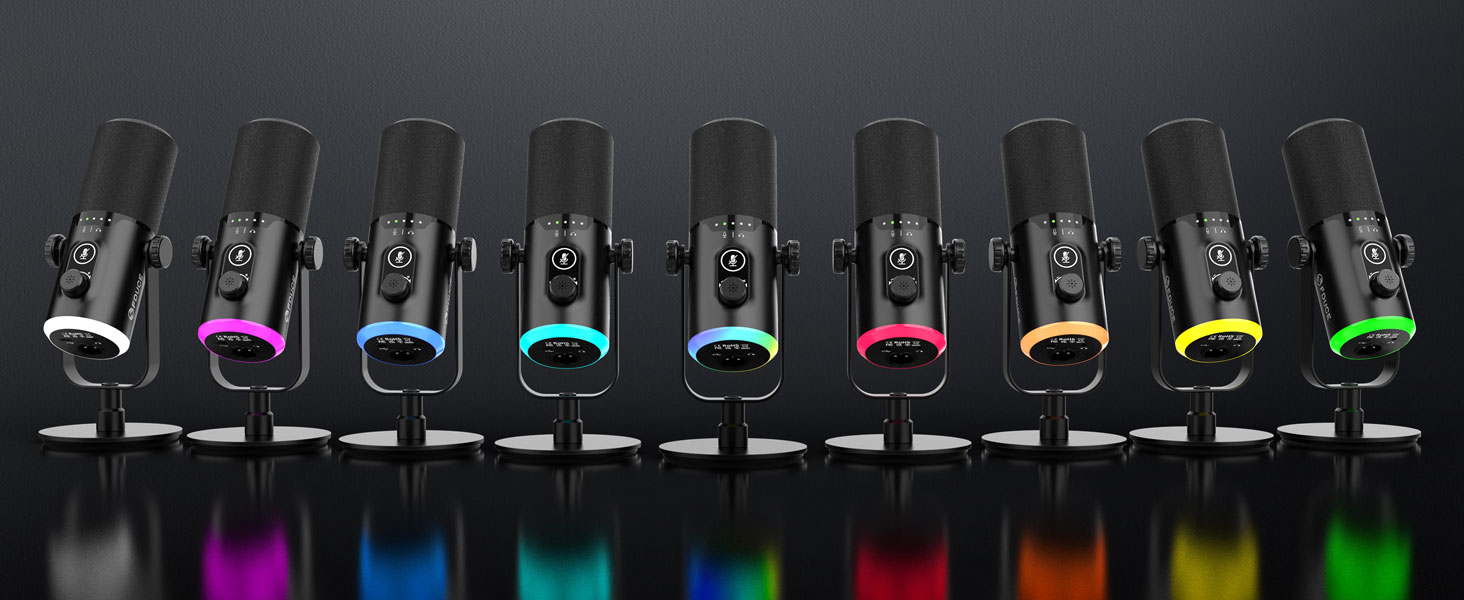
Image: The FDUCE D30 microphone showcasing its customizable RGB lighting with various static and dynamic color options.
- Change RGB Mode/Color: Short press the RGB knob button to cycle through 3 modes and over 10 light color options.
- Turn On/Off RGB: Long press the RGB knob button to turn the RGB lighting on or off.
- Funzjoni tal-memorja: The microphone remembers your last RGB setting and will automatically activate it when powered on.
5.3 Monitoraġġ tal-Headphones
- Plug your headphones into the 3.5mm headphone jack on the microphone to monitor your voice in real-time.
- Use the 3-in-1 smart knob to adjust the headphone volume independently.
5.4 Polar Pattern
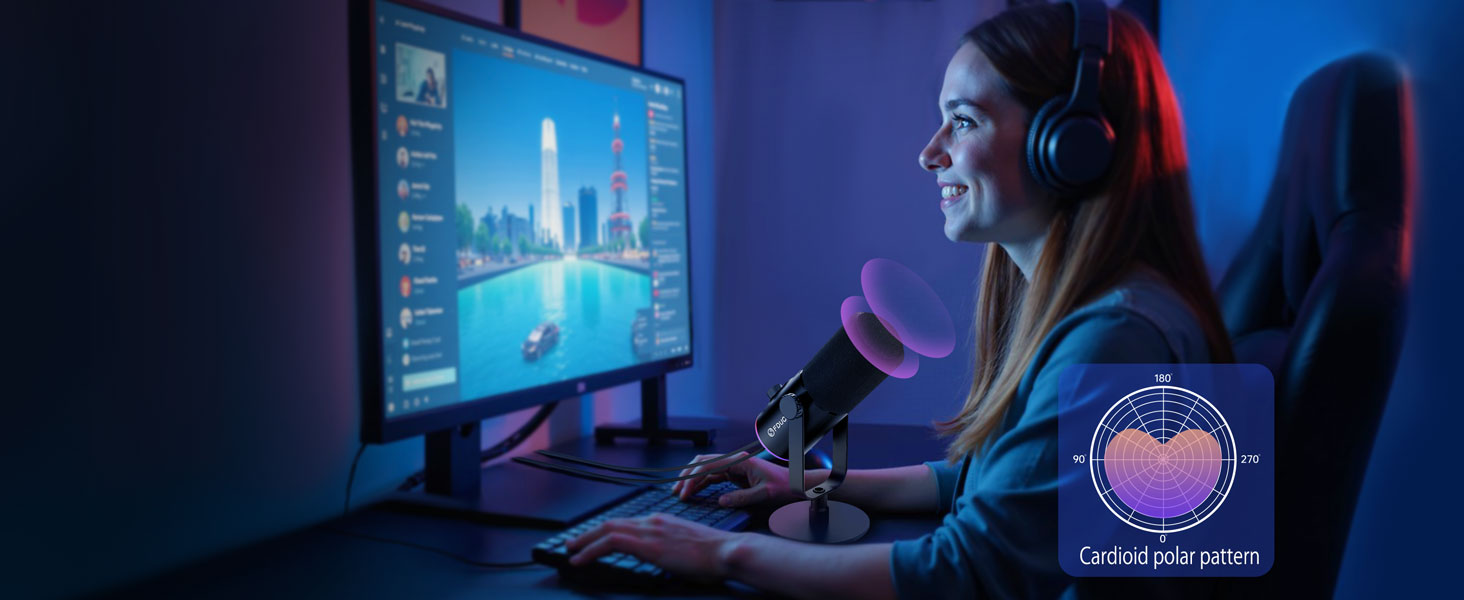
Image: A user speaking into the FDUCE D30 microphone, with an overlay illustrating the cardioid polar pattern's directional sound pickup.
The FDUCE D30 features a cardioid polar pattern, meaning it primarily picks up sound from the front of the microphone while rejecting sound from the sides and rear. For optimal sound quality, ensure the top of the microphone is facing the audio source. The recommended recording range is 2 to 6 inches from the microphone.
6. Xenarji ta' Użu
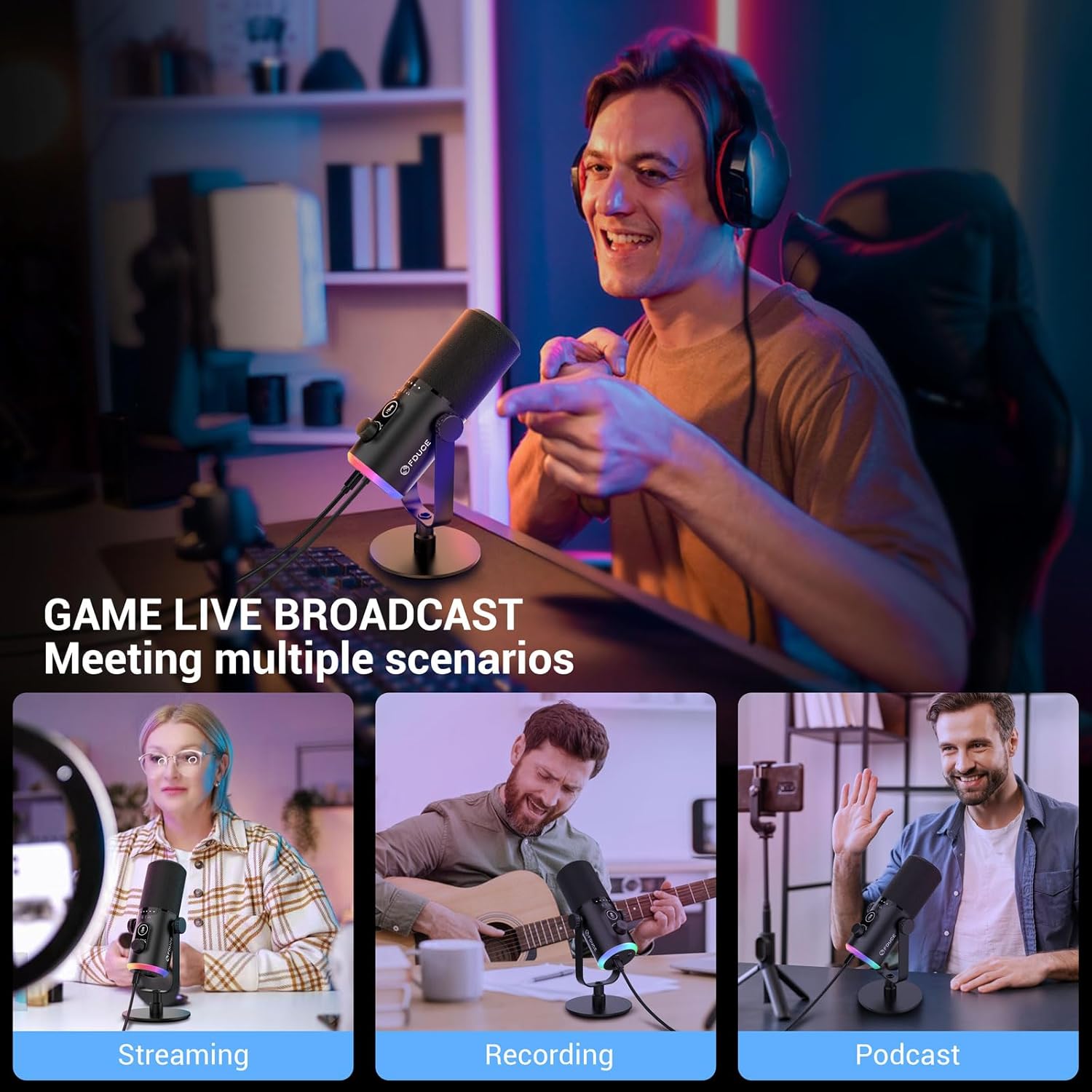
Image: The FDUCE D30 microphone is shown in three different usage contexts: streaming, recording, and podcasting.
The FDUCE D30 microphone is ideal for a variety of applications:
- Logħob: Clear communication with teammates and immersive audio for live streams.
- Podcasting: Capture rich and detailed vocal audio for professional podcasts.
- Streaming: Deliver high-quality audio to your audience on platforms like Twitch and YouTube.
- Reġistrazzjoni: Suitable for studio recording, vocal voice-overs, and music creation.
7 Issolvi l-problemi
- No Sound (USB): Ensure the USB cable is securely connected to both the microphone and your device. Check your device's sound settings to confirm the FDUCE D30 is selected as the input device.
- No Sound (XLR): Verify XLR cable connection. Ensure your audio interface/mixer has phantom power enabled if required by your setup. Check gain levels on both the microphone and your audio interface.
- Awdjo Mgħawġ: Reduce the microphone gain. Ensure you are not too close to the microphone (recommended 2-6 inches).
- Ħoss ta' Sfond: Position the microphone to face the sound source directly. Ensure the cardioid pattern is utilized effectively to minimize off-axis noise.
- Dwal RGB Ma Jaħdmux: Ensure the microphone is connected via USB. Try short or long pressing the RGB knob button.
8. Manutenzjoni
- Żomm il-mikrofonu nadif billi timsaħ b'ċarruta ratba u niexfa.
- Evita li tesponi l-mikrofonu għal temperaturi estremi, umdità, jew dawl tax-xemx dirett.
- Store the microphone in a safe place to prevent damage when not in use.
9. Speċifikazzjonijiet
| Karatteristika | Dettall |
|---|---|
| Fattur tal-Forma tal-Mikrofonu | Tabella Array |
| Id-dimensjonijiet tal-oġġett L x W x H | 7.09 x 3.94 x 7.87 pulzieri |
| Sors tal-Enerġija | Corded Elettriku |
| Materjal | Plastik |
| Sinjal-mal-ħoss Ratio | 97 dB |
| Pjattaforma tal-Ħardwer | Laptop, PC |
| Rispons ta' Frekwenza | 50 Hz - 16 KHz |
| Piż tal-oġġett | 1.56 liri |
| Teknoloġija tal-Konnettività | USB, XLR |
| Tip ta' Konnettur | USB tat-Tip Ċ, XLR |
| Karatteristika Speċjali | Volume Control, RGB Lighting, One-touch Mute |
| Apparati Kompatibbli | PC, Laptop, Mac OS, PS4/PS5, smartphone with type C port, audio interface, audio mixer |
| Mudell Polari | Unidirezzjonali (Kardjoid) |
10. Vidjows Uffiċjali tal-Prodott
FDUCE D30 Product Overview
Vidjo: Konċiż fuqview of the FDUCE D30 microphone, highlighting its key features and design.
FDUCE D30 Unboxing Video
Video: An unboxing video of the FDUCE D30 microphone, showing the contents as they are removed from the packaging.
11. Garanzija u Appoġġ
FDUCE products are designed for reliability and performance. For warranty information and technical support, please refer to the contact details provided in the product packaging or visit the official FDUCE websit. Żomm l-irċevuta tax-xiri tiegħek bħala prova tax-xiri għal kwalunkwe talba ta' garanzija.


