Introduzzjoni
Grazzi tax-xiriasing the ZEBRONICS County 8 Portable Bluetooth Speaker. This manual provides detailed instructions for the proper use, setup, and maintenance of your device. Please read this manual carefully before use to ensure optimal performance and longevity of your speaker.
X'hemm fil-Kaxxa
- Speaker - 1 unit
- Charging cable - 1 unit
- QR code guide - 1 unit
Istruzzjonijiet tas-Sigurtà
- Tesponix l-ispiker għal temperaturi estremi, dawl tax-xemx dirett, jew umdità għolja.
- Evita li twaqqa’ jew tissuġġetta lill-kelliem għal impatti qawwija.
- Do not disassemble or attempt to repair the speaker yourself. Refer to qualified service personnel.
- Żomm l-ispiker 'il bogħod mill-ilma u likwidi oħra. Dan il-prodott mhuwiex reżistenti għall-ilma.
- Uża biss il-kejbil tal-iċċarġjar provdut jew kejbil tat-Tip Ċ iċċertifikat għall-iċċarġjar.
- Do not use harsh chemicals or abrasive cleaners on the speaker.
Prodott Overview u Karatteristiċi
The ZEBRONICS County 8 is a portable Bluetooth speaker designed for versatile audio experiences. Key features include:
- Qawwa ta' 8W: Delivers clear and dynamic audio.
- Bluetooth v5.3: Jiżgura konnettività mingħajr fili stabbli u effiċjenti.
- Funzjoni TWS: Allows pairing two County 8 speakers for stereo sound.
- Multi-Konnettività: Supports USB, mSD, and FM radio playback.
- RGB LED Lights: Features 8 dynamic RGB light modes.
- Batterija Rikarikabbli Inkorporata: Up to 7 hours of playback (at 50% volume, LED off).
- Funzjoni tas-Sejħa: Mikrofonu integrat għal sejħiet mingħajr idejn.
- Compact Design with Carry Strap: Easy portability.
- Radjatur Passiv: Enhances bass performance.

Immaġni: Quddiem view of the ZEBRONICS County 8 speaker, showcasing its compact design and RGB LED lighting.
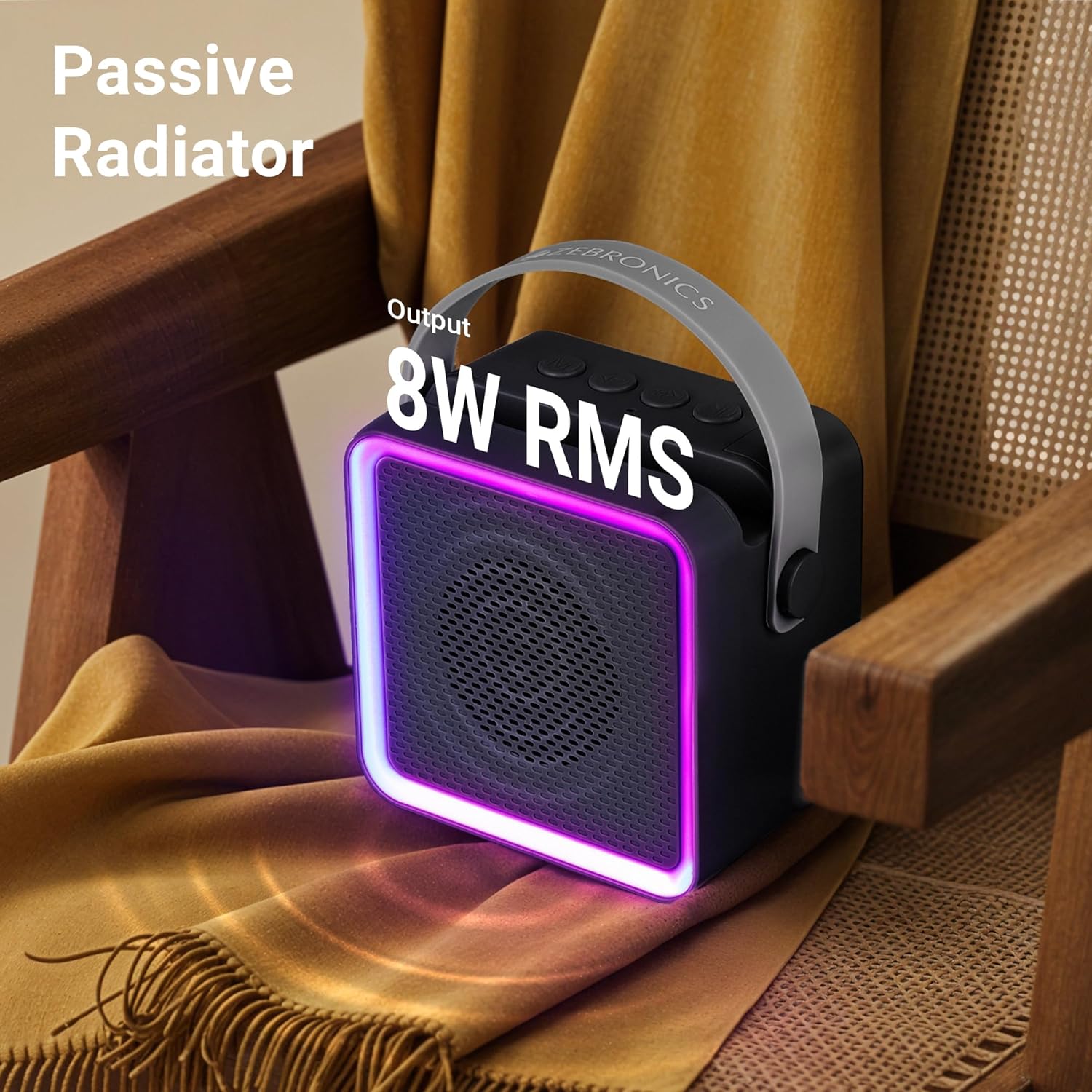
Image: The ZEBRONICS County 8 speaker placed on a chair, highlighting its 8W RMS output and passive radiator for enhanced sound.
Setup
1. Iċċarġja l-Ispeaker
Before first use, fully charge the speaker. Connect the provided Type-C charging cable to the speaker's Type-C port and the other end to a USB power adapter (not included) or a computer's USB port.
- Id-dawl indikatur tal-iċċarġjar se jixgħel waqt l-iċċarġjar.
- Il-ħin tal-iċċarġjar huwa madwar sagħtejn.
- A full charge provides up to 7 hours of playback (at 50% volume with LED off).

Image: The ZEBRONICS County 8 speaker on a table, illustrating its built-in rechargeable battery and Type-C charging capability, with an icon indicating up to 7 hours of backup.
2. Tixgħil / Mitfi
Locate the ON/OFF switch on the speaker. Slide the switch to the "ON" position to power on the speaker. Slide it to the "OFF" position to power off.
3. Tqabbil tal-Bluetooth
- Ixgħel l-ispiker. Dan jidħol awtomatikament fil-modalità ta' tqabbil Bluetooth, indikat minn LED li jteptep.
- Fuq it-tagħmir mobbli tiegħek, ippermetti l-Bluetooth u fittex tagħmir disponibbli.
- Select "ZEB-County 8" from the list of devices.
- Once paired, the speaker will indicate a successful connection, and the LED will stop flashing.
4. Tqabbil ta' TWS (Stereo Wireless Veru)
To experience true wireless stereo sound, you can pair two ZEBRONICS County 8 speakers together.
- Ensure both County 8 speakers are powered on and not connected to any other Bluetooth device.
- Press and hold the "M" (Mode) button on one of the speakers for a few seconds until you hear a prompt indicating TWS pairing mode. This will be your primary speaker.
- Il-kelliem primarju se jfittex il-kelliem sekondarju. Ladarba jkun konness, se tisma' ton ta' konferma.
- Issa, qabbad l-apparat mobbli tiegħek mal-ispiker primarju permezz tal-Bluetooth kif deskritt fil-pass 3. L-awdjo se jindaqq stereo permezz taż-żewġ kelliema.

Image: The ZEBRONICS County 8 speaker demonstrating its TWS function, integrated phone holder, call function, Bluetooth v5.3, and Type-C charging port.
Istruzzjonijiet Operattivi
Funzjonijiet tal-buttuna

Immaġni: Fuq view of the ZEBRONICS County 8 speaker showing the connectivity ports (mSD, USB, Type C, On/Off button) and media/volume control buttons.
- "M" (Mode) Button: Short press to switch between Bluetooth, USB, mSD, and FM radio modes. Long press for TWS pairing.
- "-" (Volume Down / Previous Track) Button: Short press to decrease volume. Long press to go to the previous track.
- "+" (Volume Up / Next Track) Button: Short press to increase volume. Long press to go to the next track.
- "Play/Pause" Button: Short press to play or pause music. In call mode, short press to answer/end a call. Long press to reject a call. Double press to redial the last number.
Modi ta' Konnettività
- Modalità Bluetooth: Qabbad mingħajr fili mal-ismartphone, it-tablet, jew apparati oħra li jaħdmu bil-Bluetooth tiegħek.
- Modalità USB: Insert a USB flash drive into the USB port to play audio files direttament.
- mSD Mode: Insert a microSD card into the mSD slot to play audio files.
- Modalità tar-Radju FM: Switch to FM mode. For better reception, connect the Type-C charging cable as an antenna. The speaker will automatically scan and save available stations.
Sejħa Funzjoni
When connected via Bluetooth to a smartphone, the speaker supports hands-free calling:
- Tweġiba/Tmiem Sejħa: Short press the "Play/Pause" button.
- Irrifjuta Sejħa: Long press the "Play/Pause" button.
- Isemmi mill-ġdid l-Aħħar Numru: Double press the "Play/Pause" button.
Modi LED RGB
The speaker features 8 different RGB LED light modes to enhance your listening experience. These modes cycle automatically or can be controlled via specific button presses (if applicable, refer to QR code guide for advanced controls).

Image: The ZEBRONICS County 8 speaker displaying various RGB LED light modes, illustrating the 8 available options.
Manutenzjoni
- Tindif: Wipe the speaker with a soft, dry cloth. Do not use liquid cleaners or aerosols.
- Ħażna: Aħżen l-ispiker f'post frisk u niexef 'il bogħod mix-xemx diretta u minn temperaturi estremi meta ma jkunx qed jintuża għal perjodi twal.
- Kura tal-batterija: Biex ittawwal il-ħajja tal-batterija, evita li tiċċarġja kompletament il-batterija ta’ spiss. Iċċarġja l-ispiker regolarment, anke jekk ma jkunx qed jintuża.
Issolvi l-problemi
| Problema | Soluzzjoni |
|---|---|
| L-ispiker ma jixgħelx. | Kun żgur li l-batterija hija ċċarġjata. Qabbad l-ispiker ma' sors ta' enerġija billi tuża l-kejbil tat-Tip Ċ. |
| Ma tistax tqabbad permezz tal-Bluetooth. |
|
| L-ebda ħoss jew volum baxx. |
|
| Ir-riċeviment tar-radju FM huwa fqir. | Connect the Type-C charging cable to the speaker; it acts as an external antenna to improve reception. Try repositioning the speaker. |
| It-tqabbil tat-TWS ifalli. |
|
Speċifikazzjonijiet
| Karatteristika | Dettall |
|---|---|
| Isem tal-Mudell | Zeb-County 8 |
| Tip ta' Kelliem | Speaker li jista ’jinġarr |
| Qawwa tal-Ħruġ | 8 Watts |
| Verżjoni Bluetooth | v5.3 |
| Għażliet ta' Konnettività | Bluetooth, USB, mSD, FM Radio |
| Ħajja tal-batterija | Up to 7 hours (at 50% volume, LED off) |
| Ħin tal-Iċċarġjar | Madwar sagħtejn |
| Kapaċità tal-batterija | 2000 mAh |
| Daqs tas-Sewwieq | 5.7 ċm |
| Dimensjonijiet tal-Prodott (P x W x H) | 7D x 11W x 12.5H Ċentimetri |
| Piż tal-oġġett | 380 Gramm |
| Modi LED RGB | 8 modi |
| Metodu ta' Kontroll | Imbotta Buttuna |
| Komponenti Inklużi | Speaker, Charging cable, QR code guide |
Garanzija u Appoġġ
The ZEBRONICS County 8 speaker comes with a Limited Warranty. For detailed warranty terms and conditions, please refer to the QR code guide included in the box or visit the official ZEBRONICS websit.
For technical support, troubleshooting assistance, or service inquiries, please contact ZEBRONICS customer support through their official channels. You can find contact information on the ZEBRONICS websit: www.zebronics.com


