Introduzzjoni
This manual provides comprehensive instructions for the assembly, operation, maintenance, and troubleshooting of your FLEXISPOT One-Piece Electric Standing Desk. Please read this manual thoroughly before assembly and use to ensure proper function and safety. Keep this manual for future reference.

Image: The FLEXISPOT One-Piece Electric Standing Desk, featuring a black desktop and black frame, set up with a laptop and monitor.
Setup u Assemblea
Your FLEXISPOT Electric Standing Desk is designed for straightforward assembly. The desk ships in two separate packages, which may arrive at different times. Please ensure all components are present before beginning assembly.
Għodod Meħtieġa (Mhux Inklużi):
- Electric drill (recommended for faster assembly)
Passi tal-Assemblea:
- Iftaħ il-komponenti kollha mill-pakkett u vverifika mal-lista tal-partijiet ipprovduta fil-gwida separata tal-assemblaġġ.
- Attach the desk legs to the desktop frame. The main bracket and motor are pre-attached for convenience.
- Secure the desktop to the frame. The desktop is a single, seamless piece, 1 inch thick, providing enhanced stability.
- Connect the control panel and power cables according to the wiring diagram in the assembly guide.
- Install any optional accessories, such as the headphone hooks, if desired.
Importanti: Always follow the detailed assembly instructions included in your product packaging. Ensure all screws are tightened securely to prevent instability. Do not exceed the maximum weight recommendation of 132 pounds.

Immaġni: Close-up view highlighting the seamless, one-piece desktop with rounded edges, emphasizing its solid construction.
Istruzzjonijiet Operattivi
The FLEXISPOT Electric Standing Desk features an intuitive control panel for easy height adjustment and memory presets.
Aġġustament Għoli:
- Uża l- Up u Down arrow buttons on the control panel to adjust the desk height.
- The desk can be adjusted from a minimum height of 28.1 inches to a maximum height of 45.7 inches.
- The motor operates quietly, under 50 dB, ensuring minimal disruption to your workspace.
Presets tal-memorja:
The desk includes four programmable memory height presets, allowing you to save and recall your preferred sitting and standing positions instantly.
- Aġġusta l-iskrivanija għall-għoli mixtieq tiegħek billi tuża l-buttuni 'l fuq/'l isfel.
- Agħfas il- 'M' button (or similar memory set button, refer to your control panel diagram).
- Agħfas immedjatament wieħed mill-buttuni ssettjati minn qabel innumerati (1, 2, 3, jew 4) biex issalva l-għoli attwali għal dik il-pożizzjoni.
- Biex tirrevoka għoli ssejvjat, sempliċement agħfas il-buttuna preset innumerata korrispondenti. L-iskrivanija awtomatikament tiċċaqlaq għall-pożizzjoni ssejvjata.

Immaġni: Dettaljata view of the smart control panel, showing the LED display for height, up/down buttons, and four memory preset buttons.

Image: A visual representation of the desk's height adjustment range, indicating minimum (28.1 inches) and maximum (45.7 inches) heights.
Manutenzjoni
Manutenzjoni regolari tiżgura l-lonġevità u l-prestazzjoni ottimali tal-iskrivanija wieqfa tiegħek.
- Tindif: Imsaħ id-desktop u l-qafas b'ċarruta ratba u damp drapp. Evita prodotti tat-tindif li joborxu jew kimiċi ħarxa li jistgħu jagħmlu ħsara lill-finitura.
- Ġestjoni tal-Kejbil: Periodically check and organize cables to prevent tangles and ensure smooth operation during height adjustments.
- Limitu tal-Piż: Do not exceed the maximum weight capacity of 132 pounds. Overloading can strain the motor and frame.
- Kundizzjonijiet Ambjentali: Keep the desk away from direct heat sources and excessive moisture.
- Iċċekkja tal-Qafliet: Iċċekkja l-viti u l-qafliet kollha minn żmien għal żmien biex tiżgura li jibqgħu ssikkati. Erġa' ssikkahom jekk meħtieġ.
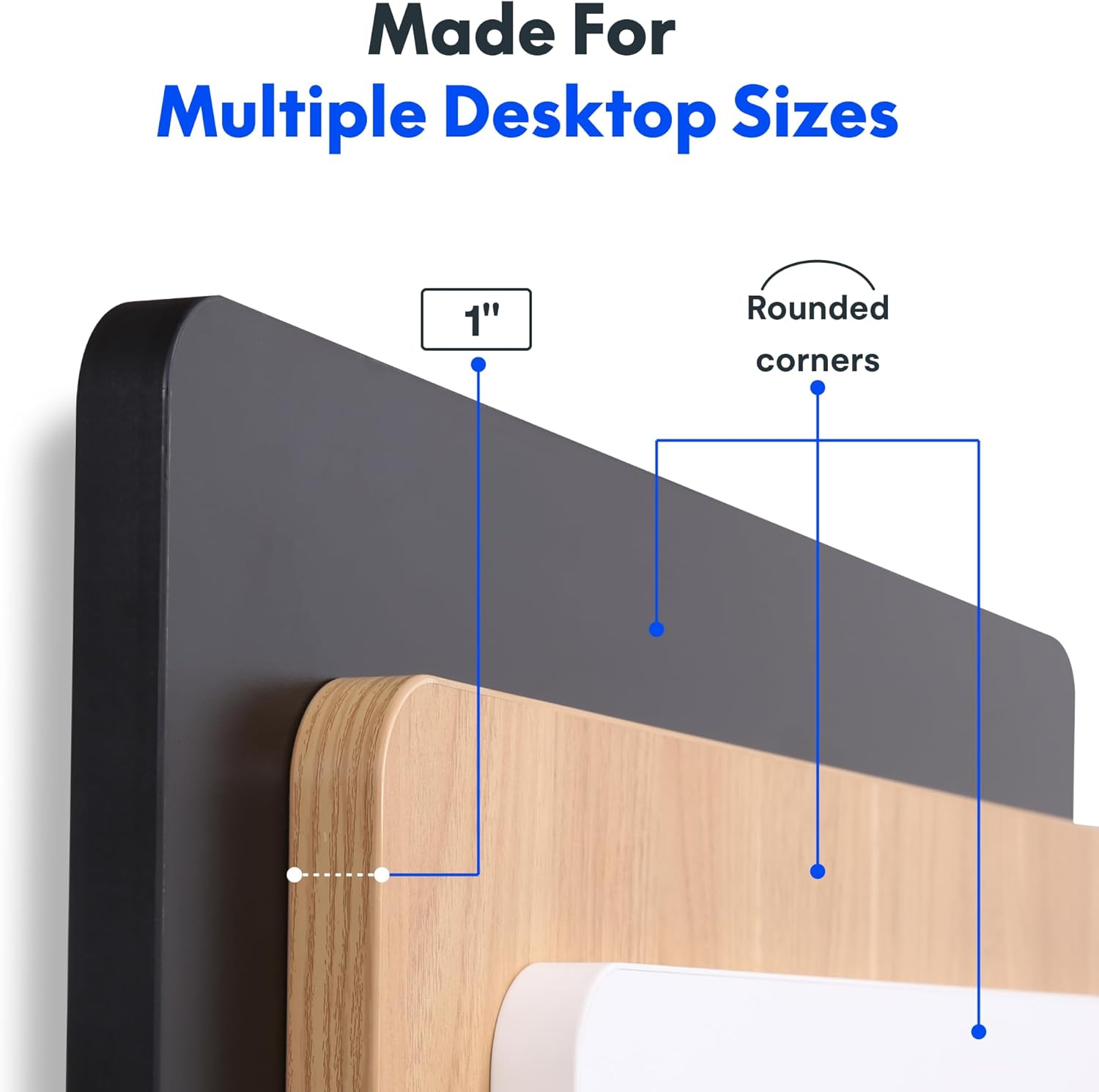
Image: The desk in operation, illustrating its smooth and quiet movement, ideal for maintaining concentration.
Issolvi l-problemi
If you encounter issues with your FLEXISPOT Electric Standing Desk, refer to the following common problems and solutions.
L-Iskrivanija Mhux Qed Taġġusta l-Għoli:
- Konnessjoni tal-Enerġija: Ensure the power cord is securely plugged into both the desk and a working electrical outlet.
- Konnessjonijiet tal-kejbil: Check all cables connecting the control panel to the motor and power supply for secure connections.
- Tagħbija żejda: Verify that the weight on the desk does not exceed the maximum capacity of 132 pounds. Remove excess weight and try again.
- Reset Proċedura: Consult your specific assembly guide for any factory reset procedures for the control panel.
Unusual Noises During Adjustment:
- Clicking Sound: A clicking sound, particularly when lowering, may indicate an issue with the motor or leg mechanism. Ensure the desk is not overloaded. If the issue persists, contact customer support.
- Tħawwad: Ensure all assembly screws are tightly secured. Check that the desk is on a level surface.
Jekk dawn il-passi ma jsolvux il-problema, jekk jogħġbok irreferi għat-taqsima tal-garanzija u l-appoġġ għal aktar assistenza.
Speċifikazzjonijiet
Detailed specifications for the FLEXISPOT One-Piece Electric Standing Desk (48x24 inch model).

Image: A diagram illustrating the key dimensions of the desk: 48 inches in width, 24 inches in depth, and a 1-inch desktop thickness.
| Karatteristika | Dettall |
|---|---|
| Brand | FLEXISPOT |
| Mudell | One-Piece Electric Standing Desk 48x24 |
| Dimensjonijiet tad-Desktop (W x D) | 48 pulzier x 24 pulzier |
| Ħxuna tad-Desktop | 1 pulzier |
| Medda ta 'Aġġustament Għoli | 28.1 inches (min) to 45.7 inches (max) |
| Livell tal-Istorbju tal-Mutur | Taħt 50 dB |
| Presets tal-Memorja | 4 |
| Kapaċità massima tal-piż | 132 liri |
| Materjal tal-qafas | Azzar Liga |
| Materjal tad-Desktop | Injam Inġinerija |
| Kulur | Black Top + Black Frame |
| Karatteristiċi Speċjali | One-Piece Desktop, Headphone Hook |
| Assemblea Meħtieġa | Iva |

Immaġni: Close-up view of the desk's underside, highlighting the two convenient headphone hooks for storage.
Informazzjoni dwar Garanzija
FLEXISPOT provides the following warranty for your Electric Standing Desk:
- Frame, Motor, and Mechanical Parts: Garanzija limitata ta '5 snin.
- Komponenti Elettroniċi: Garanzija limitata ta '2 snin.
This warranty covers defects in materials and workmanship under normal use. Please retain your proof of purchase for warranty claims. For specific terms and conditions, refer to the warranty documentation included with your product or visit the official FLEXISPOT websit.
Appoġġ għall-Klijent
For further assistance, technical support, or warranty claims, please contact FLEXISPOT customer service. You can typically find contact information on the official FLEXISPOT webis-sit jew permezz tal-bejjiegħ bl-imnut minn fejn xtrajt il-prodott.
Meta tikkuntattja l-appoġġ, jekk jogħġbok żomm l-informazzjoni li ġejja lesta:
- Product Model: One-Piece Electric Standing Desk 48x24
- ASIN: B0DRFZWN7X
- Data tax-Xiri
- Deskrizzjoni dettaljata tal-kwistjoni
Żur il- Ħanut FLEXISPOT fuq Amazon għal aktar informazzjoni dwar il-prodott u riżorsi ta' appoġġ.


