1. Introduzzjoni
This manual provides detailed instructions for the installation, operation, and maintenance of your Montech AX 120 ARGB Fans. These 120mm fans are designed to provide efficient cooling and customizable lighting for your computer system. Please read this manual thoroughly before installation to ensure proper function and safety.
2. Informazzjoni dwar is-Sigurtà
- Always disconnect power from your computer before installing or handling internal components.
- Handle fans by their frames, avoiding contact with the blades.
- Aċċerta ruħek li jkun hemm ertjar xieraq biex tevita ħsara minn skarika elettrostatika (ESD).
- Żomm il-partijiet żgħar u l-materjali tal-ippakkjar 'il bogħod mit-tfal.
- Tippruvax timmodifika l-fann jew il-kejbils tiegħu. Modifiki mhux awtorizzati jistgħu jannullaw il-garanzija tiegħek u joħolqu riskji għas-sigurtà.
3. Kontenut tal-Pakkett
Ivverifika li l-oġġetti kollha huma preżenti fil-pakkett tiegħek:
- Montech AX 120 ARGB Fan (x4)
- Viti tal-Immuntar (x16)
- Fan Hub (if included in your specific pack)

Figure 3.1: Montech AX 120 ARGB Fan (Pack of 4)
4. Setup u Installazzjoni
Follow these steps to install your Montech AX 120 ARGB Fans:
- Ipprepara s-Sistema Tiegħek: Itfi l-kompjuter tiegħek u skonnettjah mis-sokit tal-elettriku. Iftaħ il-kaxxa tal-kompjuter tiegħek.
- Identify Fan Mounting Locations: Determine where you want to install the fans (e.g., front, top, rear, bottom of the case).
- Immuntar il-Fannijiet: Position each fan in the desired location. The AX series fans are designed to blow air from the RGB-lit side towards the non-RGB side. Consider this for optimal airflow (e.g., intake or exhaust). Secure each fan using four mounting screws. The integrated anti-vibration pads help reduce noise from resonance.

Figura 4.1: Quddiem view of the Montech AX 120 ARGB Fan

Figura 4.2: Lura view of the Montech AX 120 ARGB Fan, indicating airflow direction from front to back.
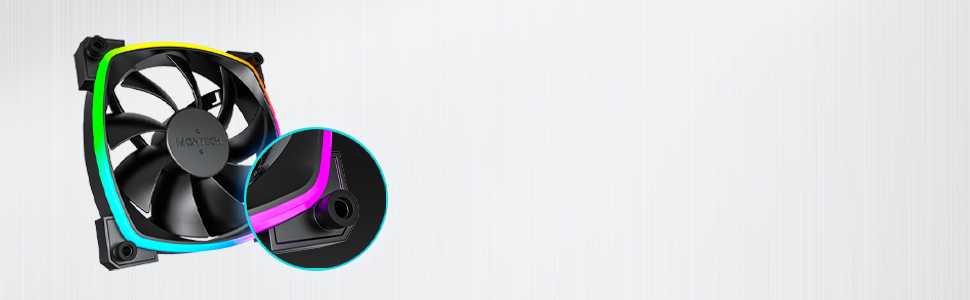
Figure 4.3: Integrated anti-vibration pads for reduced noise.
- Connect Power and ARGB Cables: Each fan has two cables: a 4-pin PWM cable for fan speed control and a 3-pin ARGB cable for lighting control.
- Connect the 4-pin PWM cable to an available 4-pin fan header on your motherboard or to a fan hub.
- Connect the 3-pin ARGB cable to an available 5V 3-pin ARGB header on your motherboard or to a compatible ARGB controller/hub. Nota: Tqabbadx ma' header RGB ta' 12V, għax dan se jagħmel ħsara lill-LEDs.
- Ġestjoni tal-Kejbil: Route cables neatly to avoid interference with other components and to improve airflow.
- Agħlaq il-Kaxxa u Ixgħelha: Once all connections are secure, close your computer case, reconnect power, and power on your system.
5. Istruzzjonijiet Operattivi
The Montech AX 120 ARGB Fans offer both speed and lighting control:
5.1 Kontroll tal-Veloċità tal-Fann (PWM)
The 4-pin PWM connection allows for precise fan speed control based on system temperature. The fan speed can be adjusted from 600 RPM to 1600 RPM.
- BIOS/UEFI: Access your motherboard's BIOS/UEFI settings to configure fan curves. This allows the fan speed to automatically adjust based on CPU or system temperatures.
- Software: Use your motherboard's fan control software (e.g., ASUS Fan Xpert, MSI Dragon Center, Gigabyte SIV) to create custom fan profiles within your operating system.

Figure 5.1: PWM fan speed adjustment from 600 RPM to 1600 RPM.
5.2 Kontroll tad-Dawl ARGB
The Addressable RGB (ARGB) lighting can be synchronized and customized through your motherboard's software or a dedicated ARGB controller.
- Softwer tal-Motherboard: If connected to a 5V 3-pin ARGB header, use your motherboard's RGB software (e.g., ASUS Aura Sync, MSI Mystic Light Sync, Gigabyte RGB Fusion, ASRock Polychrome Sync) to control lighting effects, colors, and synchronization with other ARGB components.
- ARGB Controller: If using a standalone ARGB controller, refer to the controller's manual for specific instructions on changing lighting modes.
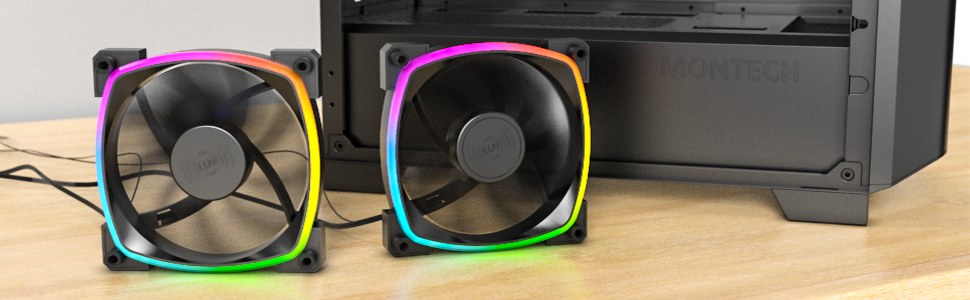
Figure 5.2: Customizable hexagonal ARGB lighting.
6. Manutenzjoni
Regular maintenance ensures optimal performance and longevity of your fans:
- Tindif: Naddaf it-trab mill-paletti tal-fann u l-qafas perjodikament billi tuża arja kkompressata jew pinzell artab. Kun żgur li l-kompjuter ikun mitfi u skonnettjat qabel ma tnaddaf.
- Spezzjoni: Check cables for any signs of wear or damage. Ensure mounting screws are secure.
- Bearing Longevity: The fans feature an HDB (Hydro Dynamic Bearing) designed for high-end durability and a lifespan of 40,000 hours. No user maintenance is required for the bearing.
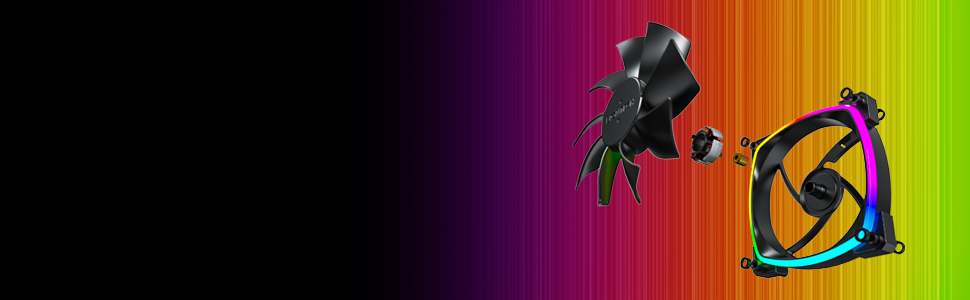
Figure 6.1: Hydro Dynamic Bearing (HDB) for extended lifespan.
7 Issolvi l-problemi
Jekk tiltaqa' ma' problemi, irreferi għall-gwida li ġejja għas-soluzzjoni tal-problemi:
| Problema | Kawża Possibbli | Soluzzjoni |
|---|---|---|
| Fann mhux għażil | Loose 4-pin PWM cable connection Insufficient power from motherboard header Fan curve set too low in BIOS/software | Ensure 4-pin PWM cable is securely connected. Ipprova qabbad ma' header tal-fann differenti. Adjust fan curve settings in BIOS/software to ensure fans spin at low temperatures. |
| Id-dawl ARGB mhux qed jaħdem | Loose 3-pin ARGB cable connection Connected to incorrect 12V RGB header ARGB software not configured or running | Ensure 3-pin ARGB cable is securely connected to a 5V ARGB header. Verify connection is to a 5V 3-pin ARGB header, not a 12V 4-pin RGB header. Install and configure your motherboard's ARGB software or check your ARGB controller settings. |
| Storbju eċċessiv | Veloċità għolja tal-fann Vibrazzjonijiet Tfixkil | Aġġusta l-veloċità tal-fann fil-BIOS/softwer għal RPM aktar baxx. Ensure all mounting screws are tight. The fans have anti-vibration pads to minimize this. Check for any cables or objects interfering with fan blades. |
8. Speċifikazzjonijiet
Key technical specifications for the Montech AX 120 ARGB Fan:
- Mudell: AX120 PWM BLACK
- Dimensjonijiet tal-fann: 120mm x 120mm x 25mm (4.72 x 4.72 x 0.98 pulzieri)
- Tip ta' Bearing: Kuxxinett Idrodinamiku (HDB)
- Veloċità Rotazzjoni: 600 - 1600 RPM (ikkontrollat mill-PWM)
- Livell ta' Storbju: Taħt 27.9 dB(A)
- Konnettur tal-Qawwa: 4-Pin PWM
- Konnettur ARGB: 3-Pin 5V ARGB
- Vol ikklassifikattage: 12V DC (Fan), 5V DC (LED)
- Wattage: 2 watt
- Materjal: Metall, Plastik, Lastiku
- It-tul tal-ħajja: 40,000 sigħat
9. Garanzija u Appoġġ
Montech products are manufactured to the highest quality standards. For warranty information, technical support, or customer service inquiries, please visit the official Montech webis-sit jew ikkuntattja lill-bejjiegħ lokali tiegħek. Jekk jogħġbok żomm il-prova tax-xiri tiegħek għal talbiet ta' garanzija.


