Introduzzjoni
This manual provides detailed instructions for the setup, operation, and maintenance of your MCHOSE M7 Pro Wireless Gaming Mouse. Please read this guide thoroughly to ensure optimal performance and longevity of your device.
Kontenut tal-Pakkett
- MCHOSE M7 Pro Wireless Gaming Mouse
- 2.4GHz USB Receiver (dongle)
- Cable tal-Iċċarġjar tal-USB-C
- USB Extender
- Mouse Grips (optional)
- Manwal għall-Utent (dan id-dokument)
Setup
1. Iċċarġjar tal-Maws
Connect the provided USB-C cable to the mouse's front port and the other end to a USB power source (e.g., computer USB port, USB wall adapter). The indicator light will show charging status.
2. Modi ta' Konnettività
The M7 Pro supports three connectivity modes: 2.4GHz Wireless, Bluetooth, and USB-C Wired.
2.1. Konnessjoni bla fili ta' 2.4GHz
- Locate the 2.4GHz USB receiver (dongle) stored in the compartment on the underside of the mouse.
- Daħħal ir-riċevitur USB f'port USB disponibbli fuq il-kompjuter tiegħek.
- Turn on the mouse using the switch on the underside. The mouse should automatically connect.
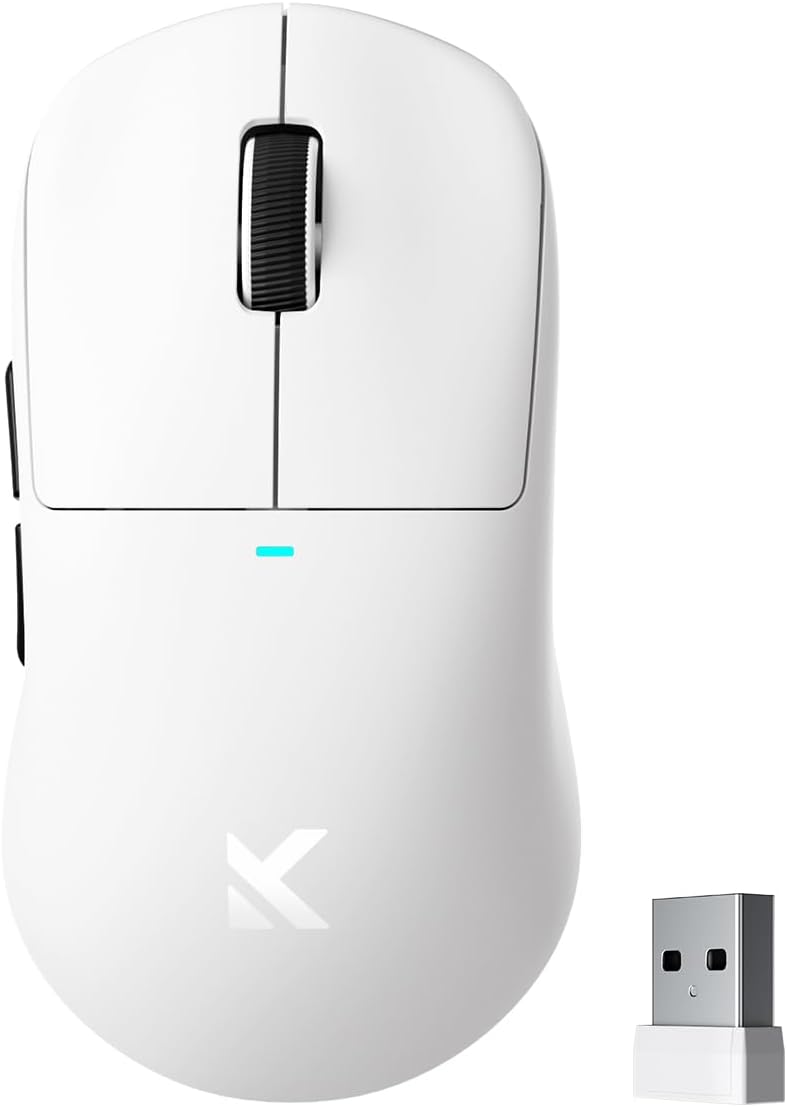
Image: The MCHOSE M7 Pro mouse shown with its compact 2.4GHz USB receiver.
2.2. Konnessjoni Bluetooth
- Turn on the mouse and switch to Bluetooth mode using the mode switch button on the underside.
- Fuq il-kompjuter jew l-apparat tiegħek, mur fis-settings tal-Bluetooth u fittex apparati ġodda.
- Select "MCHOSE M7 Pro" from the list of available devices to pair.
Note: Some users report needing to press Left, Right, and Middle clicks simultaneously for 3 seconds to enable pairing mode.
2.3. Konnessjoni bil-Wajer USB-C
Connect the USB-C cable directly from the mouse to your computer. The mouse will operate in wired mode and charge simultaneously.

Image: Illustration of the MCHOSE M7 Pro mouse demonstrating its tri-mode connectivity options: 2.4GHz wireless, Bluetooth, and USB-C wired.
3. Software Installation (MCHOSE Custom Driver)
Għal personalizzazzjoni avvanzata, niżżel l-MCHOSE Custom Driver mill-websajt uffiċjali tal-MCHOSE. websit. Dan is-softwer jippermettilek li:
- Edit up to five mouse buttons
- Adjust DPI settings
- Ikkonfigura r-rata tal-votazzjoni
- Manage macros
- Enable Esports mode

Image: A screenshot of the MCHOSE Custom Driver software, showing options for button assignment, DPI adjustment, and macro management.
Istruzzjonijiet Operattivi
1. Funzjonijiet tal-buttuna

Image: A diagram illustrating the six programmable buttons of the MCHOSE M7 Pro mouse, including Left, Right, Middle, Forward, Back, DPI Switch, and Mode Switch buttons, along with the indicator light and USB dongle storage.
- Buttuna tax-Xellug: Funzjoni tal-ikklikkja primarja.
- Buttuna tal-lemin: Funzjoni ta 'klikk sekondarja.
- Buttuna tan-Nofs/Rota tal-Iskrolljar: Skrollja 'l fuq/'l isfel, ikklikkja bil-buttuna tan-nofs.
- Buttuna 'l quddiem: Jinnaviga 'l quddiem ġewwa web browsers jew applikazzjonijiet.
- Buttuna Lura: Jinnaviga lura ġewwa web browsers jew applikazzjonijiet.
- Buttuna tas-Swiċċ tad-DPI: Jiċċikla permezz ta' livelli ta' DPI stabbiliti minn qabel.
- Mode Switch Button (underside): Jaqleb bejn il-modi mingħajr fili ta' 2.4GHz, Bluetooth, u Mitfi.
2. Aġġustament tad-DPI
Press the DPI Switch Button located on the top of the mouse to cycle through different DPI sensitivity levels. The indicator light may change color to indicate the current DPI setting (refer to software for specific color assignments).
3. Rata tal-Votazzjoni
The M7 Pro supports a wired 1K polling rate and wireless 8K polling rate. For 8K wireless polling, an 8K receiver (sold separately) is required. This feature reduces latency for enhanced precision.

Image: The MCHOSE M7 Pro mouse connected to an 8K Hz Hyperpolling Rate receiver, illustrating ultra-low-latency response.
Manutenzjoni
1. Tindif
Use a soft, dry cloth to clean the mouse surface. For the optical sensor, use a cotton swab lightly dampened with isopropyl alcohol to gently clean the sensor lens. Avoid harsh chemicals or abrasive materials.
2. Kura tal-batterija
To prolong battery life, avoid fully discharging the mouse frequently. Charge the mouse when the battery indicator is low. Store the mouse in a cool, dry place when not in use for extended periods.

Image: The MCHOSE M7 Pro mouse, emphasizing its lightweight design at 55g and its 500mAh battery capacity.
Issolvi l-problemi
1. Il-Maws Ma Jirrispondix
- Kun żgur li l-maws huwa ċċarġjat.
- Check the mode switch on the underside of the mouse to ensure it's in the correct mode (2.4GHz, Bluetooth, or Wired).
- For 2.4GHz wireless, ensure the USB receiver is securely plugged into a working USB port. Try a different USB port.
- Għall-Bluetooth, kun żgur li l-Bluetooth huwa attivat fuq l-apparat tiegħek u li l-maws huwa mqabbad. Ipprova erġa' qabbad il-maws.
- Try connecting the mouse via USB-C cable to rule out wireless issues.
2. Cursor Movement is Erratic or Inaccurate
- Naddaf is-senser ottiku fuq in-naħa ta' taħt tal-maws.
- Kun żgur li qed tuża l-maws fuq wiċċ adattat (eż., mouse pad). Evita uċuħ li jirriflettu ħafna jew trasparenti.
- Adjust DPI settings using the DPI switch button or the MCHOSE Custom Driver software.
3. Scroll Wheel Issues
- If the scroll wheel scrolls erratically or in the wrong direction, ensure the mouse firmware is up to date via the MCHOSE Custom Driver.
- Gently clean around the scroll wheel to remove any debris.
4. Bluetooth Pairing Difficulties
- Ensure the mouse is in Bluetooth pairing mode. Some models may require pressing the Left, Right, and Middle click buttons simultaneously for 3 seconds to initiate pairing.
- Remove previous Bluetooth pairings for the mouse from your device and attempt to pair again.
Speċifikazzjonijiet
| Karatteristika | Dettall |
|---|---|
| Mudell | M7 Pro |
| Konnettività | 2.4GHz bla fili, Bluetooth 5.0, USB-C bil-fili |
| Sensor | Senser Ottiku PAW3395 |
| DPI | Sa 26000 DPI |
| IPS | 650 FPS |
| Aċċelerazzjoni | 50G |
| Ir-Rata tal-Votazzjoni | Wired 1K Hz, Wireless 8K Hz (with optional 8K receiver) |
| Swiċċijiet | Swiċċijiet Ottiċi MCHOSE PRO |
| Buttuni | 6 Buttuni Programmabbli |
| Piż | Madwar 55g |
| Kapaċità tal-batterija | 500mAh |
| Dimensjonijiet | 5 x 2.5 x 0.1 pulzieri (approssimattiv) |
| Proċessur | Realtek High-Performance Processor |

Immaġni: Sploda view of the MCHOSE M7 Pro mouse, highlighting internal components such as MCHOSE Pro Optical Switches, Realtek Premium Processor, PAW 3395 Sensor, and 500mAh battery.
Garanzija u Appoġġ
MCHOSE products are covered by a limited warranty. For detailed warranty information, technical support, or to download the latest drivers and firmware, please visit the official MCHOSE websit jew ikkuntattja lis-servizz tal-konsumatur.
MCHOSE Uffiċjali Websit: Ħanut MCHOSE fuq Amazon


